Text Styles
Java mod listed for Minecraft 1.21. Downloads from the MC Java Mods app on Android.
I don't know my version or loader
Text Styles
"Bring your text to life with dynamic animations and effects!"
An advanced, modular, and highly personalizable text effect system for Minecraft.
📖 Description
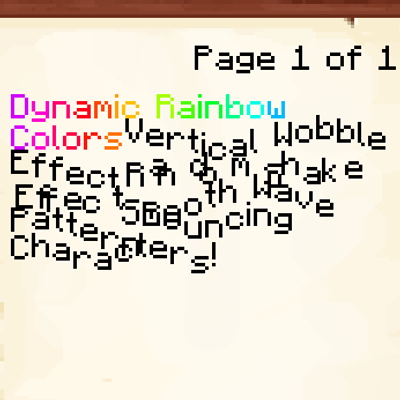
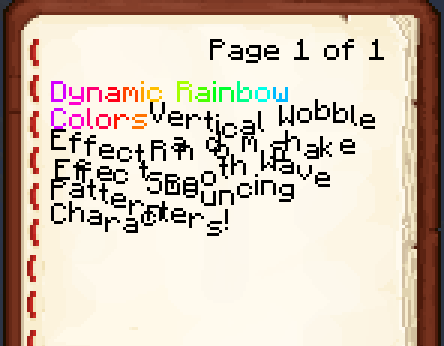
Text Styles is a powerful refactor and expansion of the original text effects concept. It introduces a robust, registry-based system that allows for deeply personalizable text animations using simple tags. Whether you're writing in a book, on a sign, or just chatting, you can now add movement, color cycles, and unique reveal animations to your text.
Unlike other simple effect mods, Text Styles is designed for compatibility and extensibility, allowing other mods to register their own styles and parameters easily.
🌟 Features
- Registry-Based System: Every style is a registered object, making it easy to extend and maintain.
- Deeply Personalizable: Almost every aspect of an effect (speed, distance, frequency, etc.) can be adjusted via tag parameters.
- Short Aliases: Support for short tag names and parameter aliases (e.g.,
<wb d=5>instead of<wobble distance=5>), perfect for space-constrained areas like books and signs. - Minecraft Native Integration: Styles are serialized using Codecs, ensuring they work perfectly with Minecraft's text system, NBT, and JSON.
- Rich Animation Library: Over 15 built-in styles including Wave, Rainbow, Glitch, Typewriter, and more.
- Per-Glyph Rendering: Advanced rendering that allows for smooth gradients and per-character animations.
⚙️ Compatibility
- Minecraft Versions:
- Fully compatible with 26+.
- Modding Platforms:
- Fabric: ✅ Fully supported!
- NeoForge: Soon!
- Mod Compatibility:
- Works with any mod that uses standard Minecraft Components.
📦 Installation
- Download the mod: Grab the latest version from GitHub or your favorite mod hosting site.
- Install Fabric or NeoForge: Ensure you have Fabric Loader or Neoforge Loader installed for your Minecraft version.
- Add the mod: Place the
.jarfile into themodsfolder of your Minecraft instance. - Launch the game: Start Minecraft and start experimenting with styles!
💡 How to Use
Simply wrap your text in tags like <style_name params>your text</style_name>. You can use full names or short aliases.
🛠️ Available Styles & Parameters
| Style | Alias | Parameters (Full / Short) | Description |
|---|---|---|---|
| Wobble | wb |
distance/d, speed/s |
Vertical bobbing motion. |
| Shake | sh |
x, y, frequency/f |
Random jittery movement. |
| Wave | wv |
amplitude/a, frequency/f, speed/s, vertical/v |
Fluid wave-like motion. |
| Rainbow | rb |
speed/s, frequency/f, saturation/sat, brightness/bri |
Cycles through HSB colors. |
| Bounce | bn |
amplitude/a, speed/s, delay/dl |
Jumping/bouncing effect. |
| Pulse | pl |
intensity/i, speed/s, delay/dl, color/c |
Pulses in scale and color. |
| Fade | fd |
min_alpha/m, max_alpha/x, speed/s, delay/dl |
Fades in and out. |
| Swing | sw |
amplitude/a, speed/s, delay/dl |
Pendulum-like rotation. |
| Glitch | gl |
intensity/i, frequency/f |
Random offsets and color flashes. |
| Turbulence | tb |
intensity/i, speed/s |
Erratic but smooth movement. |
| Gradient | gr |
color1/c1, color2/c2, speed/s, frequency/f |
Smooth transition between two colors. |
| Typewriter | tw |
delay/dl, land/l, snap/sn |
Reveals characters one by one. |
| Marquee | mq |
min/m, max/x, vertical/v |
Scrolling marquee effect. |
| Shadow | sd |
color/c, x, y |
Custom offset shadow. |
| Show After | sa |
delay/dl |
Hides text for a set duration. |
🔍 Showcase Command
You can see all these effects in action in-game by running: /textstyles showcase
🛠️ Contributing & Feedback
Contributions, ideas, and bug reports are always welcome!
- Found a bug? Report it on our GitHub.
- Want to contribute? Feel free to fork the project and submit a pull request.
📄 License
This mod is licensed under the MIT License.
❤️ Acknowledgments
Text Styles was created by [RazorPlay01] to bring more expressiveness to Minecraft's text. Thank you for using the mod! If you enjoy it, please consider leaving a star on the repository!
- Edition: Minecraft Java
- File type: .jar
- Minecraft version listed: 1.21.1
- How to install: Install the matching mod loader (Forge, Fabric or NeoForge) for your Minecraft version. → Download the .jar. → Put it in the .minecraft/mods folder and launch that loader profile.
- Where to get it: Opens on CurseForge — not every file is mirrored on our own servers.
Install steps are the general flow for this file type — How to install Minecraft Java mods & modpacks walks through it step by step.
- Ships as text_styles-1.3.5-fabric+26.2.jar — drop this file into the mods folder
- Download size: 96 KB
- Download link checked 24 Oct 2026 — working
These come from our own check of the pack file, not from the source page.