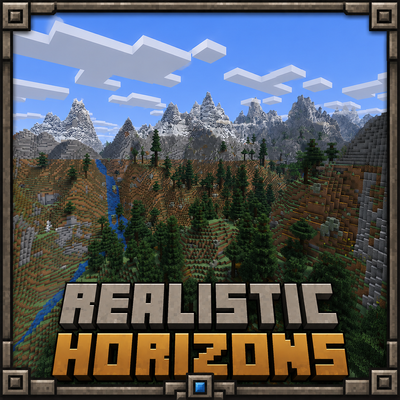
Realistic Horizons
Java mod listed for Minecraft 1.21. Downloads from the MC Java Mods app on Android.
Realistic Horizons adds cinematic, biome-aware Overworld terrain with towering mountains, carved valleys, improved coasts, and rare natural waterfalls.
⬇ Download on CurseForgeThe author built this one for Minecraft 1.21.11 on Fabric. On other versions it may install and then do nothing.
Realistic Horizons
Realistic Horizons is a serious Overworld terrain overhaul that makes Minecraft worlds feel larger, more natural, and more cinematic while still keeping the vanilla Minecraft style.
Instead of completely replacing the game with something unrecognizable, this mod improves the way the world is shaped. Mountains feel taller, valleys feel deeper, coastlines feel smoother, and the horizon looks much more impressive when exploring.
What Does Realistic Horizons Add?
- Cinematic mountain ranges that create huge, dramatic landscapes.
- Carved valleys and natural terrain flow for more believable world shapes.
- Improved coastlines that make oceans, beaches, and land edges feel less flat.
- Biome-aware terrain generation so the world still fits Minecraft’s normal biome style.
- Rare natural waterfalls that can appear in valid terrain spots.
- Better exploration views with large horizons, cliffs, forests, rivers, and snowy peaks.
- A vanilla-friendly look that improves terrain without making the world feel like a totally different game.
How To Use The Mod
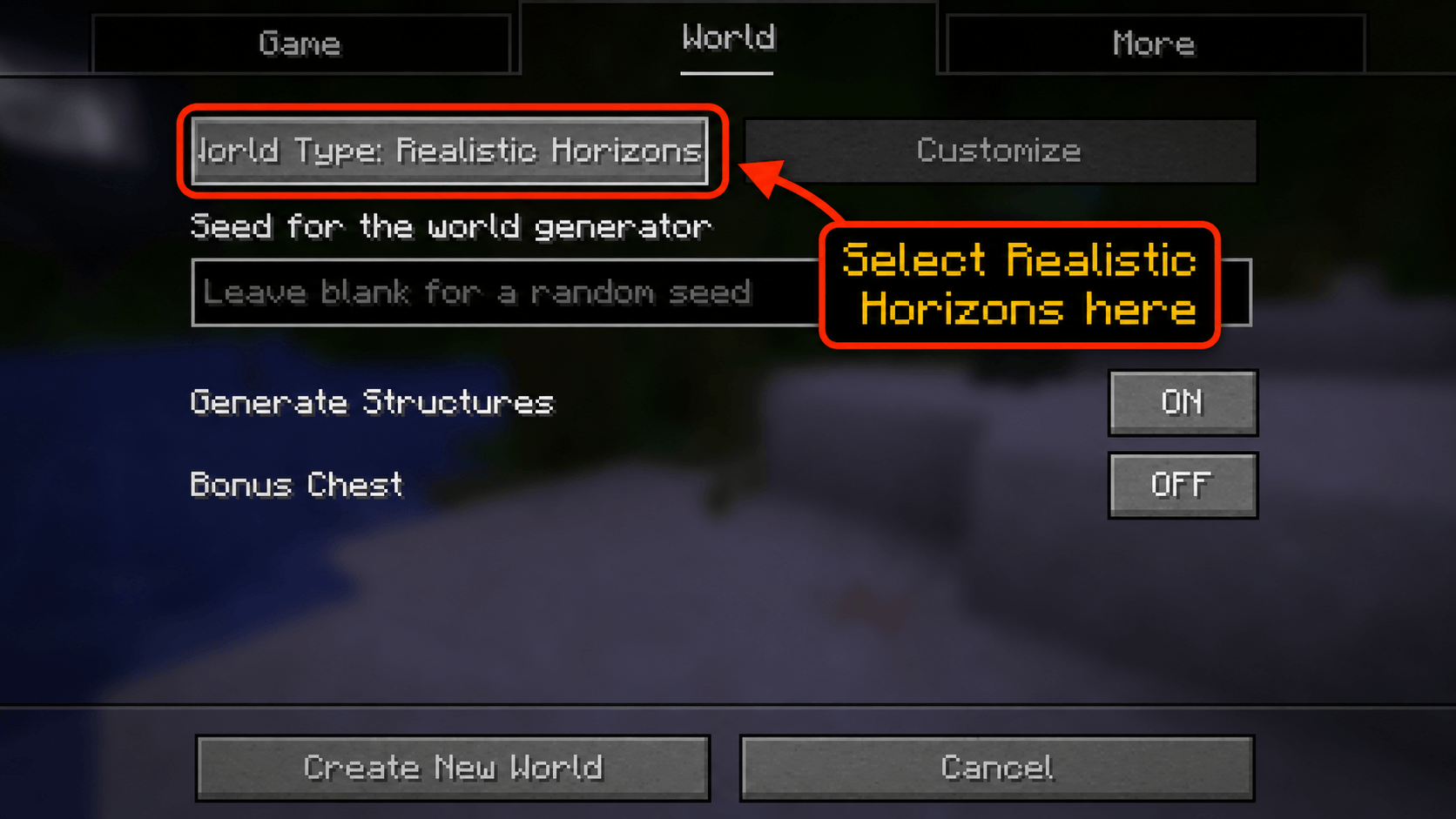
Important: Realistic Horizons only applies when you create a new world with its world generation option enabled.
To use the terrain:
1. Install the mod.
2. Open Minecraft.
3. Go to Singleplayer.
4. Click Create New World.
5. Go to the World tab or More World Options, depending on your Minecraft version.
6. Find the World Type option.
7. Select Realistic Horizons.
8. Create the world and start exploring.
If you create a world using the normal Default world type, you will not get the Realistic Horizons terrain.
Why Use Realistic Horizons?
Realistic Horizons is made for players who want Minecraft’s Overworld to feel more impressive without losing the blocky vanilla feeling.
It is great for:
- Survival worlds
- Exploration-focused gameplay
- Screenshots and cinematic views
- Mountain bases
- Adventure-style worlds
- Players who want better terrain without adding tons of extra content
Notes
- This mod changes world generation, so it is best used on a new world.
- Existing chunks in old worlds will not automatically regenerate.
- New terrain will only appear in newly generated chunks.
- For the intended experience, make sure the world type is set to Realistic Horizons during world creation.
- Edition: Minecraft Java
- File type: .jar
- Minecraft version listed: 1.21.11
- How to install: Install the matching mod loader (Forge, Fabric or NeoForge) for your Minecraft version. → Download the .jar. → Put it in the .minecraft/mods folder and launch that loader profile.
- Where to get it: Opens on CurseForge — not every file is mirrored on our own servers.
Install steps are the general flow for this file type — How to install Minecraft Java mods & modpacks walks through it step by step.
- Ships as realistic-horizons-fabric-0.19.2-mc-1.21.11-1.0.8.jar — drop this file into the mods folder
- Download size: 288 KB
- Download link checked 3 Oct 2026 — working
These come from our own check of the pack file, not from the source page.