ModsJava
Immersive_Aircraft_Modernization
Java mod listed for Minecraft 1.20–1.21. Downloads from the MC Java Mods app on Android.
I don't know my version or loader
Open the Minecraft launcher and look at the profile you play on — it names both, like fabric-loader-1.21.4. The version also shows in the bottom-right corner of the game's main menu.
No loader in the profile name? Then it's plain Minecraft, and these mods won't run — you need Fabric or NeoForge installed first.
## 中文 沉浸飞机:现代化
为 沉浸式飞机 增加现代化的超频巡导模块。
提供多航线编辑、航点命名、默认飞行高度、单航点飞行高度、HUD 信息显示、燃料与液体燃料剩余显示、自动导航、暂停/继续导航、巡航超频加速,以及盘旋、常规降落、垂直降落等终点策略。
超频巡导模块可安装到沉浸飞机升级槽;玩家可在飞机上打开航线设置,也可手持模块右键编辑同一份模块 NBT 数据。
快捷键
- `,` 打开航线设置
- `.` 启动或切换自动导航
0.2.0 更新概括:
- 新增2个成就。
- 新增普通模式+20%动力、节能模式-15%动力-75%燃料消耗,可按航线独立保存。
- 优化航线设置界面,运行信息显示,如界面顶部显示当前航线与下一站,信息UI可显示当前航线名。
- 打开航线设置界面不再暂停游戏,清空航线增加二次确认。
- 多人模式下,飞机上模块的打开、保存、HUD 切换和导航启停只允许驾驶位玩家操作,乘客不会影响飞机模块。
- 增加撞击保护,水平碰撞后立即退出导航模式。
- 优化降落逻辑,终点较近时有起飞保护和飞行保护,较近时会优先修正方向,地面还会进行微调,并增加了降落精度。
- 修复若干bug,整体降低了坠机和撞击风险.
- 新增2个成就。
- 新增普通模式+20%动力、节能模式-15%动力-75%燃料消耗,可按航线独立保存。
- 优化航线设置界面,运行信息显示,如界面顶部显示当前航线与下一站,信息UI可显示当前航线名。
- 打开航线设置界面不再暂停游戏,清空航线增加二次确认。
- 多人模式下,飞机上模块的打开、保存、HUD 切换和导航启停只允许驾驶位玩家操作,乘客不会影响飞机模块。
- 增加撞击保护,水平碰撞后立即退出导航模式。
- 优化降落逻辑,终点较近时有起飞保护和飞行保护,较近时会优先修正方向,地面还会进行微调,并增加了降落精度。
- 修复若干bug,整体降低了坠机和撞击风险.
## English Immersive_Aircraft_Modernization
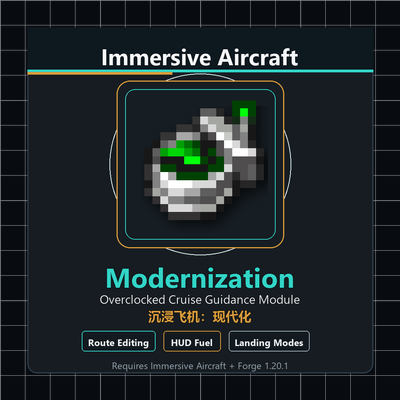
Adds a modern overclocked cruise guidance module for Immersive Aircraft.
Features include multi-route editing, named waypoints, default and per-waypoint flight altitude, HUD information display, item and liquid fuel remaining display, auto navigation, pause/resume navigation, overclock cruise acceleration, and endpoint modes such as holding pattern, normal landing, and vertical landing.
Features include multi-route editing, named waypoints, default and per-waypoint flight altitude, HUD information display, item and liquid fuel remaining display, auto navigation, pause/resume navigation, overclock cruise acceleration, and endpoint modes such as holding pattern, normal landing, and vertical landing.
Controls
- `,` opens route settings
- `.` toggles auto navigation
0.2.0 Update Summary:
- Added 2 advancements.
- Added Normal Mode with +20% power and Eco Mode with -15% power and -75% fuel consumption; each route saves its own mode independently.
- Improved the route setup screen and runtime information display, including current route and next stop in the screen header, plus the current route name in the info HUD.
- Opening the route setup screen no longer pauses the game, and clearing a route now requires a second confirmation.
- In multiplayer, opening and saving aircraft module routes, toggling the HUD, and starting or stopping navigation are only allowed for the pilot seat player; passengers cannot affect aircraft modules.
- Added impact protection: horizontal collisions now immediately exit navigation mode.
- Optimized landing logic with takeoff and in-flight safeguards near the destination. At close range, aircraft now prioritize correcting their heading, perform ground fine-tuning when applicable, and land more precisely.
- Fixed several bugs, reducing the overall risk of aircraft crashes and collisions.
- Added 2 advancements.
- Added Normal Mode with +20% power and Eco Mode with -15% power and -75% fuel consumption; each route saves its own mode independently.
- Improved the route setup screen and runtime information display, including current route and next stop in the screen header, plus the current route name in the info HUD.
- Opening the route setup screen no longer pauses the game, and clearing a route now requires a second confirmation.
- In multiplayer, opening and saving aircraft module routes, toggling the HUD, and starting or stopping navigation are only allowed for the pilot seat player; passengers cannot affect aircraft modules.
- Added impact protection: horizontal collisions now immediately exit navigation mode.
- Optimized landing logic with takeoff and in-flight safeguards near the destination. At close range, aircraft now prioritize correcting their heading, perform ground fine-tuning when applicable, and land more precisely.
- Fixed several bugs, reducing the overall risk of aircraft crashes and collisions.
Quick facts
- Edition: Minecraft Java
- File type: .jar
- Minecraft versions listed: 1.21, 1.21.1, 1.20.1
- How to install: Install the matching mod loader (Forge, Fabric or NeoForge) for your Minecraft version. → Download the .jar. → Put it in the .minecraft/mods folder and launch that loader profile.
- Where to get it: Opens on CurseForge — not every file is mirrored on our own servers.
Install steps are the general flow for this file type — How to install Minecraft Java mods & modpacks walks through it step by step.
File checked by MCModsHub
- Ships as Immersive_Aircraft_Modernization-Forge-1.20.1-0.2.0.jar — drop this file into the mods folder
- Download size: 173 KB
- Download link checked 3 Oct 2026 — working
These come from our own check of the pack file, not from the source page.