PvPCore
Java mod listed for Minecraft 1.21. Downloads from the MC Java Mods app on Android.
I don't know my version or loader
PvPCore
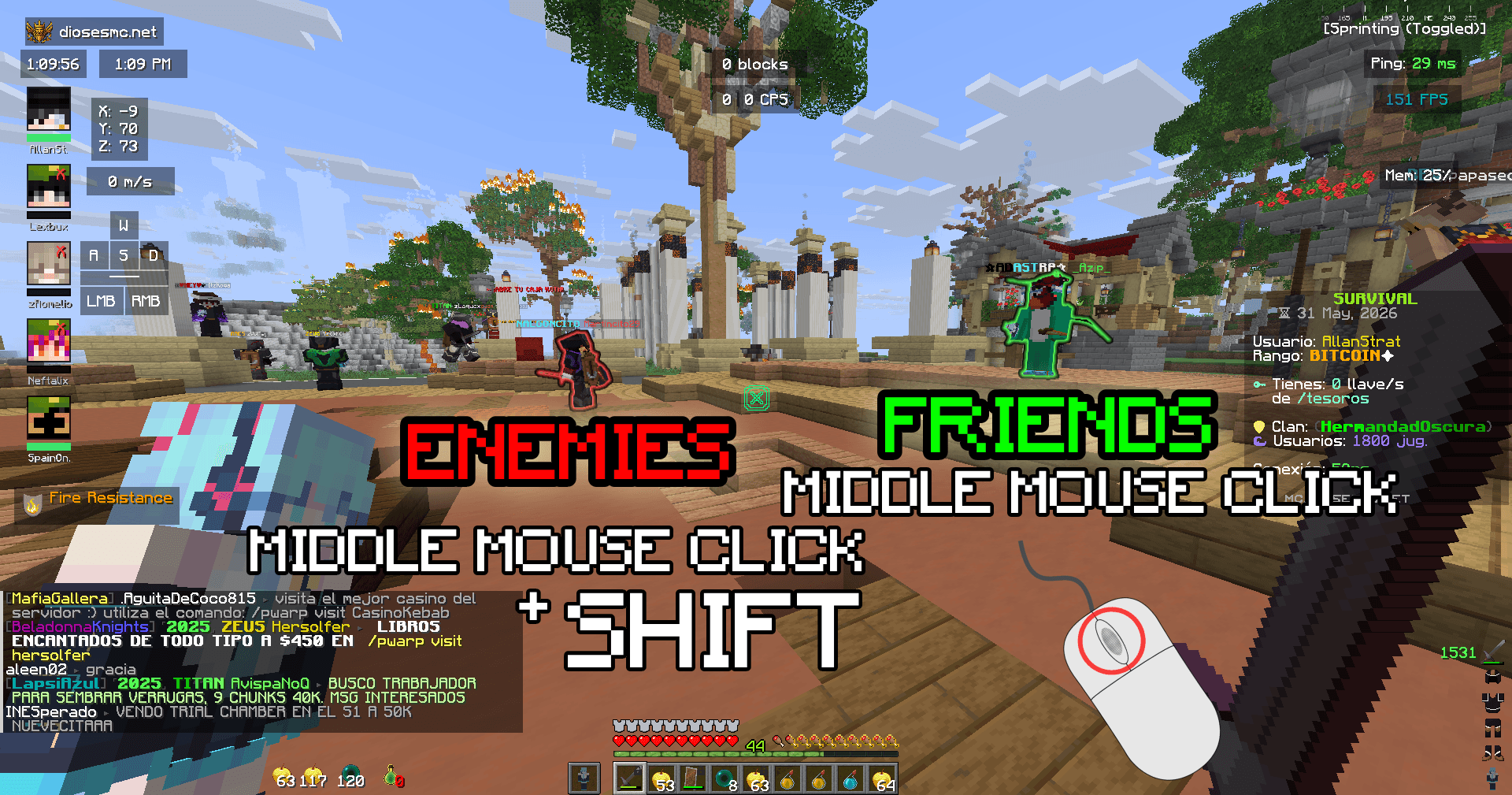
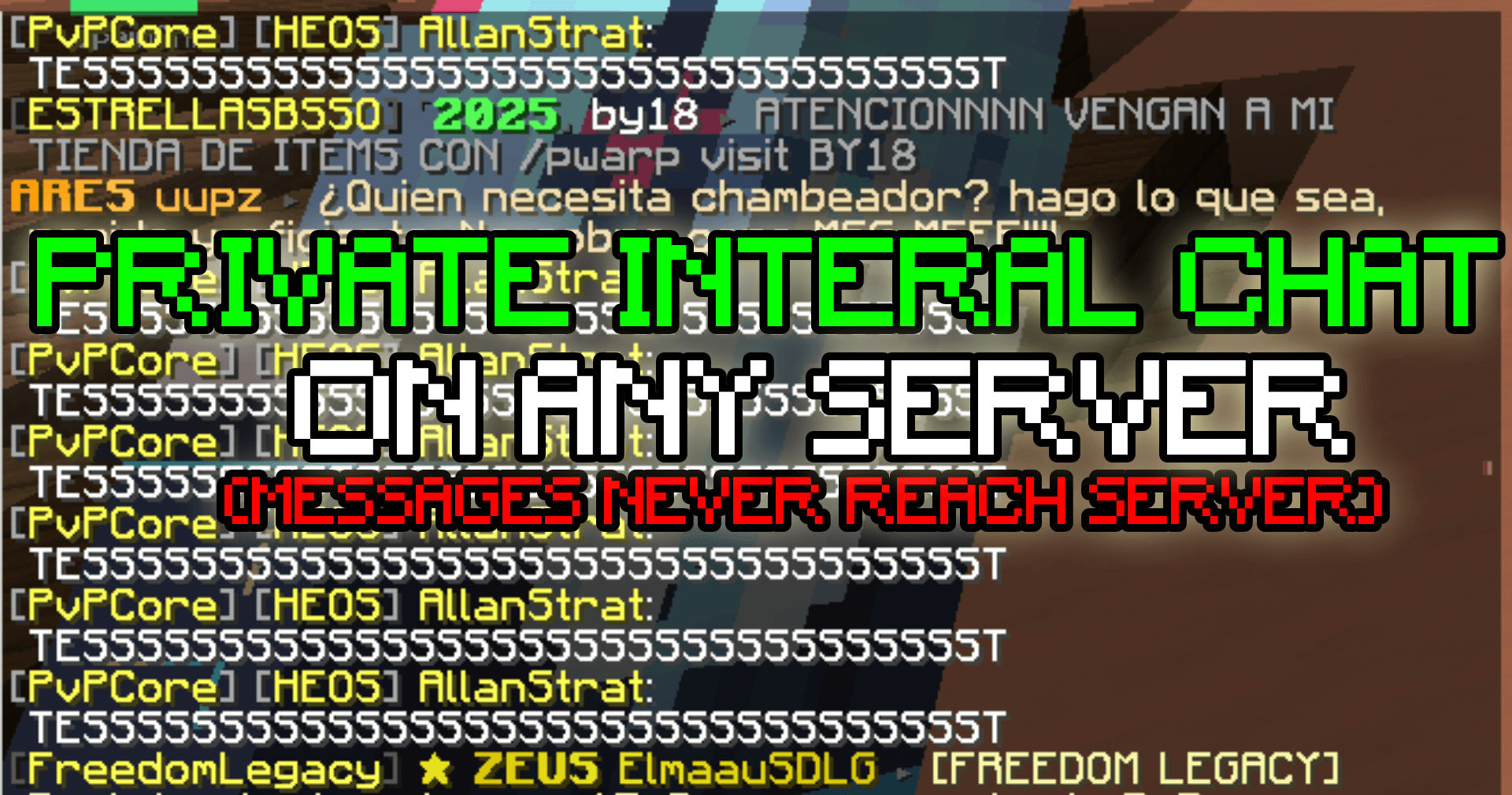
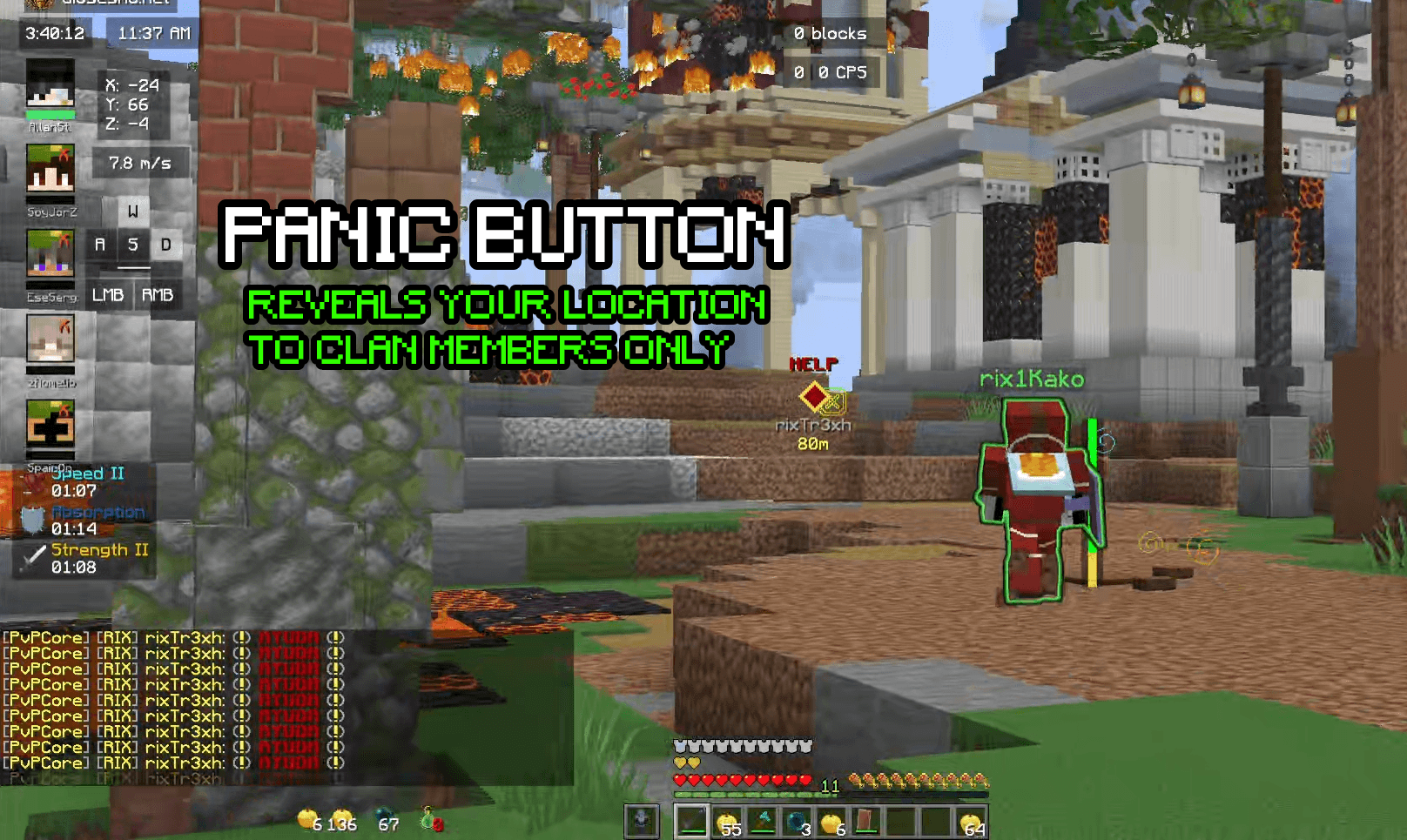
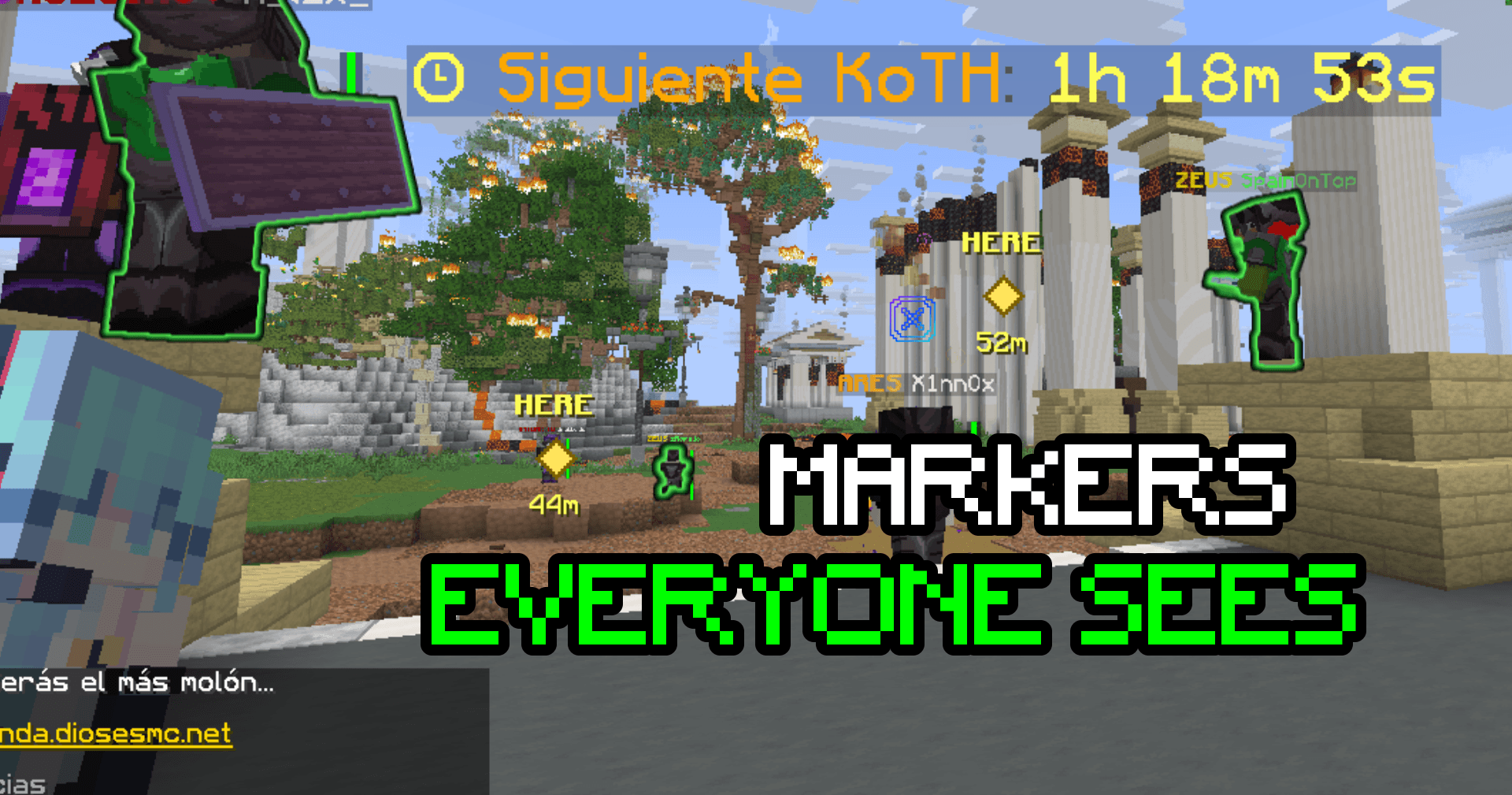
PvPCore is a Minecraft PvP utility mod built for faster targeting and better team communication. It lets you mark players and clans as allies or enemies, color their nameplates and tab-list names, use native player glow, and chat through PvPCore channels without sending messages into normal Minecraft chat.
Features
- Mark individual players as friends/allies or enemies.
- Import whole clan member lists into your local ally/enemy database.
- Local JSON database, so your friend/enemy list keeps working even if the backend is offline.
- Color-coded nameplates and tab-list names.
- Native Minecraft glow effect for allies/enemies.
- Middle-click player targeting:
- Middle click a player to toggle friend/ally.
- Shift + middle click a player to toggle enemy.
- PvPCore chat channels:
DISABLED: normal Minecraft chat.PUBLIC: PvPCore public chat.CLAN: private clan chat.ALL: admin-only chat view.
Commands
/pvpcore friends
Lists all saved friends/allies.
/pvpcore enemies
Lists all saved enemies.
/pvpcore purge
Clears all saved friends and enemies from your local database.
/pvpcore friend add <name>
Adds a player to friends/allies.
/pvpcore friend remove <name>
Removes a player from friends/allies.
/pvpcore ally add <name>
Alias for adding a player to friends/allies.
/pvpcore ally remove <name>
Alias for removing a player from friends/allies.
/pvpcore enemy add <name>
Adds a player to enemies.
/pvpcore enemy remove <name>
Removes a player from enemies.
/pvpcore clan ally add <clan>
Imports a clan’s saved members into your friends/allies list.
/pvpcore clan ally remove <clan>
Removes that clan from your ally clan list.
/pvpcore clan enemy add <clan>
Imports a clan’s saved members into your enemies list.
/pvpcore clan enemy remove <clan>
Removes that clan from your enemy clan list.
/pvpcore channel disabled
Turns PvPCore chat off. Messages go to normal Minecraft chat.
/pvpcore channel public
Sends chat through PvPCore public chat.
/pvpcore channel clan
Sends chat through your clan chat. Requires a clan token.
/pvpcore channel all
Admin-only mode for viewing all clan chats. Requires admin token.
/pvpcore reconnect
Reconnects to the PvPCore backend.
Chat Usage
When PvPCore chat is set to PUBLIC, your messages are sent through PvPCore public chat and do not reach normal Minecraft chat.
When set to CLAN, your messages are sent only to your clan channel. You must have a valid clan token saved in the mod settings.
When set to DISABLED, PvPCore does not intercept chat, and your messages go through normal Minecraft chat.
How To Create A Clan Token
- Open https://pvpcore.allanstrat.com/login.
- Click
Generate token. - Enter your exact Minecraft username.
- Click
Generate clan token. - Save the token somewhere safe.
- After the console opens, add your clan members in the member list.
- Save the clan.
- Open PvPCore in Minecraft.
- Go to the Chat settings.
- Paste your clan token into the Clan Token field.
- Set chat channel to
CLANif you want clan-only chat.
Managing Your Clan
After generating a token, log in at:
https://pvpcore.allanstrat.com/login
Use:
- Your Minecraft username
- Your clan token
From the clan console you can:
- Edit your clan name.
- Add or remove member usernames.
- Set enemy clan IDs.
- Change the clan color code.
- Regenerate your token.
If you forget your token, contact @allanstrat on Discord.
- Edition: Minecraft Java
- File type: .jar
- Minecraft versions listed: 1.21.10, 1.21.8, 1.21.4
- How to install: Install the matching mod loader (Forge, Fabric or NeoForge) for your Minecraft version. → Download the .jar. → Put it in the .minecraft/mods folder and launch that loader profile.
- Where to get it: Opens on CurseForge — not every file is mirrored on our own servers.
Install steps are the general flow for this file type — How to install Minecraft Java mods & modpacks walks through it step by step.
- Ships as pvpcore-1.8.9-1.0.3.jar — drop this file into the mods folder
- Download size: 242 KB
- Download link checked 3 Oct 2026 — working
These come from our own check of the pack file, not from the source page.