
FoamFix (Reforged)
Minecraft Java mod. Downloads from the MC Java Mods app on Android.
FoamFix (Reforged) is a compatibility-focused update for Minecraft 1.7.10 that resolves a critical crash occurring when entering a world with FoamFix and…
⬇ Download on CurseForge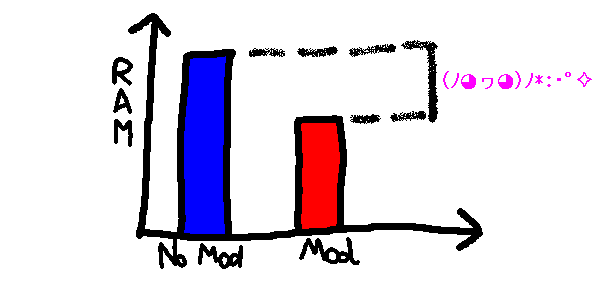

FoamFix (Reforged)
FoamFix (Reforged) is a compatibility-focused update to the classic FoamFix mod for Minecraft 1.7.10, designed to resolve crashes that occur when FoamFix is used together with Angelica.
The goal of this project is to maintain FoamFix's original memory and performance optimizations while allowing it to function correctly in modern 1.7.10 modpacks that rely on Angelica.
Features
- Fixes crashes caused by FoamFix and Angelica being installed together
- Restores compatibility with Angelica-based modpacks
- Preserves FoamFix's original optimization features
- Improves stability when entering worlds
- Designed specifically for Minecraft Forge 1.7.10
- No gameplay changes
About This Revival
This project focuses on improving compatibility between FoamFix and Angelica without changing the core purpose of FoamFix.
- Compatibility fixes for Angelica
- Stability improvements related to world entry
- Original optimization behavior preserved
- Minimal changes outside of crash and compatibility fixes
- Intended to remain faithful to the original mod
Compatibility
- Compatible with Minecraft Forge 1.7.10
- Designed for use alongside Angelica
- Suitable for performance-focused modpacks
- Works in both singleplayer and multiplayer
- No impact on gameplay mechanics
Original Mod
Based on the original FoamFix mod for Minecraft 1.7.10.
- https://www.curseforge.com/minecraft/mc-mods/foamfix-optimization-mod
Notes
- This is a compatibility and stability update, not a redesign
- The purpose and functionality of the original mod remain unchanged
- Intended for users experiencing crashes when combining FoamFix with Angelica
- Additional bug reports and compatibility reports are welcome
Modpack Use
This mod is free to use in modpacks without permission.
- Edition: Minecraft Java
- File type: .jar
- How to install: Install the matching mod loader (Forge, Fabric or NeoForge) for your Minecraft version. → Download the .jar. → Put it in the .minecraft/mods folder and launch that loader profile.
- Where to get it: Opens on CurseForge — not every file is mirrored on our own servers.
Install steps are the general flow for this file type — How to install Minecraft Java mods & modpacks walks through it step by step.
- Ships as FoamFix-1.7.10-universal-1.0.8.jar — drop this file into the mods folder
- Download size: 309 KB
- Download link checked 3 Oct 2026 — working
These come from our own check of the pack file, not from the source page.