
Cobblemon Cards
Java mod listed for Minecraft 1.21. Downloads from the MC Java Mods app on Android.
An immersive and feature-rich Minecraft mod (Fabric & NeoForge) that introduces the ultimate Trading Card Game to the Cobblemon universe! Collect, trade…
I don't know my version or loader


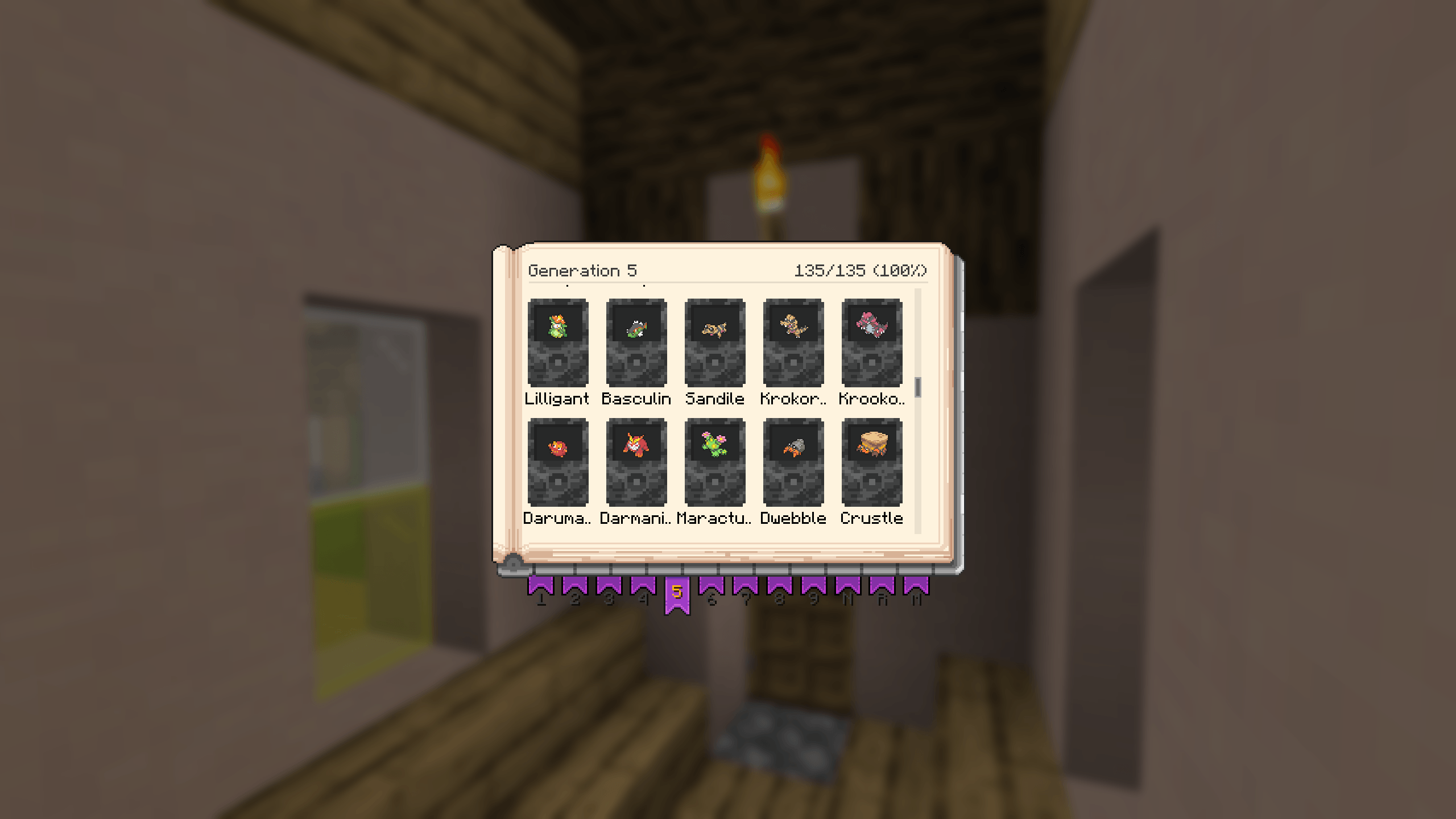



An immersive and feature-rich Minecraft mod (Fabric & NeoForge) that introduces the ultimate Trading Card Game to the Cobblemon universe!
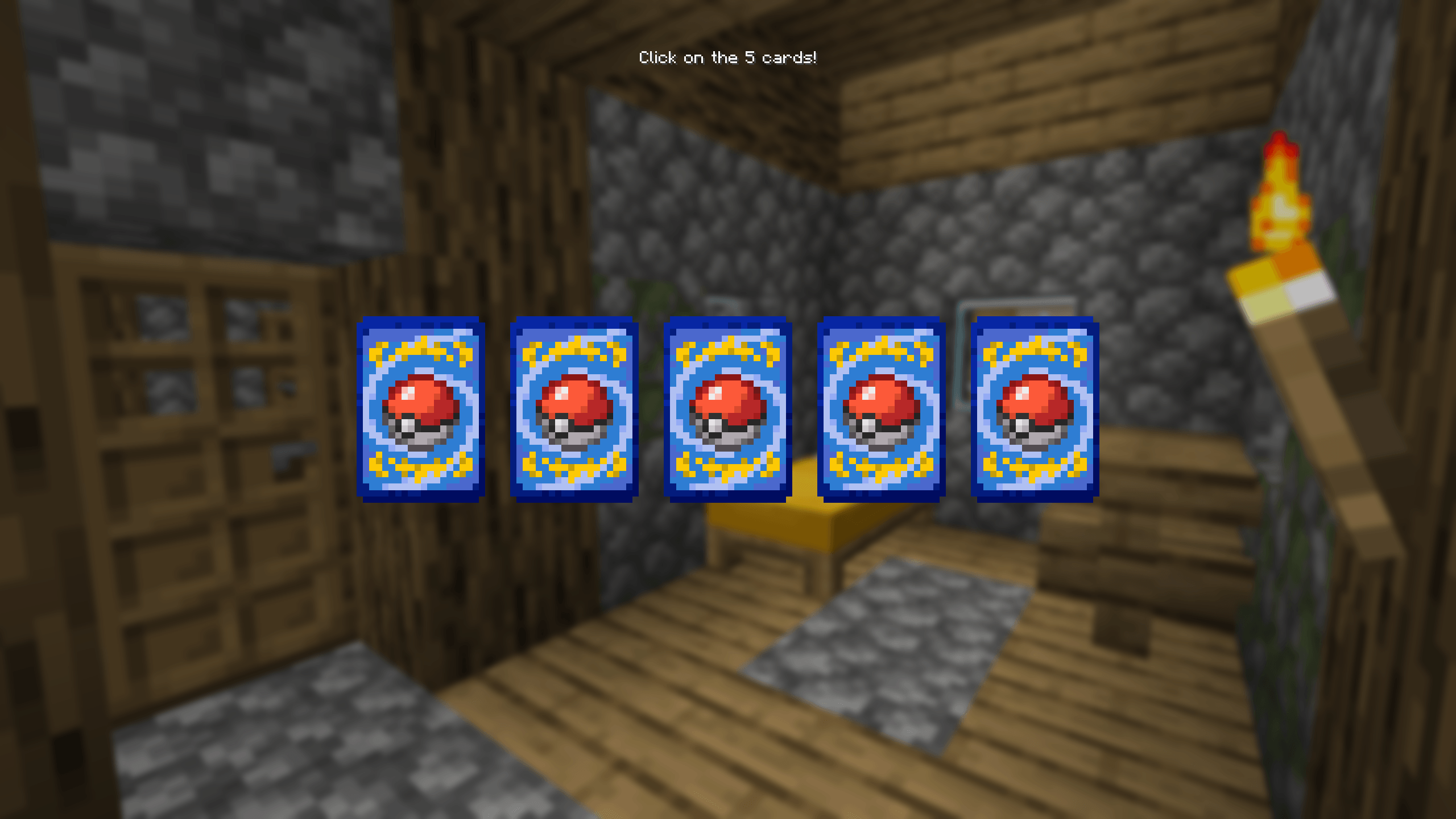
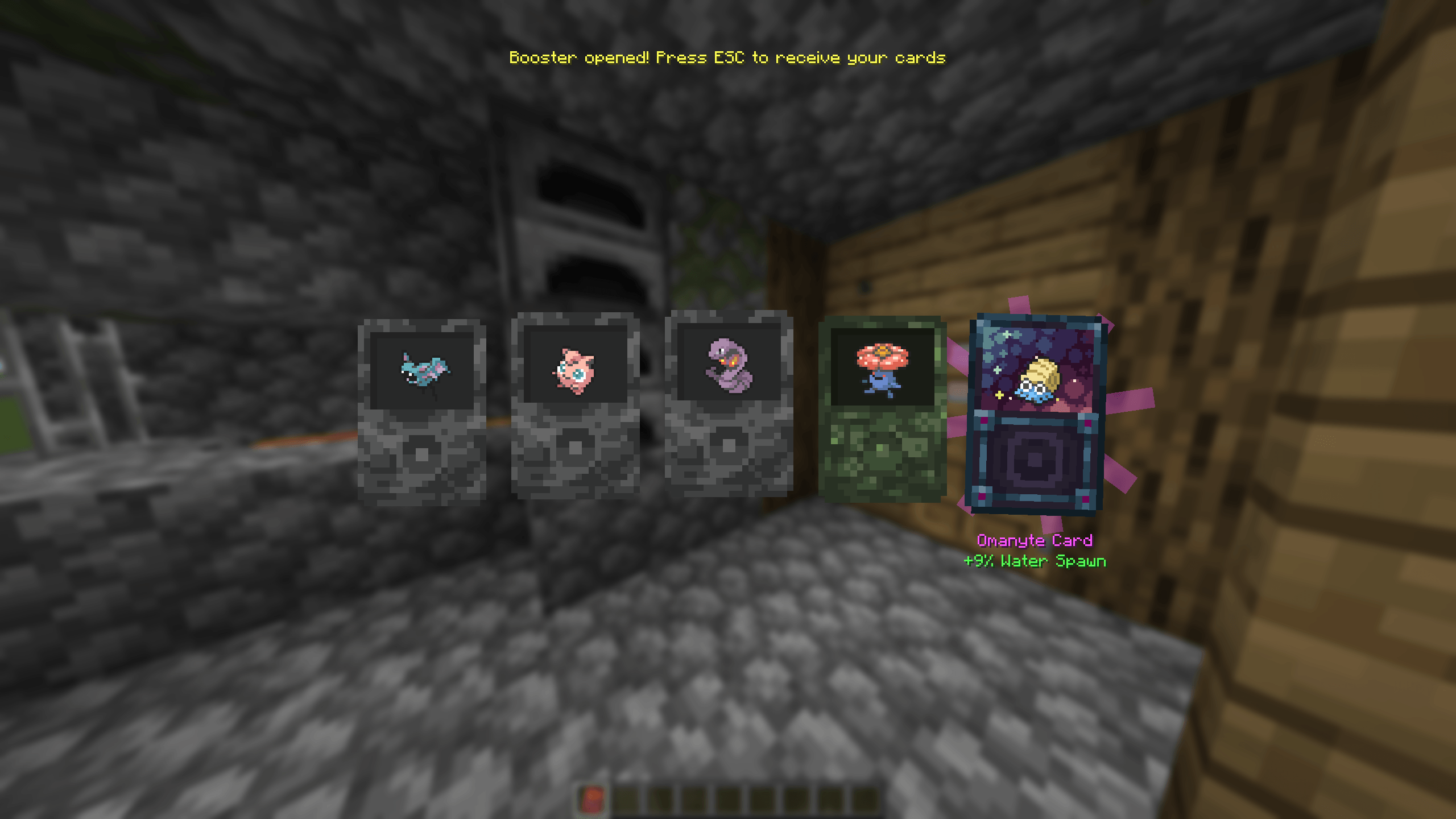
Collect, trade, grade, and proudly display your favorite Pokémon on gorgeous 3D cards complete with animated holographic shaders.






🌟 Key Features
📦 Thematic & Generational Booster Packs
- Over 20 distinct booster packs to open using an interactive custom opening interface.
- Generations 1 to 9: Focus your collection on specific regions and generations!
- Type-Themed Boosters: Target your search with elemental packs containing only specific types (Fire, Water, Grass, Electric, Ghost, etc.).
- God Pack Ticket: A legendary item that guarantees your next booster pack will be an ultra-rare "God Pack"!
🎴 Collectible Pokémon Cards
- Multiple Rarity Tiers: Common, Uncommon, Rare, Epic, Legendary, and Mythic.
- Visual Variants: Normal cards and full-art Shiny (Chromatiques) variants with custom visual models.
- Special Forms: Complete integration of Regional variants (Alola, Galar, Hisui) and Mega Evolutions.
✨ Dynamic Holographic Shaders & Visual Effects
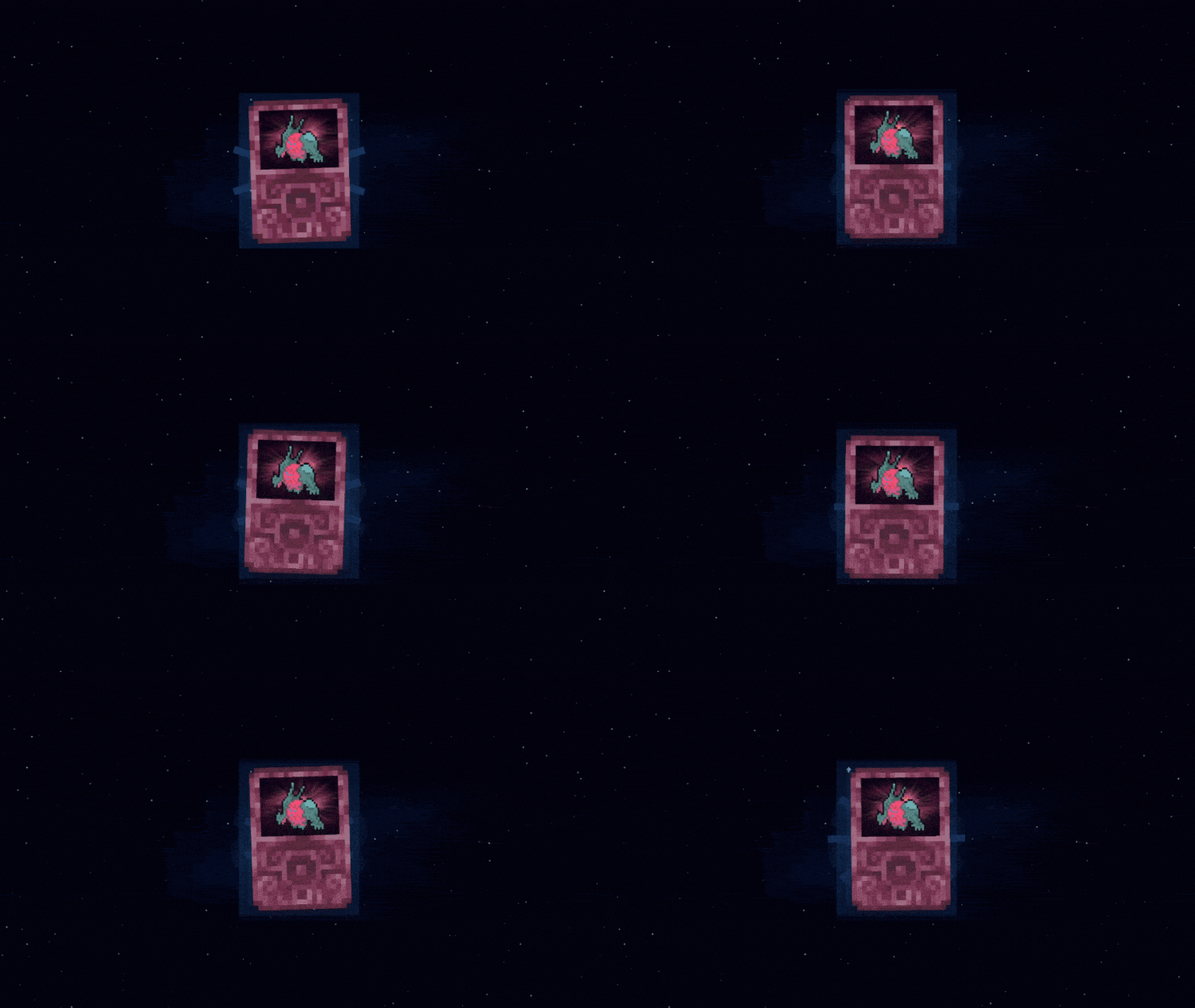
Witness over 20 unique procedural holographic effects powered by custom shaders that glisten and shift as you look around:
- Foil Stars, Rainbow Prism, Plasma, Cosmic Constellation, Cyber Dust, Magical Wind…
- Custom special-form effects like Mega Vortex, Alolan Shore, Galarian Steam, Paldean Terastal, Distortion Rift, Time Gears, Spatial Crack, and Prism Stars…
📖 Card Binders & Storage Cabinets
- Tiered Binders: Craft Leather, Iron, Gold, Diamond, Netherite, and the ultimate Master Album.
- RPG Stats & Passive Bonuses: Equip your binders in your Trinkets slot! Slotted cards grant passive stat boosts (Mining Speed, Movement Speed, Attack Damage, Luck, Armor, Max Health, and custom wild spawn rate multipliers).
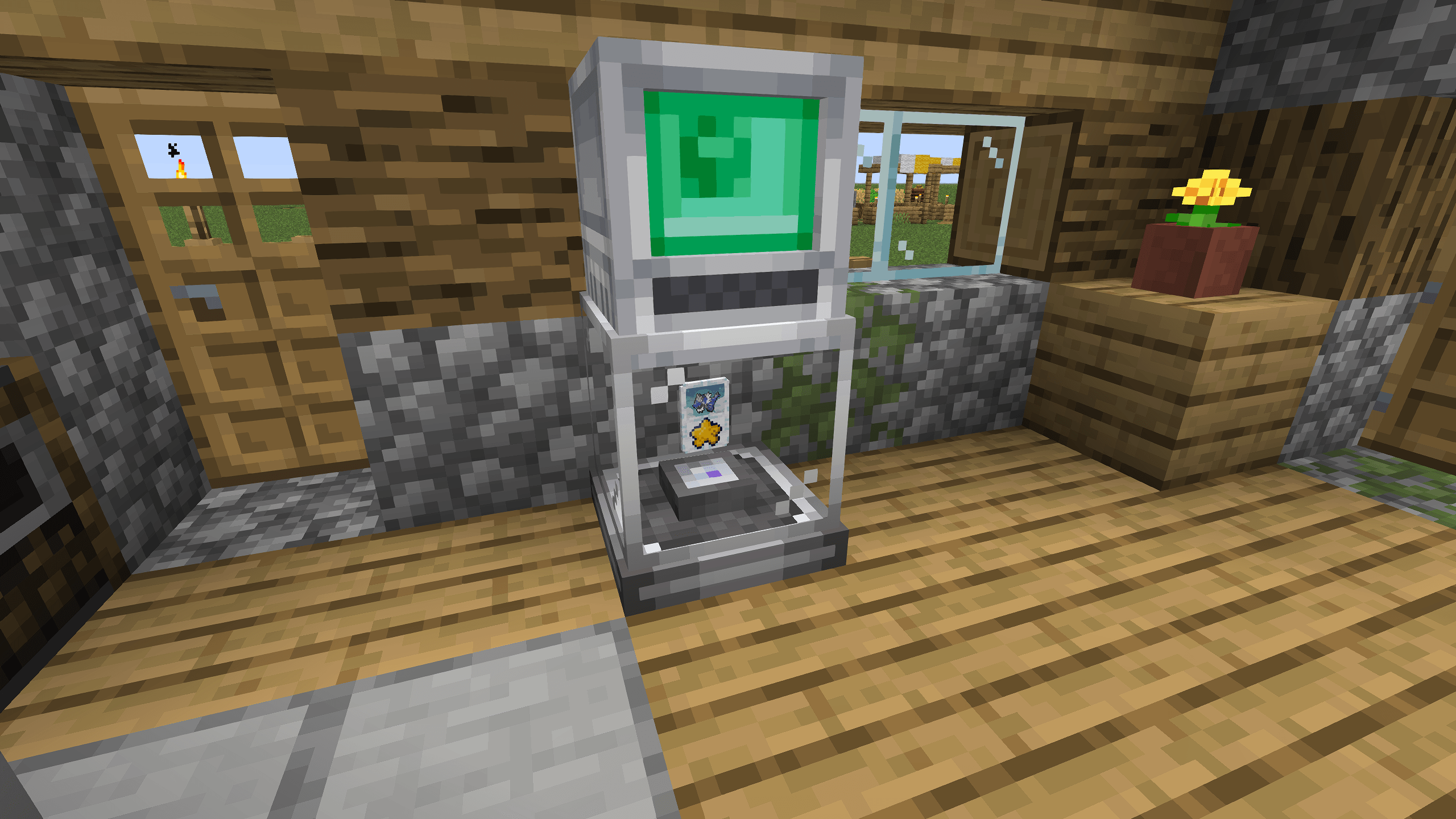
- Card Cabinet: A beautiful piece of furniture storing up to 12,000 cards featuring built-in search, sorting, and filter controls.
🔬 Grading Station & Recycling System
- Grading Station: Analyze and rate your cards (Grades 1 to 10). High-grade cards grant massive multipliers to active RPG stats!
- Card Recycler: Grind duplicate or unwanted cards down into Cobblecard Dust.
- Use dust to power scanning equipment or speed up the card grading process.
📡 Instant-Dex Tool & Structure Disks
- Instant-Dex Scanner: A handheld utility tool to scan wild Pokémon in the wild.
- Card Structure Disks: Load them with card dust, lock in a target species, scan them in the wild, and print a physical card once compilation hits 100%!
🌌 3D Holographic Projectors
- Showcase your trophy cards in your base using regular and advanced Holo Projectors.
- 6 Display Modes: Continuous Rotation, Face Player, Dynamic (Spin & Face), Fixed, Flat, and Simple Bobbing.
- The advanced projector lets you slot in and sequence a moving gallery of up to 27 cards!
⚙️ Configuration (MidnightConfig)
<details> <summary>⚙️ Click to expand configuration options</summary>
Cobblemon Cards is fully configurable out of the box via MidnightConfig. You can access the configuration menu in-game (requires ModMenu) or by editing the config/cobblemon-cards.json file.
| Config Option | Default Value | Range / Type | Description |
|---|---|---|---|
globalStatMultiplier |
10.0 |
0.1 - 100.0 |
Multiplier applied to all passive RPG statistics bonuses granted by slotted cards. |
recyclerProcessTime |
40 |
1 - 1200 |
Time (in ticks) it takes for a Card Recycler to process one card. |
gradingStationProcessTime |
100 |
1 - 12000 |
Time (in ticks) it takes for a Grading Station to grade a card. |
gradingStationDustCost |
5 |
0 - 64 |
Amount of Cobblecard Dust required to grade a card. |
godPackTicketChance |
1.0 |
0.0 - 100.0 |
Percentage chance of obtaining a God Pack Ticket when opening a Booster Pack. |
cardDropChance |
1.0 |
0.0 - 100.0 |
Percentage chance for a defeated or captured Pokémon to drop a card. |
enableBoosterChestSpawn |
true |
Boolean |
Whether classic booster packs should spawn in Minecraft structure chests. |
boosterChestSpawnChance |
2.0 |
0.0 - 100.0 |
Percentage chance to find a classic booster pack inside a structure chest. |
</details>
📦 Modpack Integration & Standalone Notice
[!NOTE] Designed for Modpacks: Cobblemon Cards is primarily designed and balanced to be played as part of a larger modpack. While everything has been built to ensure it works perfectly as a standalone mod (acting as a complete addon to Cobblemon), the gameplay loop, drop rates, and RPG stat rewards shine best when integrated alongside other mods, quests, and custom progression systems.
🛠️ Required Dependencies
To run Cobblemon Cards, download and place the correct versions of the dependencies according to your mod loader:
🪶 For Fabric Users
| Mod | Required Version | Purpose |
|---|---|---|
| Fabric API | 0.116.10+1.21.1 |
Core Fabric library |
| Cobblemon | 1.6.0+ |
Core Pokémon mod |
| Architectury API | 13.0.6+ |
Cross-platform compatibility helper |
| Cloth Config | 15.0.140+ |
Mod configuration and UI systems |
| Trinkets | 3.10.0+ |
Enables accessory slots to equip binders for RPG stats |
| MidnightLib | 1.9.2+1.21.1 |
Lightweight config library |
| Cardinal Components | 6.1.3+ |
Entity data attachment system |
🛠️ For NeoForge Users
| Mod | Required Version | Purpose |
|---|---|---|
| Cobblemon | 1.6.0+ |
Core Pokémon mod |
| Architectury API | 13.0.6+ |
Cross-platform compatibility helper |
| Cloth Config | 15.0.140+ |
Mod configuration and UI systems |
| Accessories | 1.1.0-beta.53+ |
Enables accessory slots to equip binders for RPG stats |
| MidnightLib | 1.9.2+ |
Lightweight config library |
[!TIP] Recipe Viewers (EMI, REI, JEI): The mod fully integrates recipe viewers compileOnly contracts. This makes it easy for players to check custom crafting recipes for Binders, Cabinets, Recyclers, and the Grading Station in-game!
🚀 Installation Guide
- Download and install Fabric Loader or NeoForge for Minecraft version
1.21.1. - Grab the dependencies listed above and place them into your
.minecraft/modsfolder. - Download or compile the Cobblemon Cards
.jarfile and drop it into themodsfolder. - Launch the game and start your ultimate collection journey!
💻 For Developers: Compiling from Source
If you want to modify the source code or build the mod manually:
- Clone this repository:
   git clone https://github.com/Howlite-UI/CobblemonCards.git
cd CobblemonCards- Decompile and set up the Minecraft environment:
./gradlew genSources- Build the mod JAR (found in
build/libs/after compilation):
./gradlew build
🤫 Easter Eggs
<details> <summary>🔍 Click here to reveal the mod's secrets! (Spoilers)</summary>
👤 Custom Player Cards
- Using the Instant-Dex Scanner on another player while having a Card Structure Disk in your inventory will instantly consume the disk and print a Mythic Grade 10 Cosmetic Card featuring that player's Minecraft skin!
- Note: Player cards are purely cosmetic and do not grant passive stat boosts.
👾 The Legendary MissingNo.
- If you scan Pokémon during a Full Moon at night while affected by the Darkness effect, the fabric of reality glitches!
- You will hear a haunting glitch scream and receive the legendary Mythic Grade 10 MissingNo. card, featuring a custom glitched pixel art texture and special stats!
👻 Ghost of Lavender Town
- Scan Gastly, Haunter, Gengar, Cubone, or Marowak near midnight (world time ticks 16000 to 20000) while standing on Soul Sand or Soul Soil.
- Yields a Mythic Grade 10 Cosmetic Card featuring the spooky Lavender Town Ghost!
🌟 Divine Bidoof
- Scan a wild Bidoof while holding a Golden Apple or an Enchanted Golden Apple in your off-hand.
- Yields the legendary Mythic Grade 10 Cosmetic Card of Divine Bidoof!
💎 Crystal Onix
- Scan a wild Onix while holding an Amethyst Shard in your off-hand.
- Yields a Mythic Grade 10 Cosmetic Card featuring the stunning Crystal Onix!
🖤 Shadow Lugia
- Scan a wild Lugia during a Thunderstorm while affected by the Wither status effect.
- Yields a Mythic Grade 10 Cosmetic Card featuring the corrupted Shadow Lugia!
🏳️⚧️ Pride Sylveon
- Scan a wild Sylveon while holding Pink Dye, Light Blue Dye, or White Dye (the colors of the Trans pride flag) in your off-hand.
- Yields a Mythic Grade 10 Cosmetic Card of Pride Sylveon!
💝 You & Mew
- Scan a wild Mew while carrying a custom Player Card (obtained from scanning another player) in your inventory.
- Consumes both the Player Card and the structure disk, and yields the ultimate Mythic Grade 10 Cosmetic Card representing you and Mew!
🎵 Jukebox Holo-Music
- Placing a Holo Projector or Advanced Holo Projector directly on top of a Jukebox and slotting in a card will trigger custom Pokémon music tracks!
- The track played adapts dynamically based on the card's rarity, shiny status, or stats:
- Mythic: Soul Heart
- Legendary & Shiny: Battle! Necrozma
- Legendary: Cynthia
- Other Shiny: Battle! Zinnia
- Fire or Attack stats: Battle! Team Plasma
- Water or Speed stats: Route 209
- Grass or Health stats: Littleroot Town
- Ice or Armor stats: Snowpoint City </details>
📜 License
This project is licensed under the CC0 1.0 Universal License - see the LICENSE file for details.
Made with ❤️ by Pokemon card enthusiasts in Minecraft.
- Edition: Minecraft Java
- File type: .jar
- Minecraft version listed: 1.21.1
- How to install: Install the matching mod loader (Forge, Fabric or NeoForge) for your Minecraft version. → Download the .jar. → Put it in the .minecraft/mods folder and launch that loader profile.
- Where to get it: Opens on CurseForge — not every file is mirrored on our own servers.
Install steps are the general flow for this file type — How to install Minecraft Java mods & modpacks walks through it step by step.
- Ships as cobblemon-cards-fabric-1.0.4.jar — drop this file into the mods folder
- Download size: 22.3 MB
- Download link checked 3 Oct 2026 — working
These come from our own check of the pack file, not from the source page.