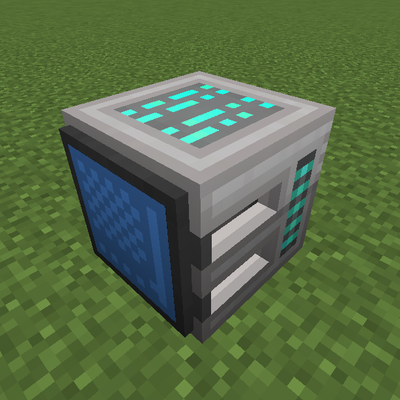
QIO Integrations
Java mod listed for Minecraft 1.20–1.21. Downloads from the MC Java Mods app on Android.
I don't know my version or loader
QIO Integrations
QIO Integrations bridges Mekanism QIO Dashboards to other storage and logistics mods. Your QIO frequency becomes visible to Applied Energistics 2, Refined Storage, and Tom's Simple Storage—without replacing Mekanism or duplicating your QIO network.
Install it alongside Mekanism; add whichever optional mods you use. Each integration loads only when that mod is present.
Information
QIO Integrations is a server-side compatibility mod. It does not add new blocks or items. It exposes the QIO dashboard you already placed so other mods can read and write the same frequency inventory.
If you also run Applied Mekanistics, this mod does not register its AE2 bridge (Applied Mekanistics already connects QIO to AE2). AE2, Refined Storage, and Tom's integrations still apply independently when those mods are installed.
Features
- Applied Energistics 2 — Treats a QIO Dashboard as AE2
MEStorage, so cables, P2P tunnels, and storage buses on the dashboard can import and export from your QIO frequency - Refined Storage — Registers an external storage provider on the dashboard so RS grids can store and retrieve items from the linked QIO frequency
- Tom's Simple Storage — Exposes a block item handler on the back of the dashboard (the face opposite the screen) for Inventory Connectors and Inventory Cable Connectors
- Frequency security — Respects Mekanism QIO frequency ownership and security when other mods query storage
- Optional-only loading — No hard dependency on AE2, RS, or Tom's; missing mods are simply skipped at startup
Requirements
| Required | Mekanism (QIO / Quantum Item Orchestration) |
| Optional | Applied Energistics 2, Refined Storage (RS 2 on 1.21.1), Tom's Simple Storage |
Compatibility
Minecraft: Java Edition
| Version | Loader | Status |
|---|---|---|
| 1.20.1 | Forge | Full integrations (AE2, Refined Storage, Tom's) |
| 1.21.1 | NeoForge | Full integrations (AE2, RS 2, Tom's) |
Other loaders or versions may exist in the project repository as stubs; check the release you download for supported platforms.
Environment: Dedicated server and integrated server (single-player). Client install is typical for modpack parity but the logic runs on the server.
Setup
Applied Energistics 2
Connect AE2 devices to the QIO Dashboard like any other storage block—storage bus, interface, or cable on a face of the dashboard. Items move against the QIO frequency bound to that dashboard (same frequency you configure in Mekanism).
No extra configuration in this mod. Use Mekanism's dashboard UI to set or change the frequency.
Refined Storage
Place RS external storage (or equivalent blocks that use external storage providers) against the QIO Dashboard. The grid will see the dashboard's QIO frequency as external storage.
On 1.21.1, this targets Refined Storage 2 APIs. On 1.20.1, this targets Refined Storage 1.x.
Tom's Simple Storage
- Set the dashboard's QIO frequency to Public, or Tom's cannot authenticate as a player for that frequency.
- Place an Inventory Connector or Inventory Cable Connector against the back of the dashboard—the side opposite the screen.
- After connecting, allow a moment for Tom's network scan (it updates periodically). If items do not appear immediately, break and replace the connector or wait one scan cycle.
Tom's integration is aimed at pulling a QIO frequency into a Tom's storage network, not at replacing the dashboard's own Mekanism UI.
Tips
- One dashboard, one frequency — Each dashboard bridges exactly the frequency it is configured with in Mekanism.
- Automation faces — AE2 and RS generally attach to any side of the dashboard; Tom's specifically uses the rear face.
- Modpacks — Safe to include even if players omit AE2, RS, or Tom's; unused integrations stay disabled.
Credits
AE2 QIO storage bridging is adapted from Applied Mekanistics.
- Edition: Minecraft Java
- File type: .jar
- Minecraft versions listed: 1.20.1, 1.21.1
- How to install: Install the matching mod loader (Forge, Fabric or NeoForge) for your Minecraft version. → Download the .jar. → Put it in the .minecraft/mods folder and launch that loader profile.
- Where to get it: Opens on CurseForge — not every file is mirrored on our own servers.
Install steps are the general flow for this file type — How to install Minecraft Java mods & modpacks walks through it step by step.
- Ships as QIOIntegrations-1_21_1-neoforge-1.0.2.jar — drop this file into the mods folder
- Download size: 31 KB
- Download link checked 24 Oct 2026 — working
These come from our own check of the pack file, not from the source page.