
Loot All
Java mod listed for Minecraft 1.16–1.21. Downloads from the MC Java Mods app on Android.
I don't know my version or loader


Loot All allows you to loot all nearby containers around you with a single button.
By pressing the keybind (default -) all nearby loot containers are instantly emptied into your inventory or storage system.
- Loot chests, barrels, and any other loot-table containers in a configurable radius.
- Fully Lootr compatible.
- Auto-loot mode that clears nearby containers on a timer, hands-free.
- Text on screen will show how many items collect and how many containers were looted.
Loot Transfer
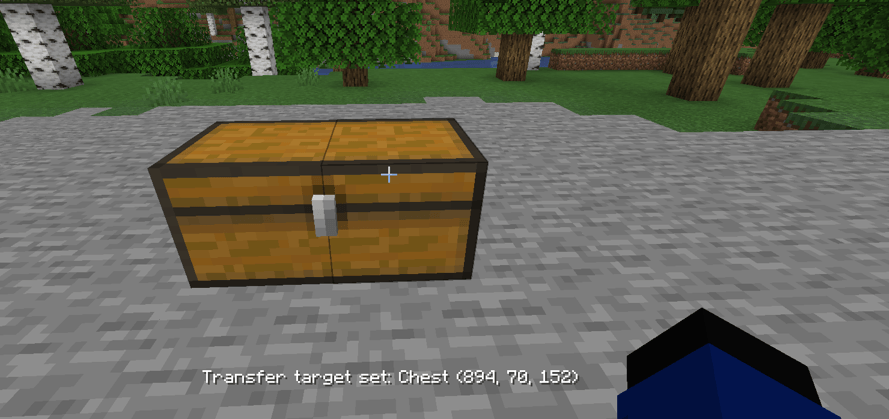
Look at any storage block or item in your inventory and press = to set it as your transfer target. From then on, everything you loot is routed directly into that storage, across any distance and even dimensions.
- Bind a block or an item. A chest, drawer, ME terminal, backpack, wireless grid, anything!
- Works from any distance and any dimension (configurable)
- Items are never voided. Anything that doesn't fit overflows to your inventory, then the ground.
- Hud text tells you were your loot went: ("Transferred to ...")
Mod Support
Loot Transfer works with any block or item that uses a standard inventory. Anything else is shipped with dedicated support.
Supported Mods:
Applied Energistics 2 | ME Network
Refined Storage | Network + Wireless Grid
Mekanism | QIO Dashboard / Drive Array + Portable QIO Dashboard
Tom's Simple Storage | Storage Terminal + Inventory Connector
Simple Storage Network | Master / Request Table
Pretty Pipes | Item Terminal
ProjectE | EMC. Klein Stars, Transmutation Table & Tablet
Configuration
- range. How far to search for containers (default 20)
- includeMinecarts. Loot minecarts with loot tables.
- autoLooting & autoLootingTimer. Loot nearby containers on a timer.
- excludeBlockedContainers. Skip chests that are blocked from opening.
- feedbackMessage & playSound. Toggle the feedback and sound.
- enableLootingTransfer. Turn the transfer system on/off.
- maxLootTransferDistance, transferRequireSameDimension, transferRequireLoadedChunk. Transfer configs.
Item Filters
Choose what gets picked up. These filters apply to everything.
- skipList. Items to never loot. Each entry can be:
- modid:item - a single item (e.g. minecraft:stick)
- #modid:tag - an item tag (e.g. #minecraft:stairs)
- @modid - every item from a mod (e.g. @alexsmobs)
- skipListMode:
- BLACKLIST (default) - loot everything except what's in skipList.
- WHITELIST - loot only what's in skipList.
- skipArmorAndTools. Skip all armor, tools, and weapons.
- skipNonstackable. Skip all items that only stack to 1.
- skipunenchantedGear. Skip armor, tools, and weapons unless they're enchanted.
- rarityFilterMode & rarityList. Filter by rarity tier. Set the mode to ONLY (loot only the listed tiers) or SKIP (loot everything except them).
Games Stages Support
You can gate Loot All's abilities with the Game Stages mod.
Default Keybind
"-" Loot nearby containers.
"=" Set & clear transfer target.
- Edition: Minecraft Java
- File type: .jar
- Minecraft versions listed: 1.16.5, 1.18.2, 1.19.2
- How to install: Install the matching mod loader (Forge, Fabric or NeoForge) for your Minecraft version. → Download the .jar. → Put it in the .minecraft/mods folder and launch that loader profile.
- Where to get it: Opens on CurseForge — not every file is mirrored on our own servers.
Install steps are the general flow for this file type — How to install Minecraft Java mods & modpacks walks through it step by step.
- Ships as lootall-1.21.1-1.2.0-neoforge.jar — drop this file into the mods folder
- Download size: 114 KB
- Download link checked 3 Oct 2026 — working
These come from our own check of the pack file, not from the source page.