Accurate Block Placement Reforked
Java mod listed for Minecraft 1.20. File opened and checked on 5 Oct 2026; downloads from the MC Java Mods app on Android.
⬇ Download on CurseForgeThe author built this one for Minecraft 1.20.1 on Forge. On other versions it may install and then do nothing.
Although many experienced minecraft players know exactly how to time their clicks in order to rapidly place blocks with no mistakes, why should it be that difficult? In this mod, if you hold your 'use key' (usually RMB) and look at a new block it will automatically place it no matter how fast you move. No more need to time when you click or look in order to accurately place blocks quickly!
Features
WARNING: This mod may be considered a "cheat" on some servers (and detected as such)! Please check the server's rules before using this mod. Use this at your own risk.
Accurate Block Placement
Accurate Block Placement makes placing blocks a smooth and reliable process when holding right click. The best way to explain it is the following GIF:
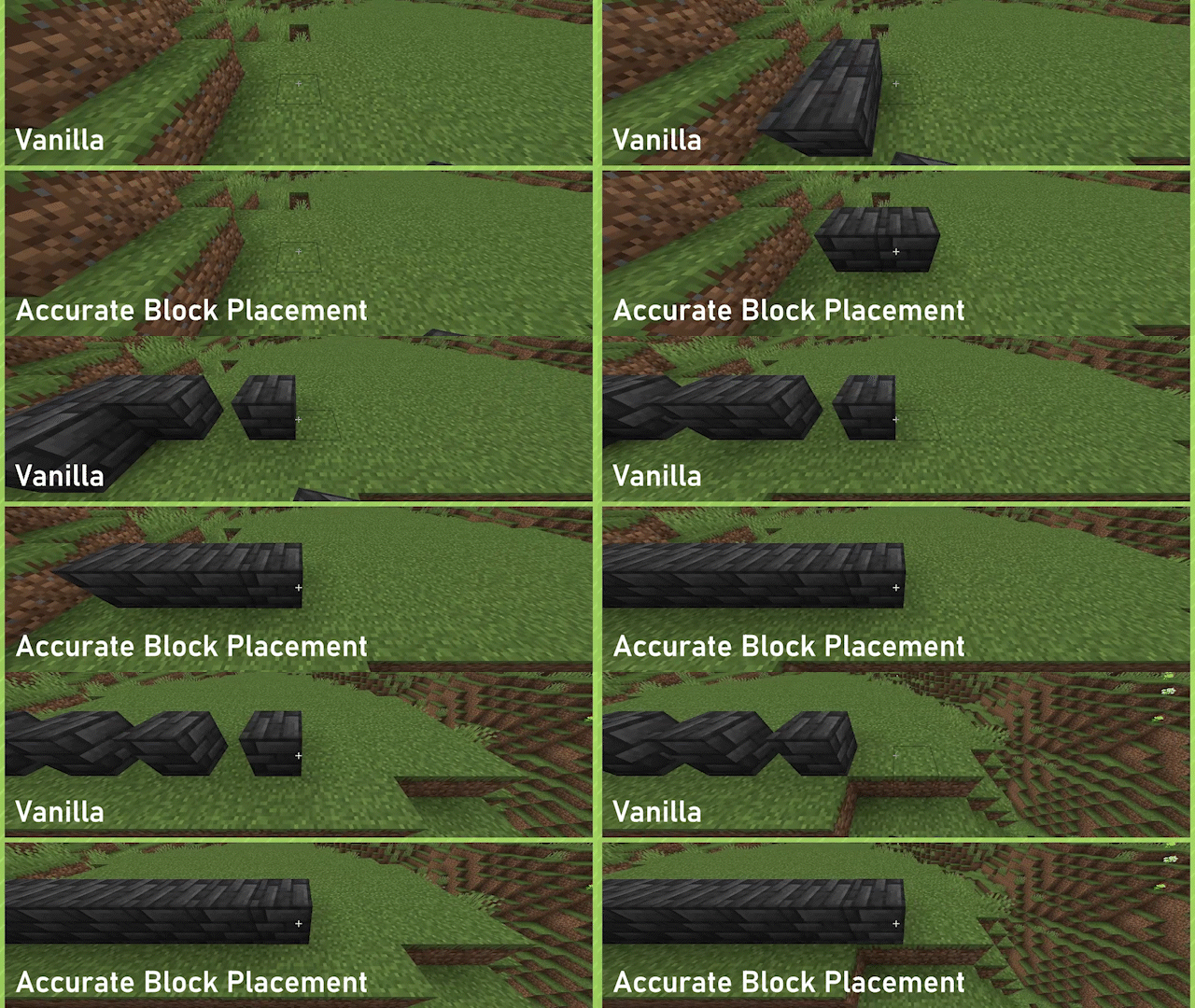
Enabled by default, can be toggled on or off through the config or by way of a configurable keybind (default: Not Bound).
Credit to the original mod :
https://www.curseforge.com/minecraft/mc-mods/accurate-block-placement-reborn
- Edition: Minecraft Java
- File type: .jar
- Minecraft version listed: 1.20.1
- How to install: Install the matching mod loader (Forge, Fabric or NeoForge) for your Minecraft version. → Download the .jar. → Put it in the .minecraft/mods folder and launch that loader profile.
- Where to get it: Opens on CurseForge — not every file is mirrored on our own servers.
Install steps are the general flow for this file type — How to install Minecraft Java mods & modpacks walks through it step by step.
- Ships as accurateblockplacement-1.3.0.jar — drop this file into the mods folder
- Download size: 14 KB
- Download link checked 3 Oct 2026 — working
These come from our own check of the pack file, not from the source page.