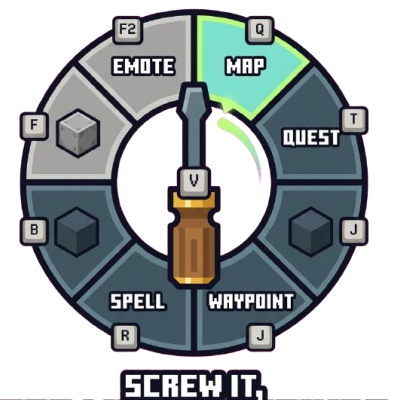
Screw it! Too many keybinds - Keybind Wheel
Java mod listed for Minecraft 1.16–1.21. Downloads from the MC Java Mods app on Android.
A radial wheel for your keybinds: hold one key, flick toward a slot, and fire any bind. Built for modpacks drowning in keybinds.
I don't know my version or loader
Screw it! Too many keybinds - Keybind Wheel
Source & full guide: github.com/teamdemivfxfish-dev/keybind-wheel-wiki
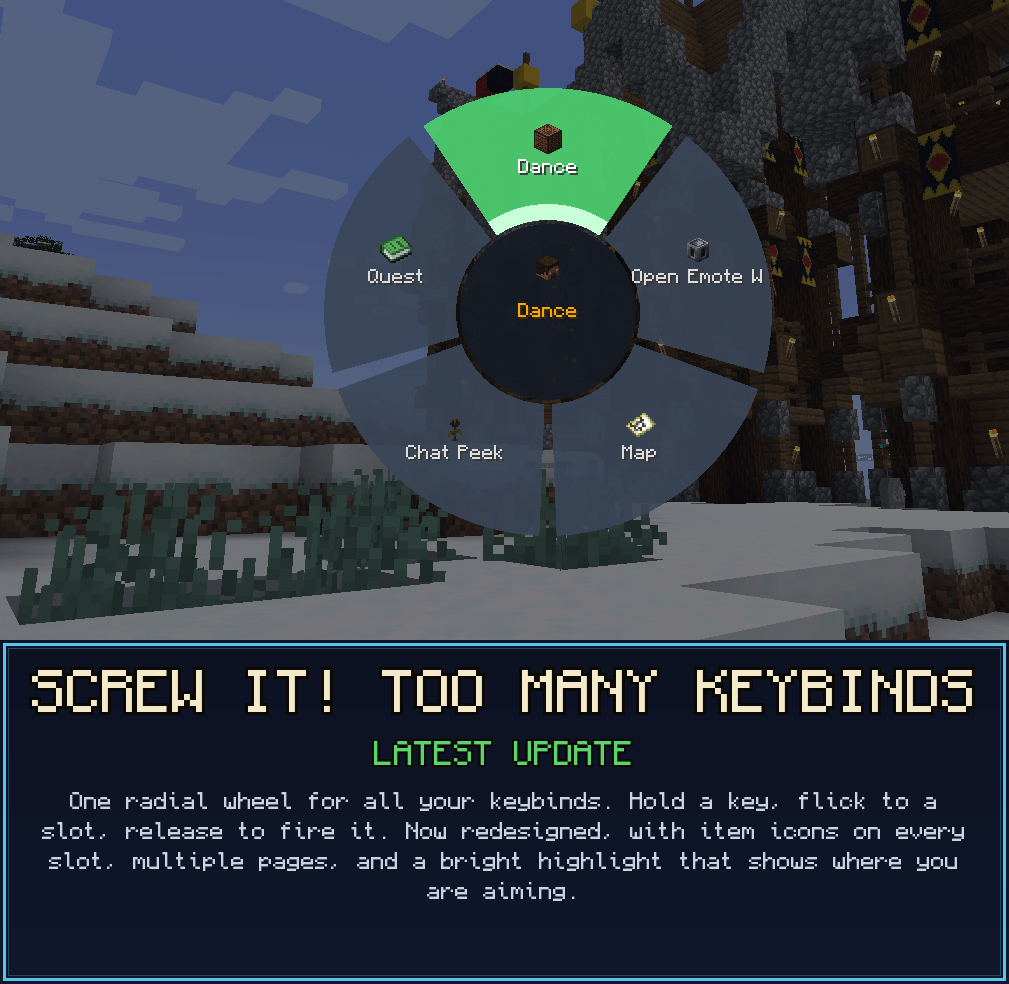
Modpacks run out of keys long before they run out of features. The map is on F9, mining is on Numpad 3, and that one ability somehow lives on Right-Ctrl-Shift-G. KeyWheel hands the whole keyboard back to you: hold a single key (default V), a segmented radial wheel opens, aim at a slot, release, and it fires whatever keybind you parked there, exactly as if that key had been pressed.
Any keybind from any mod can live on the wheel, including one you never bound to a physical key at all. The mod adds exactly one keybind to your controls; everything else happens inside the wheel.
One Wheel, Every Bind
Hold your key and the wheel opens as a segmented ring: a centre hub, one pie sector per slot, and a bright green wedge on the sector your cursor points at, so your aim is unmistakable. Flick the mouse toward a slot, let go, and it fires.
- Bind any keybind, vanilla or modded, through a searchable picker.
- Hit detection is angle-based, so aiming feels the same no matter how large the wheel grows.
- The wheel closes before it fires, so a keybind that opens its own screen (a map, a quest book) opens cleanly.
No Key? No Problem
This is the whole reason the mod exists. Park a keybind that has no key left to bind onto a slot, then fire it with a flick; no physical key required. KeyWheel drives Minecraft's real key-input pipeline, so mods that read the raw key event react correctly, and an unbound action still fires.
- Rescue every "(Not bound)" action out of your overflowing controls menu.
- Ideal for spell mods, quest mods, and anything that ships ten binds you cannot fit.
- One wheel holds far more actions than a keyboard ever could.
Per-Page Hotkeys
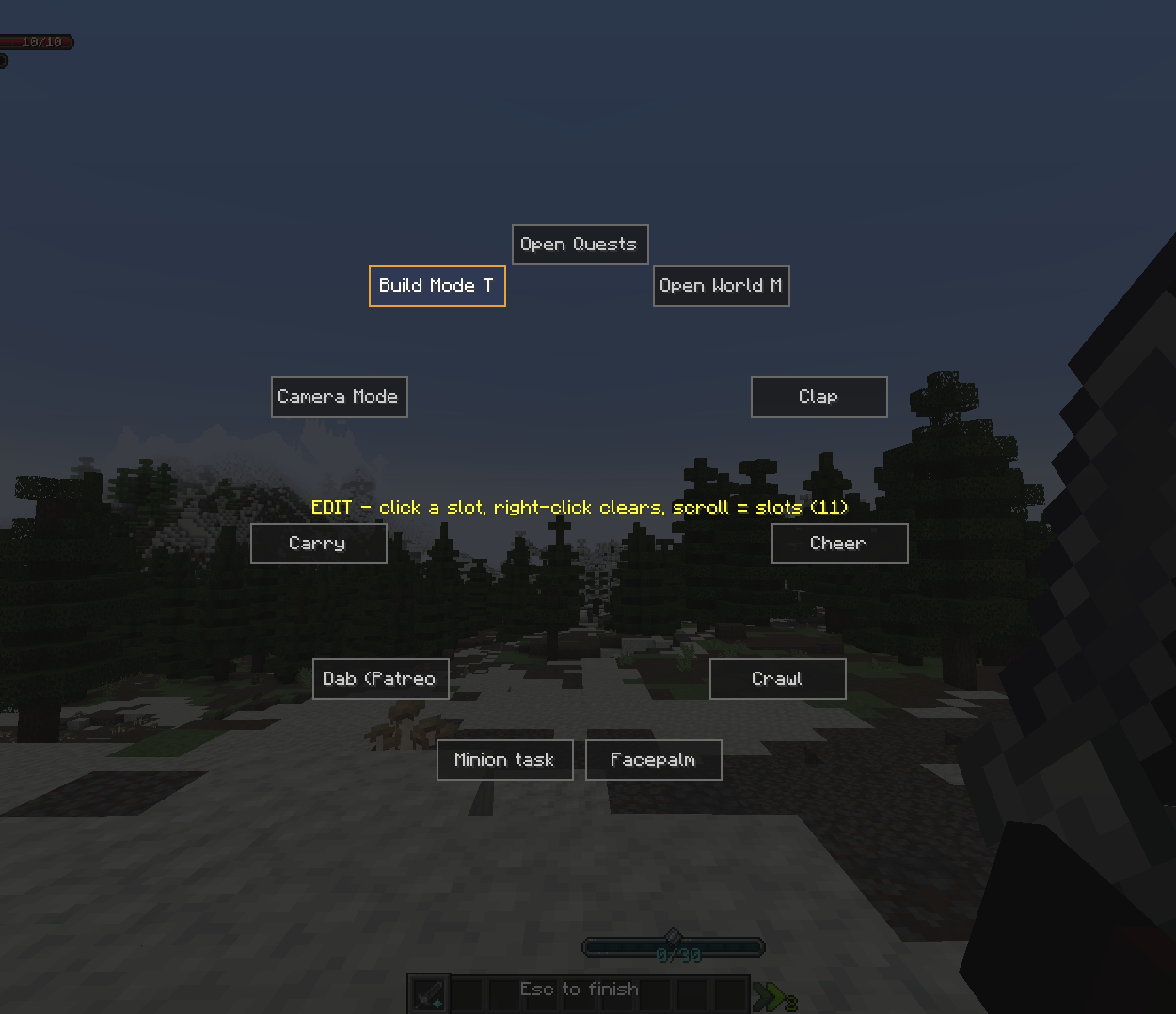
Slots live on named Pages you scroll between, each with its own slot count (1 to 36, default 6) and its own bindings, so the same flick fires a different action depending on the active page. You can keep up to 32 pages.
- Assign a direct hotkey to any page and jump straight to it, skipping the scroll entirely.
- In fire mode, scroll to flip pages; the hub shows the current
Page i/n: name. - In edit mode you get a live rename box, page arrows, and add or delete page controls.
Command Slots
A slot can hold a chat command instead of a keybind. Type it into the picker's command box and it fires on release, mirroring vanilla chat: a leading / runs it as a command (for example /home, /spawn), anything else is sent as a chat message. Command slots take a custom name and icon like any other slot.
Make It Yours
- Custom icons: any slot can borrow an item or block icon through a searchable grid picker; pages can carry a hub icon too.
- Rename anything: give every slot a display name that reads the way you think, not the way a translation key reads.
- Dynamic size: scroll in edit mode to set 1 to 36 slots per page; the wheel grows outward so labels stay readable.
- Movement passthrough: W, A, S and D (and sprint, where the version allows) carry through while the wheel is open, so opening it never roots you in place mid-fight.
Server-Wide Disable
New for servers: an operator in creative can switch off any keybind for everyone.
- A disabled bind is unbound in memory on every client, hidden from the vanilla Controls screen, and stripped off any wheel slot that already held it.
- Red means disabled, green means active. Re-enable it at any time, or simply leave the server and your real binding returns; the mod never touches your options file on disk.
- Drive it three ways: the in-game manager, the
/keywheelcommands (list,disable,enable,reload), or a hand-edited server config that syncs to every client on change.
It is server-authoritative: the server re-checks operator and creative status on every toggle, so a modified client cannot disable anything.
Controls
The mod adds exactly one keybind, rebindable in vanilla Controls. Everything else happens inside the wheel.
| Action | How |
|---|---|
| Open the wheel | Hold V (default key.keywheel.open) |
| Fire a slot | While holding V, aim at a slot and release |
| Flip pages | Scroll the wheel (fire mode) |
| Enter edit mode | Left-click anywhere in the open wheel |
| Bind a slot | In edit mode, left-click a slot to open the picker |
| Clear a slot | In edit mode, right-click a slot |
| Change slot count | Scroll the wheel in edit mode (1 to 36 per page) |
| Set a custom icon | "Choose icon…", then search any item or block |
| Finish editing | Press Esc |
No Dependencies
- No required dependencies. The wheel is client-side and runs on any server, whether or not the server has the mod.
- Built for heavily-modded packs where the normal controls menu falls apart.
- The Server-Wide Disable feature is the only part that needs the mod present on each client to take effect; where it is absent it simply stays inert and never errors.
Supported Versions
KeyWheel ships across a broad span of Minecraft versions on both major loaders. All shipping variants share the modid keywheel. Minecraft 1.21.1 is offered on both loaders.
| Loader | Minecraft | Java |
|---|---|---|
| Forge (primary) | 1.21.1 | 21 |
| NeoForge | 1.21.1 | 21 |
| NeoForge | 1.21.8 | 21 |
| Forge | 1.20.1 | 17 |
| Forge | 1.19.2 | 17 |
| Forge | 1.18.2 | 17 |
| Forge | 1.16.5 | 8 |
An early Forge 1.12.2 backport also exists for reference. It predates the Pages, command, icon and server-disable features, so it is kept as a legacy build rather than a current release.
Configuration
Bindings are stored client-side in config/keywheel.json. The mod uses atomic writes and a self-heal protocol, so a modpack update that deletes or replaces the file does not wipe your wheel: a durable backup is restored only when the primary file is missing or corrupt, never over a valid empty file.
Tame the chaos. One wheel for every key. Grab KeyWheel and give your keyboard back.
Part of The Warborn Realm, by barunn
- Edition: Minecraft Java
- File type: .jar
- Minecraft versions listed: 1.21.8, 1.21.7, 1.21.5
- How to install: Install the matching mod loader (Forge, Fabric or NeoForge) for your Minecraft version. → Download the .jar. → Put it in the .minecraft/mods folder and launch that loader profile.
- Where to get it: Opens on CurseForge — not every file is mirrored on our own servers.
Install steps are the general flow for this file type — How to install Minecraft Java mods & modpacks walks through it step by step.
- Ships as keywheel-neoforge-1.1.7-1.21.7-java21.jar — drop this file into the mods folder
- Download size: 59 KB
- Download link checked 3 Oct 2026 — working
These come from our own check of the pack file, not from the source page.