
Guide
Java mod listed for Minecraft 1.20–1.21. Downloads from the MC Java Mods app on Android.
An interactive in-game guidebook mod featuring smooth UI rendering, Markdown parsing, and 3D multiblock previews.
I don't know my version or loader
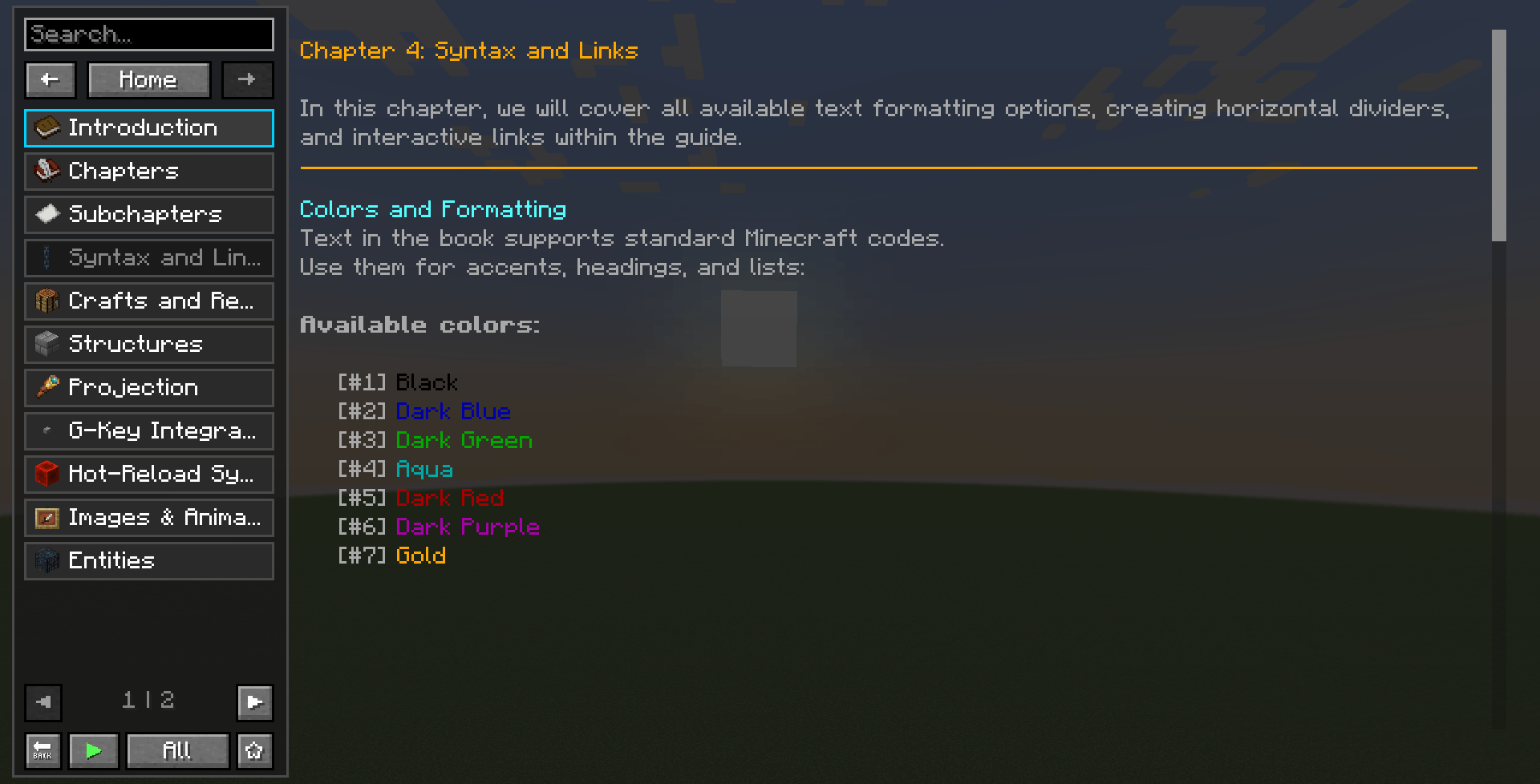
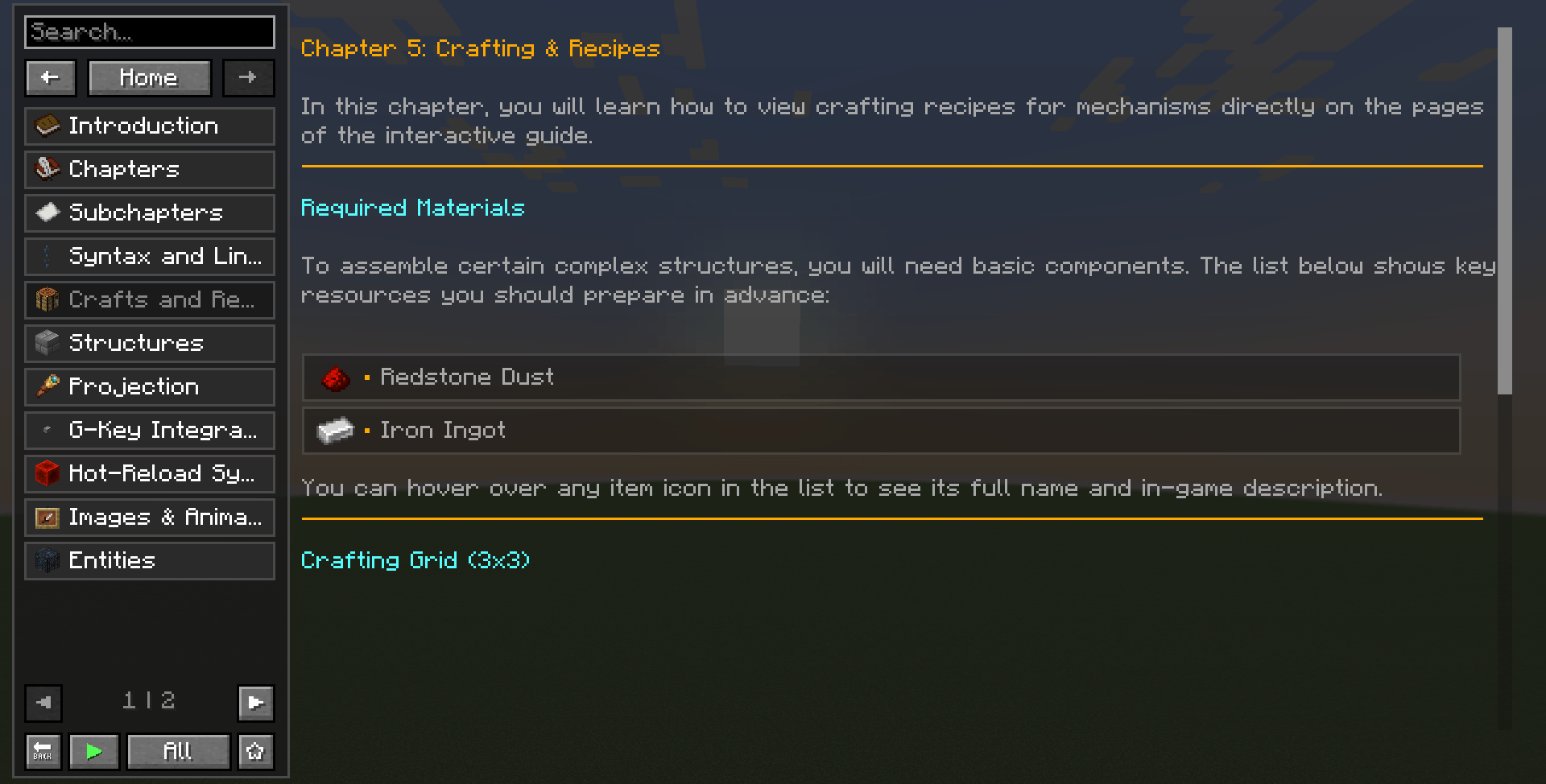
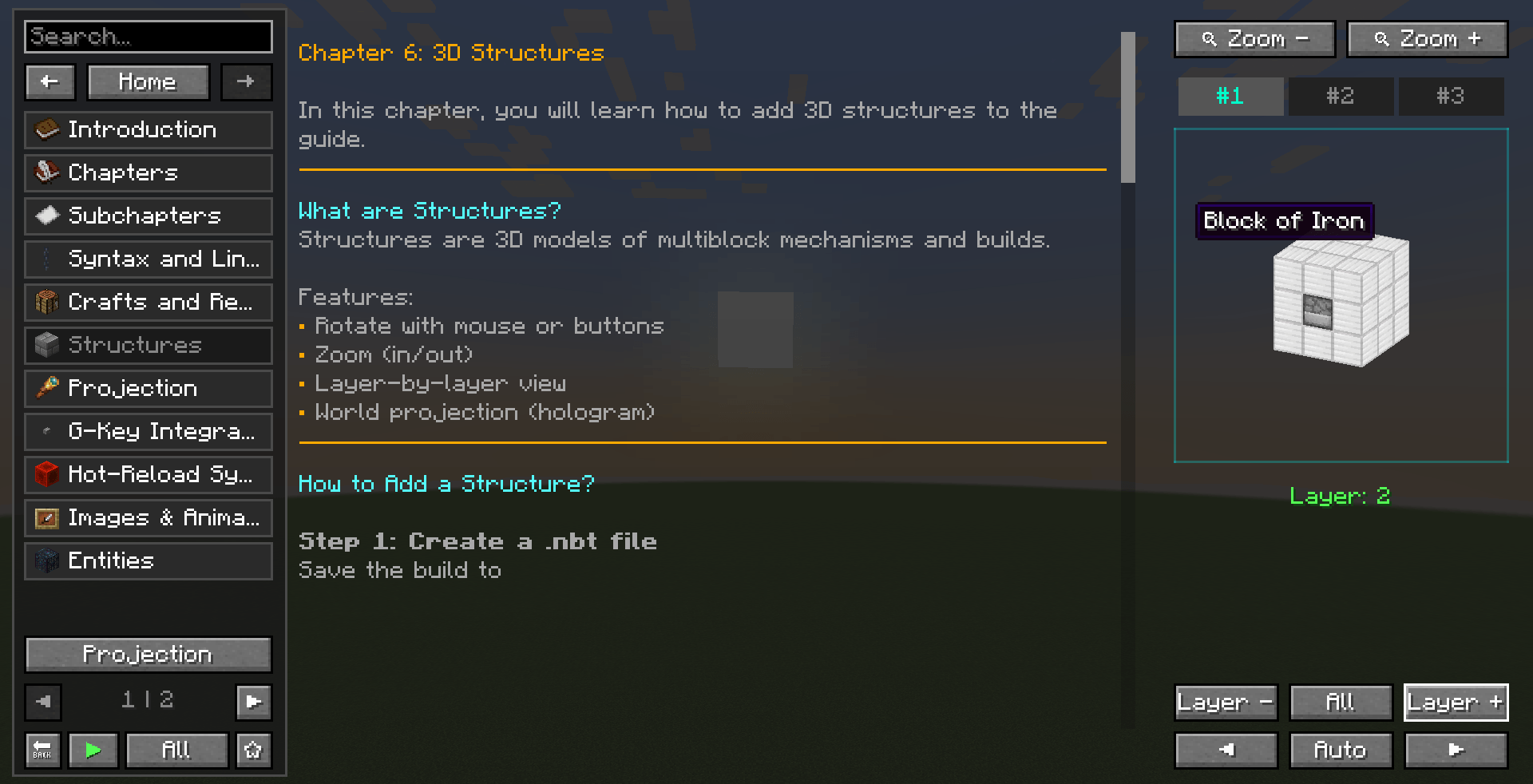
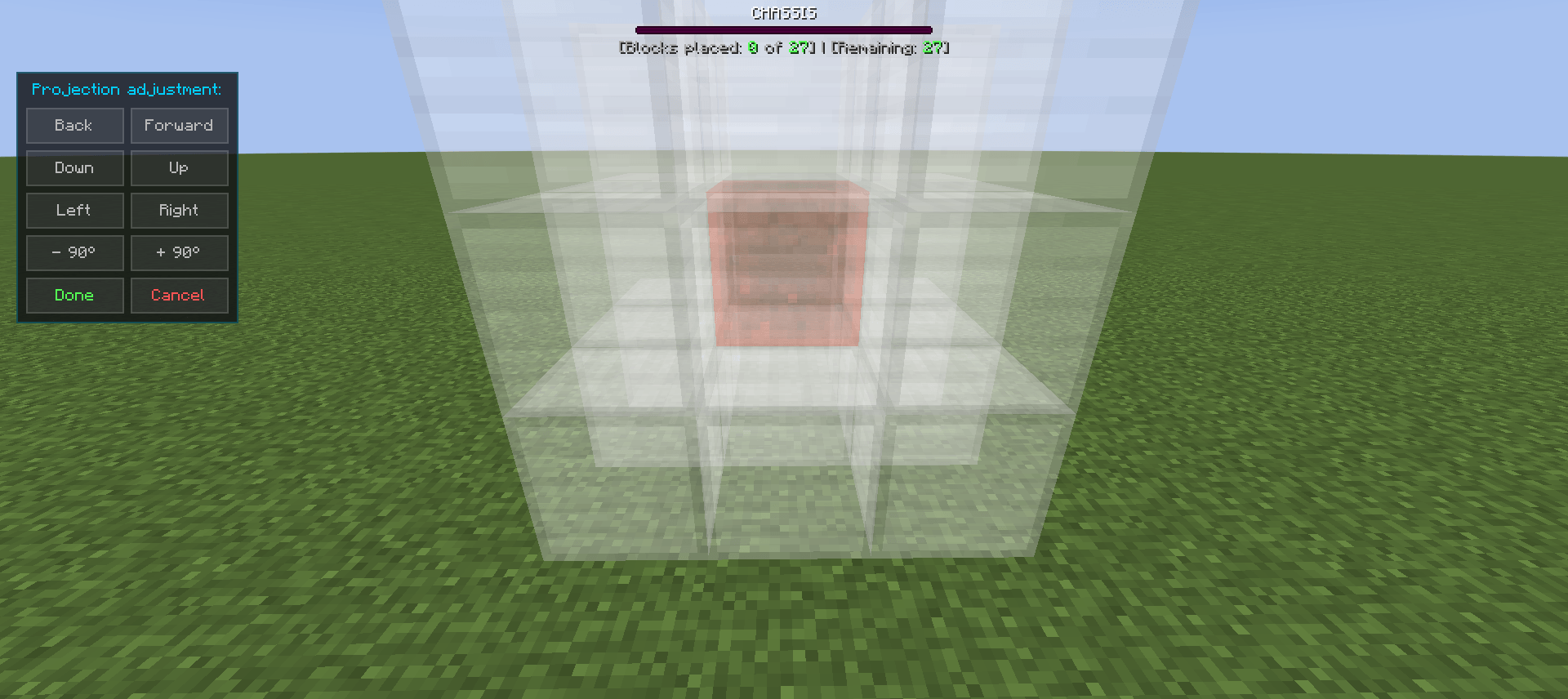
📘 Guide — Universal Documentation System
A lightweight, modular, and highly customizable in-game guide system for Minecraft Forge 1.20.1+.
Perfect for modpack creators, server networks, or custom mod developers — featuring 100% data isolation, direct-from-disk media stream loading, and zero virtual resource pack overhead.
✨ Key Features:
📚 Multi-Book Config Autonomy
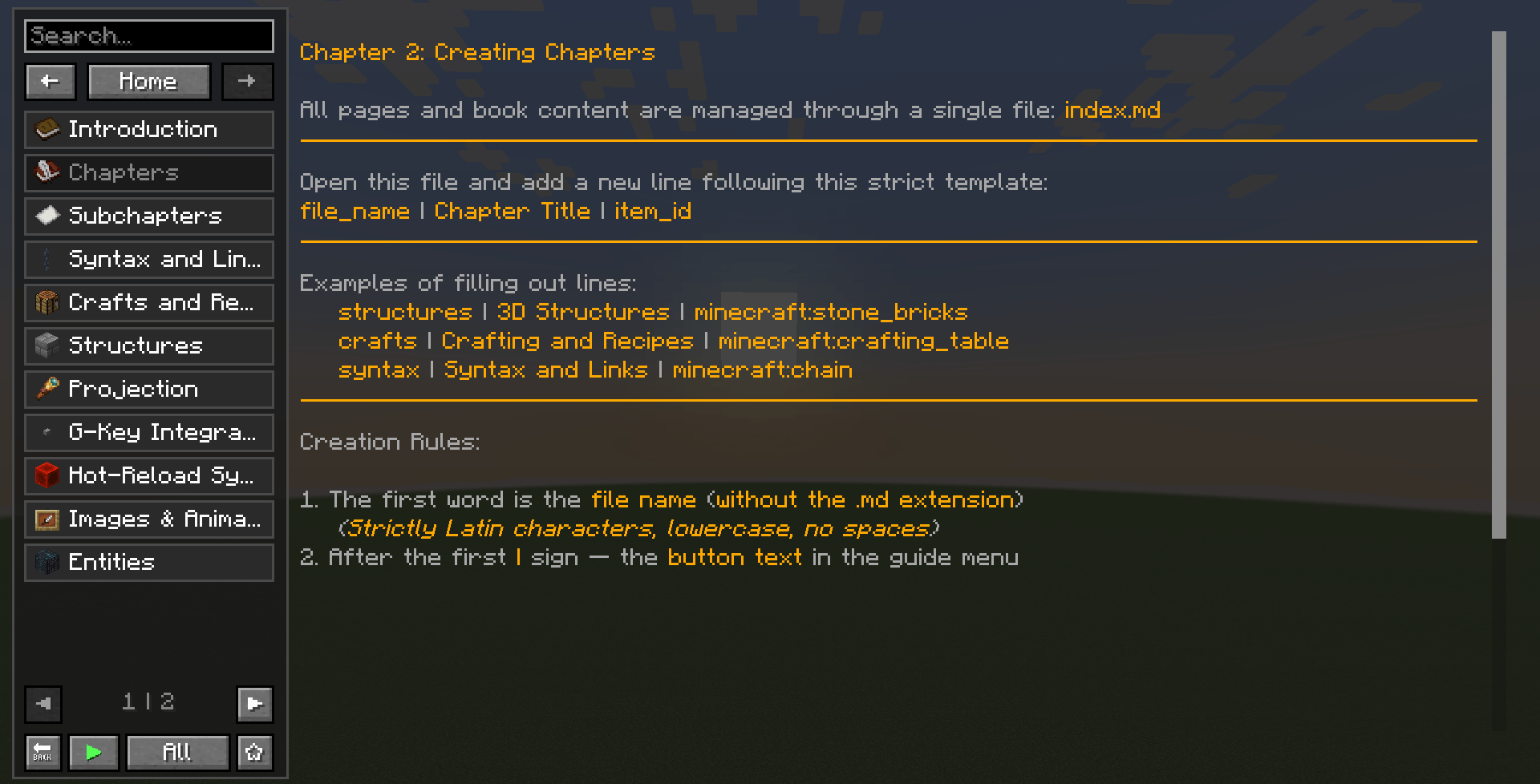
- Direct-from-Disk Compilation: Automatically maps and loads guidebooks from your local machine at
config/guide/books/[book_id]/. No more packing files inside mod JAR archives. - Automated Blueprint Generation: On the very first launch, the mod extracts a complete, ready-to-build guidebook template into your config folder, protecting custom assets from being overwritten during modpack updates.
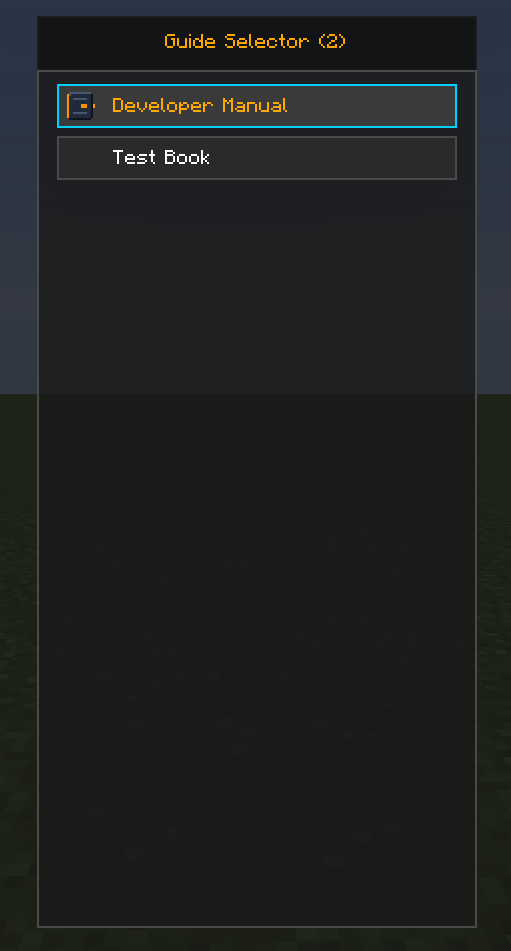
- Clean Book Selector: Features a fully responsive book catalog viewport with active filtering, rendering isolated book namespaces cleanly with zero mod-ID conflicts.
⚙️ Hot-Reload & Dev-Friendly Pipeline
- Runtime Layout Swapping (
/guide reload): Edit markdown files, layout nodes, textures, or JSON localization tables on your disk and instantly re-populate the guidebook memory in-game. Available to all players by default with no OP/cheat requirements. - Quick-Access Chat Navigation (
/guide): A dedicated chat handle that routes users directly to the main book catalog viewport from anywhere, removing item dependencies. - Developer Mode Toggle: Hide instructional manuals or blueprints from players via
config/guide/guide-client.tomlwhile keeping them active for developers.
🧭 Premium Navigation & Search Caret
- Overhauled Search Box: Equipped with a clean vertical caret (
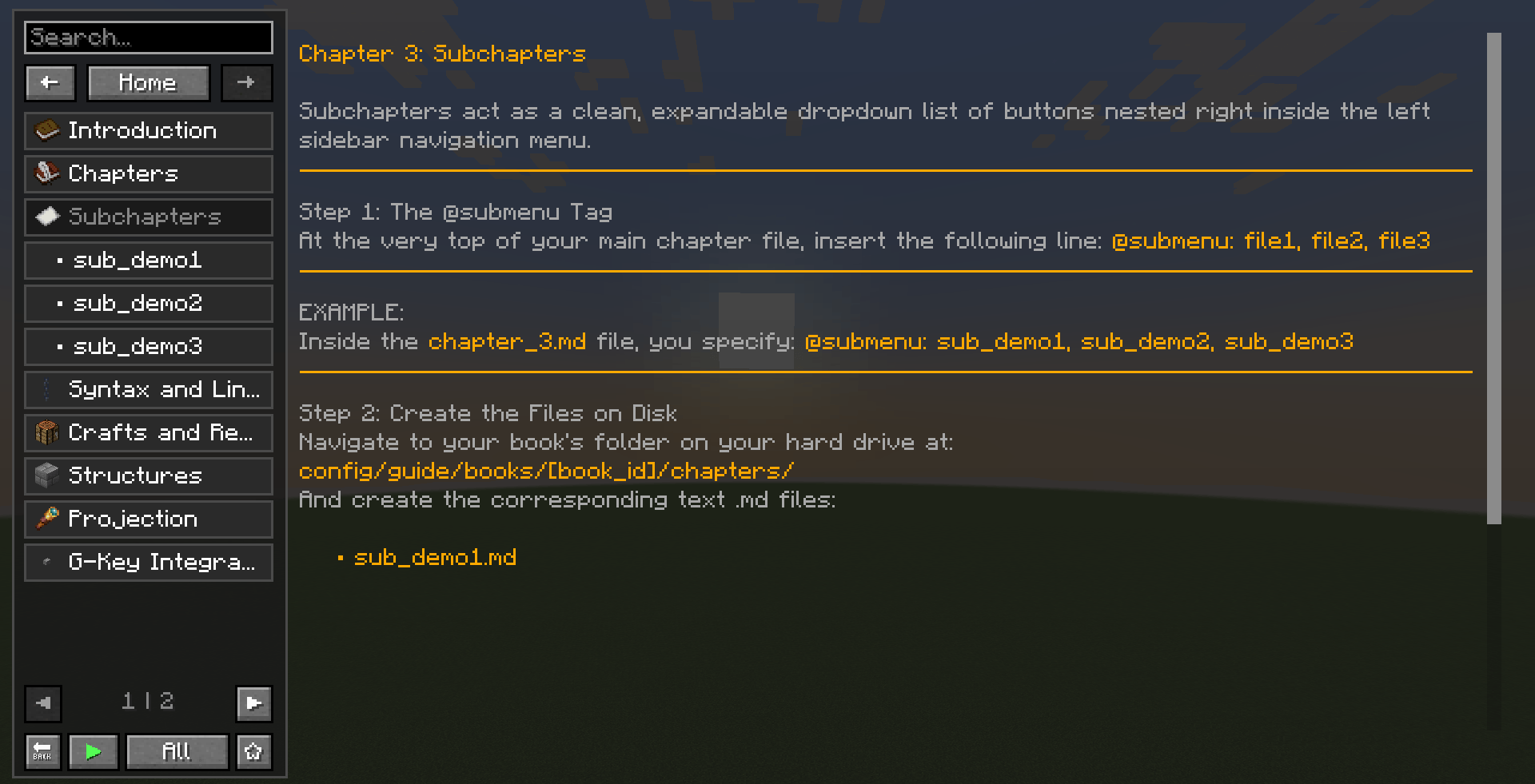
|) that flawlessly executes movement sequences and text selections across both English and Cyrillic keyboard layouts. - Smart Sidebar Sub-Menus: Seamlessly nests dropdown sub-chapters (
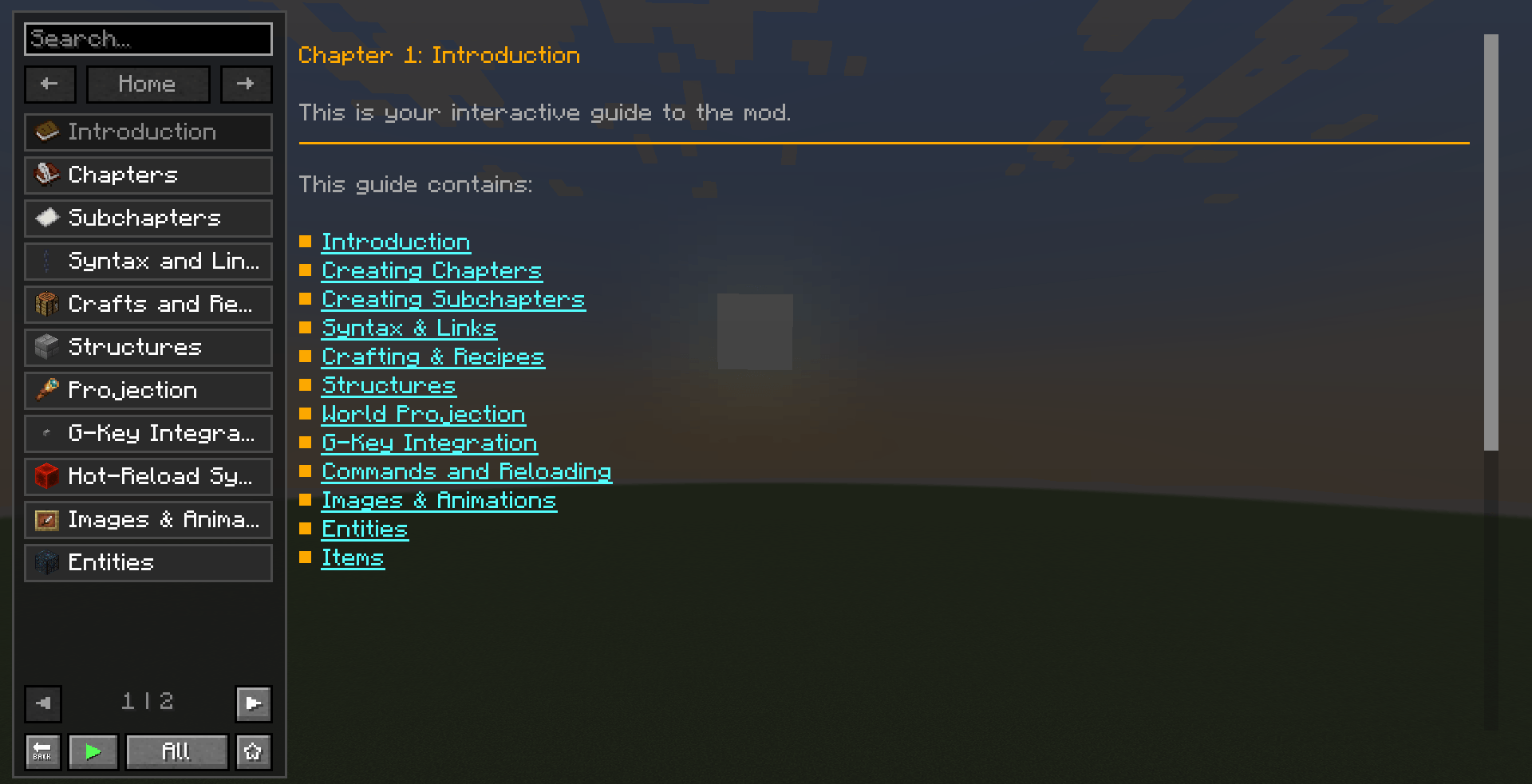
@submenu:) and spoilers behind clicks, optimizing render framerates and preventing layout clipping. - Unbreakable Tracking & History: Navigation memory locks the expanded state of sidebar submenus, and text hyperlink hitboxes mathematically track lines perfectly under any dynamic scrollbar offset.
🧩 Advanced Content Rendering
- Natural Text Indentation Support: The Markdown engine fully respects space and tab blocks at the start of text sequences, allowing for structured nested lists without desyncing hyperlink areas.
- Direct Media Streaming: Renders static images (
@image:) and animated GIFs (@gif:) straight from the local book directory, completely neutralizing the checkerboard placeholder texture glitch. - Consolidated Multi-Block NBT Projection: The 3D hologram projector (
PlacementProjector) and the page renderer (StructureRenderer) compile.nbtblueprints directly from the config folder. Creators can bundle multi-block structures natively into their guides without external datapacks.
🎬 Built-in Media System
- Video Playback: Play local and remote video files (mp4, avi, mkv, webm) directly inside guide pages using the
@video:command. Supports direct HTTP(S) links with automatic caching, and includes a custom player with play/pause, stop, replay, volume slider, fullscreen, and a draggable progress bar with seek support. - GIF and Image URL Support: Use direct HTTP(S) links in
@gif:and@image:to load animated GIFs and static images (PNG, JPEG) from the internet. Files are cached inconfig/guide/cache/media/for offline reuse. - Sound Integration: Use the
@sound:command to embed clickable sound buttons that play custom audio files from the book'ssounds/folder. Supports per-page playback with automatic music ducking. - Smart Background Music Ducking: When a video or custom sound starts, the mod automatically pauses background music and restores it after playback ends.
🔗 Mod & Quest Integration
- Live Server-Synced Checkboxes: Features a client-to-server interactive quest system. Quest completions are bound to player UUIDs and securely saved inside the server-side NBT structure, protecting progression files from local data wipes.
- JEI Navigation Ready: Bind chapters to specific item entries using
@bind:mod_id:itemto trigger matching guide pages directly inside JEI, or click guide item passposts to instantly pull up active recipe sheets.
🛠️ Guide Book Directory Architecture:
📁 config/guide/books/[book_id]/
┣ 📂 chapters/                 # Content sections directory
┃  ┣ 📄 index.md               # Built-in primary index (English)
┃  ┣ 📄 introduction.md        # Built-in first chapter (English)
┃  ┗ 📂 your_language/         # Language-specific files folder
┃     ┣ 📄 index.md            # Primary index table of contents
┃     ┗ 📄 introduction.md     # Your first guidebook chapter
┣ 📂 lang/                     # Localization files
┃  ┣ 📄 en_us.json             # Localization table for titles and layout indices
┃  ┗ 📄 your_language.json     # Custom language file
┣ 📂 models/                   # Local guidebook 3D model data
┣ 📂 sounds/                   # Background audio assets
┃  ┗ 🎵 your_sound.ogg         # Background music or ambient .ogg file
┣ 📂 videos/                   # Local video files for @video:
┃  ┗ 🎥 your_video.mp4         # Video file playable in the book
┣ 📂 textures/                 # User interface and image assets
┃  ┗ 🖼️ item/your_logo.png     # Local image and animated .gif storage
┣ 📂 structures/               # Structural schematic data
┃  ┗ 🏗️ your_structure.nbt     # Multi-block .nbt blueprint files
┗ 📄 book.json                 # Metadata configuration (Title, catalog icon, namespace)
⚙️ Example book.json config structure:
{
  "name": "[book_id].book.guide",
  "namespace": "[book_id]",
  "default_chapter": "introduction",
  "icon": "your_logo.png",
  "bg_music": "background_music (without.ogg)",
  "dev_only": false
}
📦 Requirements:
- Minecraft 1.20.1
- Forge 47.x+
- Java 17+
💬 Feedback & Support:
→ GitHub Issues
→ CurseForge Comments
📜 License:
MIT License — free to use, modify, and distribute in any modpack environment. Credit appreciated but not required.
- Edition: Minecraft Java
- File type: .jar
- Minecraft versions listed: 1.21.1, 1.20.1
- How to install: Install the matching mod loader (Forge, Fabric or NeoForge) for your Minecraft version. → Download the .jar. → Put it in the .minecraft/mods folder and launch that loader profile.
- Where to get it: Opens on CurseForge — not every file is mirrored on our own servers.
Install steps are the general flow for this file type — How to install Minecraft Java mods & modpacks walks through it step by step.
- Ships as guide-1.3.1.jar — drop this file into the mods folder
- Download size: 8.4 MB
- Download link checked 23 Oct 2026 — working
These come from our own check of the pack file, not from the source page.