



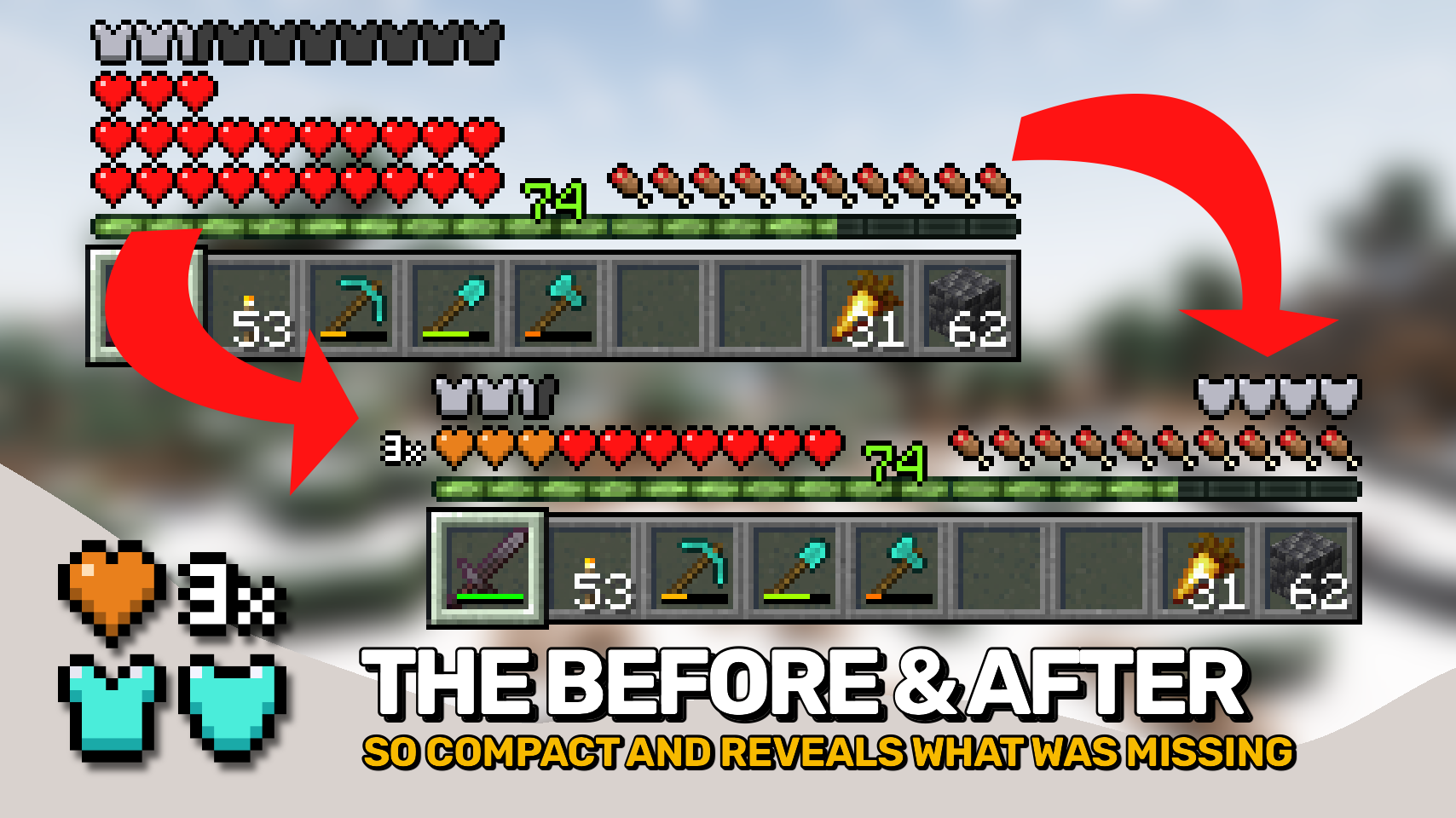
Overflowing Bars expands Minecraft's health, armor, and armor toughness bars beyond vanilla while keeping them compact and easy to read. Instead of adding extra rows of icons, the mod stacks bars into clear layers that take up far less space. 📊
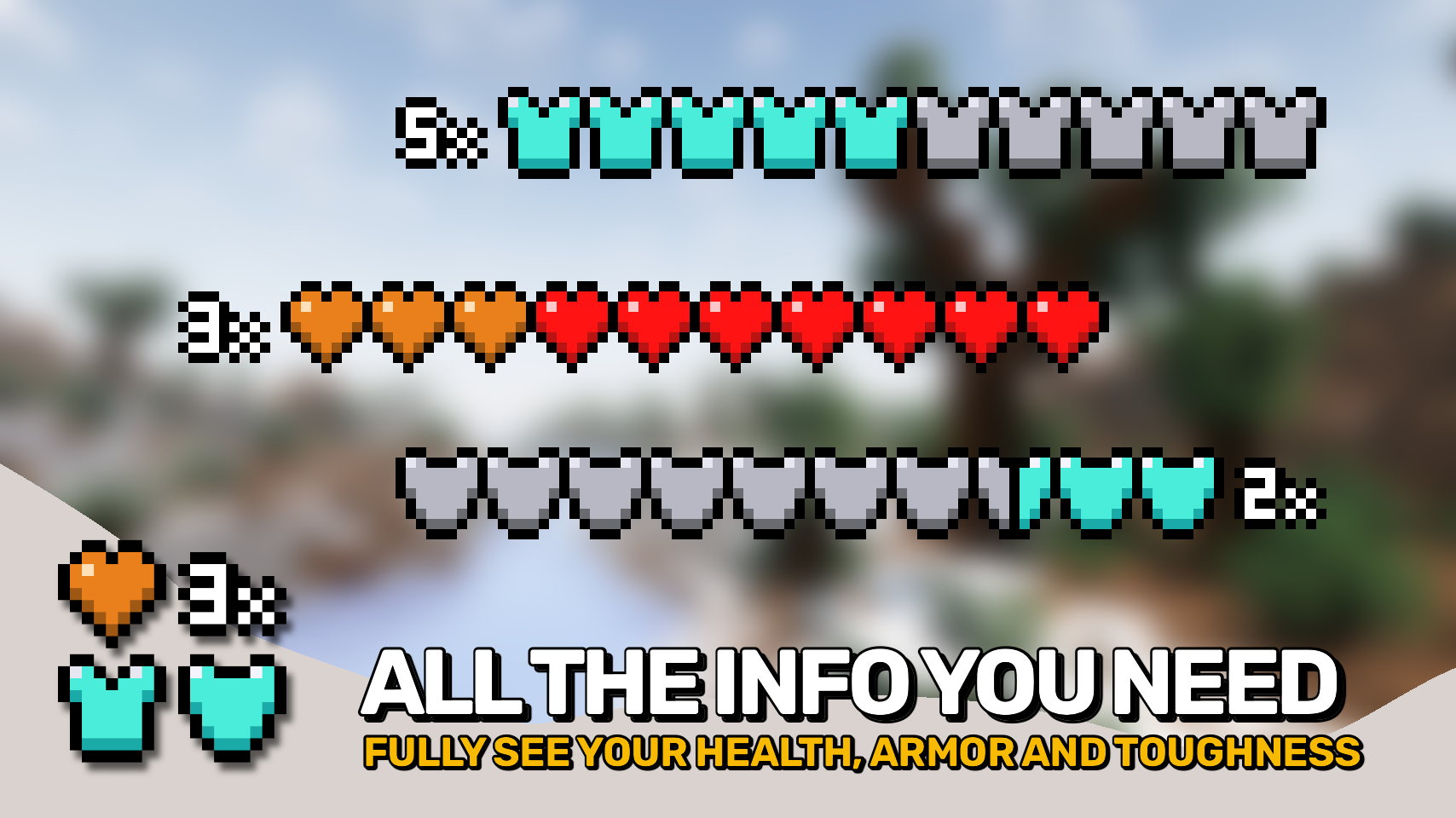
When your stats exceed vanilla limits, a row counter shows exactly how many layers of health, armor, or toughness you have. No memorizing color schemes or guessing which layer you're viewing. 🔢 Unlike many alternative HUD mods, it uses only a single highlight color for stacked layers.
The mod also adds a dedicated armor toughness bar, bringing an important defensive stat into the HUD that vanilla doesn't display. 🛡️ This is especially useful in heavily modded gameplay with high armor and toughness values.
- ❤️ Compact Health Display: Stack health beyond ten hearts without adding extra rows to the HUD.
- 🛡️ Armor Beyond Vanilla Limits: Display high armor values while using only as much space as necessary.
- 💎 Armor Toughness Bar: Adds a dedicated toughness display so you can always see this important defensive stat.
- 🔢 Clear Layer Counters: Every stacked bar can display a numeric indicator showing exactly how many layers are present.
- 🎨 Easy to Read Colors: Uses vanilla colors as the base layer and a single highlight color for stacked layers, avoiding confusing rainbow style displays.
- 📏 Space Efficient HUD: Stays compact even with very high health, armor, or toughness values.

 🌟All credit goes to the original mod : https://www.curseforge.com/minecraft/mc-mods/overflowing-bars
Additions from the original mod : Mount healthbar compat, fire charm from random things compat, much more
- Edition: Minecraft Java
- File type: .jar
- How to install: Install the matching mod loader (Forge, Fabric or NeoForge) for your Minecraft version. → Download the .jar. → Put it in the .minecraft/mods folder and launch that loader profile.
- Where to get it: Opens on CurseForge — not every file is mirrored on our own servers.
Install steps are the general flow for this file type — How to install Minecraft Java mods & modpacks walks through it step by step.
- Ships as overflowingbars-8.0.6.jar — drop this file into the mods folder
- Download size: 37 KB
- Download link checked 13 Sept 2026 — working
These come from our own check of the pack file, not from the source page.