
Mine Piece HUD - One Piece Addon
Java mod listed for Minecraft 1.20. File opened and checked on 3 Oct 2026; downloads from the MC Java Mods app on Android.
An RPG-style interface for Mine Piece that organizes stats, skills, Haki, crews, and shortcuts. Compatible with HakMinePiece, UltimateMinePiece, and One…
⬇ Download on CurseForgeThe author built this one for Minecraft 1.20.1 on Forge. On other versions it may install and then do nothing.

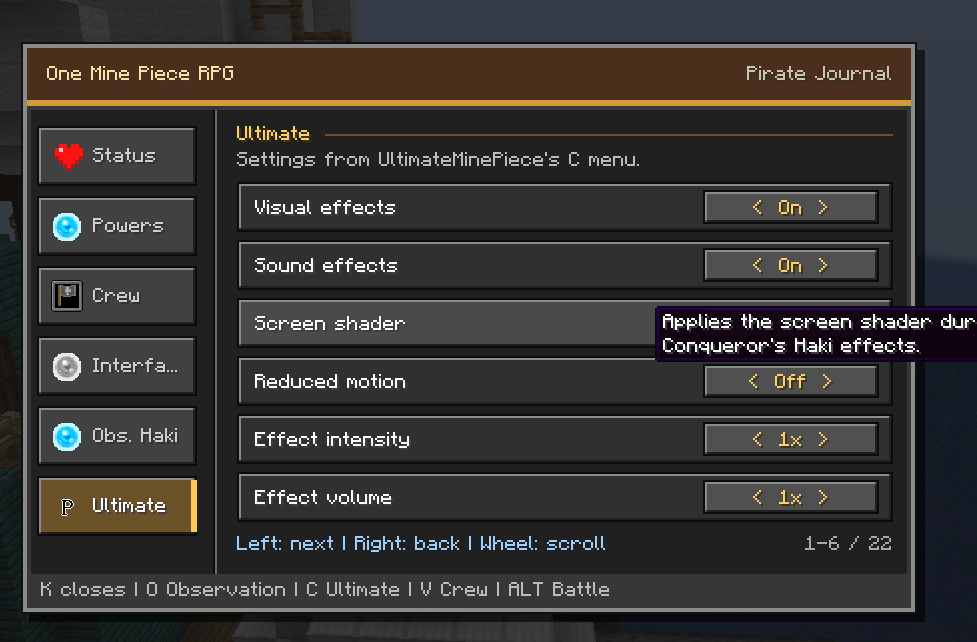
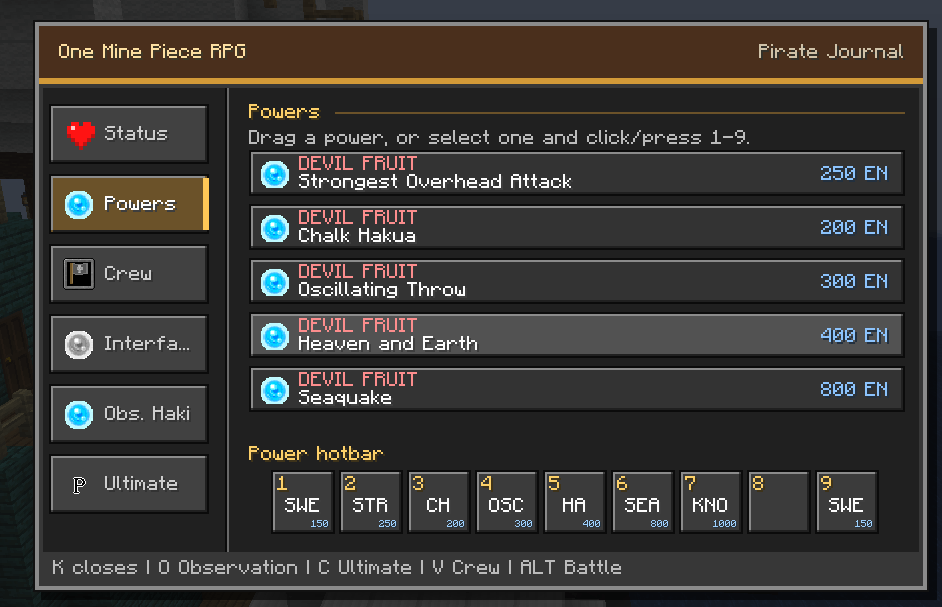
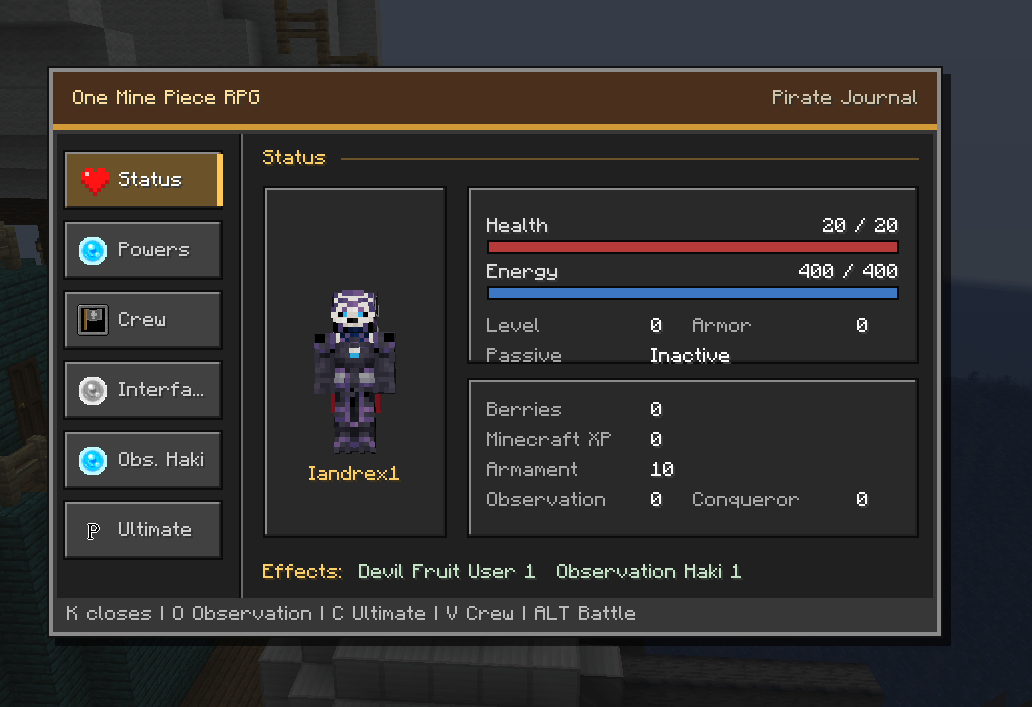
This addon enhances the Mine Piece experience with an RPG-inspired interface that brings important character information and features together in one convenient menu.
Track your stats, experience, currency, active effects, and character progression. Browse your powers, organize skills in a customizable hotbar, and easily switch between the standard Minecraft hotbar and your combat skill hotbar.
The menu also integrates Haki, crew, and interface settings, making your adventure more organized and accessible. Skills can display their energy cost, casting time, and cooldown, helping you prepare for every battle.
Compatible with:
- Mine Piece
- HakMinePiece
- UltimateMinePiece
- One Piece World Like
All integrations are optional. The addon will continue to work even when some compatible addons are not installed.
Available languages:
- English
- Portuguese
- Spanish
- Japanese
The interface automatically follows the player’s Minecraft language. It can also be changed directly from the menu, with English used as the fallback for unsupported languages.
A great choice for players who want a cleaner, more immersive, and RPG-inspired way to enjoy Mine Piece while keeping the familiar visual style of Minecraft.
- Edition: Minecraft Java
- File type: .jar
- Minecraft version listed: 1.20.1
- How to install: Install the matching mod loader (Forge, Fabric or NeoForge) for your Minecraft version. → Download the .jar. → Put it in the .minecraft/mods folder and launch that loader profile.
- Where to get it: Opens on CurseForge — not every file is mirrored on our own servers.
Install steps are the general flow for this file type — How to install Minecraft Java mods & modpacks walks through it step by step.
- Ships as OneMinePieceRpgUI-0.7.1.jar — drop this file into the mods folder
- Download size: 118 KB
- Download link checked 24 Oct 2026 — working
These come from our own check of the pack file, not from the source page.