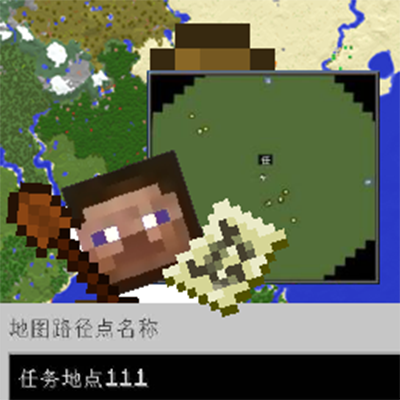
CNPC-XaeroMiniMap-addon
Java mod listed for Minecraft 1.20. Downloads from the MC Java Mods app on Android.
⬇ Download on CurseForgeThe author built this one for Minecraft 1.20.1 on Forge. On other versions it may install and then do nothing.
CNPC-XMM-addon
CNPC-XMM Addon is a bridge between CustomNPCs and Xaero's Minimap. It allows server admins and map makers to automatically add waypoints to a player's map when they accept or interact with specific quests.
This is perfect for adventure maps, and quest lines where you want to guide players to their next objective without them getting lost.
Features
Automatic Waypoint Creation:
When a player accepts a quest, a waypoint can be automatically added to their minimap.
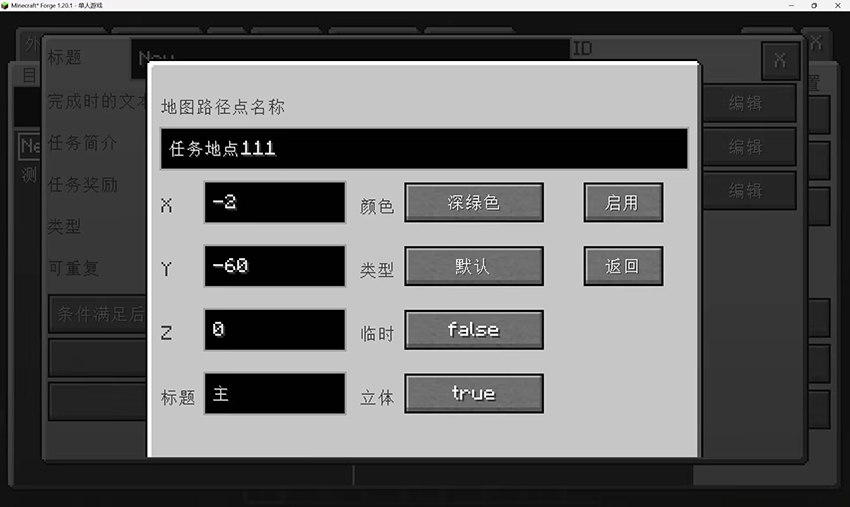
Full Customization: Configure the waypoint directly within the CustomNPCs Quest Editor.
Set custom Coordinates (X, Y, Z).
Choose Colors (Red, Green, Blue, Gold, etc.).
Set Titles and Names.
Toggle yIncluded.
Mark as Temp or not.
Scripting API Support:
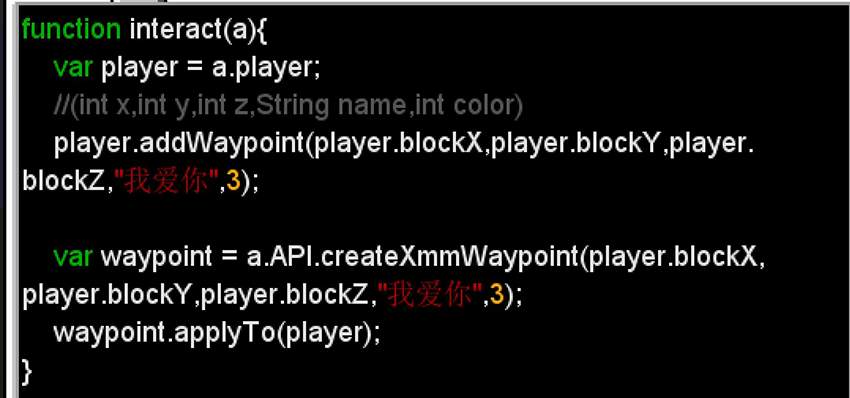
For advanced users, use JavaScript in CustomNPCs scripts to dynamically create waypoints.
IPlayer.addWaypoint(int x, int y, int z, String name, int color);var waypoint = event.API.createXmmWaypoint(int x, int y, int z, String name, int color);
waypoint.applyTo(IPlayer)
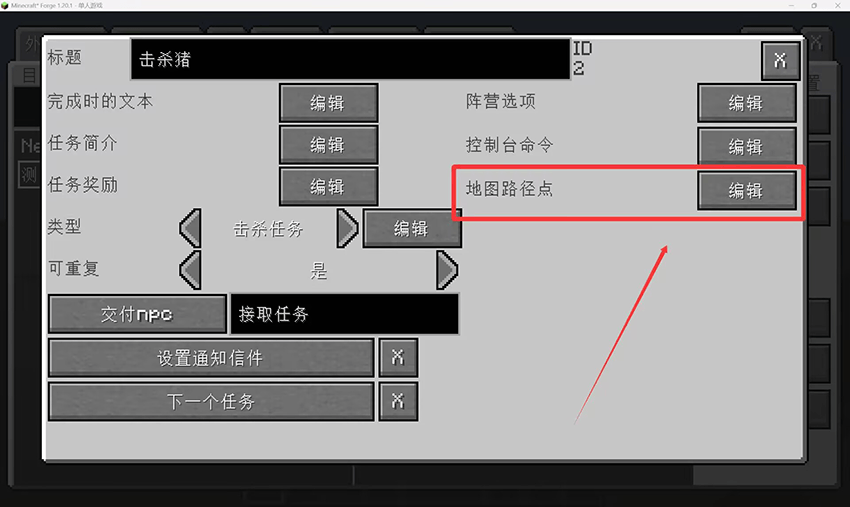
How to Use (GUI Method)
Open the Quest Editor in CustomNPCs.
Select a Quest.
Click the "Map Waypoint" (地图路径点) button (added by this addon).

Configure the location, color, and name of the waypoint.
Save the quest. Now, when a player takes this quest, the waypoint will appear on their map!
You may also edit the waypoint with command
/noppes quest waypoint set <quest> [<position>]if the position is null, it will refer to the executor's position.
Scripting Example
function interact(a){
    var player = a.player;
    // Create a waypoint at the player's current location
    var waypoint = a.API.createXmmWaypoint(player.blockX, player.blockY, player.blockZ, "Objective", 3);
    waypoint.applyTo(player);
}- Edition: Minecraft Java
- File type: .jar
- Minecraft version listed: 1.20.1
- How to install: Install the matching mod loader (Forge, Fabric or NeoForge) for your Minecraft version. → Download the .jar. → Put it in the .minecraft/mods folder and launch that loader profile.
- Where to get it: Opens on CurseForge — not every file is mirrored on our own servers.
Install steps are the general flow for this file type — How to install Minecraft Java mods & modpacks walks through it step by step.
- Ships as cnpc_xwm_addon-1.0-SNAPSHOT.jar — drop this file into the mods folder
- Download size: 34 KB
- Download link checked 3 Oct 2026 — working
These come from our own check of the pack file, not from the source page.