
Neuro Lurker
Minecraft Java mod. Download on the author's site.
An immortal horror creature run by a local AI (Ollama): it stalks, builds, leaves anomalies, reads your chat, hears your voice, screams and hunts…
⬇ Download on CurseForge Neuro Lurker is a psychological‑horror presence powered by a local AI (Ollama). There is no fixed script — a language model decides what the creature does: it stalks, leaves anomalies, builds, makes sounds, reads your chat, hears your voice, and escalates over time. When it finally hunts, it chases you, smashes through glass and doors, screams, and one‑shots you. It is immortal — you can't kill it, only survive it. Everything runs on your own machine, offline and free. The AI runs only on the host; friends just need the mod.
Features
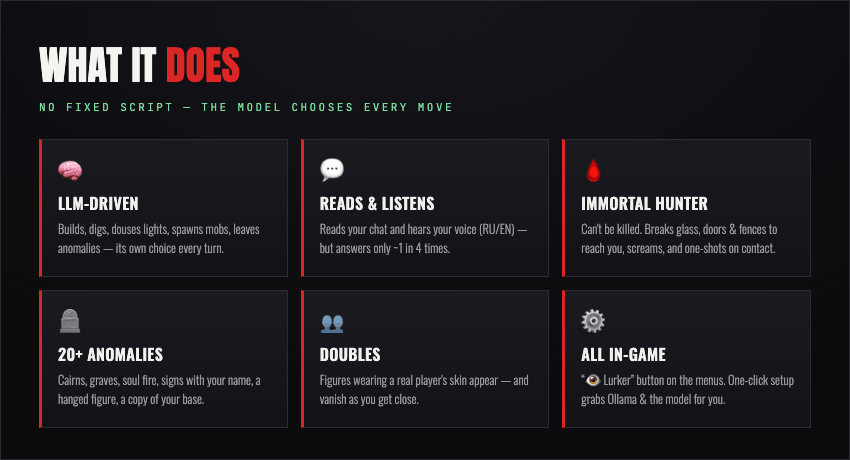
- 🧠 LLM‑driven, un‑scripted (Ollama/qwen): builds, digs, breaks/places blocks, plays sounds, spawns mobs, douses lights, leaves anomalies, summons doubles — its own choice every turn.
- ♾️ Thinks continuously at a tunable pace, not just on triggers.
- 🌑 Escalating Director:
 dormant → traces → night sightings → cave sounds → daytime watching → window peeking → villager loss → hunting. Taunting it (chat/voice) makes it angrier and escalates faster.
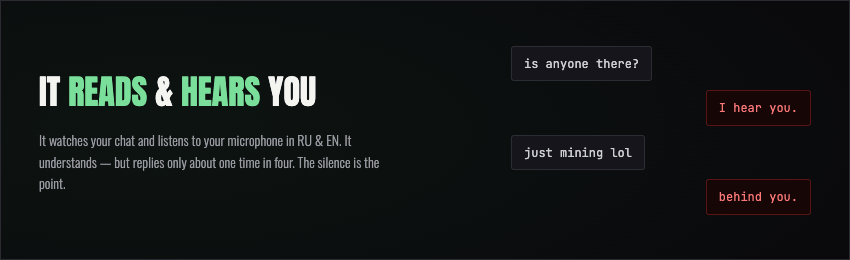
 - 💬 Reads your chat & hears your voice (RU/EN) — but answers only ~1 in 4 times (silence is scarier).
- 🩸 Immortal hunter: can't be killed; breaks glass/doors/trapdoors/fences/leaves to reach you, screams loudly, and one‑shots on contact.
- 🪦 20+ anomalies:
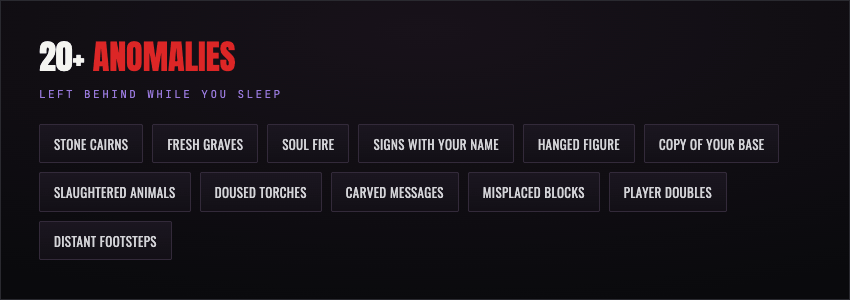 cairns, skull‑on‑post, mushroom rings, graves, soul fire, bone piles, hanging lanterns, dug pits, sculk, wither roses, iron cages, blood trails, glowing signs with your name, a hanged figure, and a copy of your base — with a copy of YOU inside that vanishes as you approach. qwen can also invent its own.
 - 👥 Doubles: figures wearing a real player's skin appear and vanish as you get close.
- 🎞️ Custom animated model (GeckoLib, bundled): idle sway, a lurching run, glowing eyes in the dark.
- 🗣️ Whisper voice (optional) via Simple Voice Chat.
- 👨👩👧 Multiplayer aware: hears every player, personal memory per player.
- ⚙️ All in‑game, no command line: “👁 Lurker” button on title & pause screens — live status, event journal, model auto‑detect, and a one‑click Setup that downloads Ollama, the model and whisper for you.

Requirements
Minecraft 26.1.2 + Fabric Loader + Fabric API · Ollama (host) with qwen2.5:7b (or 14b), downloadable in‑game · GeckoLib bundled.
Installation
- Install Fabric for MC 26.1.2 — https://fabricmc.net/use/installer/
- Put lurker.jar + Fabric API (https://modrinth.com/mod/fabric-api) into
mods(%appdata%\.minecraft\mods/~/Library/Application Support/minecraft/mods). - Launch the fabric‑loader 26.1.2 profile.
Set up the AI (host) — no command line
Install & run Ollama (https://ollama.com/download) → in game “👁 Lurker” → ⚙ Setup → Download model → I am host = YES → Save.
Optional voice
Simple Voice Chat (all) lets it speak; whisper (host) lets it hear — ⚙ Setup → Install whisper downloads it for you (or point the “whisper folder” at whisper-server + ggml-small.bin).
Commands
/lurker spawn · hunt · doubles · anomaly · status · advance · day [n] · config (continuous on|off, interval <sec>, whisper <path>, host, model, url)
System requirements
👥 Guests (just the mod)
Same as normal modded Fabric 26.1.2:
- 4‑core CPU · 8 GB RAM · any GPU that runs Minecraft · ~2 GB free disk.
- They don't run the AI, so the mod adds almost no load.
🖥️ Host — Minimum (use qwen2.5:7b)
- CPU: modern 6‑core (Ryzen 5 / Core i5)
- RAM: 16 GB
- GPU: 6 GB VRAM (GTX 1660 / RTX 2060) — or Apple Silicon with 16 GB unified memory
- Disk: ~15 GB free (SSD)
- OS: Windows 10/11 64‑bit, or macOS (Apple Silicon)
- ⚠️ CPU‑only works, but the creature reacts slowly (responses take several seconds).
🚀 Host — Recommended (qwen2.5:14b, continuous mode, smooth)
- CPU: 8‑core+ (Ryzen 7 / Core i7)
- RAM: 32 GB
- GPU: 10–12 GB VRAM (RTX 3060 12 GB / 4060 Ti or better) — or Apple Silicon with 24 GB+ unified memory
- Disk: ~25 GB free SSD
- OS: Windows 11, or macOS (Apple Silicon)
Weak / no GPU?
- Use
qwen2.5:7binstead of 14b. - Turn off continuous mode (
/lurker config continuous off) or raise/lurker config interval 60. - Speech (whisper) is light: ~1 GB RAM and runs fine on CPU.
📥 Network & downloads — full disclosure
The mod does NOT download or execute anything on its own. It ships no bundled binaries and makes zero network requests at launch or during normal gameplay. All downloads are 100% user-initiated, optional, and host-only — triggered by clicking a button on the in-game Setup screen.
If a user prefers, they can install everything manually and the mod never touches the network. The optional helper simply saves non-technical players from using a terminal.
What the Setup buttons download, and from where (official first-party sources only):
Component Source (official) Purpose Ollama installer https://ollama.com/download/...The local AI runtime AI model (e.g. qwen) via the user's local Ollama ( ollama.comregistry)The language model whisper (optional voice) https://github.com/ggml-org/whisper.cpp/releasesLocal speech-to-text whisper model https://huggingface.co/ggerganov/whisper.cppSTT model file Safeguards:
- Nothing is run silently. The Ollama installer is opened for the user to run manually — the mod never executes an installer in the background.
- Downloads only occur after an explicit button press by the host, with on-screen progress.
- No data is ever uploaded; the AI runs entirely on
localhost. No analytics, no telemetry. - All source code is open and unobfuscated.
- Edition: Minecraft Java
- File type: .jar
- How to install: Install the matching mod loader (Forge, Fabric or NeoForge) for your Minecraft version. → Download the .jar. → Put it in the .minecraft/mods folder and launch that loader profile.
- Where to get it: Opens on CurseForge — not every file is mirrored on our own servers.
Install steps are the general flow for this file type — How to install Minecraft Java mods & modpacks walks through it step by step.
Neuro Lurker is a free Minecraft Java mod. Downloaded 1,792 times (via CurseForge). Download it and open it directly in the game.