
Create: Chemistry - Fix
Java mod listed for Minecraft 1.21. Downloads from the MC Java Mods app on Android.
I don't know my version or loader
This is a small mod with some fixes and additional recipes for Create: Chemistry.
Requires Create (v. 6.0.10) and Create: Chemistry (v. 1.2.0).
Mod`s features:
1) Craft fixes
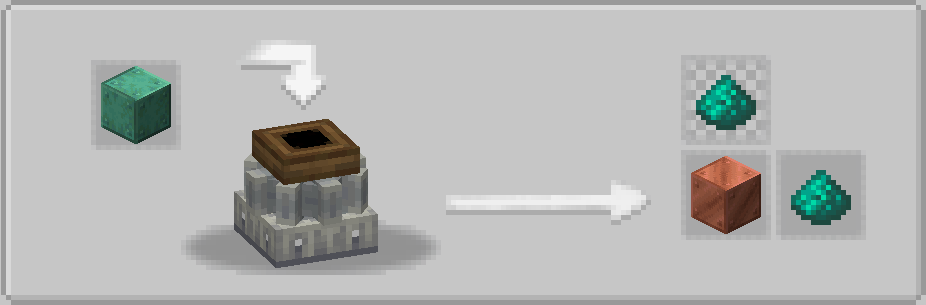
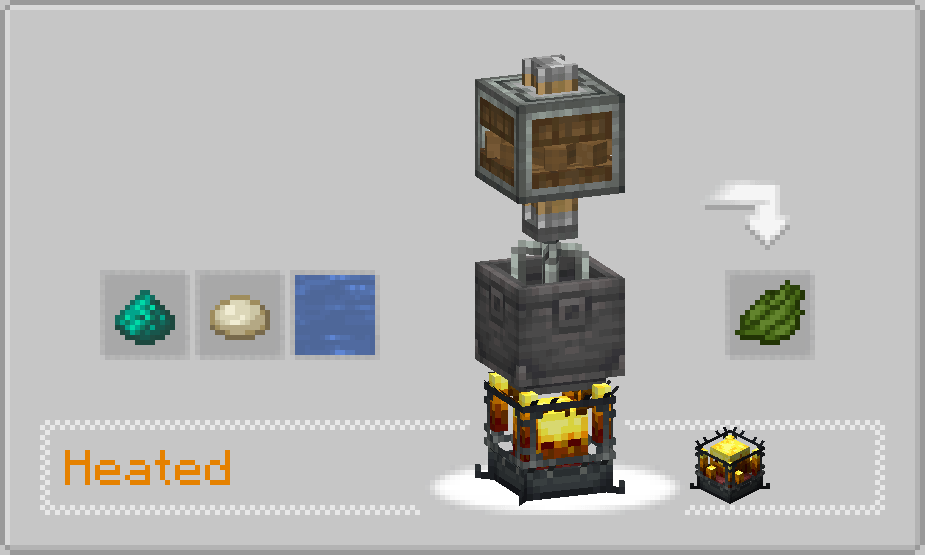
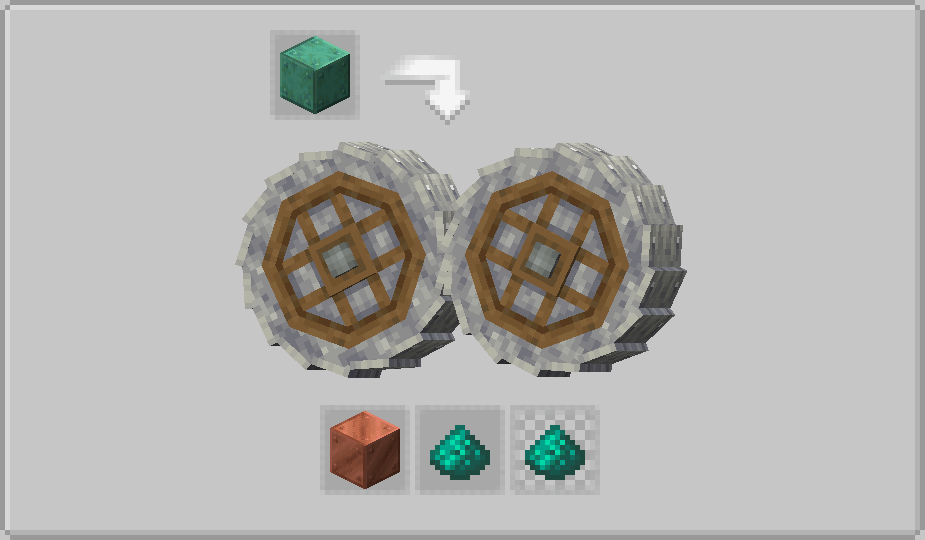
In original version of the mod, recipes of Copper Carbonate (via crushing and milling) don`t work properly. The same issue is with Green Dye recipe. This problem is solved with this mod.
2) Additional automation
To make Copper Carbonate more usable, we`ve added some new automation recipes:
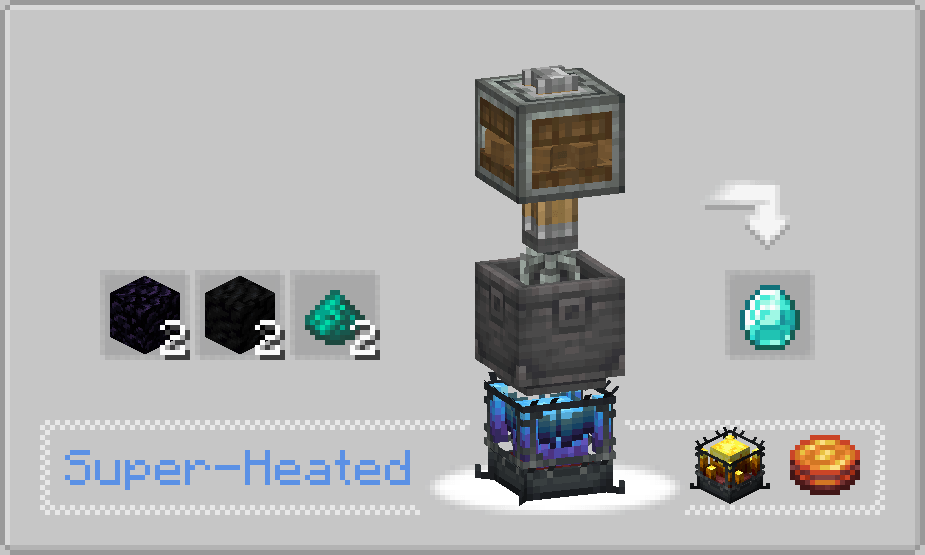
- Diamond production: 2 obsidian, 2 coal blocks and 2 copper carbonate to make 1 diamond
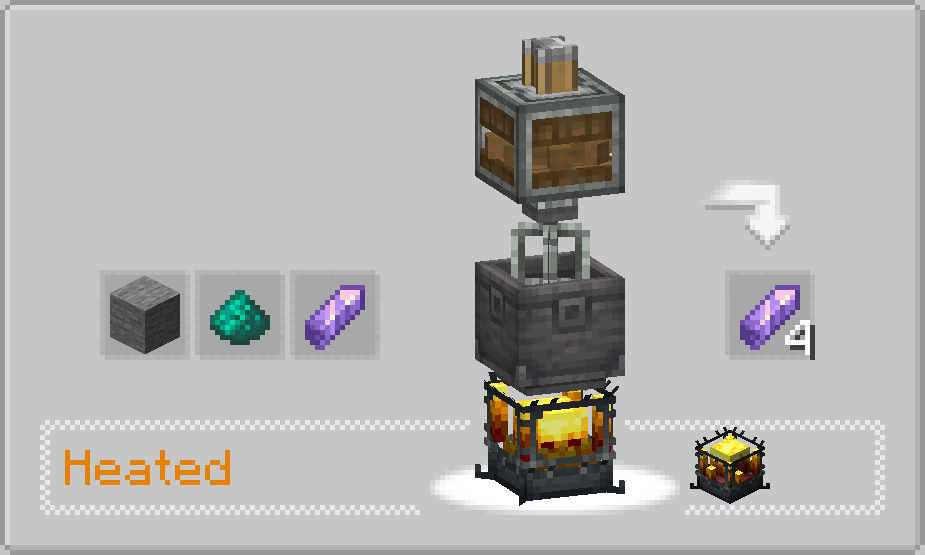
- Amethyst production: 1 amethyst, 1 stone and 1 copper carbonate to produce 3 amethyst
3) Gunpowder recipe
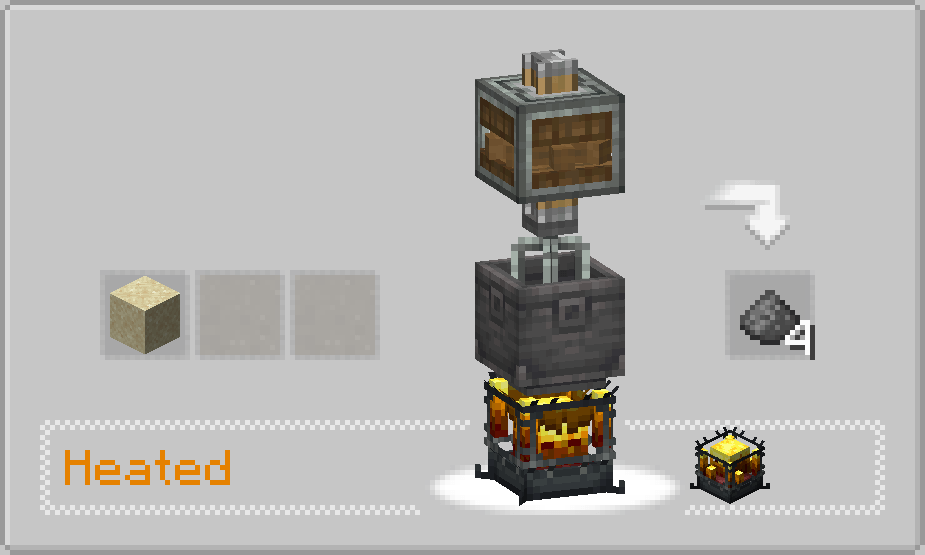
The result of the most complicated craft of the mod is 1 TNT. To make it more usable, we changed the output of this recipe to 4 gunpowder.
4) Sulfur automation
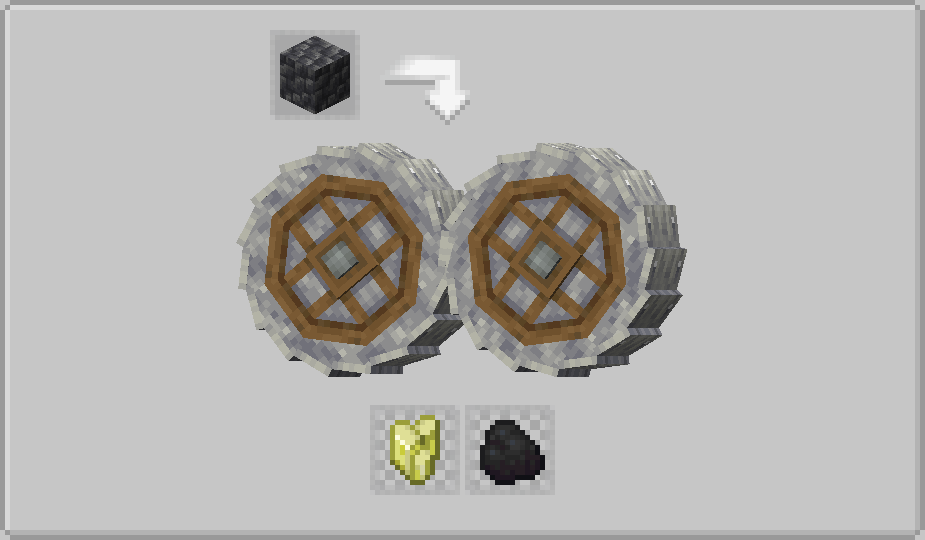
Now sulfur can be obtained and automized via Create crushing. 12% to get a sulfur from 1 cobbled deepslate.
5) New translation
We added Russian and Spanish translation to all of the Create: Chemistry contents.
This is an unofficial compatibility fix and extension. It is not affiliated with the authors of Create or Create: Chemistry.
- Edition: Minecraft Java
- File type: .jar
- Minecraft version listed: 1.21.1
- How to install: Install the matching mod loader (Forge, Fabric or NeoForge) for your Minecraft version. → Download the .jar. → Put it in the .minecraft/mods folder and launch that loader profile.
- Where to get it: Opens on CurseForge — not every file is mirrored on our own servers.
Install steps are the general flow for this file type — How to install Minecraft Java mods & modpacks walks through it step by step.
- Ships as create_chemistry_fix_neoforge-1.1.jar — drop this file into the mods folder
- Download size: 17 KB
- Download link checked 3 Oct 2026 — working
These come from our own check of the pack file, not from the source page.