Retouch Brush
Java mod listed for Minecraft 1.20–1.21. Downloads from the MC Java Mods app on Android.
I don't know my version or loader
Retouch Brush



A server-side Minecraft mod that lets you cycle through paintings using the brush!
📖 What is this mod?
This is a server-side mod that allows users to cycle through paintings using the brush.
Tired of breaking and replacing paintings just to get the right piece for your living room?
This server-side mod lets you effortlessly cycle through paintings.
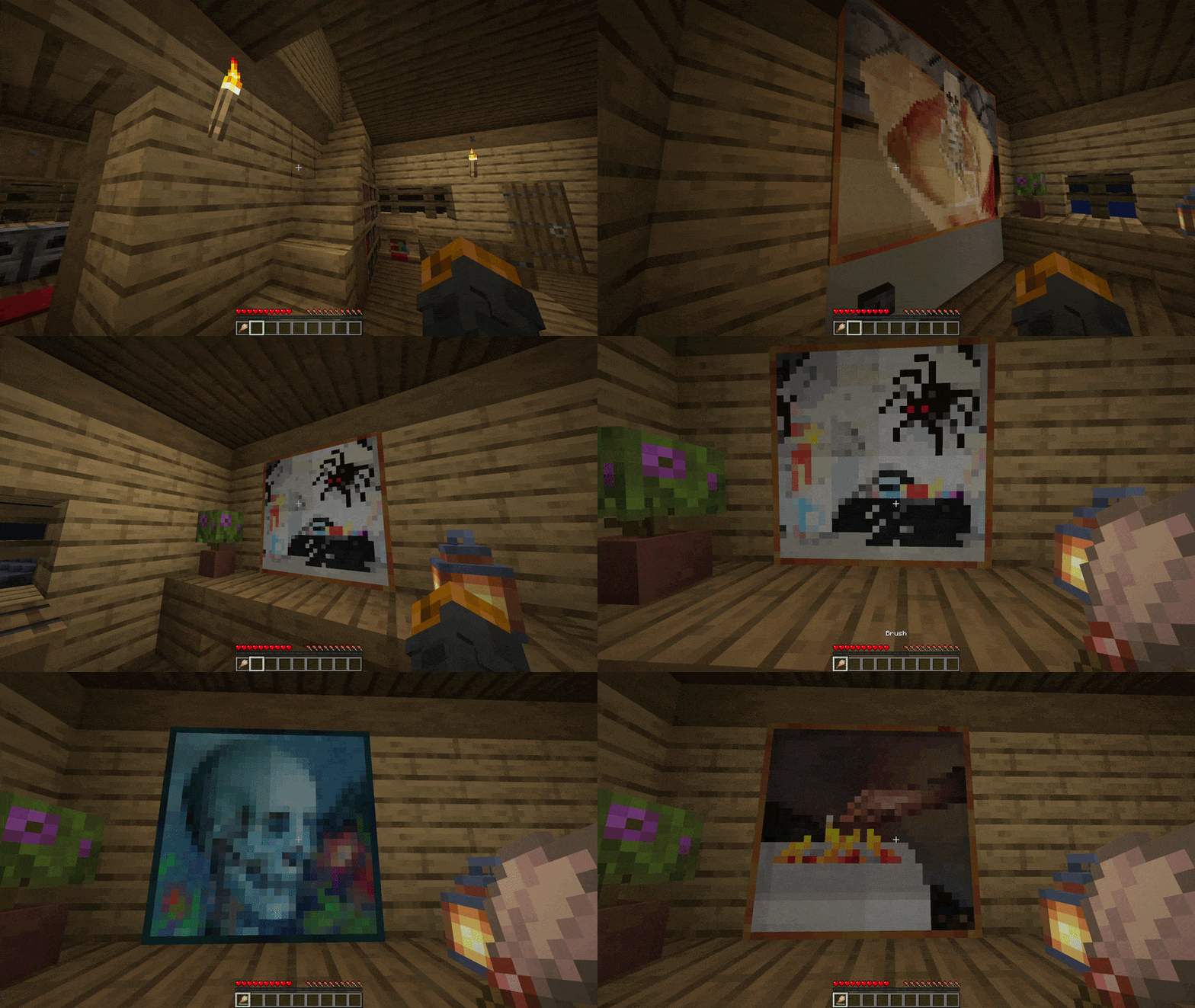
Simply right-click any painting with a brush to change it.
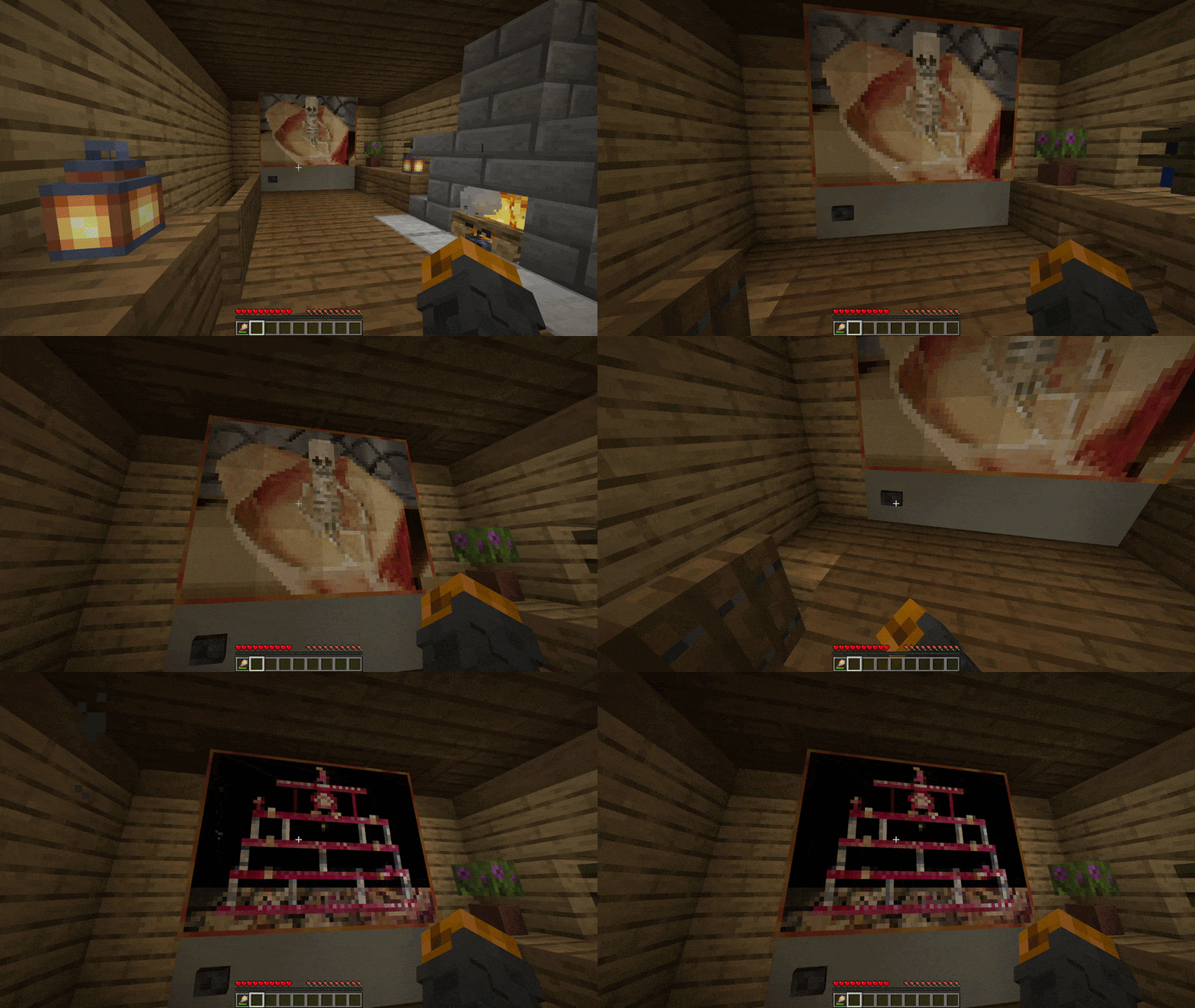
You can even make a functioning TV using dispensers
Here is a little showcase!
✅ Features
- Multi-Loader Support: Fully compatible with Fabric, Quilt, Forge and NeoForge
- Easy Painting Cycling: Right-click any painting with a brush to cycle through available art variants
- Dispenser Support: Use a dispenser loaded with a brush to cycle through paintings
- Server-Side Only: Install only on the server; Vanilla clients can connect without downloading anything
- Server Authoritative: Prevents client-side manipulation by enforcing all logic securely on the server
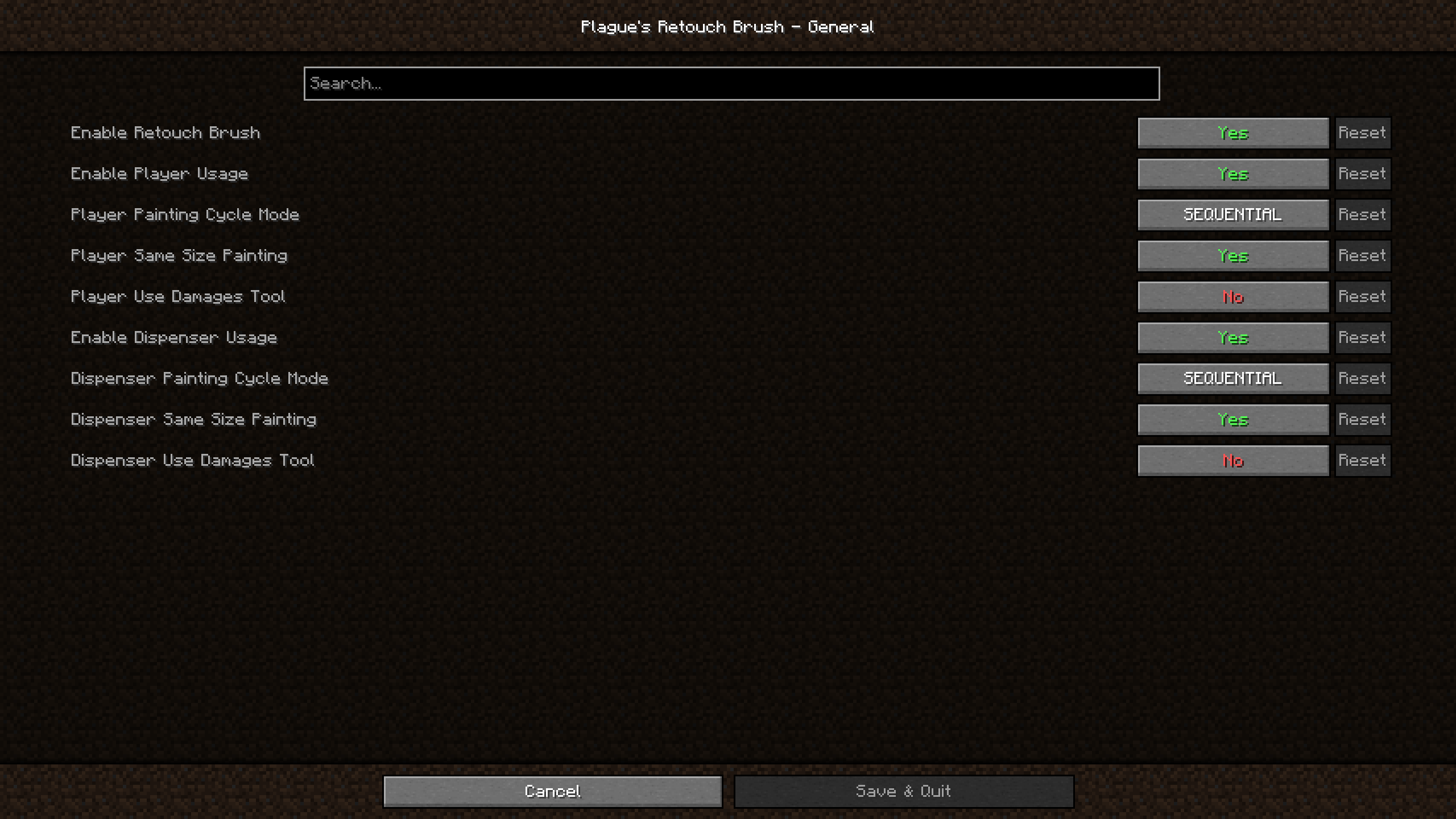
- In-Game Configuration: Adjust the mod's behavior directly using in-game configuration screen
📖 Usage
Using this mod is very simple!
Put the jar file in your mods folder and you're good to go!
For Fabric and Quilt version, if you wish to be able to access the settings of the mod within the game; you will also need to put ModMenu and Cloth Config API in your mods folder.
For Forge and NeoForge version, if you wish to be able to access the settings of the mod within the game; you will also need to put Cloth Config API in your mods folder.
You can also edit the configuration file found in config folder manually if you wish to do so.
📖 Compatibility
This mod should be compatible with every mod.
It works with mods and resource packs that add more vanilla paintings.
🚀 Supported Versions
| Minecraft | Fabric | Quilt | Forge | NeoForge |
|---|---|---|---|---|
| 26.2 | ✅(1.0.3) | ✅(1.0.3)⁵ | ❌ | ✅(1.0.3) |
| 26.1.2 | ✅(1.0.3) | ✅(1.0.3)⁴ | ❌ | ✅(1.0.3) |
| 26.1.1 | ✅(1.0.3) | ✅(1.0.3)⁴ | ❌ | ✅(1.0.3) |
| 26.1 | ✅(1.0.3) | ✅(1.0.3)⁴ | ❌ | ✅(1.0.3) |
| 1.21.11 | ✅(1.0.3) | ✅(1.0.3)³ | ❌ | ✅(1.0.3) |
| 1.21.10 | ✅(1.0.2) | ✅(1.0.2) | ❌ | ✅(1.0.2) |
| 1.21.9 | ✅(1.0.2) | ✅(1.0.2) | ❌ | ✅(1.0.2)² |
| 1.21.8 | ✅(1.0.2) | ✅(1.0.2) | ❌ | ✅(1.0.2) |
| 1.21.7 | ✅(1.0.2) | ✅(1.0.2) | ❌ | ✅(1.0.2) |
| 1.21.6 | ✅(1.0.2) | ✅(1.0.2) | ❌ | ✅(1.0.2) |
| 1.21.5 | ✅(1.0.2) | ✅(1.0.2) | ❌ | ✅(1.0.2) |
| 1.21.4 | ✅(1.0.2) | ✅(1.0.2) | ✅(1.0.2)¹ | ✅(1.0.2) |
| 1.21.3 | ✅(1.0.2) | ✅(1.0.2) | ✅(1.0.2) | ✅(1.0.2) |
| 1.21.2 | ✅(1.0.2) | ✅(1.0.2) | ❌ | ✅(1.0.2) |
| 1.21.1 | ✅(1.0.2) | ✅(1.0.2) | ✅(1.0.2) | ✅(1.0.2) |
| 1.21 | ✅(1.0.2) | ✅(1.0.2) | ✅(1.0.2) | ✅(1.0.2) |
| 1.20.6 | ✅(1.0.2) | ✅(1.0.2) | ✅(1.0.2) | ✅(1.0.2) |
| 1.20.5 | ✅(1.0.2) | ✅(1.0.2) | ❌ | ✅(1.0.2) |
| 1.20.4 | ✅(1.0.2) | ✅(1.0.2) | ✅(1.0.2) | ✅(1.0.2) |
| 1.20.3 | ❌ | ❌ | ❌ | ❌ |
| 1.20.2 | ✅(1.0.2) | ✅(1.0.2) | ✅(1.0.2) | ✅(1.0.2) |
| 1.20.1 | ✅(1.0.2) | ✅(1.0.2) | ✅(1.0.2) | ❌ |
| 1.20 | ✅(1.0.2) | ✅(1.0.2) | ✅(1.0.2) | ❌ |
✅ - Supported ⏳ - Planned ❌ - Not supported
Notes:
- Latest mod version is written in parentheses
- ¹: 1.21.4 Forge users can use cloth config for 1.21.3 since there is no build of cloth config for 1.21.4 Forge
- ²: 1.21.9 NeoForge users should use NeoForge 21.9.15-beta or below since cloth config causes a crash on NeoForge 21.9.16-beta upon opening the mods list
- ³: 1.21.11 Quilt users should use Quilt 0.29.3-beta.1 or above since mod menu now requires Fabric 0.17.3
- ⁴: From 26.1 to 26.1.2 Quilt users should use Quilt 0.30.0-beta.4 or above since mod menu now requires Fabric 0.18.4
- ⁵: From 26.2 Quilt users should use Quilt 0.30.0-beta.8 or above for mod menu to work
- Edition: Minecraft Java
- File type: .jar
- Minecraft versions listed: 1.21.11, 1.21.10, 1.21.9
- How to install: Install the matching mod loader (Forge, Fabric or NeoForge) for your Minecraft version. → Download the .jar. → Put it in the .minecraft/mods folder and launch that loader profile.
- Where to get it: Opens on CurseForge — not every file is mirrored on our own servers.
Install steps are the general flow for this file type — How to install Minecraft Java mods & modpacks walks through it step by step.
- Ships as plaguesretouchbrush-1.21.4-forge-1.0.2.jar — drop this file into the mods folder
- Download size: 38 KB
- Download link checked 3 Oct 2026 — working
These come from our own check of the pack file, not from the source page.