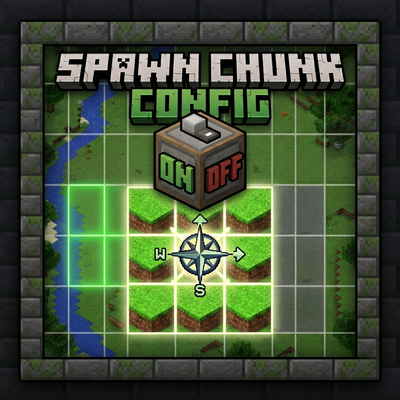
Spawn Chunk Config
Java mod listed for Minecraft 1.20–1.21. Downloads from the MC Java Mods app on Android.
Disable or fine-tune the chunks that stay loaded forever around every dimension's spawn. Disabled out of the box, configurable to the chunk.
I don't know my version or loader
Spawn Chunks Config
Disable or fine-tune the chunks that stay loaded forever around every dimension's spawn. Disabled out of the box, configurable to the chunk.
❓ The problem
By default, Minecraft keeps a 21×21 area (441 chunks) around the world spawn loaded at all times even when nobody is anywhere near it. These spawn chunks never stop ticking: redstone, mob spawning, hoppers, farms and entities all keep running in the background. They also slow your server's startup (the classic Preparing spawn area…) and quietly eat TPS and RAM for the entire uptime of your server.
For most servers, that's wasted performance.
✅ The solution
Spawn Chunks Config disables every dimension's spawn chunks by default. Your server boots faster, frees memory, and stops burning ticks on chunks no one is using. Need some of them back? One command or one line of config done, no restart.
✨ Features
- 🚫 Disabled by default spawn chunks are off everywhere out of the box (fully configurable).
- 🎚️ Per-dimension control enable/disable and set a custom radius (0–32) for the Overworld, Nether, End… or any dimension.
- 🧩 Modded-dimension aware automatically detects and disables spawn-chunk loading set up by other mods or datapacks, whatever code path they use.
- ⚡ Faster startup skips the vanilla
Preparing spawn areapre-load entirely. - 🛠️ Live commands every change applies instantly and is saved; no server restart needed.
- 🔁 Live config reload edit the
.tomland it re-applies on the fly. - 🪶 Lightweight & server-side no new blocks or items, no worldgen changes. Clients don't even need to install it.
- 🔌 Master switch flip the whole mod off to restore 100% vanilla behaviour at any time.
⌨️ Commands
All commands require permission level 2 (OP). Changes apply immediately and are saved.
| Command | Effect |
|---|---|
/spawnchunks status |
Show the global state and every loaded dimension (radius, ticking chunks, override/default). |
/spawnchunks mod enable|disable |
Toggle the whole mod live (disable = full vanilla behaviour). |
/spawnchunks enable [dimension] |
Enable spawn chunks for a dimension. |
/spawnchunks disable [dimension] |
Disable spawn chunks for a dimension. |
/spawnchunks radius <0-32> [dimension] |
Set the radius (0 = disabled). |
/spawnchunks default enable|disable|radius <0-32> |
Change the fallback used by dimensions without an override. |
/spawnchunks reapply [all|dimension] |
Re-apply the configuration to loaded dimensions. |
⚙️ Configuration
Everything also lives in config/spawnchunksconfig-common.toml: master switch, default on/off, default radius, console logging, and per-dimension overrides in the simple form "dimension_id;enabled;radius" (e.g. "minecraft:the_nether;true;5"). The file is watched and re-applied live when you edit it.
📦 Compatibility
- Minecraft 1.20.1 Forge 47.x (spawn chunks disabled via the ticket system).
- Minecraft 1.21.1 NeoForge 21.1.x (spawn chunks disabled via the vanilla
spawnChunkRadiusgamerule). - Server-side works on dedicated servers; safe to add on the client too (single-player / LAN).
- No dependencies. Plays nicely in modpacks.
ℹ️ Note for newer Minecraft versions: since 1.20.5 you can also shrink spawn chunks with the vanilla gamerule
/gamerule spawnChunkRadius 0. As of 1.21.9, Mojang removed spawn chunks entirely so on 1.21.9 and later (including the 26.x releases) there are simply no spawn chunks to disable and this mod isn't needed.
💬 Feedback
Found a bug or want a feature (per-dimension presets, more commands…)? Open an issue suggestions welcome.
- Edition: Minecraft Java
- File type: .jar
- Minecraft versions listed: 1.21.1, 1.20.1
- How to install: Install the matching mod loader (Forge, Fabric or NeoForge) for your Minecraft version. → Download the .jar. → Put it in the .minecraft/mods folder and launch that loader profile.
- Where to get it: Opens on CurseForge — not every file is mirrored on our own servers.
Install steps are the general flow for this file type — How to install Minecraft Java mods & modpacks walks through it step by step.
- Ships as spawnchunksconfig-1.0.0.jar — drop this file into the mods folder
- Download size: 10 KB
- Download link checked 24 Oct 2026 — working
These come from our own check of the pack file, not from the source page.