
QuickHost
This mod adds a simple way to with your friends on your own world without any port forwarding with the power of UPnP
I don't know my version or loader
QuickHost
This mod allows you to play with your friends without any port forwarding
What is UPnP
UPnP is a service that is enabled on every router by default allowing applications like Discord to automatically open a port forwarding temporarely.
How do I host?
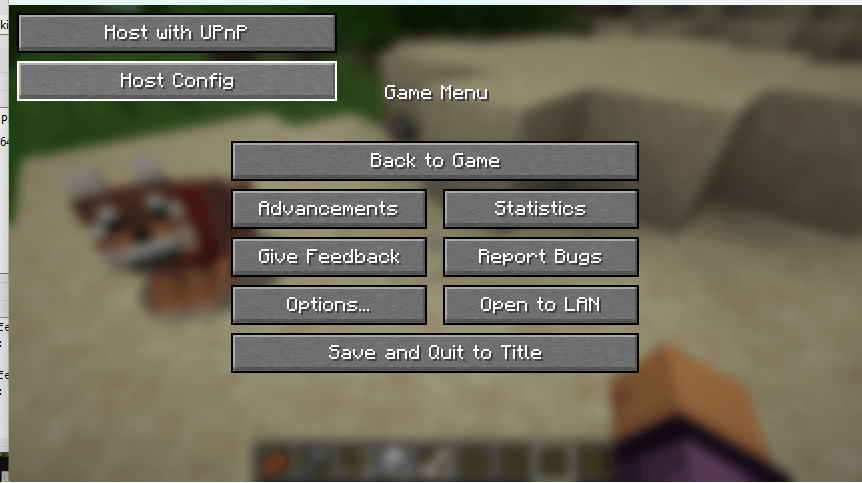
You open a singleplayer world, then pause, then Host using UPnP
Is there a console?
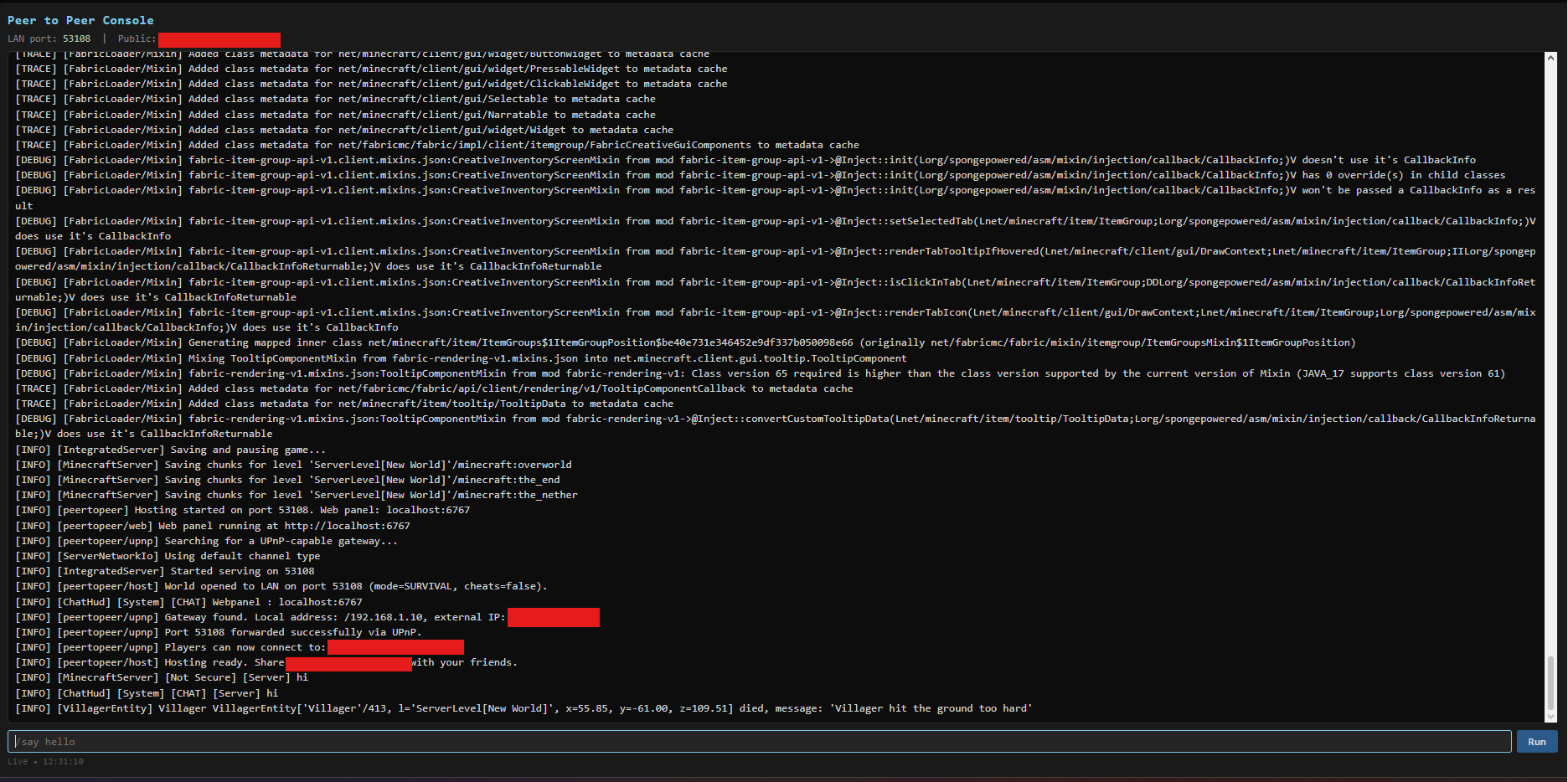
Yes! Once you click the host using UPnP button in the pause menu, it will give you a link to your server console.
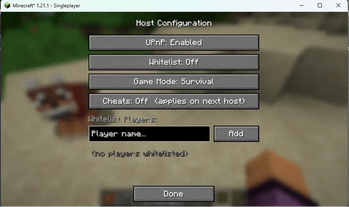
Is there any config?
Yes! In the pause menu, underneath the Host using UPnP button there is a Host Config button
How do my friends connect?
Go to localhost:6767 (your server console) and copy the IP + Port given and send it to them
Do my friends need the mod?
No! Not at all! They can just go into Multiplayer -> Add server and enter your ip as the server ip.
Are other mods supported?
Yes! Your friends need the same mods though or else they won't be able to connect.
Why is there a lot of P2P stuff?
I was tired at 2 am in the morning and thought this was P2P when the mod was done. I'm too lazy to rename it in Minecraft, but this mod isn't Peer to Peer
- Edition: Minecraft Java
- File type: .jar
- Minecraft versions listed: 1.21.8, 1.21.5, 1.21.4
- How to install: Install the matching mod loader (Forge, Fabric or NeoForge) for your Minecraft version. → Download the .jar. → Put it in the .minecraft/mods folder and launch that loader profile.
- Where to get it: Opens on CurseForge — not every file is mirrored on our own servers.
Install steps are the general flow for this file type — How to install Minecraft Java mods & modpacks walks through it step by step.
- Ships as peertopeer-1.0.0.jar — drop this file into the mods folder
- Download size: 55 KB
- Download link checked 13 Sept 2026 — working
These come from our own check of the pack file, not from the source page.