Sky Logistics
Java mod listed for Minecraft 1.20–1.21. Downloads from the MC Java Mods app on Android.
A celestial logistics mod for moving items, fluids, and energy across your Minecraft world with clean wireless networks.
I don't know my version or loader
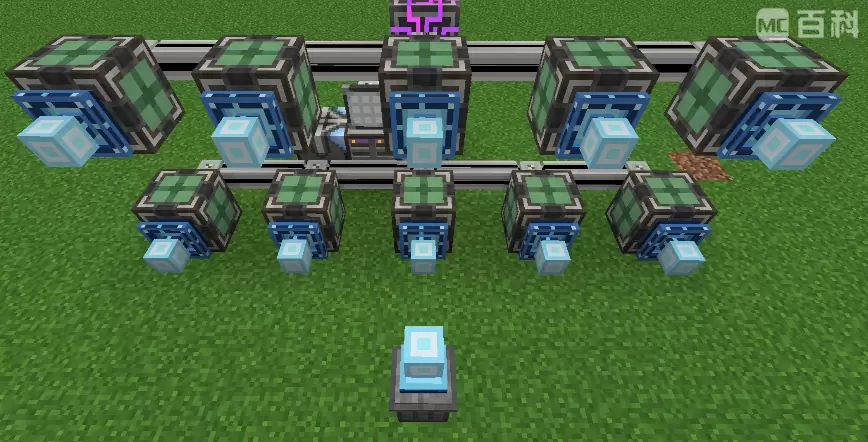
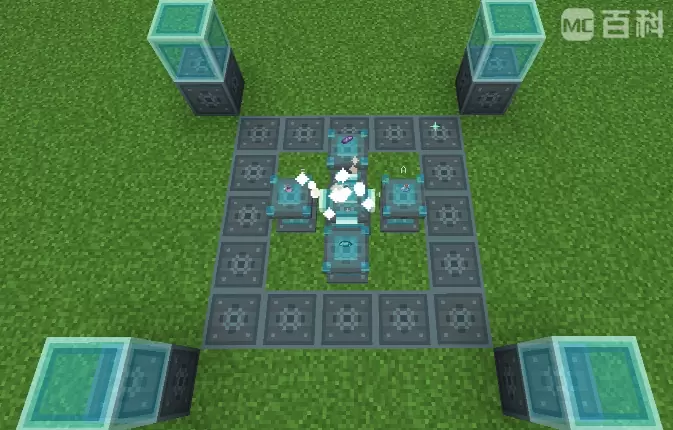
Sky Logistics
Celestial-themed logistics for Minecraft. Sky Logistics moves items, fluids, energy, and supported third-party resources through named wireless lines or lightweight local pipe networks, adds large aggregate vaults, and provides sky-themed tools for network configuration, filtering, portable transfer, and high-altitude offering recipes.
Features
- Performance-first design: transfer work is scheduled with operation budgets, ready-line queues, hot slot tracking, capability caches, and endpoint backoff. These systems reduce unnecessary scanning and keep large logistics networks responsive.
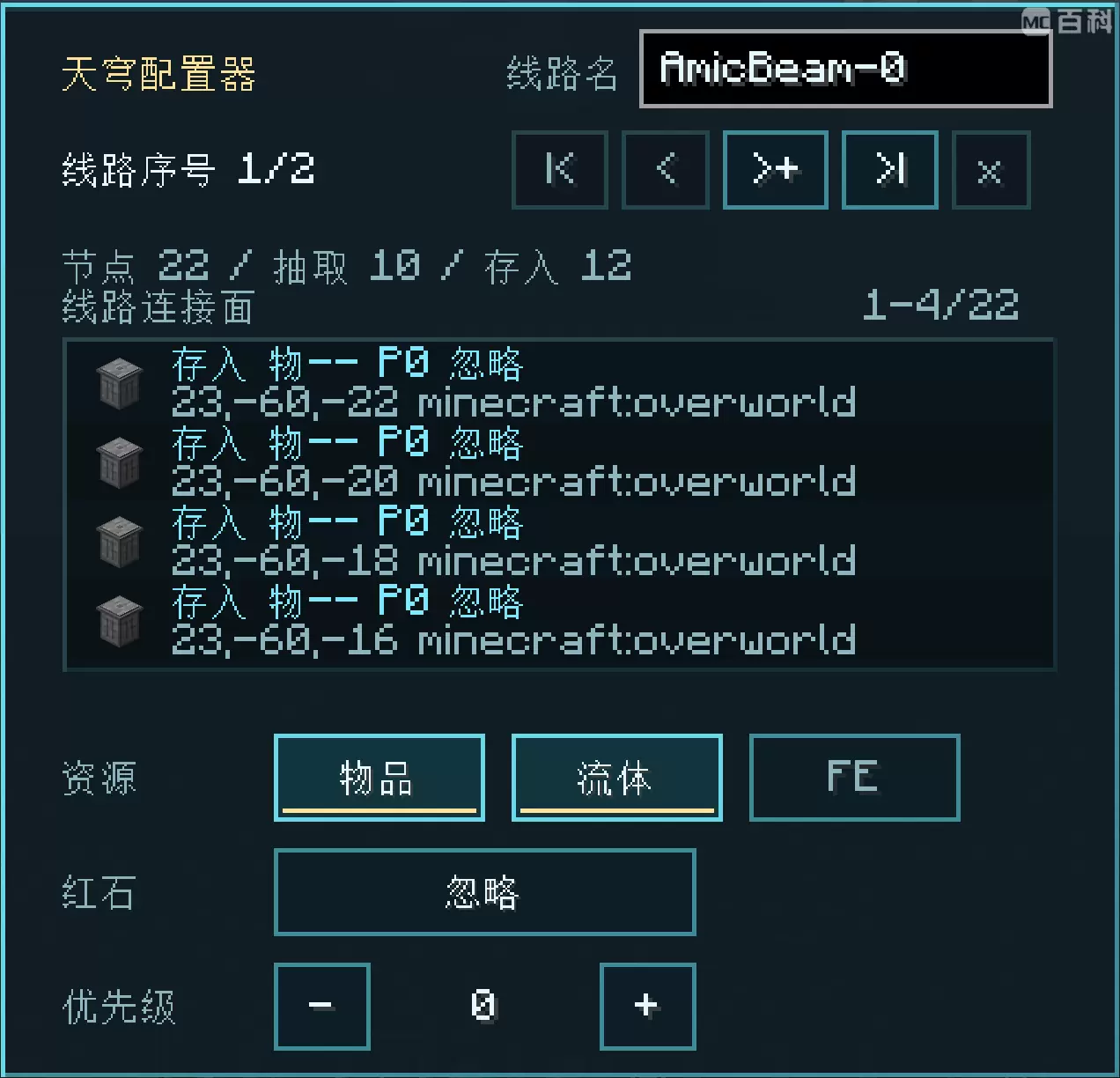
- Wireless logistics: connect machines, vaults, and external storage interfaces through named logistics lines without laying physical pipes. Items, fluids, and energy share the same line model, and one machine face can transfer multiple resource types simultaneously. Dimension Upgrades allow transfers between loaded dimensions.
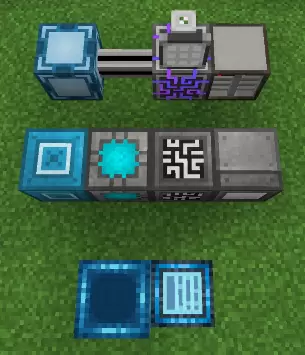
- Simple local pipes: affordable item, fluid, and energy pipes provide an easy-to-place wired alternative with no line setup or GUI required. Pipes automatically connect to compatible adjacent containers and neighboring pipes of the same type, forming bounded local networks.
- Fast placement and adjustment: normal placement creates an insert endpoint on the clicked container, while sneak-placement creates an extract endpoint. Use the Sky Configurator to switch pipe endpoints between insert and extract modes, or use the Celestial Wrench and compatible tagged wrenches to disconnect and reconnect individual pipe sides.
- High throughput: normal nodes process 1 stack/t and Speed Upgrades raise that to 2 stacks/t. Standard item and FE operations use a configurable 2.1B-class limit. Direct transfers between long-capable storage endpoints can use a configurable limit of up to approximately 9.22e18 per operation. By default, each extracting simple pipe can move 64 items, 10,000 mB of fluid, or 100,000 FE per tick.
- Multi-container access: the Celestial Distributor lets one connected logistics node or simple pipe interact with a group of connected compatible containers. Incoming resources are divided as evenly as possible among accepting targets, while extraction aggregates available resources. A distributor supports up to 16 targets by default, configurable up to 64.
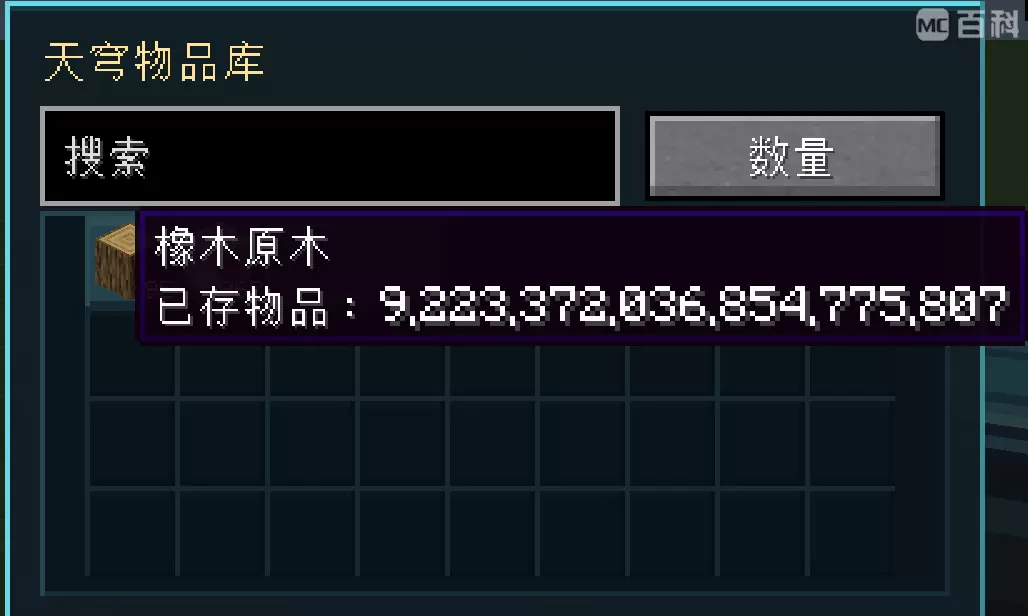
- Built-in high-stack storage: Celestial Item Vaults and Celestial Fluid Vaults aggregate resources by type. Each type can hold approximately 9.22e18 units in searchable terminal-style interfaces, while type limits remain expandable and configurable.
- Inventory and backpack interaction: the Sky Necklace provides portable extract, insert, and maintain modes between logistics lines, the player inventory, and supported Sophisticated Backpack inventories.
- Mod integrations: optional and configurable compatibility is available for Jade, JEI, Patchouli, Curios, Sophisticated Backpacks, Mekanism, Botania, and Ars Nouveau. Dedicated interfaces connect Sky Logistics lines to Applied Energistics 2, Refined Storage, and Beyond Dimensions networks, depending on the Minecraft version and installed APIs.
- Extended resource support: supported integration paths include items, fluids, FE, Mekanism chemicals, Botania mana, and Ars Nouveau Source. Chemicals use fluid-enabled faces and pipes, while mana and Source use energy-enabled faces and pipes without being converted to FE.
- AStages progression: on Minecraft 1.20.1 and 1.21.1, servers can optionally limit and progressively unlock per-operation transfer amounts according to stages owned by the logistics line owner. The AStages integration is disabled by default.
Requirements
This repository keeps the supported Minecraft versions in one branch. Each version directory is independently buildable.
- Forge (Minecraft 1.20.1): use
versions/1.20.1- Minecraft 1.20.1
- Forge 47.x
- Mekanism 10.4+ (optional)
- Botania 1.20.1 (optional)
- Ars Nouveau 4.x (optional)
- AStages 2.x (optional, disabled by default)
- AE2 15.2+ (optional)
- Refined Storage 1.12+ (optional)
- Beyond Dimensions 0.7.5+ (optional)
- Jade 11.x / JEI 15.x API jars are optional for compiling the matching compatibility source sets
- NeoForge (Minecraft 1.21.1): use
versions/1.21.1- Minecraft 1.21.x
- NeoForge 21.1+
- Jade 15+ (optional)
- JEI 19+ (optional, client side)
- Patchouli 1+ (optional)
- Mekanism 10.7+ (optional)
- Ars Nouveau 5.x (optional)
- Curios 9+ (optional)
- Sophisticated Backpacks 3.25+ (optional)
- AStages 2.x (optional, disabled by default)
- AE2 19+ (optional)
- Refined Storage 2+ (optional)
- Beyond Dimensions 0.7.6+ (optional)
- NeoForge (Minecraft 26.1.2): use
versions/26.1.2- Minecraft 26.1.2
- NeoForge 26.1.2.71+
- Java 25
- Jade, JEI, Mekanism, Botania, Ars Nouveau, AE2, Refined Storage, and Beyond Dimensions integrations are optional and enabled only when compatible APIs are present
- AStages is not supported in this version
Installation
- Put the Sky Logistics jar for your Minecraft/loader version into the
modsfolder - Install any optional integration mods you want to use
- Start the game
Usage
- Craft Simple Item, Fluid, or Energy Pipes for an inexpensive early-game logistics network. Normal placement creates an insert endpoint, while sneak-placement creates an extract endpoint.
- Use the Sky Configurator to switch machine-facing pipe endpoints between insert and extract modes. Use the Celestial Wrench or another compatible wrench to disconnect and reconnect pipe sides.
- Charge Eulogia Crystals above Y 200 by default, or at the configured ritual height, and use them to craft Celestial Stone and advanced Sky Logistics components.
- Build a multiblock Sky Offering Altar with Offering Tables to produce Chora Nectar and other offering materials.
- Place Celestial Item Vaults or Celestial Fluid Vaults as aggregate storage endpoints.
- Place Sky Logistics Nodes against machines, vaults, distributors, or external storage interfaces. Normal placement creates insert mode, while sneak-placement creates extract mode.
- Use the Sky Configurator to create and manage named lines, copy and paste node settings, and preset newly placed nodes from the offhand.
- Add Filter Lists, Tag Filter Lists, Speed Upgrades, Dimension Upgrades, and Exact Quantity Upgrades as needed.
- Use the Sky Necklace with a whitelist filter to extract, insert, or maintain items between a logistics line and the player inventory or supported backpacks.
- Install the appropriate integration mods to connect Sky Logistics directly to AE2, Refined Storage, or Beyond Dimensions networks. Available resource paths depend on the installed mod version and compatible add-ons.
Notes
- Wireless logistics nodes directly pair loaded extract faces with loaded insert faces on the same named line.
- Simple pipes provide a separate block-by-block local option. Item, fluid, and energy pipes connect only to pipes of the same type.
- Simple pipes have no GUI or hidden buffer. Their local lines reuse the logistics transfer engine with independent, configurable per-resource rate limits.
- One connected simple pipe line contains at most 256 pipe blocks by default. Placements or reconnections that would exceed the configured limit remain disconnected.
- Default simple pipe rates are 64 items/t, 10,000 mB/t, 100,000 FE/t, 10,000 Mekanism chemical units/t, 50 Botania mana/t, and 50 Ars Nouveau Source/t per extracting endpoint.
- The Celestial Distributor is a zero-buffer routing proxy used only by Sky Logistics nodes and simple pipes. Vanilla hoppers and third-party pipes cannot connect to it as a general-purpose inventory or tank.
- Distributor insertion is divided as evenly as possible among targets. Extraction aggregates resources without requiring an even split.
- If a target cannot accept a resource, the source is not extracted first.
- Mekanism chemicals use fluid-enabled faces. Botania mana and Ars Nouveau Source use energy-enabled faces, but they are moved only between matching resource handlers and are never converted to FE.
- Direct 9.22e18-class transfers require both endpoints to support long amounts. This is a per-operation limit, not a guaranteed per-tick throughput rate.
- Line IDs remain stable for their display names, so unchanged or reused line names continue to point to the same line.
- Sky Necklace work intervals and scan budgets are configurable. The default work interval is 10 ticks.
- Vault type limits, node transfer limits, direct long-capable transfer limits, operation budgets, hot slot cache sizes, pipe rates, pipe line size, distributor limits, ritual height, and crystal charge time are configurable.
- AStages controls per-operation limits rather than operation frequency. It does not increase Speed Upgrade rates or server and line operation budgets.
- Patchouli support is data-only where applicable and appears when Patchouli is installed.
- Optional integrations are enabled only when the matching mod and compatible version/API are present.
- Edition: Minecraft Java
- File type: .jar
- Minecraft versions listed: 1.20.1, 1.21.1
- How to install: Install the matching mod loader (Forge, Fabric or NeoForge) for your Minecraft version. → Download the .jar. → Put it in the .minecraft/mods folder and launch that loader profile.
- Where to get it: Opens on CurseForge — not every file is mirrored on our own servers.
Install steps are the general flow for this file type — How to install Minecraft Java mods & modpacks walks through it step by step.
- Ships as skylogistics-1.0.3+1.21.1.jar — drop this file into the mods folder
- Download size: 1.0 MB
- Download link checked 4 Oct 2026 — working
These come from our own check of the pack file, not from the source page.