CrystallineFlowerSearch
The author built this one for Minecraft 1.20.1 on Forge. On other versions it may install and then do nothing.
CrystallineFlowerSearch

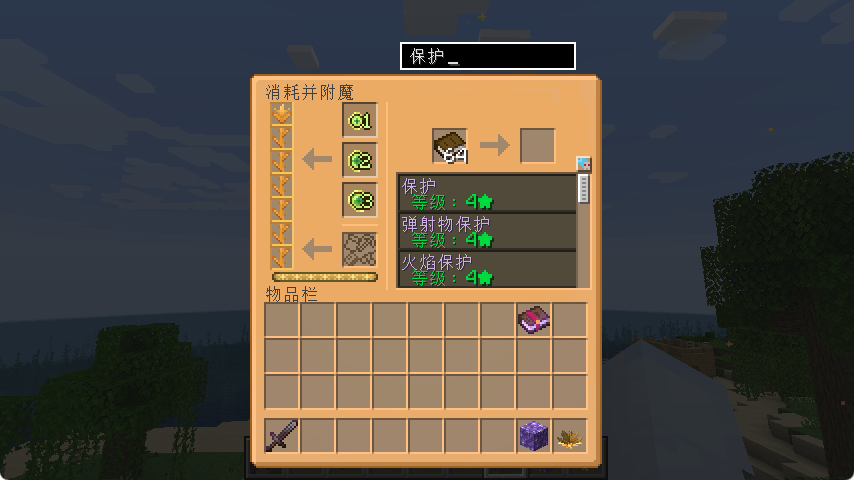
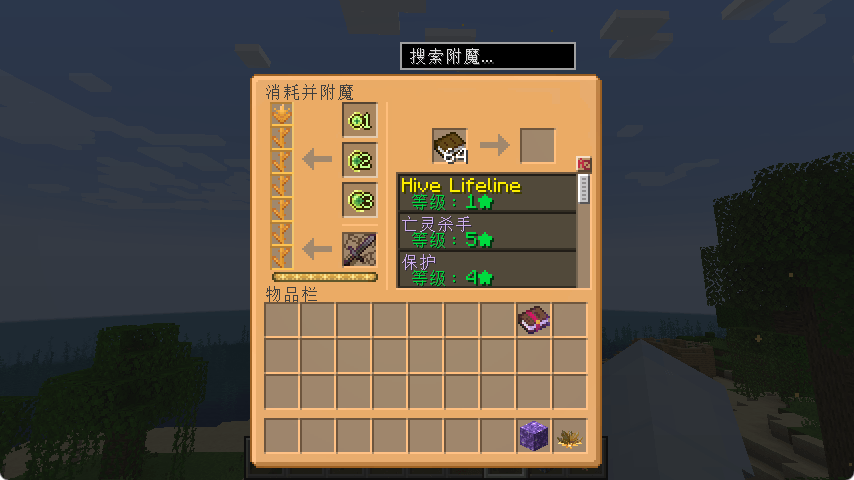
A search box has been added to the Crystalline Flower, allowing for convenient searching of enchantments.
📖 Background
In The Bumblezone mod, the Crystalline Flower is an important functional block. Players can spend experience points to actively select any enchantment and apply it to a book, crafting the enchanted book they desire.
However, as more mods are installed, the number of enchantments in the game can reach dozens or even hundreds. The Crystalline Flower's enchantment selection GUI displays all enchantments in a messy list, forcing players to scroll through them one by one when looking for a specific enchantment — a very inconvenient experience.
CrystallineFlowerSearch was created to solve this problem.
✨ Features
- Adds a search box to the Crystalline Flower's enchantment selection GUI.
- Real-time filtering — type a keyword and the list updates instantly.
- Supports both Chinese and English search (automatically adapts to game language).
- Lightweight implementation, does not interfere with the original functionality.
📷 Screenshot
Required Mod
The Bumblezone
📄 LICENSE
MIT © 2026
- Edition: Minecraft Java
- File type: .jar
- Minecraft version listed: 1.20.1
- How to install: Install the matching mod loader (Forge, Fabric or NeoForge) for your Minecraft version. → Download the .jar. → Put it in the .minecraft/mods folder and launch that loader profile.
- Where to get it: Opens on CurseForge — not every file is mirrored on our own servers.
Install steps are the general flow for this file type — How to install Minecraft Java mods & modpacks walks through it step by step.
- Ships as cfs-1.2-forge-1.20.1.jar — drop this file into the mods folder
- Download size: 9 KB
- Download link checked 14 Sept 2026 — working
These come from our own check of the pack file, not from the source page.