
better brightness setup
Java mod listed for Minecraft 1.20–1.21. Downloads from the MC Java Mods app on Android.
Overhauls minecraft's brightness/gamma setup - open a faithful calibration screen on first launch or from Video Settings, with Sodium support and an…
I don't know my version or loader
Better Brightness Setup
Vanilla Minecraft gives you a single brightness slider with no preview, so you end up setting it blind. Too dark and caves are a black void, too bright and everything looks flat and washed out. This mod adds a real setup screen so you can see what you're actually doing.
What it does
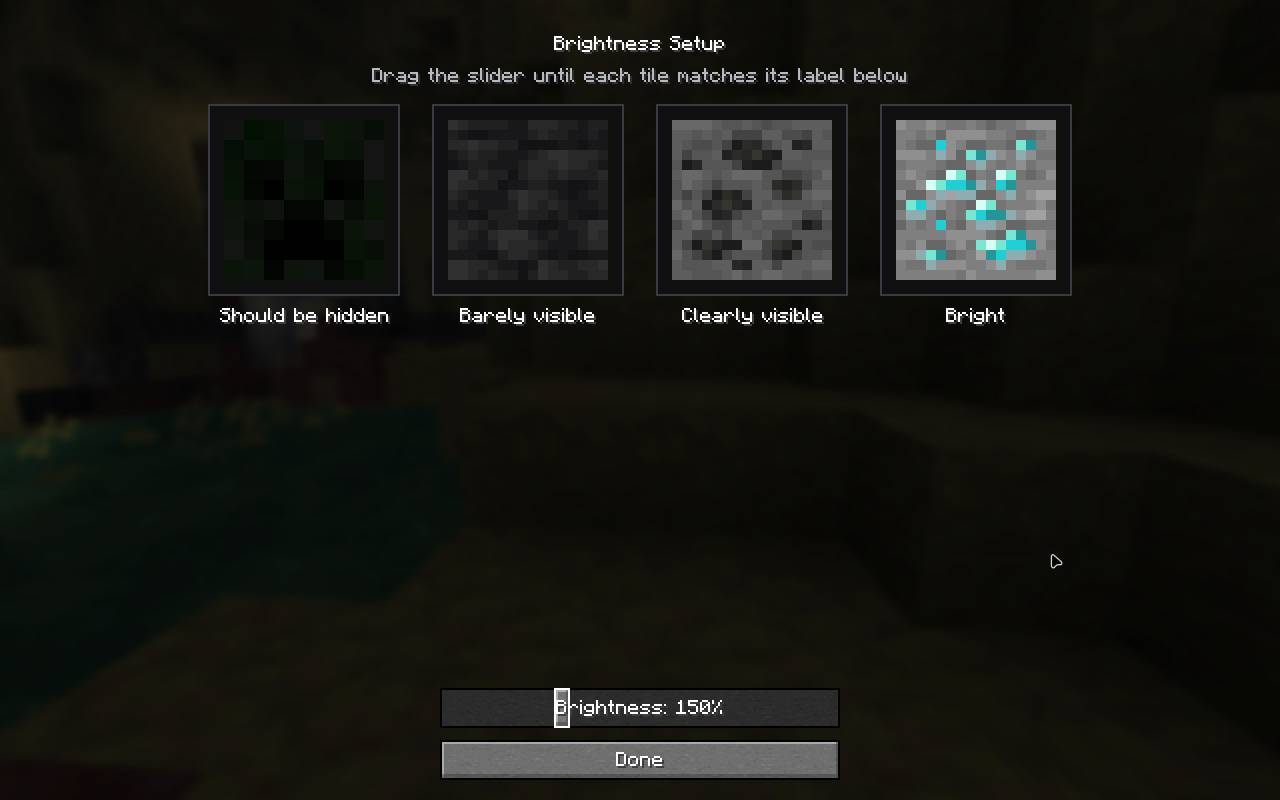
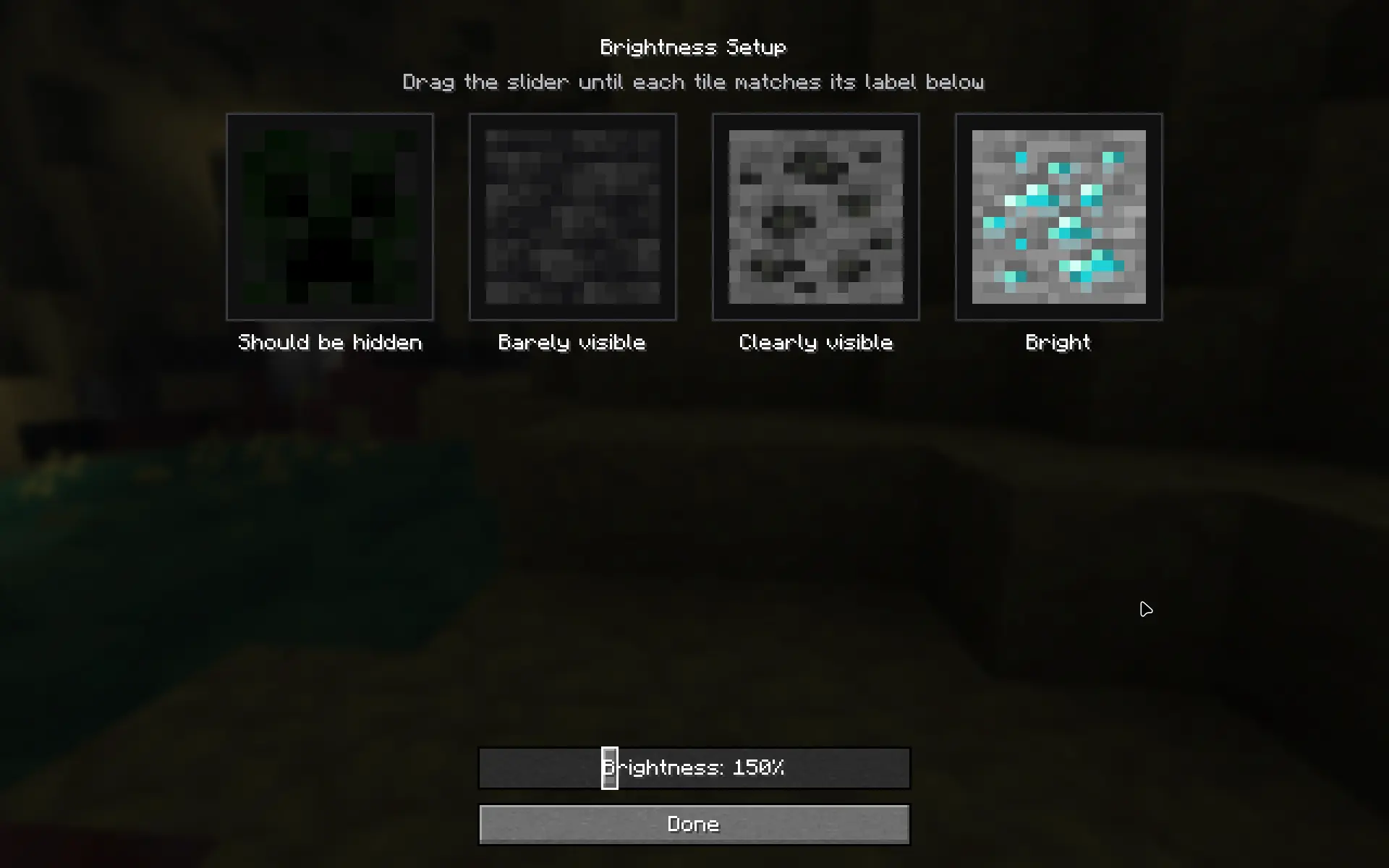
The setup screen shows four tiles: a creeper in the dark, deepslate, coal ore and diamond ore, each at a different light level. As you drag the slider they're lit with Minecraft's real lightmap gamma curve (the same one the game uses), so they brighten and darken exactly like those blocks would down in a cave.
So you just set the slider until the creeper stays hidden but the diamond ore is still clearly visible, and you've got a brightness that fits your screen instead of a guess.
A few other things it does:
- Opens once on a fresh install, after Minecraft's own onboarding/accessibility screens.
- Can be reopened any time: in Video Settings the gamma slider is swapped for a "Setup Brightness" button.
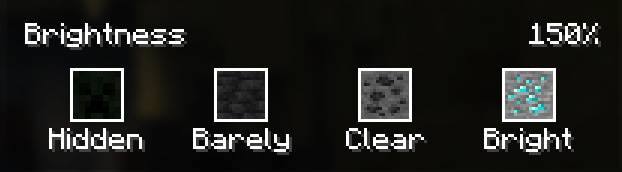
- Works with Sodium - the calibration icons show up inline under its own brightness slider
- Lets you go past vanilla's 100% cap. A config option (in the mod list) raises the max up to 500% for dark monitors, and it sticks across restarts.
- Is translated into every Minecraft language (the major ones checked by hand), plus Pirate, LOLCAT and upside-down.
Compatibility
Client-side only, so it's fine to join any server with it. Runs on Fabric, Quilt, Forge and NeoForge. Requires Cloth Config. Optionally uses Mod Menu (config button on Fabric/Quilt) and Sodium (inline icons).
- Edition: Minecraft Java
- File type: .jar
- Minecraft versions listed: 1.21.11, 1.20.1
- How to install: Install the matching mod loader (Forge, Fabric or NeoForge) for your Minecraft version. → Download the .jar. → Put it in the .minecraft/mods folder and launch that loader profile.
- Where to get it: Opens on CurseForge — not every file is mirrored on our own servers.
Install steps are the general flow for this file type — How to install Minecraft Java mods & modpacks walks through it step by step.
- Ships as better-brightness-forge-1.0.0-1.20.1.jar — drop this file into the mods folder
- Download size: 87 KB
- Download link checked 4 Oct 2026 — working
These come from our own check of the pack file, not from the source page.