Floating Damage Indicators
Adds floating damage numbers above every target you hit, and your own incoming damage too — color-coded by damage type.
I don't know my version or loader
Floating Damage Indicators
Floating damage numbers above every target you hit, and your own incoming damage too — color-coded by damage type. Fully configurable.
Note: FDI must be installed on both the server and client for multiplayer servers.
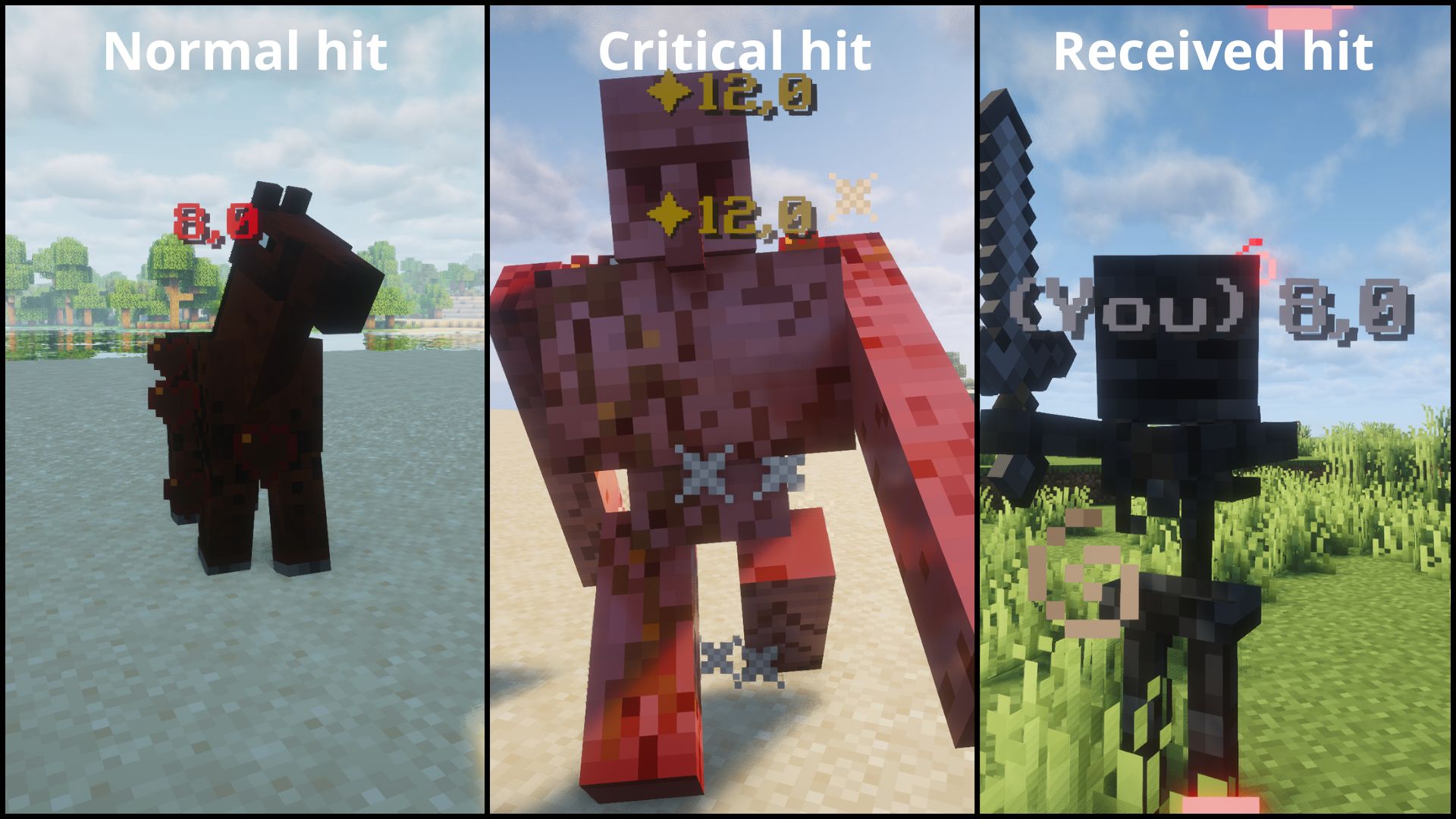
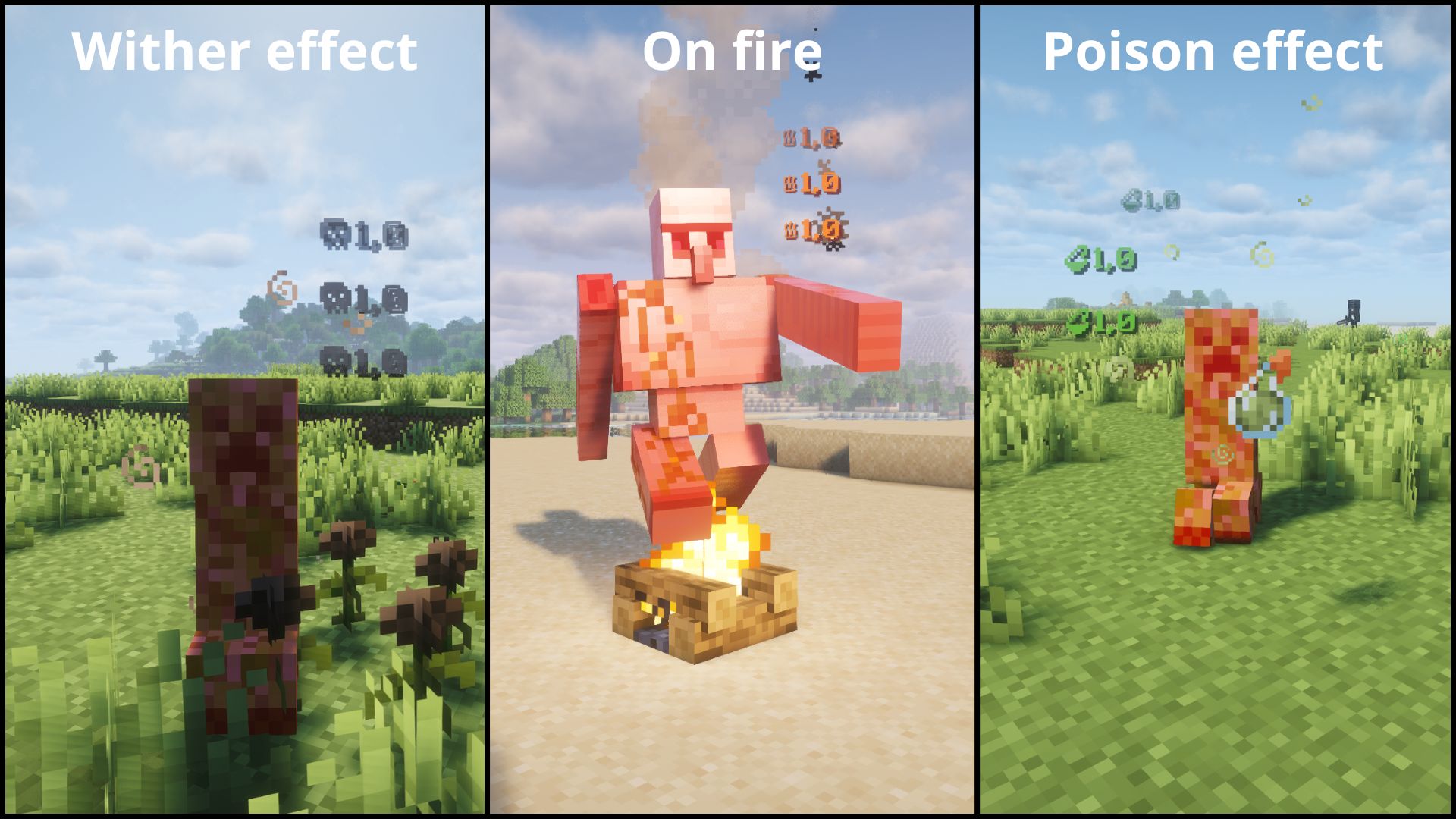
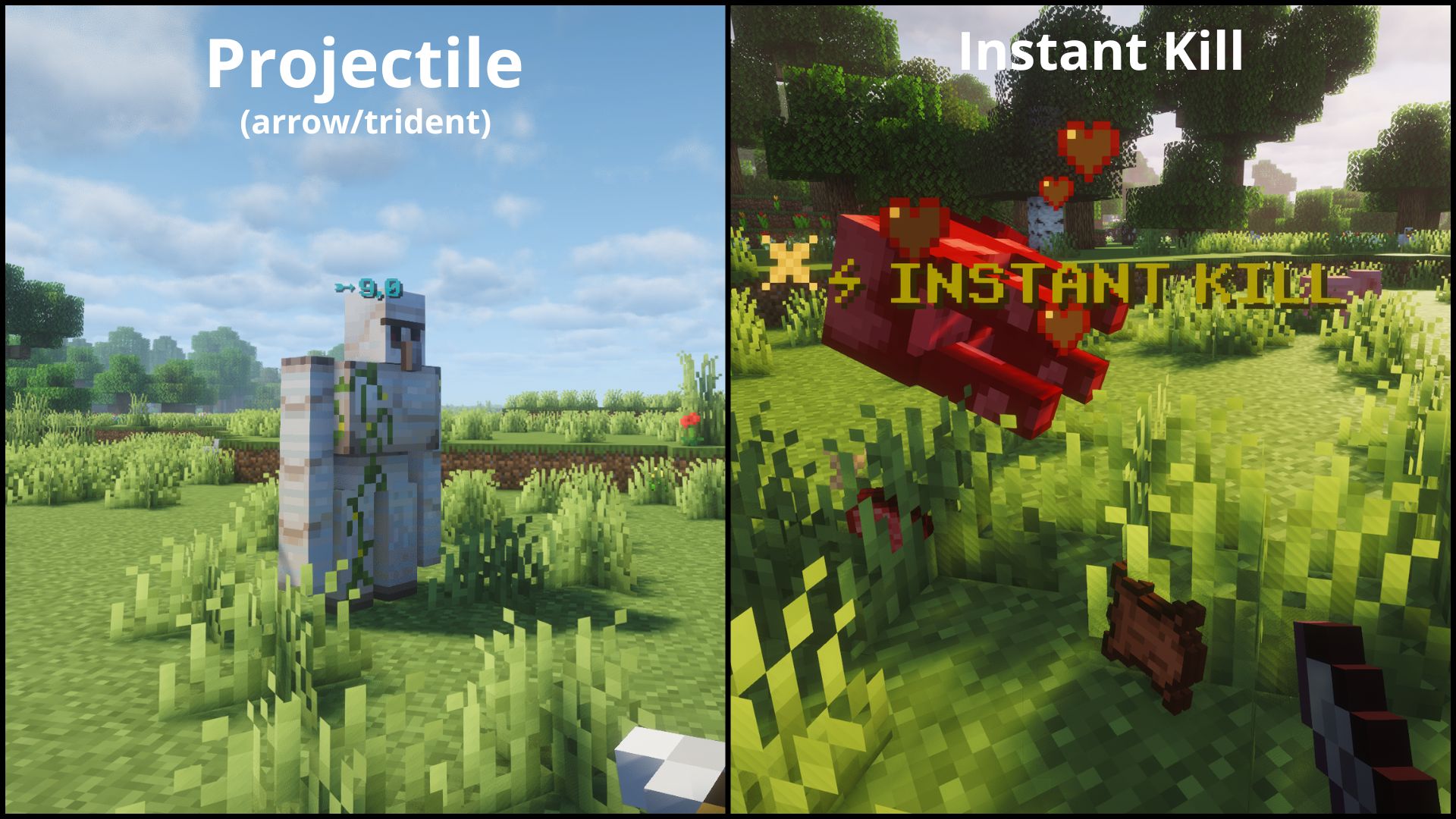
⚡ Features
- Floating damage numbers above any entity you hit
- See your own incoming damage too
- Color-coded by damage type.
- Configurable — choose which numbers show up.
- Works in both singleplayer and dedicated multiplayer.
| Type | Icon | Color | Example |
|---|---|---|---|
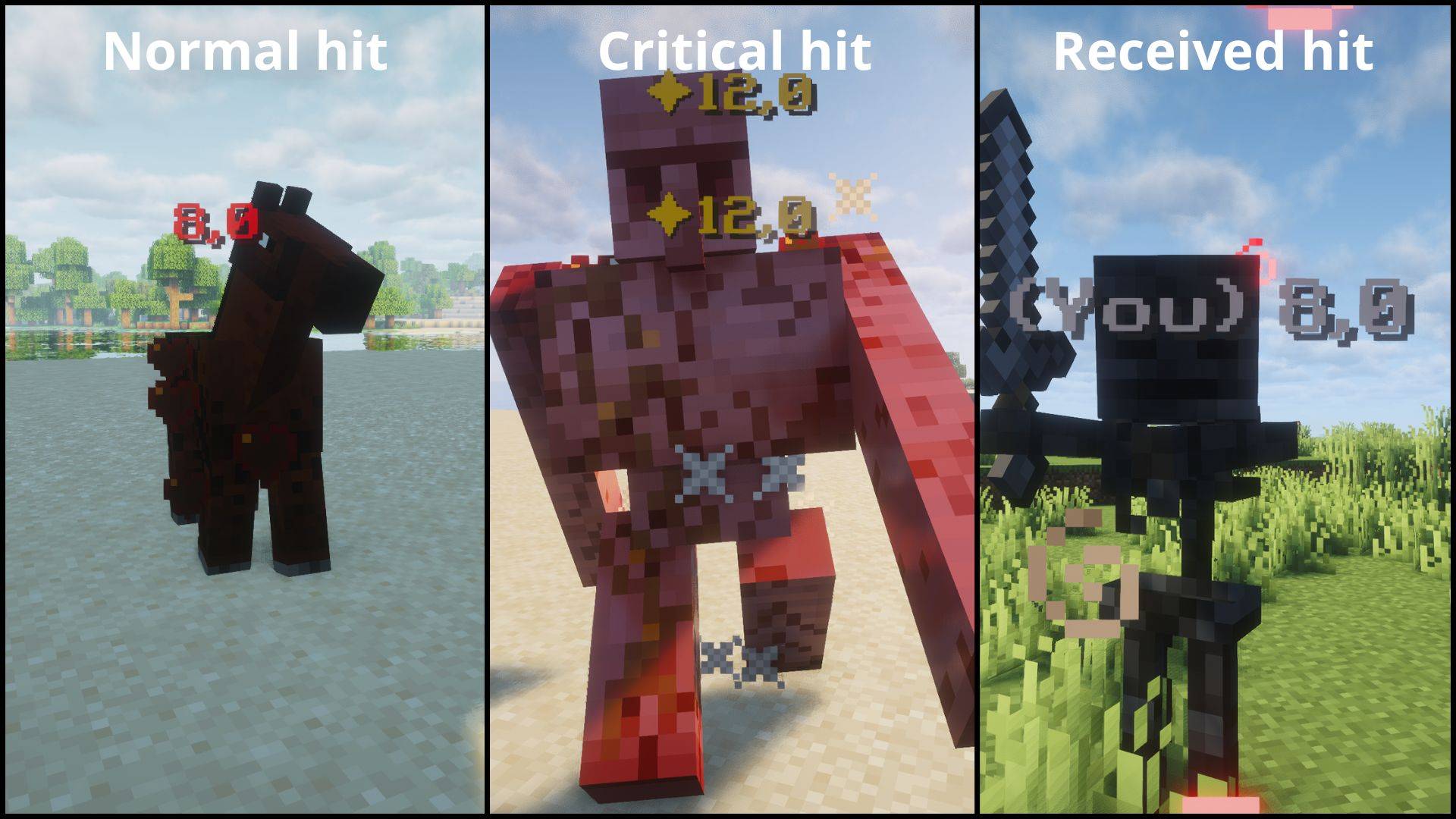
| NORMAL | — | Red | Normal hit |
| CRITICAL | ✦ | Gold | Jump crit |
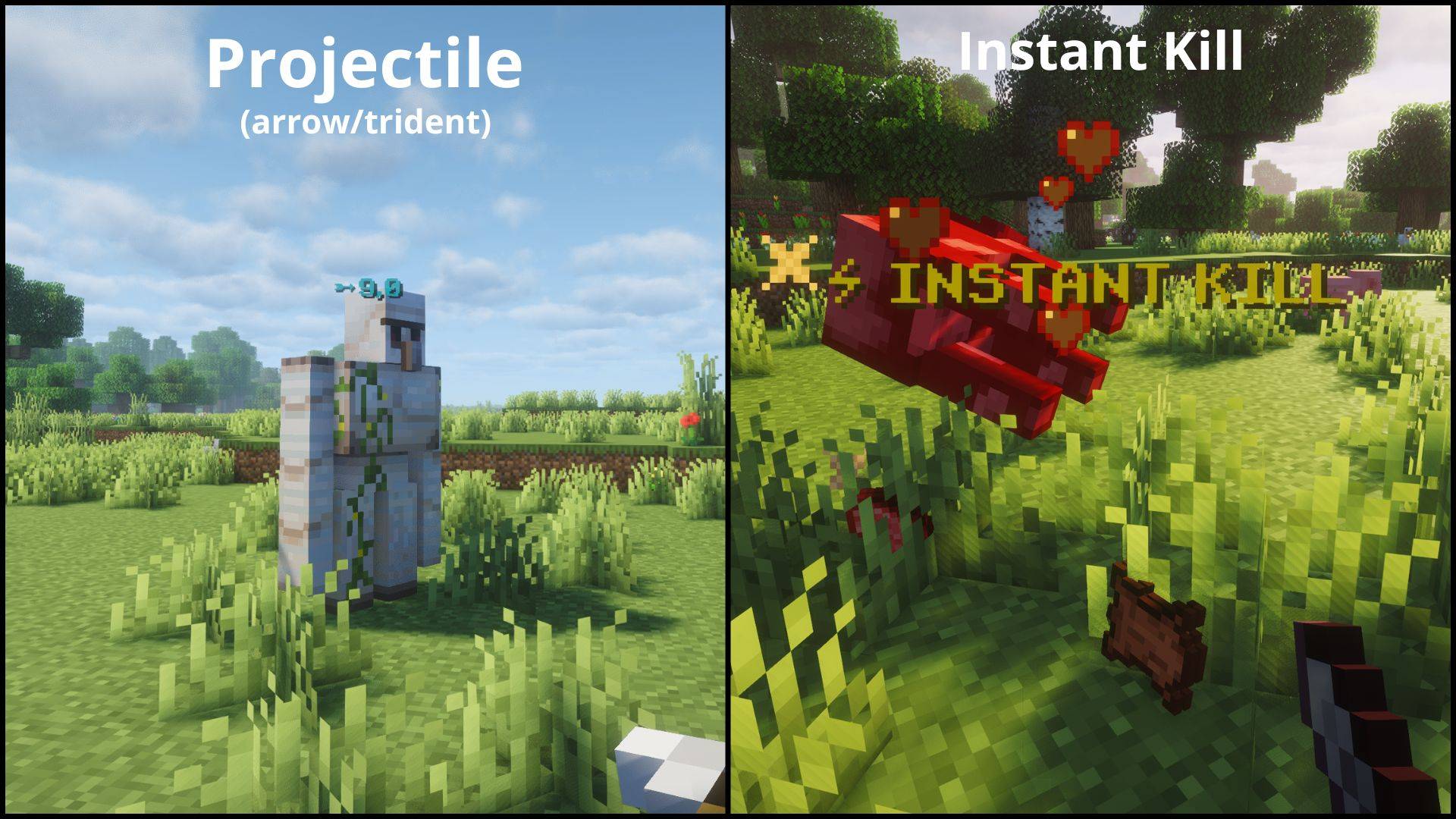
| PROJECTILE | ➵ | Cyan | Arrow, trident |
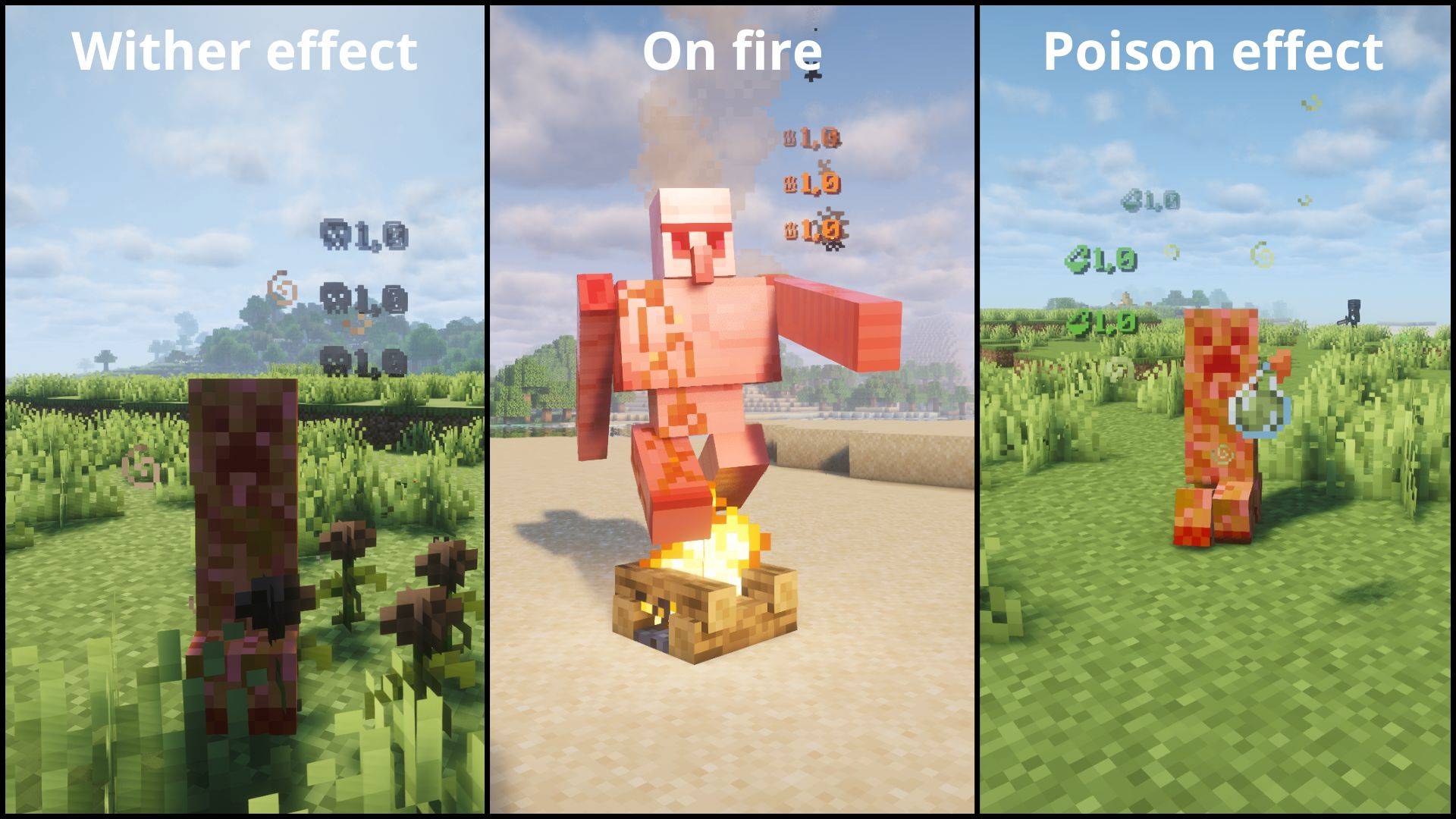
| FIRE | ♨ | Orange | Fire Aspect |
| POISON | ⚗ | Green | Poison |
| WITHER | ☠ | Dark gray | Wither effect |
| RECEIVING | — | Light gray | Damage you take |
| INSTANT_KILL | ⚡ INSTANT KILL | Gold | Kill an enemy in one hit |
⚙️ Configuration
After launching the game once, a configuration file will be generated:
config/floatingdamageindicators.jsonAvailable options:
Note: The
formatssection is client-side only — the server only readsshowDamage,showReceivedDamage, andINSTANT_KILL'senabled. To customize prefixes, colors, orshowDamage, edit the config file on your client.Tip: Some Unicode characters or emojis may not display correctly depending on your Minecraft font. If a character shows as a blank square, try a different one. Stick to basic Unicode symbols for best results.
Tip: Colors must be 6-digit hex (RRGGBB). Invalid values like
"ZZZ123"or"FF"will silently fall back to the default for that damage type.
{
  "showDamage": true,
  "showReceivedDamage": true,
  "formats": {
    "NORMAL":       { "enabled": true, "prefix": "", "color": "FF3333", "showDamage": true },
    "CRITICAL":     { "enabled": true, "prefix": "\u2726", "color": "FFD700", "showDamage": true },
    "PROJECTILE":   { "enabled": true, "prefix": "\u27B5", "color": "00FFFF", "showDamage": true },
    "FIRE":         { "enabled": true, "prefix": "\u2668", "color": "FF6600", "showDamage": true },
    "POISON":       { "enabled": true, "prefix": "\u2697", "color": "4A9E2F", "showDamage": true },
    "WITHER":       { "enabled": true, "prefix": "\u2620", "color": "3C3C3C", "showDamage": true },
    "RECEIVING":    { "enabled": true, "prefix": "(You) ", "color": "AAAAAA", "showDamage": true },
    "INSTANT_KILL": { "enabled": true, "prefix": "\u26A1 INSTANT KILL", "color": "FFD700", "showDamage": false }
  }
}
Each format entry:
- enabled — show/hide this damage type entirely
- prefix — custom text shown before (or instead of) the number
- color — 6-digit hex color (RGB)
- showDamage — if false, only the prefix is shown (no damage number)
📦 Requirements
Fabric
- Fabric API
- (+26.X) Java 25 or newer
NeoForge
- (+26.X) Java 25 or newer
📜 License
This project is licensed under the MIT License.
- Edition: Minecraft Java
- File type: .jar
- Minecraft versions listed: 1.21.1, 1.21.11
- How to install: Install the matching mod loader (Forge, Fabric or NeoForge) for your Minecraft version. → Download the .jar. → Put it in the .minecraft/mods folder and launch that loader profile.
- Where to get it: Opens on CurseForge — not every file is mirrored on our own servers.
Install steps are the general flow for this file type — How to install Minecraft Java mods & modpacks walks through it step by step.
- Ships as fdi-fabric-3.4.3+mc1.21.1.jar — drop this file into the mods folder
- Download size: 91 KB
- Download link checked 24 Aug 2026 — working
These come from our own check of the pack file, not from the source page.