
Let Them Talk (LTT)
Client-side Addon for Plasmo Voice & Simple Voice Chat, that lowers your music and other apps while someone is talking.
I don't know my version or loader
 |
      |

Let Them Talk (LTT) — A Client-side Addon for Plasmo Voice & Simple Voice Chat, that lowers your music and other apps while someone is talking. It automatically ducks (scales down) the volume of Spotify, your browser, or whatever else is playing — relative to whatever level it's already at — then smoothly restores everything once the talking stops. No more scrambling for the volume mixer mid-conversation.
Showcase

🎙️ Voice Chat Support
Works with the two most popular proximity voice mods — it hooks into their audio so ducking reacts to what you actually hear (distance and per-player volume included).
🖥️ OS Support
Mod controls the volume of your other apps through your operating system's audio mixer:
- Windows — via WASAPI (per-app volume, native).
- Linux — via PulseAudio (
pactl) or PipeWire (wpctl+pw-dump). Installpulseaudio-utilsorpipewire+wireplumber. - On other systems (e.g. macOS) the mod still launches, but per-app ducking not work. Feel free to open a pull request on GitHub adding support for your system.

Everything is configurable in-game through a clean YACL screen (or by editing the config file directly).
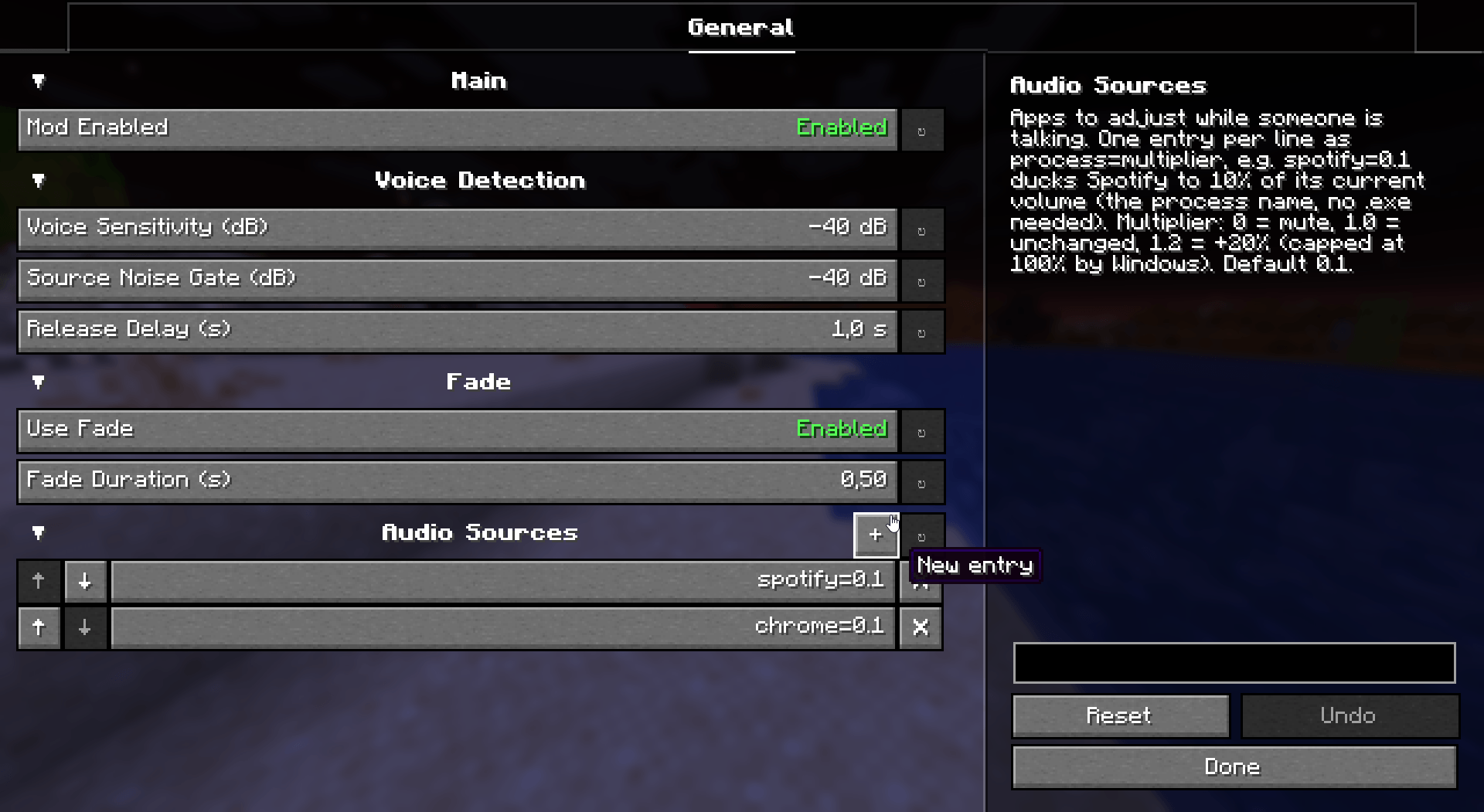
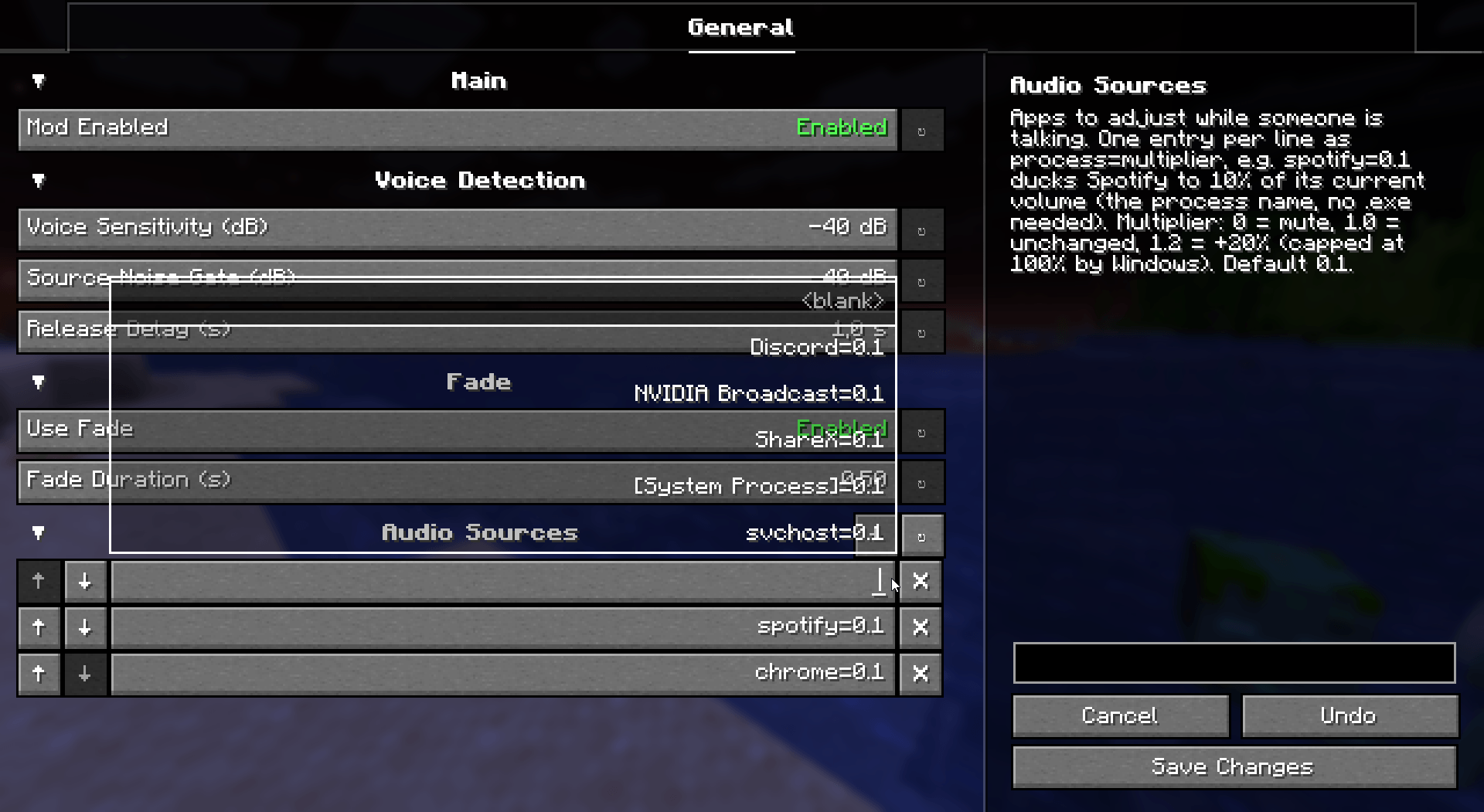
Audio Sources
Pick exactly which apps get ducked, and by how much. One entry per line as process=multiplier:
spotify=0.1 -> 10% volumechrome=0.3 -> 30% volume
⚙️ Note:
The multiplier is relative to the app's current volume — not 100%.
If Spotify is already sitting at 50% in your mixer, spotify=0.1 ducks it to 10% of that 50% (≈5%), then restores it back to 50%. It never overrides your own volume choices, only scales them while someone talks.
| Value | Meaning |
|---|---|
| process | The app's process name, no .exe needed (e.g. spotify, chrome). |
| multiplier | 0 = mute1.0 = unchanged0.1 = 10% of current volume1.2 = +20% (capped at 100% by Windows). |
Default targets are spotify and chrome, each ducked to 10% of their current volume while someone talks.


Want to support mod and authors? Just tell everyone about this mod!
Yeah, you got it right. Just by advertising, you will support the mod and the creators well. The more people will know about this mod, the more downloads it will have, more downloads will give good motivation to authors and increase income from the site (literally free donation). Remember, advertising must not be intrusive and annoiyng!
What you can do?
- Make a video review / advertisement
- Share it on social media or Discord
- Tell your friends about this mod
- Add it to your modpack or just download and enjoy the game
Every mention matters — thank you for helping the community grow 🤍

The license terms for this project are defined in the LICENSE file in the source repository. That file always takes precedence over any license shown anywhere else.
View the source code
- Ships as let-them-talk-1.0.1+1.20.1+forge.jar — drop this file into the mods folder
- Download size: 565 KB
- Download link checked 24 Aug 2026 — working
These come from our own check of the pack file, not from the source page.