More Animations
Animations for vanilla Minecraft UIs, powered by real spring physics. Screens pop in like sheets, buttons squish when pressed, inventory items spring on…
⬇ Download on CurseForgeThe author built this one for Minecraft 1.20.1 on Forge. On other versions it may install and then do nothing.
Showcase
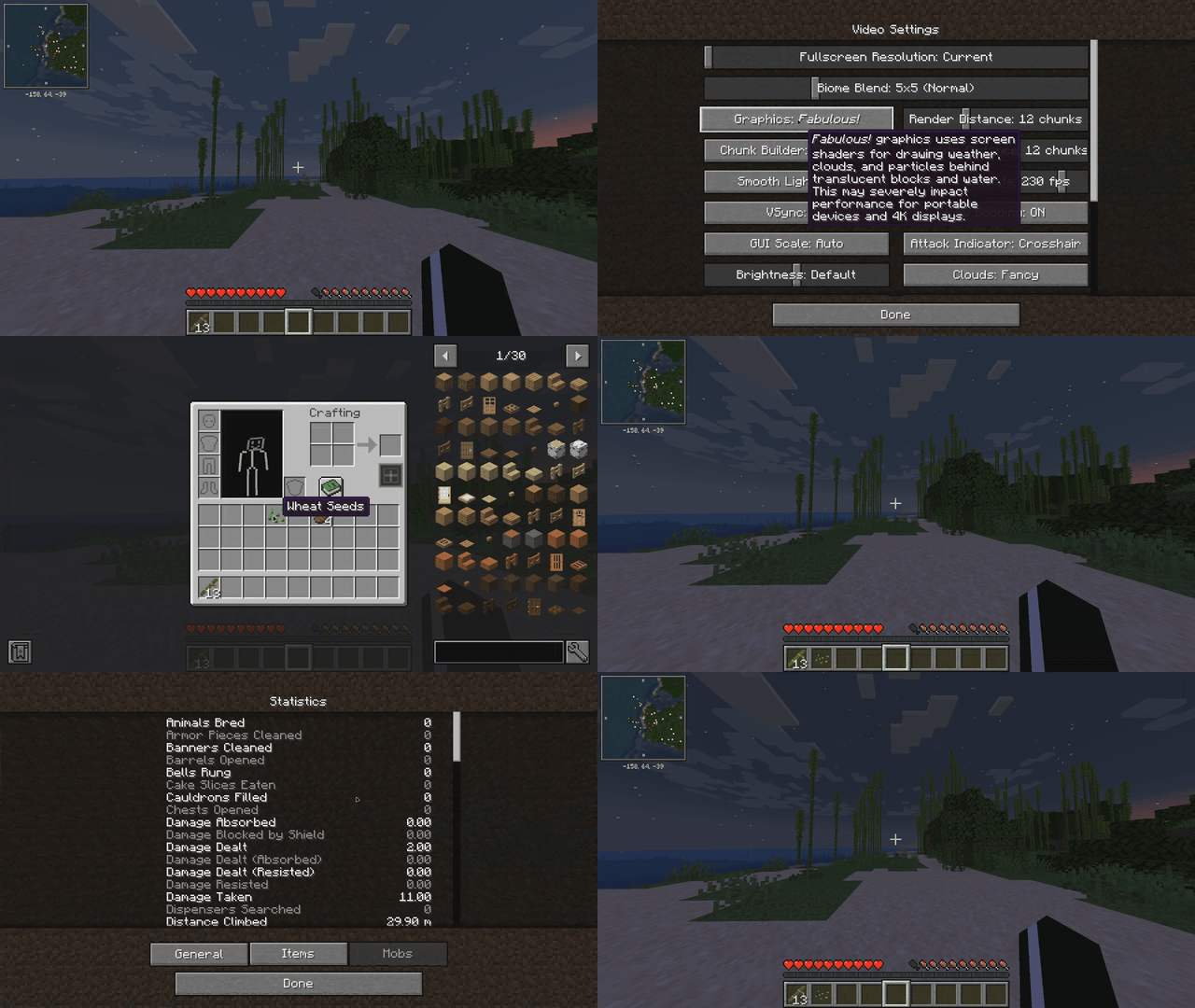
Buttery-smooth, iOS-style motion for every vanilla Minecraft screen — built on **real spring physics** (damped harmonic oscillators, the same math SwiftUI uses), not simple tweens. Animations are interruptible mid-flight and carry momentum, so everything feels fluid instead of scripted.
## Features
**Screen transitions** — every screen (settings, pause menu, inventory, world selection...) pops in like an iOS sheet: a gentle whole-screen spring scale while widgets cascade up into place with a subtle overshoot.
**Main menu** — title screen buttons rise one by one with a bounce, like app icons settling onto a home screen.
**Button feel** — buttons grow slightly on hover and squish ~7% while held, springing back on release. Works everywhere, including options lists.
**Inventory** — the hovered slot's item springs up to 128% and lifts above its neighbours (the flat white highlight square is gone entirely). Picked-up items pop onto your cursor with an iOS-style lift.
**Chat** — new messages glide up into place instead of snapping; opening chat slides the input bar up from the bottom edge.
**World loading** — the chunk-grid square is replaced with a clean loading UI on the familiar dirt background: an iOS-style spinner, a spring-smoothed percentage counter and a slim progress bar.
## Notes
- **Client-only** — safe to join any server, no server-side install needed
- **Zero configuration** — drop it in and play
- **Performance-friendly** — settled animations cost nothing; springs update only while something is actually moving
- Pure vanilla UI enhancement: no new blocks, items or gameplay changes
Minecraft 1.20.1 · Forge 47.4.10+ ·
- Edition: Minecraft Java
- File type: .jar
- Minecraft version listed: 1.20.1
- How to install: Install the matching mod loader (Forge, Fabric or NeoForge) for your Minecraft version. → Download the .jar. → Put it in the .minecraft/mods folder and launch that loader profile.
- Where to get it: Opens on CurseForge — not every file is mirrored on our own servers.
Install steps are the general flow for this file type — How to install Minecraft Java mods & modpacks walks through it step by step.
- Ships as MoreAnimations-0.1.jar — drop this file into the mods folder
- Download size: 32 KB
- Download link checked 14 Sept 2026 — working
These come from our own check of the pack file, not from the source page.