
ModsJava
AE Crafting Tracker
Java mod listed for Minecraft 1.21. Downloads from the MC Java Mods app on Android.
A Minecraft NeoForge mod that highlights active Pattern Providers in AE2 networks. Provides real-time visual feedback for crafting status with color-coded…
⬇ Download on CurseForgeThe author built this one for Minecraft 1.21.1 on NeoForge. On other versions it may install and then do nothing.
AE Crafting Tracker
A Minecraft NeoForge 1.21.1 mod that provides real-time visual feedback for AE2 crafting status.
Features
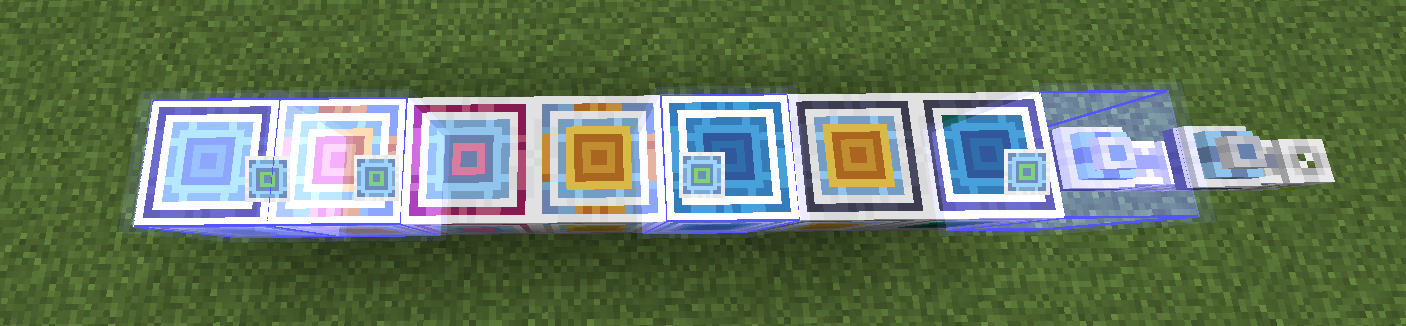
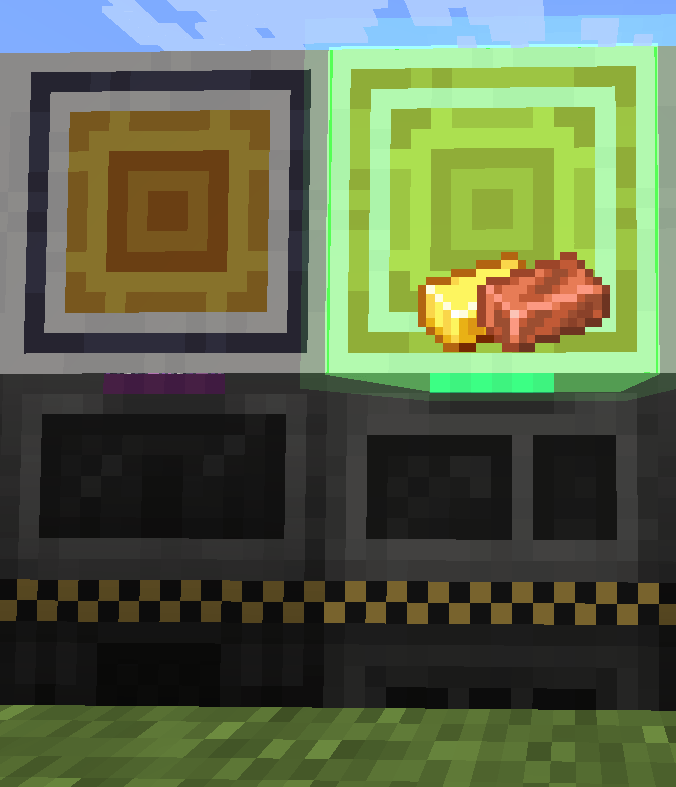
Pattern Provider Highlighting
- Automatically detects active Pattern Providers in your AE2 network
- Color-coded highlights:
- 🟢 Green — Provider is actively crafting
- 🟡 Yellow — Provider is stalled (busy but no progress)
- 🔴 Red — Provider is stuck (locked, output full, or missing ingredients)
- Shows output item icons above highlighted providers
- Configurable highlight colors and opacity
Network Locator
- Craftable item that scans AE networks for blocks matching your filter items
- 9 filter slots in the GUI — drag items from EMI or manually place
- Bind the locator by shift-clicking on an AE network controller/access point
- Highlights matching blocks on the network with distance info
- Works across dimensions (scan only active when in the same dimension as the bound position)
- Instant network switch detection: clear old highlights and scan new network immediately
- Instant drop detection: all highlights clear when item is dropped
Runtime Mode
- Enable runtime highlighting via the button in the locator screen
- Highlights persist even when the locator GUI is closed
- Toggle on/off freely without affecting your config settings
Dependencies
- Minecraft 1.21.1
- NeoForge 21.1+
- Applied Energistics 2 (AE2) — runtime
Asset Credits
- The Network Locator item texture is based on AE2's
network_tooltexture, copyright © Applied Energistics 2.
Quick facts
- Edition: Minecraft Java
- File type: .jar
- Minecraft version listed: 1.21.1
- How to install: Install the matching mod loader (Forge, Fabric or NeoForge) for your Minecraft version. → Download the .jar. → Put it in the .minecraft/mods folder and launch that loader profile.
- Where to get it: Opens on CurseForge — not every file is mirrored on our own servers.
Install steps are the general flow for this file type — How to install Minecraft Java mods & modpacks walks through it step by step.
File checked by MCModsHub
- Ships as crafting_tracker-v0.2.2-1.21.1.jar — drop this file into the mods folder
- Download size: 221 KB
- Download link checked 4 Oct 2026 — working
These come from our own check of the pack file, not from the source page.