JEI Biome
Java mod listed for Minecraft 1.20–1.21. Downloads from the MC Java Mods app on Android.
I don't know my version or loader
JEI Biome Feature Overview
JEI Biome is a JEI information addon that collects biome generation data from datapacks and displays it in JEI pages.
It helps players check which mobs, mob drops, blocks, ores, and terrain-related features can appear in each biome.
Core Features
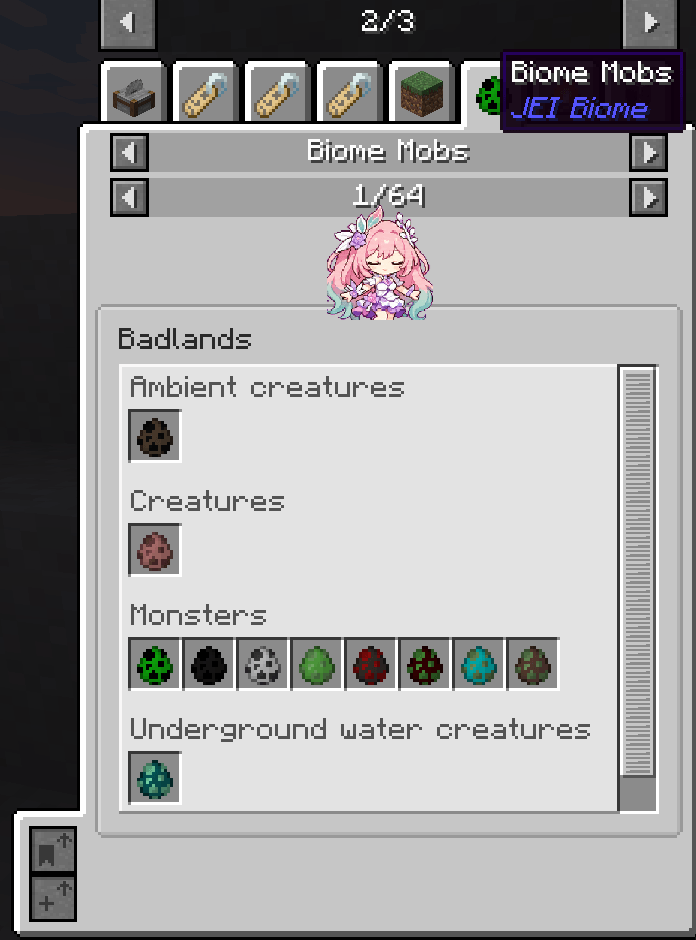
Biome Mobs JEI Page
Displays mobs that can naturally spawn in the current biome, grouped by mob category:
- Ambient mobs
- Monsters
- Creatures
- Underground water creatures
- Water creatures
- And more
Mob Tooltips With Spawn Information
When hovering over a mob spawn egg, the tooltip shows:
- Mob category
- Spawn weight
- Spawn count per attempt
- Spawn position, such as on ground, in water, or in lava
- Spawn search position, such as surface, ocean floor, or walkable surface
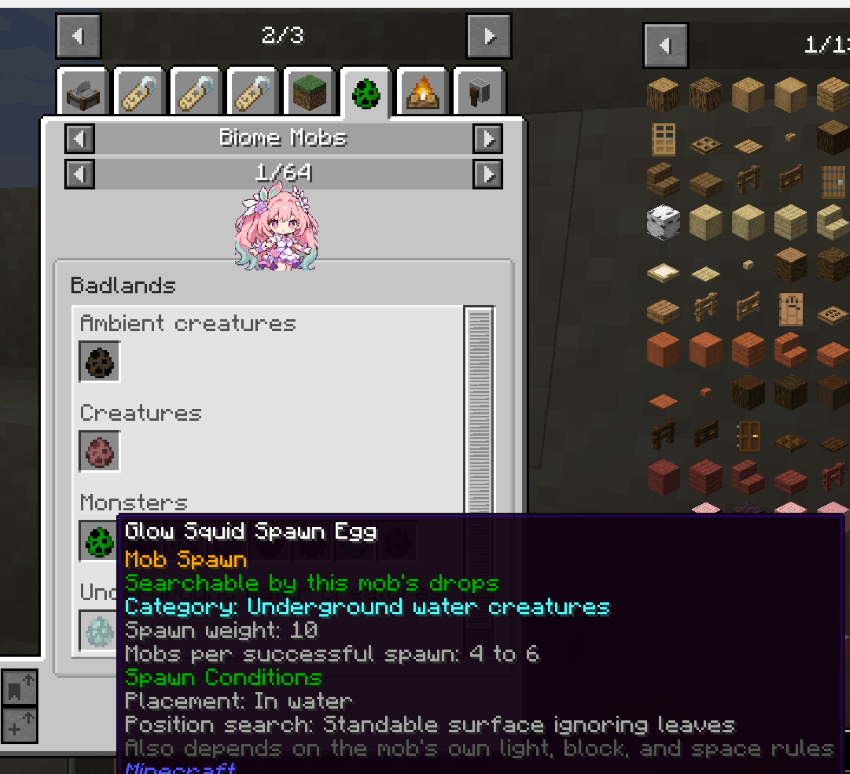
Note: actual spawning may still be affected by the mob’s own rules, such as light level, blocks, space, and other conditions.
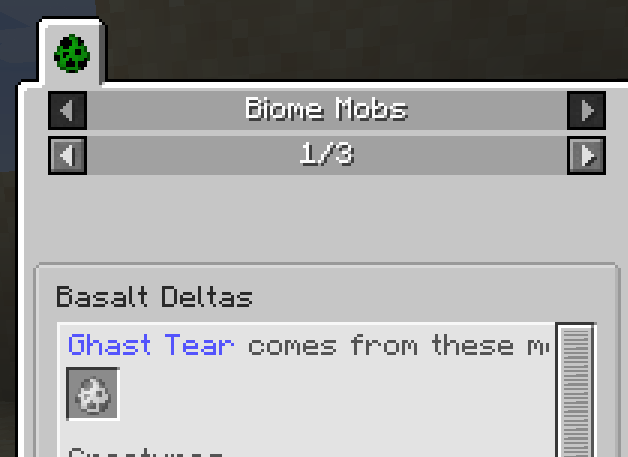
Drop Source Hint
When entering a biome mob page through a mob drop, the top of the page will display:
“Rotten Flesh comes from the following mobs”
The next line will show the corresponding mob spawn eggs, followed by the normal mob list for that biome.
Biome Blocks JEI Page
Displays block information related to each biome, including:
- Biome terrain / surface candidate blocks
- Surface feature blocks
- Underground feature blocks
- Ore blocks
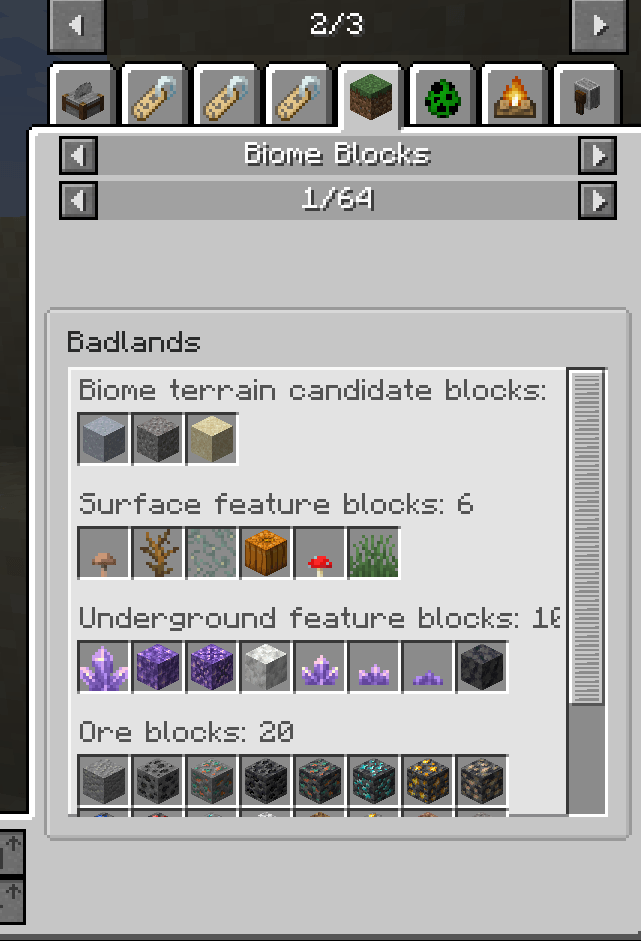
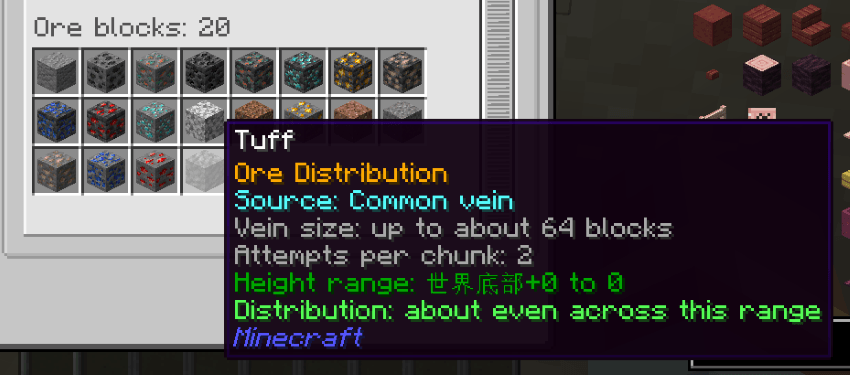
Ore Tooltips With Distribution Information
When hovering over an ore block, the tooltip shows player-friendly ore generation information, such as:
- Source: common vein, large vein, buried vein, or extra vein
- Vein size
- Attempts per chunk
- Height range
- Distribution tendency, such as “more common in the middle of the range, rarer near both ends”
Block Blacklist Tag Support
Blocks can be hidden from the JEI biome block pages by adding them to this block tag:
jei_biome:biome_block_blacklist
- Edition: Minecraft Java
- File type: .jar
- Minecraft versions listed: 1.21.1, 1.20.1
- How to install: Install the matching mod loader (Forge, Fabric or NeoForge) for your Minecraft version. → Download the .jar. → Put it in the .minecraft/mods folder and launch that loader profile.
- Where to get it: Opens on CurseForge — not every file is mirrored on our own servers.
Install steps are the general flow for this file type — How to install Minecraft Java mods & modpacks walks through it step by step.
- Ships as jei_biome-1.21.1-neoforge-1.6fix.jar — drop this file into the mods folder
- Download size: 101 KB
- Download link checked 4 Oct 2026 — working
These come from our own check of the pack file, not from the source page.