Create : Sophisticated Exoskeleton by Antoinerutil
Build, assemble, and equip a sophisticated mechanical exoskeleton powered by Create-inspired progression and custom fitting stations.
⬇ Download on CurseForgeThe author built this one for Minecraft 1.21.1 on NeoForge. On other versions it may install and then do nothing.
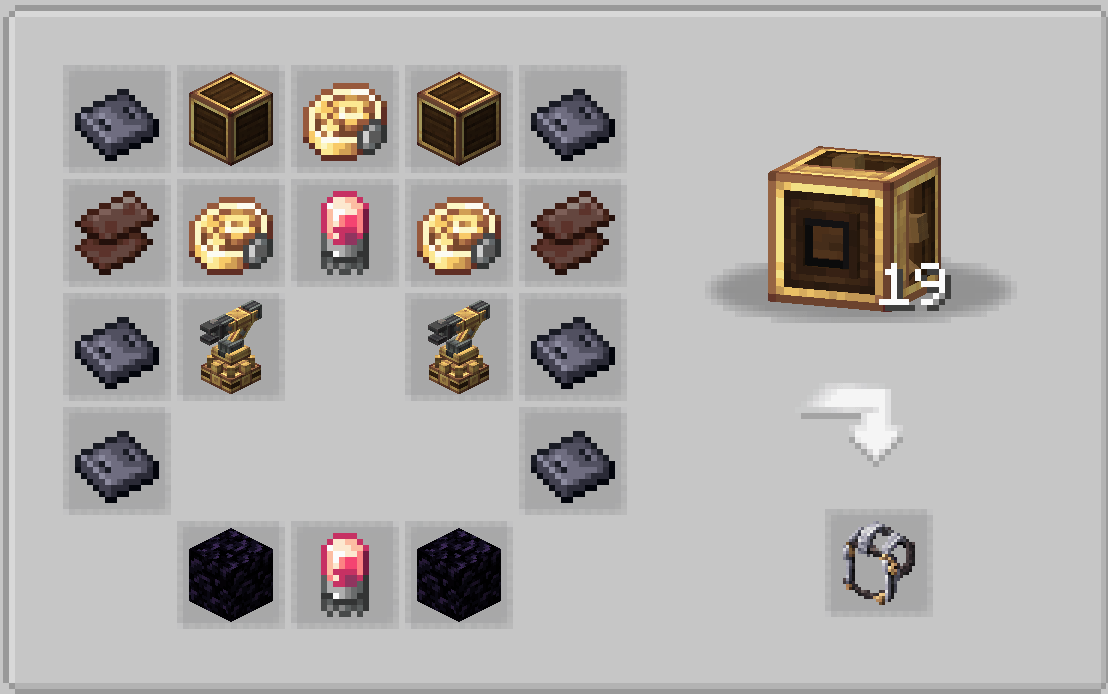
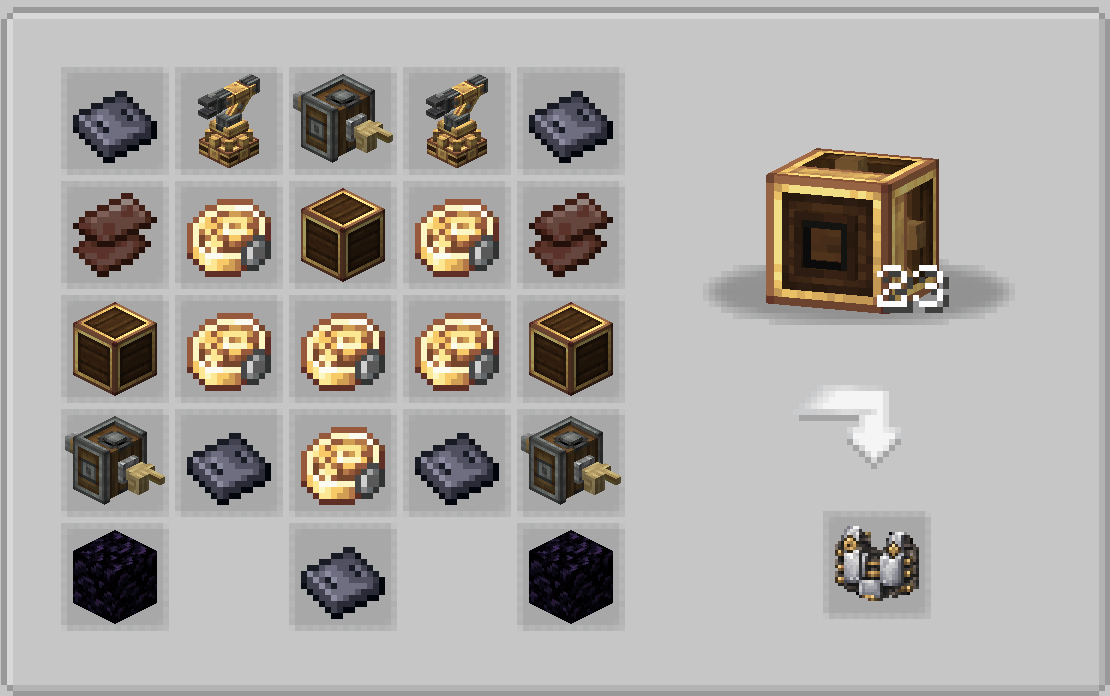
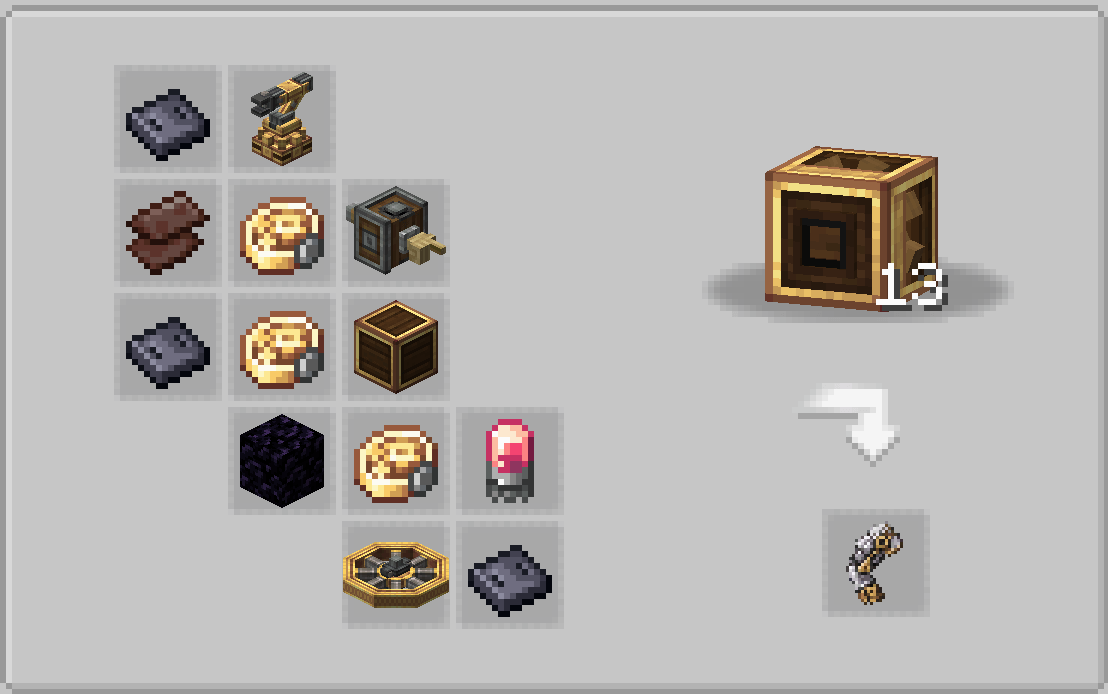
Create: Sophisticated Exoskeleton
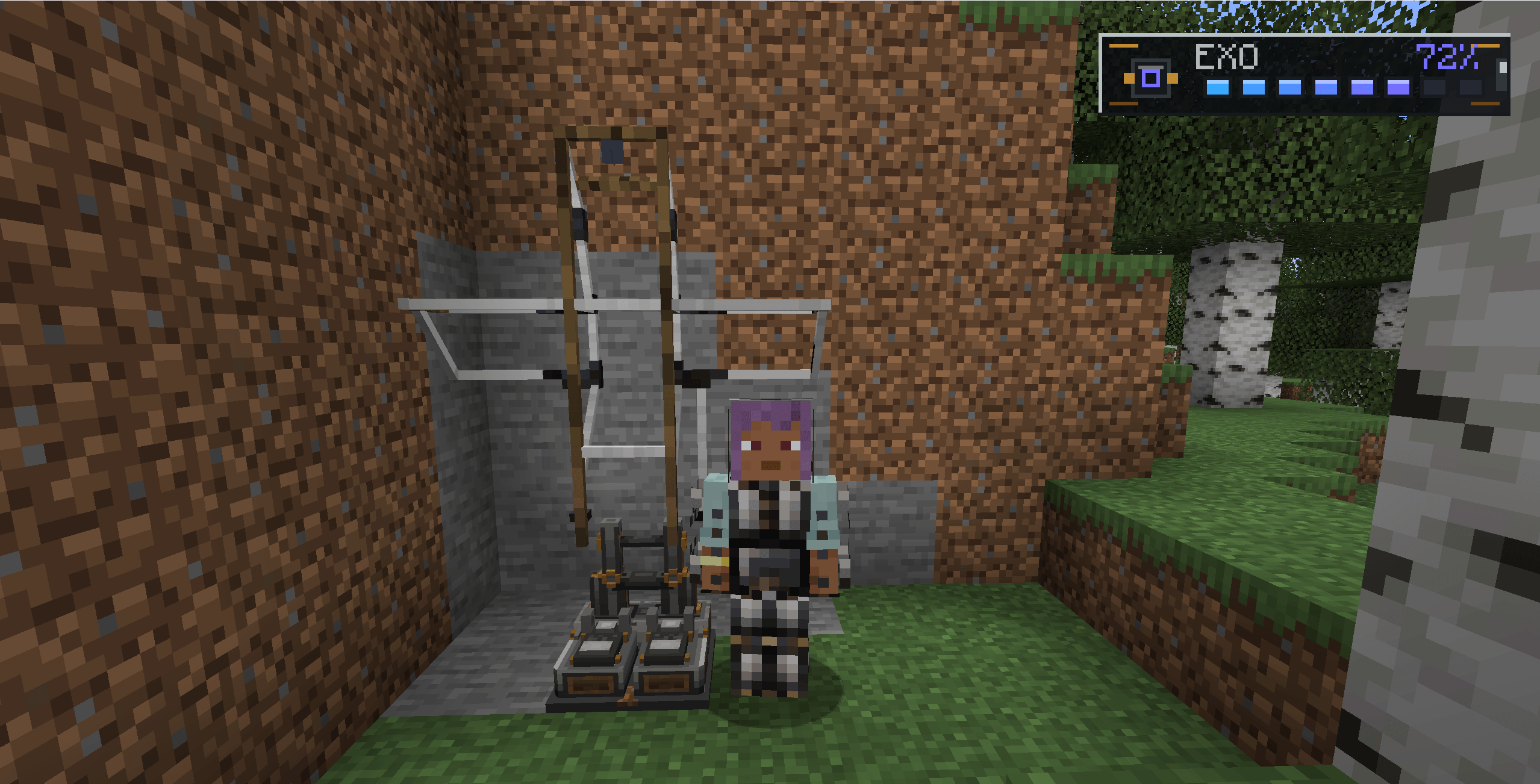
Create: Sophisticated Exoskeleton is a NeoForge addon for Create that adds a modular mechanical exoskeleton built, stored and equipped through a set of fitting stations.
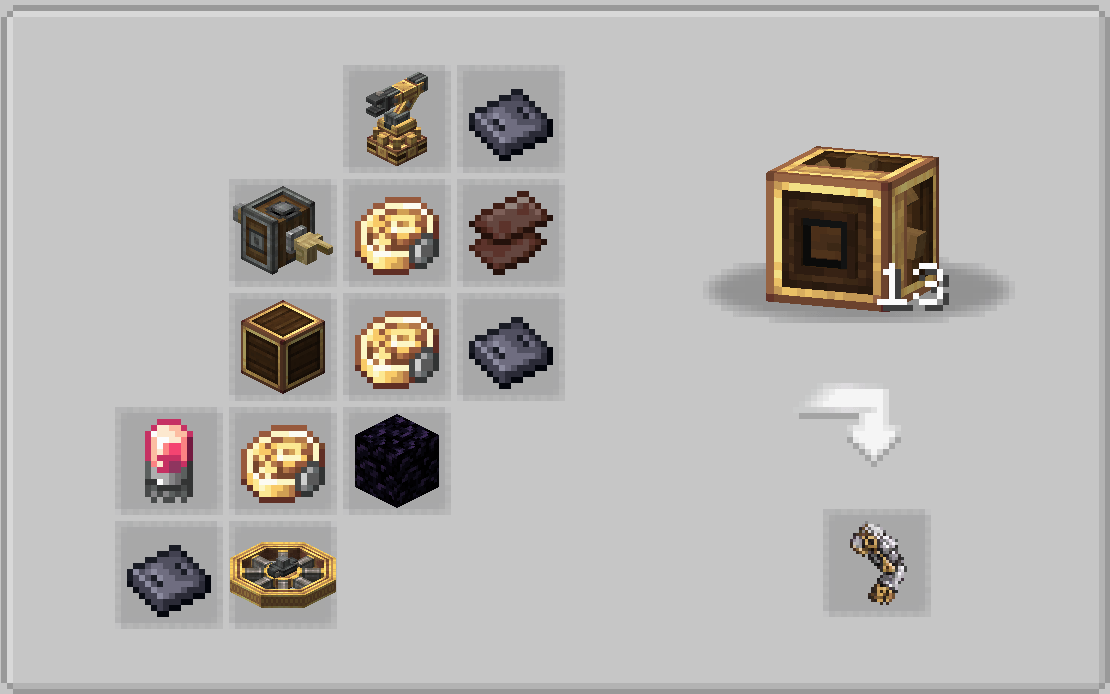
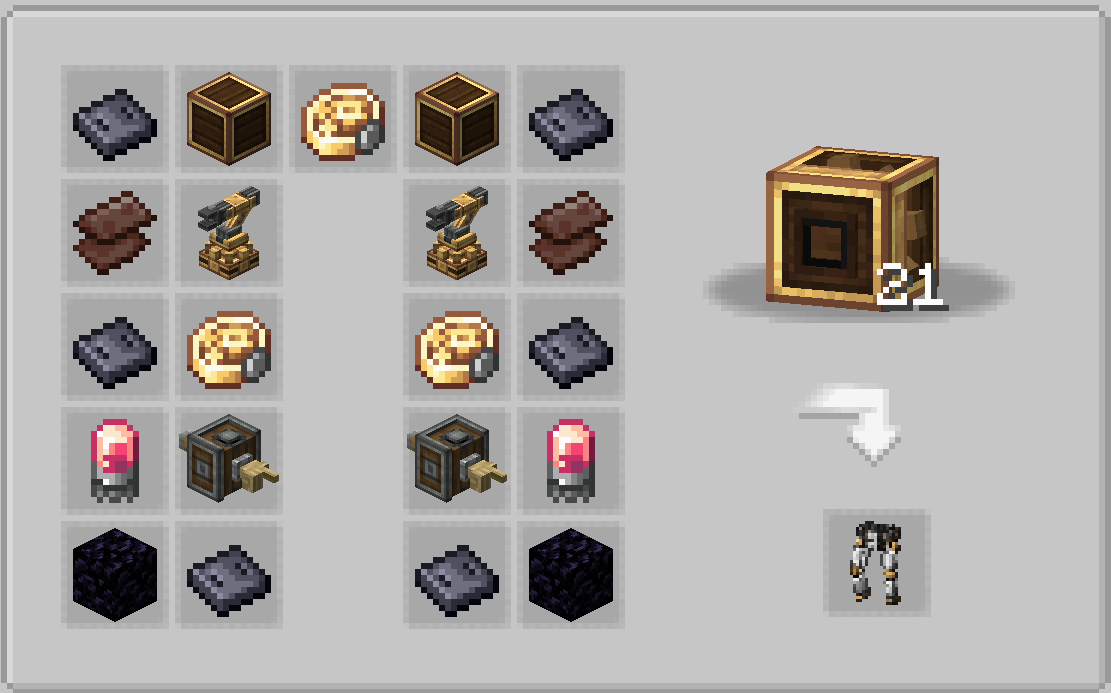
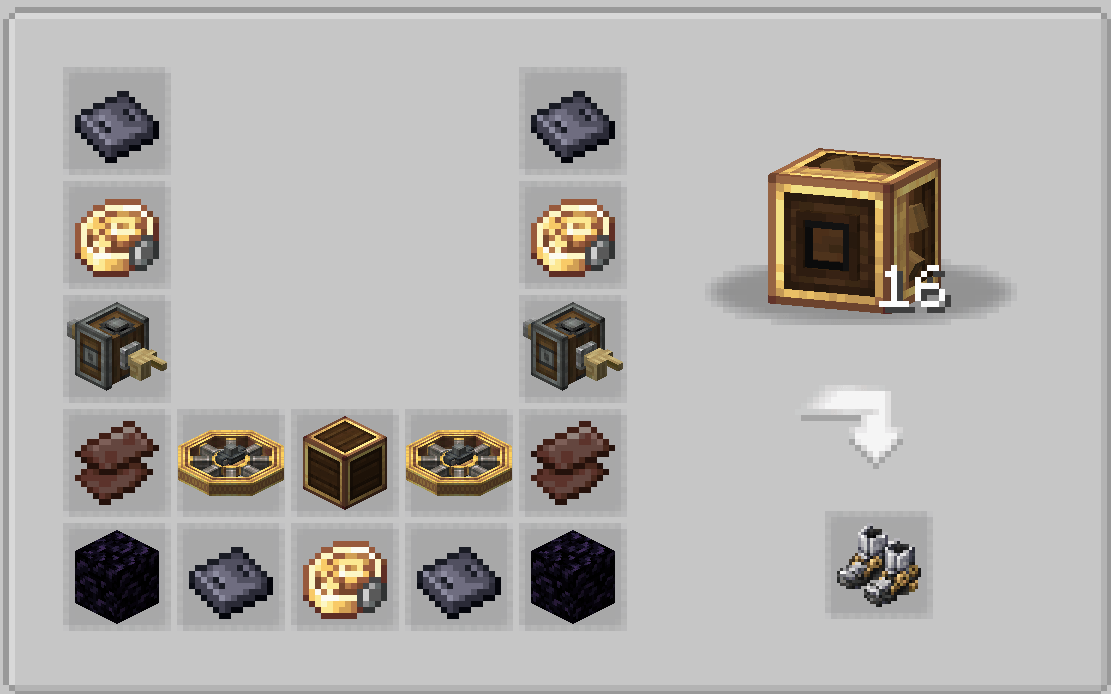
The mod is designed around Create-style progression: each exoskeleton part is crafted through mechanical crafting, then installed into a dedicated fitter structure before being equipped by the player.
Main Features
- Modular exoskeleton pieces: helmet, chestplate, leggings, boots, left arm and right arm.
- Mechanical fitter blocks for assembling and storing the full exoskeleton.
- Animated equip sequence using GeckoLib.
- Create-inspired item, block and exoskeleton textures.
- Battery system with a custom HUD.
- Solar recharge mode with a deployable panel on the helmet.
- Charged jump ability with an XP-bar style charge display.
- Adjustable sprint assistance up to 3x movement speed.
- Wall movement: climbing, descending, ledge mantling and wall sliding.
- Reduced fall damage while using the exoskeleton.
- Contextual control HUD that only shows actions currently available.
Exoskeleton Abilities
Charged Jump
Hold the jump key to charge a stronger jump. The charge display replaces the XP bar while charging, and the XP level number shows the charged jump height. Tapping jump still performs a normal Minecraft jump.
The charged jump is capped at 50 blocks.
Sprint Assistance
Hold the sprint key and use the mouse wheel to adjust the exoskeleton speed assistance. The speed can be changed instantly, up to 3x the normal movement speed.
Wall Movement
Hold the climb key near a wall to interact with it.
When falling, the exoskeleton enters a wall-slide phase instead of instantly stopping. The slide absorbs fall speed progressively, then transitions into wall grip/climb once the player is slow enough. While climbing, jump moves upward and shift descends. At the top of a wall, the exoskeleton can mantle the player over the ledge.
Solar Charging
Press the solar recharge key to deploy a solar panel from the rear-right side of the helmet. While charging, the player is locked in place like a statue. Press the key again to fold the panel and regain movement.
Solar charging only works during the day, with direct sky access, and not during rain or thunderstorms.
Battery
The exoskeleton uses a battery system:
- Passive drain while equipped.
- Higher drain while sprint assistance is active.
- Higher cost for stronger charged jumps.
- Drain while climbing or wall-moving.
- Severe slowness when the battery reaches 0%.
- Solar charging from 0% to 100% takes roughly 2 minutes and 30 seconds under valid sunlight.
Fitter Structure
The exoskeleton is equipped through a complete fitter structure. Each fitter must contain the correct exoskeleton piece in the correct position:
- Helmet fitter above the chest fitter.
- Chest fitter in the center.
- Left and right arm fitters on the sides.
- Legging fitter below the chest.
- Boots fitter below the leggings.
Walking through the completed chest fitter equips the exoskeleton. Walking through an empty structure while wearing the exoskeleton stores it back inside the fitters.
Requirements
- Minecraft 1.21.1
- NeoForge 21+
- Create 6.0.10 or newer
- GeckoLib 4.9 or newer
Notes
This is a Create addon and is intended to be played alongside Create progression. Mechanical crafting is required for the exoskeleton pieces.
- Edition: Minecraft Java
- File type: .jar
- Minecraft version listed: 1.21.1
- How to install: Install the matching mod loader (Forge, Fabric or NeoForge) for your Minecraft version. → Download the .jar. → Put it in the .minecraft/mods folder and launch that loader profile.
- Where to get it: Opens on CurseForge — not every file is mirrored on our own servers.
Install steps are the general flow for this file type — How to install Minecraft Java mods & modpacks walks through it step by step.
- Ships as create-sophisticated-exoskeleton.jar — drop this file into the mods folder
- Download size: 195 KB
- Download link checked 24 Aug 2026 — working
These come from our own check of the pack file, not from the source page.