Super Factory Manager GUI
Java mod listed for Minecraft 1.20–1.21. Downloads from the MC Java Mods app on Android.
I don't know my version or loader
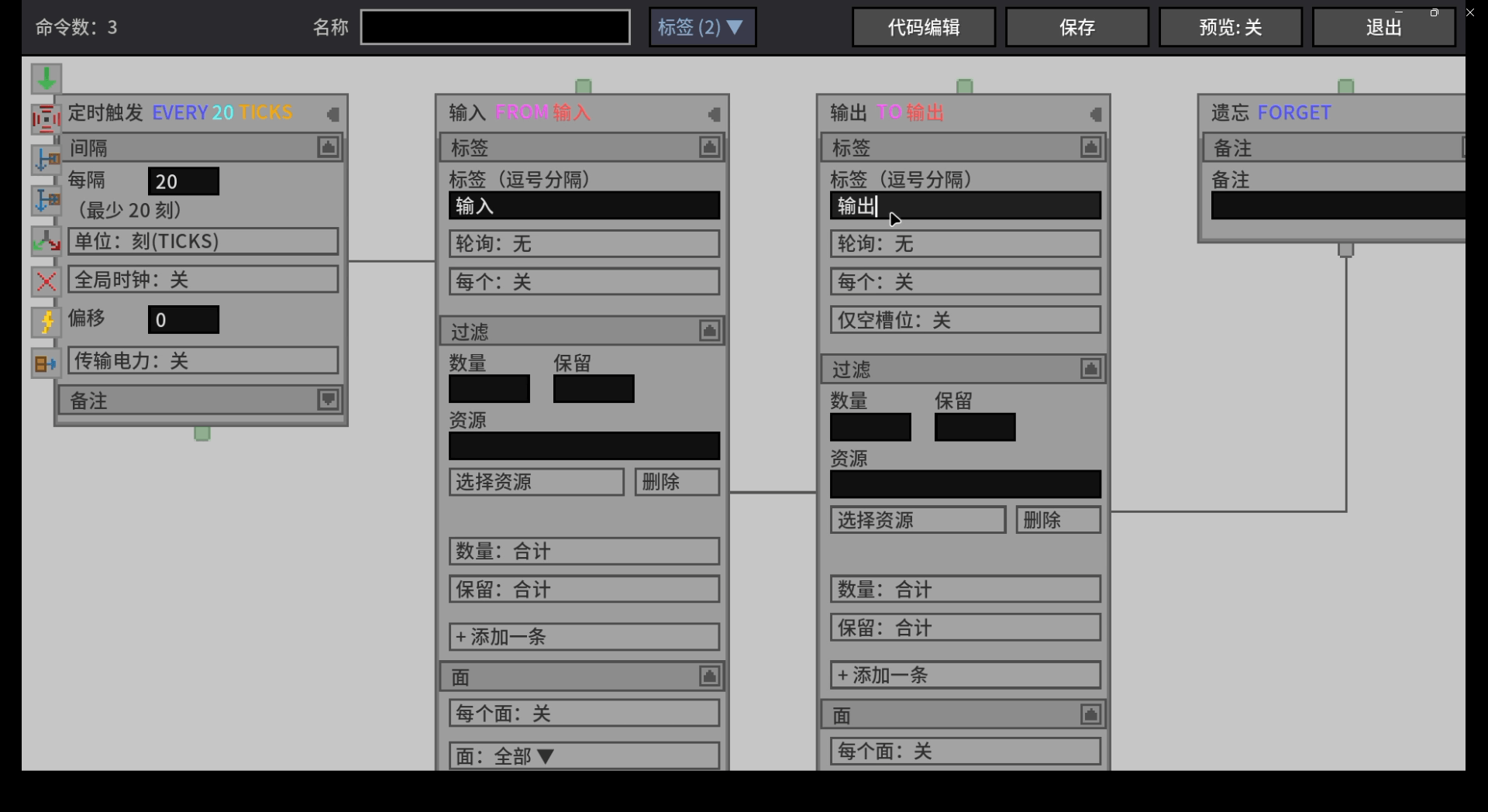
SUPER FACTORY MANAGER - GUI
A modern and user-friendly Graphical User Interface (GUI) enhancement for Super Factory Manager.
This mod is designed to significantly improve the automation workflow by introducing a clearer, redesigned visual interface. If you love the powerful automation capabilities of Super Factory Manager but want a more intuitive and visually accessible experience to manage your complex factory setups, this addon is for you!
FEATURES
-
Modern Interface: A clean and fully redesigned GUI that makes complex automation setups much easier to read, configure, and manage.
-
Improved Workflow: Enhanced visual feedback for managing inputs, outputs, inventory channels, and programming logic statements.
-
Seamless Integration: Designed to work perfectly alongside the original Super Factory Manager mod without breaking your existing setups.
DEPENDENCIES
-
This mod is an addon. It requires the base Super Factory Manager mod to function properly.
-
Please ensure you are using the matching Minecraft and Mod Loader versions (Forge/Fabric/NeoForge) as specified in the files section.
SOURCE AND BUG REPORTS
-
Open Source: This project is completely open-source! You can check out the repository on GitHub: https://github.com/MimosaLW/SuperFactoryManager-GUI
-
Issues and Suggestions: Found a bug or have a feature request? Please let us know by submitting an issue on our GitHub Issues Page: https://github.com/MimosaLW/SuperFactoryManager-GUI/issues
The "all" version has a built-in PinIn library and supports Chinese Pinyin search.
The version without "all" does not include the built-in PinIn library and does not support Chinese Pinyin search.
If you encounter any errors, crashes, or other issues while loading the "all" version, please use the version without "all" instead.
- Edition: Minecraft Java
- File type: .jar
- Minecraft versions listed: 1.20.1, 1.21.1
- How to install: Install the matching mod loader (Forge, Fabric or NeoForge) for your Minecraft version. → Download the .jar. → Put it in the .minecraft/mods folder and launch that loader profile.
- Where to get it: Opens on CurseForge — not every file is mirrored on our own servers.
Install steps are the general flow for this file type — How to install Minecraft Java mods & modpacks walks through it step by step.
- Ships as sfmgui-1.20.1-1.0.5-forge-1.20.1.jar — drop this file into the mods folder
- Download size: 181 KB
- Download link checked 4 Oct 2026 — working
These come from our own check of the pack file, not from the source page.