
Modern AI: Overview
Java mod listed for Minecraft 26.x. Downloads from the MC Java Mods app on Android.
⬇ Download on Modrinth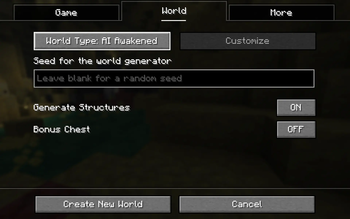
Modern AI: Overview
A new world type that teaches you something before you get to play.
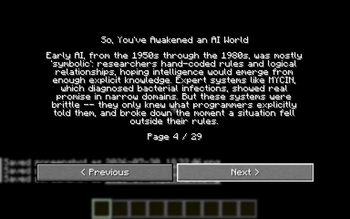
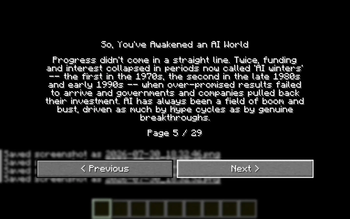
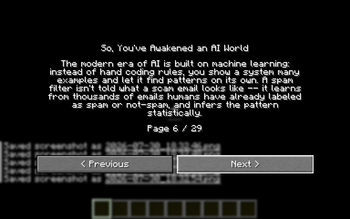
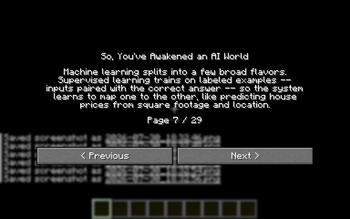
Modern AI: Overview adds a single new world type — AI Awakened — to the Create World screen. Generate a world with it, and before you place a single block, the world sits you down for a full, no-skipping crash course on artificial intelligence, followed by a graded quiz. Pass, and you drop straight into a completely normal world. Fail badly enough, and the game crashes on you.
What it does
- Select "AI Awakened" as your world type when creating a new world. Terrain generates exactly like vanilla — hills, biomes, caves, structures, all of it. Nothing about the world itself is different.
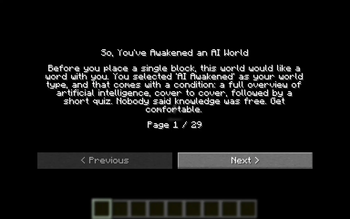
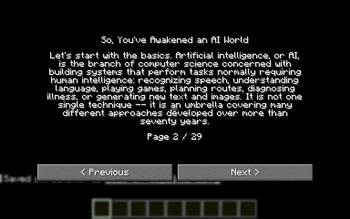
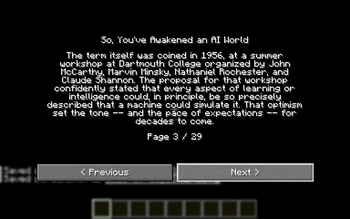
- The moment you spawn in for the first time, the game locks you into a
long, paginated overview of AI: its history, how machine learning and
neural networks actually work, transformers and large language models,
generative AI, alignment and safety, and where things stand today. You
click through it page by page — no
Escshortcuts. - Then comes a 10-question quiz on what you just read.
- Score 50% or higher and an "Enter the World" button lets you play, same as any other world from that point forward.
- Score below 50% and the game crashes — a real crash report gets written to disk, not a fake dialog.
The overview and quiz only ever run once per world, the very first time you join.
Requirements
- Minecraft 26.2
- Fabric Loader
- Fabric API
Installation
Drop the mod jar (alongside Fabric API) into your mods folder like any
other Fabric mod.
Notes
- Only the overworld is affected — the Nether and the End generate normally and aren't touched by any of this.
- The "already seen the overview" state is tracked per-world, so revisiting an AI Awakened world you've already completed won't trigger it again.
- The failure-crash is intentional, not a bug. Read carefully.
License
MIT
- Edition: Minecraft Java
- File type: .jar
- Minecraft version listed: 26.2
- How to install: Install the matching mod loader (Forge, Fabric or NeoForge) for your Minecraft version. → Download the .jar. → Put it in the .minecraft/mods folder and launch that loader profile.
- Where to get it: Opens on Modrinth — not every file is mirrored on our own servers.
Install steps are the general flow for this file type — How to install Minecraft Java mods & modpacks walks through it step by step.
- Ships as ai-overview-mod-1.0.0.jar — drop this file into the mods folder
- Download size: 33 KB
- Download link checked 5 Oct 2026 — working
These come from our own check of the pack file, not from the source page.