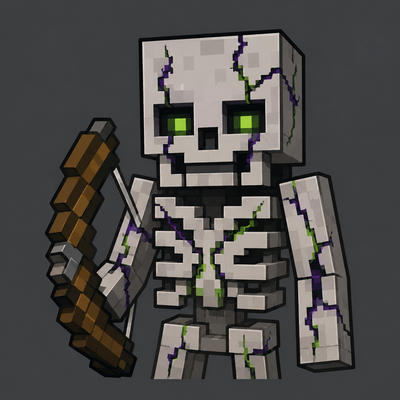
Cursed Skeleton
Bedrock add-on listed for Minecraft 26.x (behavior pack only). File opened and checked on 26 Aug 2026; installs from the MC Bedrock Mods app on Android.
Makes vanilla skeletons far more dangerous with rapid-fire attacks, predictive aiming, configurable targeting, and challenge-focused settings.
⬇ Download on CurseForgeThe author built this one for Minecraft 26.30. On other versions it may install and then do nothing.
🏹 CURSED SKELETON
Make skeleton encounters dangerous again.
Minecraft Bedrock Behavior Pack • By Mivin
Rapid Fire • Predictive Accuracy • Skeleton War • Custom Settings
A familiar enemy with a much harder fight.
Cursed Skeleton modifies vanilla skeleton combat to make normal survival more challenging without adding a completely new mob.
Skeletons can fire extremely quickly, use improved aiming, fight other skeletons, ignore direct lava damage, and clean up missed arrows automatically depending on your settings.
Behavior Pack only • No Resource Pack required
Created by Mivin
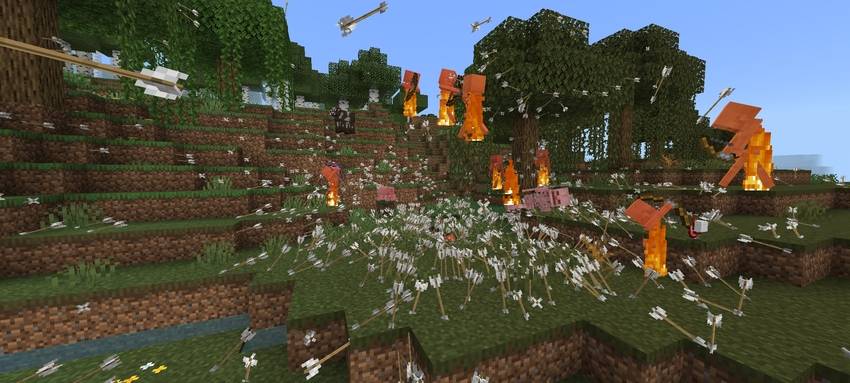
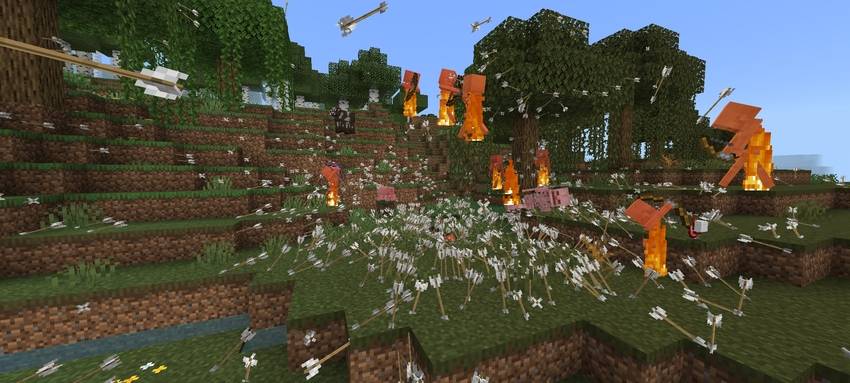
⚡ Rapid-Fire Skeletons
The main feature of Cursed Skeleton is simple:
1 arrow every tick.
Skeletons no longer leave long gaps between shots.
A single skeleton can keep constant pressure on the player, while several skeletons can quickly make an open area difficult to cross.
| Situation | Cursed Skeleton |
|---|---|
| One Skeleton | Constant ranged pressure |
| Several Skeletons | Heavy crossfire |
| Open Terrain | Cover becomes more useful |
| Large Battles | Large amounts of arrows can be produced |
The skeleton is still familiar.
The difference is how aggressively it fights.
🎯 Aim Settings
Choose how accurate skeletons should be.
Vanilla Aim
Recommended
Uses normal Minecraft skeleton aiming behavior.
This is the best option if you mainly want the rapid-fire mechanic while keeping skeleton accuracy close to vanilla.
Better Accuracy
Challenge
Skeletons attempt to predict the movement of their target before firing.
Instead of only aiming at the player's current position, Better Accuracy tries to lead the shot based on movement.
Moving left → aim is adjusted left
Moving right → aim is adjusted right
Vertical movement → considered before the shot
Better Accuracy is predictive aiming rather than homing.
Once an arrow has been fired, it continues as a normal projectile.
⚔️ Skeleton Targeting
Cursed Skeleton includes three targeting modes.
| Mode | Behavior |
|---|---|
| Player Only | Skeletons focus on players. |
| Skeleton War | Skeletons attack other skeletons. |
| Skeleton War + Player | Skeletons can attack both players and other skeletons. |
Player Only
Recommended
Designed for normal survival.
Skeletons focus on the player while keeping the rest of the targeting behavior simple.
Skeleton War
Chaos
Skeletons intentionally attack other skeletons.
Useful for mob battles or simply making skeleton encounters less predictable.
Skeleton War + Player
Chaos
Skeletons can attack one another while the player remains a target too.
This can create fights where several skeletons are shooting in different directions at the same time.
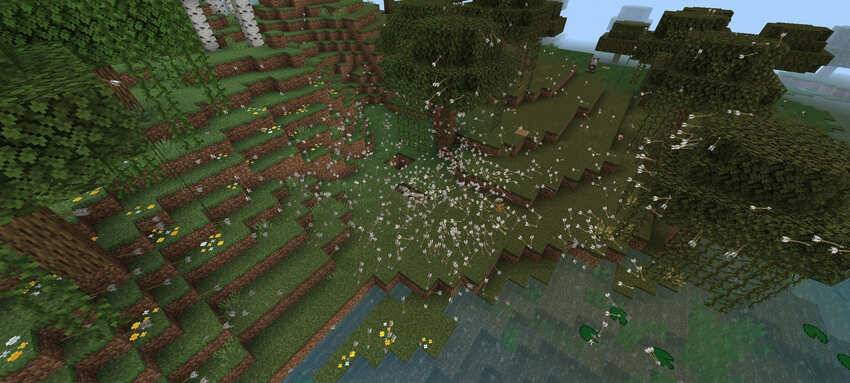
🏹 Arrow Cleanup
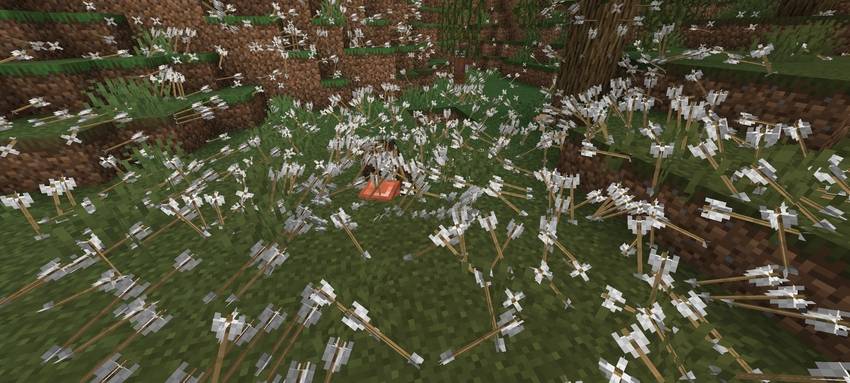
Rapid fire can create a very large number of arrows.
Cursed Skeleton includes an arrow cleanup option to prevent missed arrows from remaining in the world for too long.
Fast Cleanup
Recommended
Skeleton arrows stuck in blocks disappear after roughly one second.
This has two purposes:
- Keeps the environment cleaner
- Reduces the number of arrow entities and helps reduce lag during large or long battles
Fast Cleanup is especially useful when several skeletons are firing at once.
Keep Arrows
Chaos
Arrows remain stuck in blocks normally.
This keeps the battlefield covered in arrows after a fight, but large amounts of arrows can cause more entity buildup.
❤️ Damage Modes
Choose whether skeleton arrows keep their normal damage or become more punishing.
Vanilla Damage
Recommended
Uses normal skeleton arrow damage.
The main difficulty comes from the rapid fire rate.
Compensated Damage
Challenge
Successful hits deal increased damage.
This helps compensate for Minecraft's damage immunity frames, which can prevent every rapid-fire arrow from dealing damage consecutively.
🌊 Underwater Arrows
Skeleton-fired arrows retain their speed while traveling through water.
Water therefore does not slow their projectiles as heavily as normal.
On land → rapid pressure
In water → rapid pressure continues
This makes underwater encounters more dangerous without changing player-fired arrows.
🌋 Lava Immunity
Choose whether direct lava damage can kill skeletons.
Normal Lava
Recommended
Skeletons take lava damage normally.
Lava Immune
Challenge
Skeletons ignore direct lava damage.
This is only for lava.
It does not give skeletons complete fire immunity.
🎁 Loot Settings
Choose whether skeletons drop their normal loot.
Drop Loot
Recommended
Skeletons drop their normal items.
No Loot
Challenge
Skeletons do not drop their normal loot.
Use this if you want Cursed Skeleton to function purely as a difficulty add-on without providing skeleton drops.
💀 Build Your Difficulty
Cursed Skeleton does not force every feature to be extreme.
You can configure it depending on how difficult you want your world to become.
RECOMMENDED SURVIVAL
Faster skeletons while keeping most other mechanics close to vanilla.
Arrow Lifetime → Fast Cleanup
Damage → Vanilla Damage
Aim → Vanilla Aim
Targeting → Player Only
Lava → Normal Lava
Loot → Drop Loot
CHALLENGE
More accurate and more dangerous skeleton encounters.
Arrow Lifetime → Fast Cleanup
Damage → Compensated Damage
Aim → Better Accuracy
Targeting → Player Only
Lava → Lava Immune
Loot → No Loot
CHAOS
Designed for large fights and experiments.
Arrow Lifetime → Keep Arrows
Damage → Compensated Damage
Aim → Better Accuracy
Targeting → Skeleton War + Player
Lava → Lava Immune
Loot → No Loot
Rapid fire.
Skeleton wars.
Arrows everywhere.
🏹 CURSED SKELETON
Same skeleton. Harder survival.
Minecraft Bedrock Behavior Pack • By Mivin
Make skeletons more dangerous without replacing them.
Configure the difficulty and play the world your way.
Thanks for using Cursed Skeleton.
- Edition: Minecraft Bedrock
- File type: .mcpack or .mcaddon
- Minecraft version listed: 26.30
- How to install: Download the .mcpack or .mcaddon file. → Open it — Minecraft imports it. → In your world: Behavior Packs → Available → Activate, then the same under Resource Packs.
- Where to get it: Opens on CurseForge — not every file is mirrored on our own servers.
Install steps are the general flow for this file type — How to install Minecraft Bedrock addons & mods walks through it step by step.
- Pack type: .mcpack — a single pack
- Manifest requires Minecraft 1.26.30 or newer
- Complete pack — everything it depends on is inside the file
- Download size: 96 KB
- Download link checked 6 Oct 2026 — working
These come from our own check of the pack file, not from the source page.