AddonsBedrock
Don't Jump
Bedrock add-on listed for Minecraft 1.21–26.x (behavior pack only). File opened and checked on 26 Aug 2026; installs from the MC Bedrock Mods app on Android.
⬇ Download on CurseForge

About The Add-on
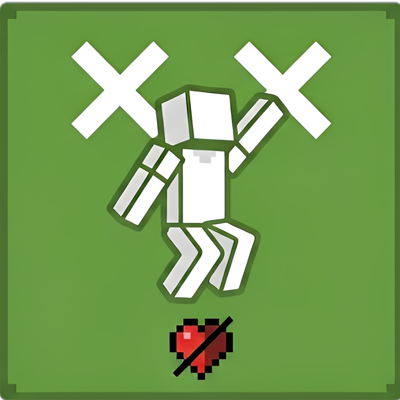
Don't Jump is a simple yet challenging survival Add-on for Minecraft Bedrock Edition. Every single jump comes with a price!
Features
- Jump Penalty: Taking a jump immediately inflicts 0.5 hearts (1 damage) to the player.
- Achievements Friendly: Configured using official add-on metadata so it won't disable Xbox Live achievements.
- No Experiments Needed: Plug and play! Works fine without enabling any Beta APIs or Experimental Toggles.
- Multiplayer Ready: Works smoothly for all players in Survival and Adventure mode.
How to Install
- Download the
.mcpackfile and open it to import into Minecraft. - Apply the Behavior Pack to your world settings.
- Play and enjoy the challenge!
Terms of Use
- You ARE ALLOWED to feature or review this add-on in videos/content (please credit and link back to this page).
- You ARE NOT ALLOWED to re-upload this add-on to other websites or app stores without permission.
- You ARE NOT ALLOWED to use direct download links (always share the official CurseForge link).
Quick facts
- Edition: Minecraft Bedrock
- File type: .mcpack or .mcaddon
- Minecraft versions listed: 1.21.20, 26.40
- How to install: Download the .mcpack or .mcaddon file. → Open it — Minecraft imports it. → In your world: Behavior Packs → Available → Activate, then the same under Resource Packs.
- Where to get it: Opens on CurseForge — not every file is mirrored on our own servers.
Install steps are the general flow for this file type — How to install Minecraft Bedrock addons & mods walks through it step by step.
File checked by MCModsHub
- Save it as Don't Jump.mcaddon before opening — it downloads as .mcpack, but it is a .mcaddon pack
- Manifest requires Minecraft 1.21.0 or newer
- Complete pack — everything it depends on is inside the file
- Download size: 544 KB
- Download link checked 6 Oct 2026 — working
These come from our own check of the pack file, not from the source page.