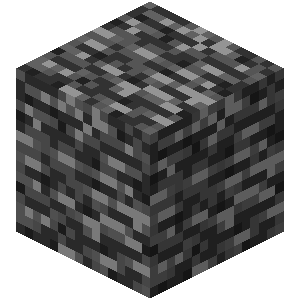
No Block Rotation All Blocks
Java resource pack listed for Minecraft 1.6–24.x. Downloads from the MC Java Mods app on Android.
⬇ Download on Modrinth
No Block Rotation This resource pack disables the random visual texture rotations on vanilla Minecraft blocks, forcing all block textures to align in a single, static direction.
By removing random block state variations, every block renders using its default 0° rotation. This creates a uniform grid aesthetic and stops terrain features from generating unique rotation patterns.
Features Static Block Textures: Locks block models to a single visual orientation.
Purely Visual & Client-Side: Modifies blockstate JSON files only. No code, scripts, or performance impact.
Vanilla Friendly: Retains all default 16x textures without adding or changing assets.
Modified Blocks Disables texture rotation on standard natural and building blocks, including:
Dirt, Grass Block, Coarse Dirt, Rooted Dirt, Mud
Stone, Granite, Diorite, Andesite, Deepslate, Tuff
Sand, Red Sand, Gravel, Clay
Netherrack, Soul Sand, Soul Soil, Basalt, End Stone
Terracotta (all colors)
Bedrock, Moss Block, Sculk, Glowstone, Magma Block
- Edition: Minecraft Java
- File type: .zip (resource pack)
- Minecraft versions listed: 1.6.1, 1.6.2, 1.6.4
- How to install: Download the .zip resource pack — do not unzip it. → Put it in .minecraft/resourcepacks. → Enable it in Options → Resource Packs.
- Where to get it: Opens on Modrinth — not every file is mirrored on our own servers.
Install steps are the general flow for this file type — How to install Minecraft Java resource packs walks through it step by step.
- Downloads as No_Block_Rotation.zip
- Download size: 11 KB
- Download link checked 7 Oct 2026 — working
These come from our own check of the pack file, not from the source page.