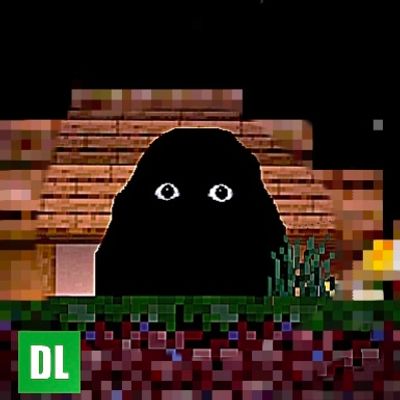
ANGRY MUNCI (HOTFIX UPDATE)
Bedrock add-on listed for Minecraft 1.21–26.x (behavior + resource pack). File opened and checked on 3 Sep 2026; installs from the MC Bedrock Mods app on Android.
A horror stalker that watches, waits, and hunts — inspired by the Angry Munci Nextbot from Garry's Mod. It can't be fought, only survived, and the longer…
⬇ Download on CurseForgeThe author built this one for Minecraft 26.0. On other versions it may install and then do nothing.
ANGRY MUNCI
You are being watched.
(Hotfix Update)
⚠️ Before You Download
Angry Munci is not a boss fight. It's not a mob you kill for loot. It's not something you're meant to "beat."
It's something you're meant to survive.
Turn this on, and something starts watching your world — quietly, patiently, from just outside the edge of what you can see. It doesn't announce itself. It doesn't rush you. It waits for the right moment, and when that moment comes, running is the only thing that's ever going to save you.
🕯️ What Is It?
Inspired by the Angry Munci Nextbot from Garry's Mod, this addon brings a fully custom horror stalker into Minecraft Bedrock — built from scratch with its own AI, its own instincts, and its own rules.
It doesn't spawn in and charge at you like a zombie. It studies you first. It picks its moment. And the longer you go without dying to it… the more confident it gets.
Survival isn't the end of the encounter. It's just proof you got lucky this time.
🔦 The Rules
When you first spawn in, it'll tell you how to stay alive — listen closely, because it only says it once.
A few things worth knowing before you go in blind:
- 👁️ It notices things. What you do, where you go, and how careless you are all matter more than you'd think.
- 🚪 Doors and windows are not safe. Don't assume a wall is protection.
- 🛏️ Sleep is a risk, not a reset. Think twice before you call it a night.
- ⛏️ The dark doesn't stay empty for long — especially underground.
- 🩸 You cannot fight it. Don't waste the swing.
That's all you're getting from me. The rest, you'll have to learn the hard way — in-game, the way it's supposed to be discovered.
🎧 Fully Voiced. Fully Scored. Fully Alive.
- Custom model, custom textures, glowing eyes that mean something
- Original sound design — ambient dread, a real chase theme, and a voice that tells you the rules before it breaks you
- Reactive horror events woven into everyday survival — mining, sleeping, crafting, exploring — nothing is ever completely safe
- A hunter that adapts to you specifically, the longer you play
📦 Installation
- Download the
.mcaddonfile - Open it with Minecraft (Bedrock Edition) installed — it'll import automatically
- Create or edit a world, and activate both the Behavior Pack and Resource Pack
- Turn on Experimental Gameplay if prompted
- Load in, and listen to what it tells you
🖤 Credits
Angry Munci — created and developed by matmathasosocer Inspired by the Angry Munci Nextbot (Garry's Mod)
Do not re-upload or claim this work as your own.
It's already here.
You just haven't looked in the right direction yet.
<sub>Have feedback, found a bug, or just want to share a good scare? Let me know in the comments. Good luck out there.</sub>
- Edition: Minecraft Bedrock
- File type: .mcpack or .mcaddon
- Minecraft version listed: 26.0
- How to install: Download the .mcpack or .mcaddon file. → Open it — Minecraft imports it. → In your world: Behavior Packs → Available → Activate, then the same under Resource Packs.
- Where to get it: Opens on CurseForge — not every file is mirrored on our own servers.
Install steps are the general flow for this file type — How to install Minecraft Bedrock addons & mods walks through it step by step.
- Pack type: .mcaddon — behaviour and resource pack in one file
- Manifest requires Minecraft 1.21.50 or newer
- Complete pack — everything it depends on is inside the file
- Download size: 1.4 MB
- Download link checked 7 Oct 2026 — working
These come from our own check of the pack file, not from the source page.