
ModsJava
Croparium Mod (26.2, 1.20.1) – Grow Valuable Ores and Mob Drops Like Regular
Java mod listed for Minecraft 1.20. Downloads from the MC Java Mods app on Android.
⬇ Download
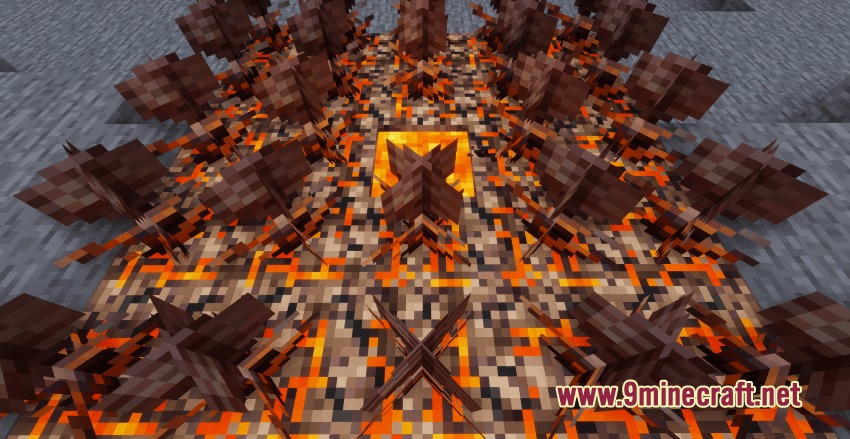
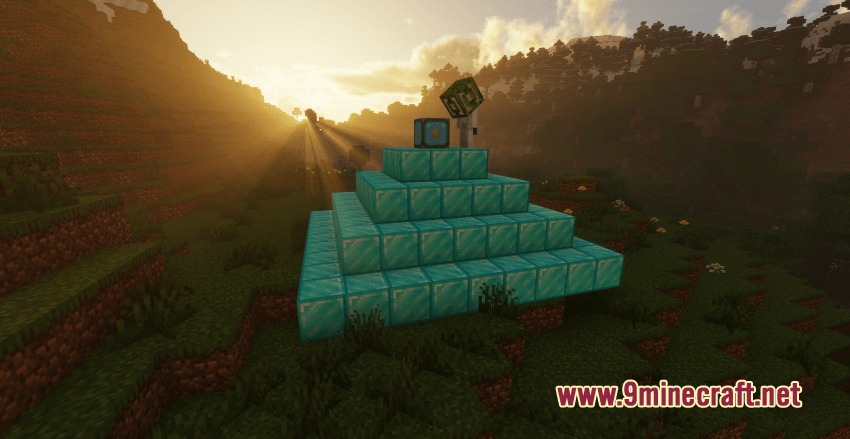
Croparium Mod lets you cultivate valuable ores, mob drops, and rare materials just like normal crops. Instead of spending hours digging underground for minerals, you can set up fields to harvest everything from iron and sweet items to Netherite. The mod turns resource gathering into a calm farming routine with full compatibility for automated setups.
Features:
- Allows you to farm overworld minerals, nether resources, biomass, ocean goods, and sweet items.
- Adds a special extraction mechanic using a stonecutter to obtain embryo shards from base materials.
- Requires dedicated mod farmland instead of vanilla dirt farmland to grow custom crops.
- Lets you speed up plant growth by applying matching embryo shards directly to the crops.
- Lets you right-click mature crops to collect resources without replanting seeds manually.
- Introduces the Reactor Core block to automate crop production in your base.
- Works with separate expansion packs to plant materials from other mods.
Crop Categories:
- Overworld Minerals: Grow coal, iron, gold, redstone, lapis lazuli, and diamonds.
- Nether Minerals: Harvest quartz, glowstone, netherite, and other fiery resources.
- Biomass & Marine Items: Cultivate mob drops like slimeballs, shulker shells, ender pearls, and prismarine.
How to Use:
- Hold your chosen material and right-click a stonecutter to extract matching embryo shards.
- Combine 1 unit of your target resource with 8 embryo shards on a crafting table to create seeds.
- Prepare dedicated mod farmland and plant your newly crafted seeds.
- Right-click the growing crop with embryo shards to speed up its growth cycle.
- Harvest the fully grown crop by right-clicking or breaking the plant.
- Place a Reactor Core block nearby to run automated crop production.
Screenshots:
Croparium Mod Download Links
Quick facts
- Edition: Minecraft Java
- File type: .jar
- Minecraft version listed: 1.20.1
- How to install: Install the matching mod loader (Forge, Fabric or NeoForge) for your Minecraft version. → Download the .jar. → Put it in the .minecraft/mods folder and launch that loader profile.
- Where to get it: In MC Java Mods, or directly above on this page.
Install steps are the general flow for this file type — How to install Minecraft Java mods & modpacks walks through it step by step.
File checked by MCModsHub
- Downloads as 500789.mcaddon
- Download size: 1.8 MB
- Download link checked 22 Sept 2026 — working
- Mirrored on our own servers — the download does not depend on the original host
These come from our own check of the pack file, not from the source page.