ModsJava
Botanical Crystal Panes Mod (1.21.1, 1.20.1) – Craft Floral Mosaic Windows
Java mod listed for Minecraft 1.20–1.21. Downloads from the MC Java Mods app on Android.
⬇ Download
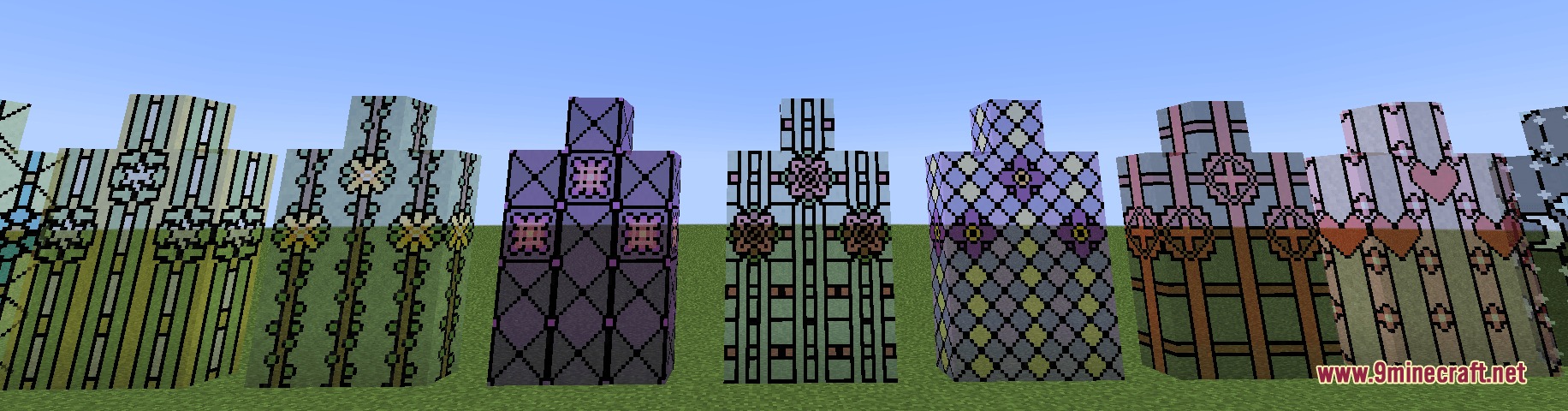
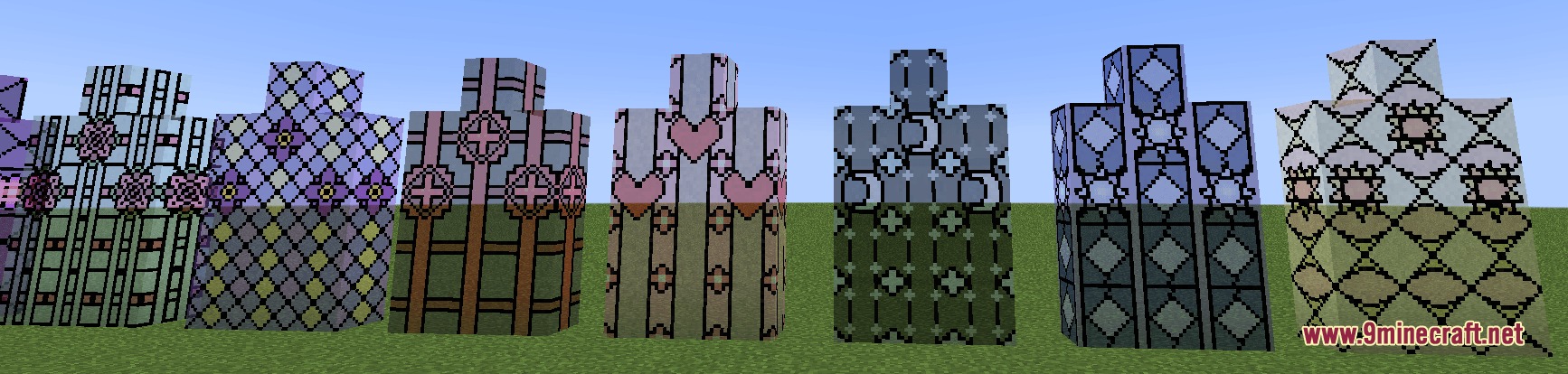
Botanical Crystal Panes Mod adds floral and nature-themed stained glass blocks and panes to Minecraft. It includes thirty-four glass blocks alongside matching glass panels decorated with colorful botanical patterns. Players can collect these decorative blocks using any standard pickaxe without needing the Silk Touch enchantment. The mod lets you cut glass into colorful shards using nippers to assemble detailed mosaic window patterns for any build.
Features:
- Adds 17 floral and nature-themed stained glass designs.
- Adds 17 complementing base glass styles for both full blocks and glass panes.
- Includes 34 total glass blocks and 34 matching glass panes.
- Allows players to mine all custom glass pieces with a normal pickaxe without breaking them into nothing.
- Introduces Nippers to cut stained glass into colorful glass shards on the crafting table.
- Provides config settings to turn connected textures on or off for glass blocks and panes.
Available Patterns:
- Daisy, Poppy, Violet, Lily, Rose, Lavender, and Cherry floral patterns.
- Holly, Clover, and Branches botanical designs.
- Sun, Moon, Star, Redstone, Spark, Heart, and Fleur De Lys specialty symbols.
How to Use:
- Place stained glass blocks and Nippers on a crafting table to cut them into colored glass shards.
- Combine the colored glass shards on the crafting table to create your chosen mosaic glass block.
- Arrange six matching mosaic glass blocks in the standard crafting grid to make mosaic glass panes.
- Break placed mosaic blocks or panes with any pickaxe to collect them safely.
- Adjust the config options in the settings if you want to toggle connected textures for your glass.
Screenshots:
Botanical Crystal Panes Mod Download Links
Quick facts
- Edition: Minecraft Java
- File type: .jar
- Minecraft versions listed: 1.21.1, 1.20.1
- How to install: Install the matching mod loader (Forge, Fabric or NeoForge) for your Minecraft version. → Download the .jar. → Put it in the .minecraft/mods folder and launch that loader profile.
- Where to get it: In MC Java Mods, or directly above on this page.
Install steps are the general flow for this file type — How to install Minecraft Java mods & modpacks walks through it step by step.
File checked by MCModsHub
- Downloads as 500795.mcaddon
- Download size: 291 KB
- Download link checked 25 Sept 2026 — working
- Mirrored on our own servers — the download does not depend on the original host
These come from our own check of the pack file, not from the source page.