
ModsJava
Crowd Governor Mod (26.2, 1.20.1) – Decide Which Creatures Spawn in Every Biome
Java mod listed for Minecraft 1.20. Downloads from the MC Java Mods app on Android.
⬇ Download
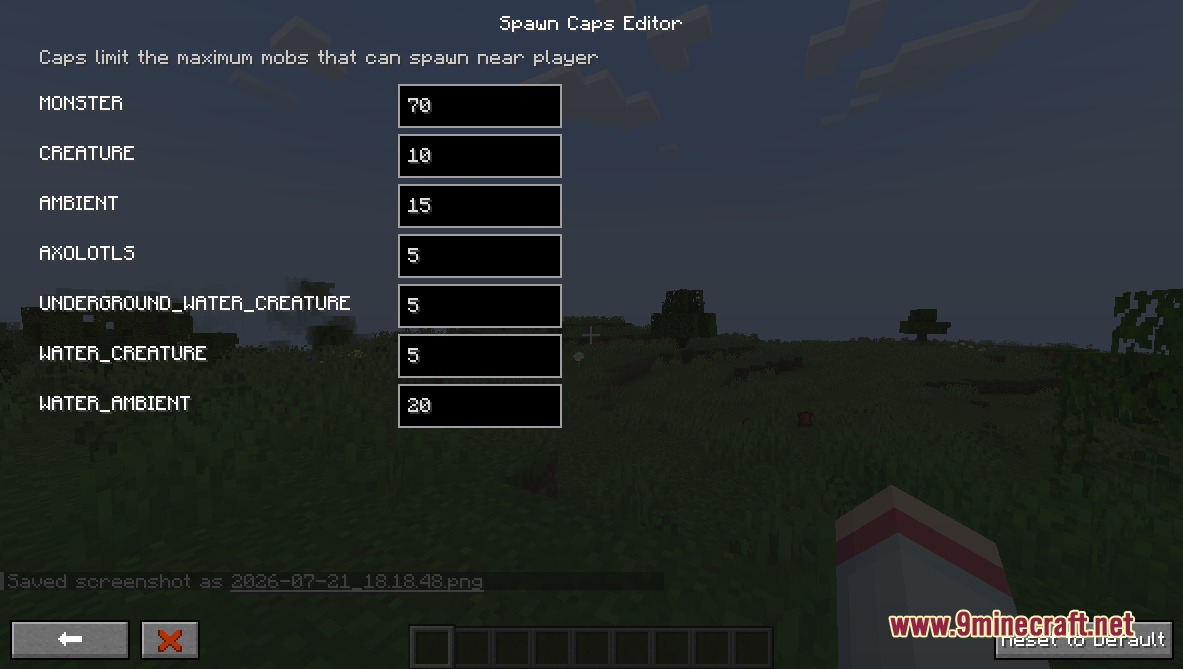
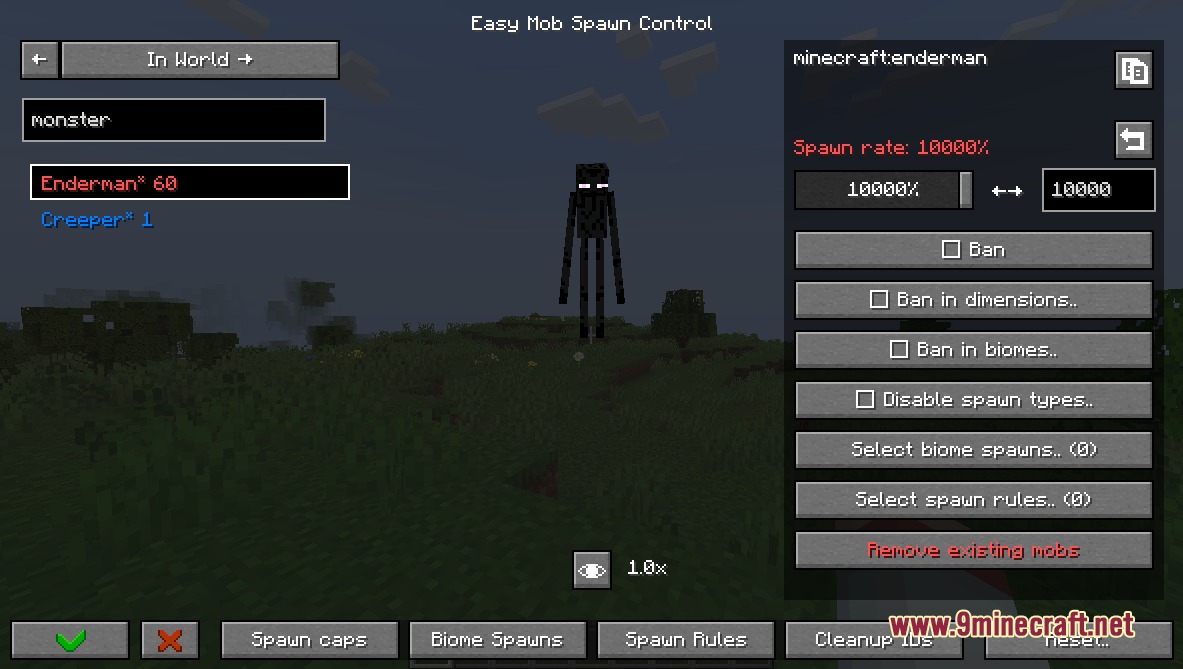
Crowd Governor Mod gives you complete control over mob spawns and limits through a simple in-game menu. It lets you change how often mobs appear, ban specific creatures from certain biomes, and adjust total entity caps without editing messy text files. You can also inspect living mobs in your world and modify their gear or drops on the fly.
Features:
- Opens a clean visual menu to manage every mob spawn setting in real time.
- Bans unwanted mobs globally, across entire dimensions, or within specific biomes.
- Adjusts individual mob spawn rates to control how frequently creatures appear.
- Modifies overall mob caps to increase or reduce total mob density near players.
- Disables specific spawn types such as natural spawning without fully removing a mob.
- Lets you assign custom mob spawns to any biome in the world.
- Creates custom spawn rules that let mobs bypass standard spawn restrictions.
- Inspects currently loaded mobs and their exact counts through the In World tab.
- Customizes mob equipment, loot drops, attributes, and group spawn numbers.
Commands:
/easymobspawncontrol: Opens the mob control screen./easymsc: Short command alias to open the mob control screen.
How to Use:
- Press K on your keyboard to open the mob control menu directly in the game.
- Alternatively, type
/easymscin the chat box or open it from the Mods list. - Select any mob from the list to adjust its spawn weight, limits, or active biomes.
- Switch to the In World tab to monitor live mob counts around you.
- Save your changes and reload the world if you modified biome spawn lists.
Screenshots:
Crowd Governor Mod Download Links
Quick facts
- Edition: Minecraft Java
- File type: .jar
- Minecraft version listed: 1.20.1
- How to install: Install the matching mod loader (Forge, Fabric or NeoForge) for your Minecraft version. → Download the .jar. → Put it in the .minecraft/mods folder and launch that loader profile.
- Where to get it: In MC Java Mods, or directly above on this page.
Install steps are the general flow for this file type — How to install Minecraft Java mods & modpacks walks through it step by step.
File checked by MCModsHub
- Downloads as 500814.mcaddon
- Download size: 473 KB
- Download link checked 25 Sept 2026 — working
- Mirrored on our own servers — the download does not depend on the original host
These come from our own check of the pack file, not from the source page.