
Poro (League of Legends)
Brings the adorable Poros from League of Legends into Minecraft with custom animations, sleeping behaviors, and natural spawning in snowy biomes.
⬇ Download on Modrinth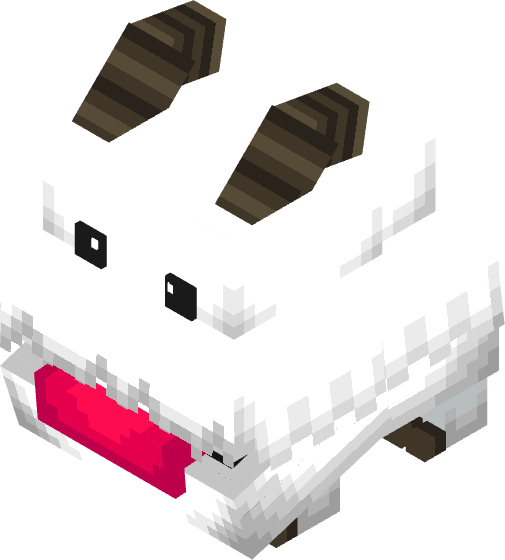
Poro adds League of Legends' Poros to Minecraft with custom GeckoLib animations, sleep mechanics, and natural spawning.
Key Features
Custom Entity and Animations
Custom model powered by GeckoLib
Smooth idle, walking, and sleeping animations
Walking speed scales dynamically with movement speed
Day and Night Behavior
Daytime: Wanders and explores peacefully.
Nighttime: Stops and sleeps in place.
Pushing: Moving a sleeping Poro keeps its sleep pose intact.
Attacking: Hitting a sleeping Poro wakes it up, causing it to flee before trying to sleep again later.
Natural Spawning
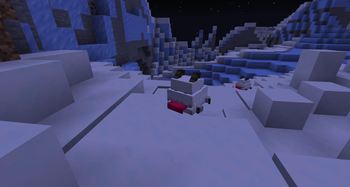
Spawns in snowy biomes (Spawn weight: 20, Group size: 2 to 4)
Valid surfaces: Snow, snow blocks, grass, and ground blocks
Commands and Testing
Spawn Egg: Located in the Creative Inventory under Spawn Eggs
Summon Command: /summon poro:poro
Test Sleep State: /time set night
Spawn Locations
Spawns using the Forge snowy biome tag (forge:is_snowy):
Snowy Plains, Snowy Taiga, Snowy Beach, Grove, Snowy Slopes, Jagged Peaks, Frozen Peaks, Ice Spikes, Frozen River, Frozen Ocean
Note: Excludes non-snowy cold biomes. Natural spawns require newly generated chunks.
Requirements and Installation
Requirements
Minecraft: 1.20.1
Mod Loader: Forge
Dependency: GeckoLib
Installation
Install Forge for Minecraft 1.20.1.
Install GeckoLib.
Place the mod jar file into your mods folder.
Launch the game.
FAQ
Q: Why can't I find any Poros? A: Explore newly generated chunks in valid snowy biomes, and verify GeckoLib is installed.
Q: Are Poros hostile or breedable? A: They are completely peaceful. Breeding is not supported yet.
Disclaimer
Poro is a fan-made mod inspired by League of Legends and is not affiliated with Riot Games. Please report bugs and suggestions in the comments!
- Edition: Minecraft Java
- File type: .jar
- Minecraft version listed: 1.20.1
- How to install: Install the matching mod loader (Forge, Fabric or NeoForge) for your Minecraft version. → Download the .jar. → Put it in the .minecraft/mods folder and launch that loader profile.
- Where to get it: Opens on Modrinth — not every file is mirrored on our own servers.
Install steps are the general flow for this file type — How to install Minecraft Java mods & modpacks walks through it step by step.
- Ships as poro-1.0.0.jar — drop this file into the mods folder
- Download size: 24 KB
- Download link checked 28 Aug 2026 — working
These come from our own check of the pack file, not from the source page.