
Lunar Music
Java mod listed for Minecraft 1.21. Downloads from the MC Java Mods app on Android.
⬇ Download on Modrinth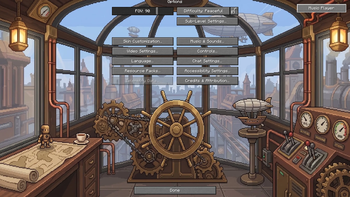
LunarMusic
LunarMusic is a lightweight client-side NeoForge mod for Minecraft 1.21.1 that adds a custom in-game music player.
If you are tired of hearing the same default Minecraft soundtracks over and over again, LunarMusic lets you enjoy your own custom soundtracks seamlessly without needing external media players. Plus, whenever you add new music files to your folder, the mod automatically detects them the next time you open the player menu.
No game restart required!
What does this Mod do?
- Adds a discrete music player button to the top-right corner of the Main Menu and Options Screen.
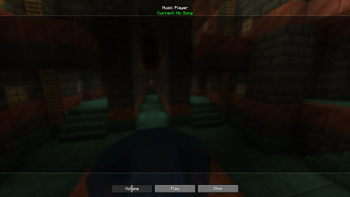
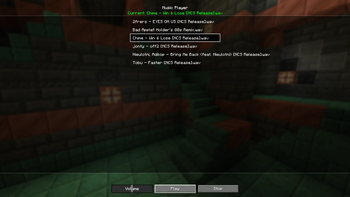
- Opens a dedicated user interface with a full, auto-updating playlist of your local music files.
- Includes playback controls (Play, Stop) and a Volume Slider.
- Automatically mutes Minecraft's vanilla background music while your custom music is playing.
- Includes an Auto-Play feature to start a random track right when launching the game.
How to Use
Music Folder: Upon launching the mod for the first time, a folder named
musicplayerwill be automatically created inside your.minecraftdirectory (.minecraft/musicplayer/).Place your audio files (currently only
.wavfiles) directly into this folder.
- Edition: Minecraft Java
- File type: .jar
- Minecraft version listed: 1.21.1
- How to install: Install the matching mod loader (Forge, Fabric or NeoForge) for your Minecraft version. → Download the .jar. → Put it in the .minecraft/mods folder and launch that loader profile.
- Where to get it: Opens on Modrinth — not every file is mirrored on our own servers.
Install steps are the general flow for this file type — How to install Minecraft Java mods & modpacks walks through it step by step.
- Ships as lunarmusic-1.1.1.jar — drop this file into the mods folder
- Download size: 656 KB
- Download link checked 8 Oct 2026 — working
These come from our own check of the pack file, not from the source page.