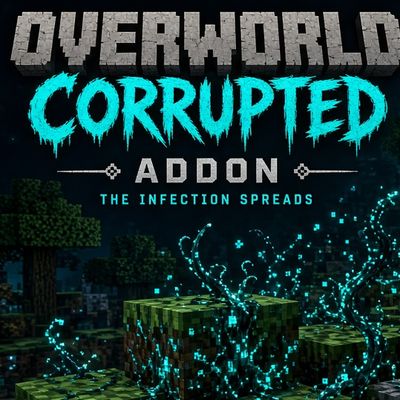
Sculk blocks
Bedrock add-on listed for Minecraft 1.20–26.x (behavior pack only). File opened and checked on 30 Aug 2026; installs from the MC Bedrock Mods app on Android.
The blocks are scattered like skulk, watch out for every block you place! Can you beat Minecraft with this challenge?
⬇ Download on CurseForgeThe author built this one for Minecraft 26.40. On other versions it may install and then do nothing.
# Sculk Blocks — The Infection Spreads
**A darkness beyond the Deep Dark.**
Sculk Blocks turns any block you place into a living infection. What starts as a single block quickly spreads across your world, corrupting everything it touches — just like the Sculk, but without needing a mob to die nearby.
## How it works
🧬 **Place any block, anywhere.** Whatever you place — stone, wood, chests, anything — becomes a *source*. It doesn't need to be crafted or special; any vanilla block works.
🌱 **Watch it spread.** Every second, the source infects nearby blocks, converting them into copies of itself. The infection keeps growing block by block, with glowing Sculk-style particles pouring out of the original source the whole time.
⛏️ **Break it to stop it.** Destroy the source block normally, and every block it infected instantly vanishes in a chain reaction — no drops, just gone.
🦶 **Sneak-break to preserve it.** Break the source while sneaking instead, and the infected blocks stay right where they are, frozen in place, instead of disappearing.
🚫 **Smart exclusions.** The infection won't touch grass plants, fallen leaf litter, flowers, End Portal Frames, or liquids like water and lava — so your builds and biomes stay intact.
✅ **Full vanilla behavior preserved.** Infected blocks are the real thing — magma still burns, water still flows, chests still open. The infection is visual and structural, not a reskin.
## Perfect for
- Horror-style survival worlds
- Corruption/infection-themed maps
- Anyone who wants their world to feel alive (and a little dangerous)
---
**Requires:** Beta APIs experiment enabled in your world settings.
- Edition: Minecraft Bedrock
- File type: .mcpack or .mcaddon
- Minecraft version listed: 26.40
- How to install: Download the .mcpack or .mcaddon file. → Open it — Minecraft imports it. → In your world: Behavior Packs → Available → Activate, then the same under Resource Packs.
- Where to get it: Opens on CurseForge — not every file is mirrored on our own servers.
Install steps are the general flow for this file type — How to install Minecraft Bedrock addons & mods walks through it step by step.
- Pack type: .mcaddon — behaviour and resource pack in one file
- Manifest requires Minecraft 1.20.60 or newer
- Complete pack — everything it depends on is inside the file
- Download size: 98 KB
- Download link checked 8 Oct 2026 — working
These come from our own check of the pack file, not from the source page.