
Crystalism Shaders
Java shader pack listed for Minecraft 1.21–26.x. Downloads from the MC Java Mods app on Android.
⬇ Download on Modrinth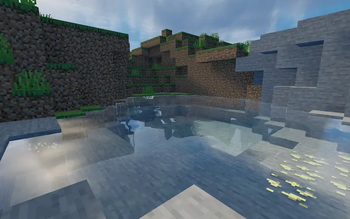
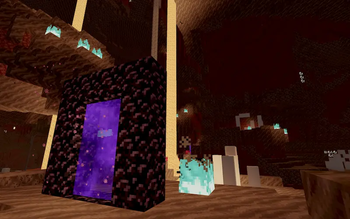
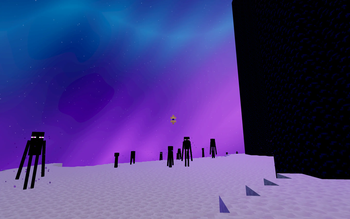
Crystalism Shaders
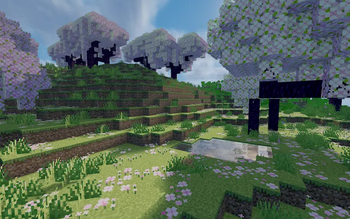
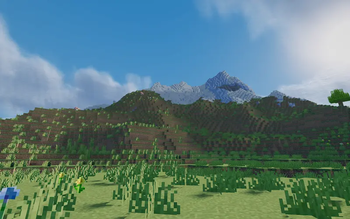
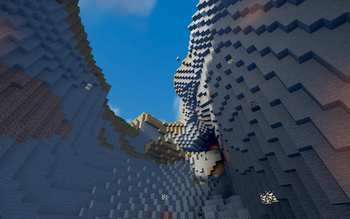
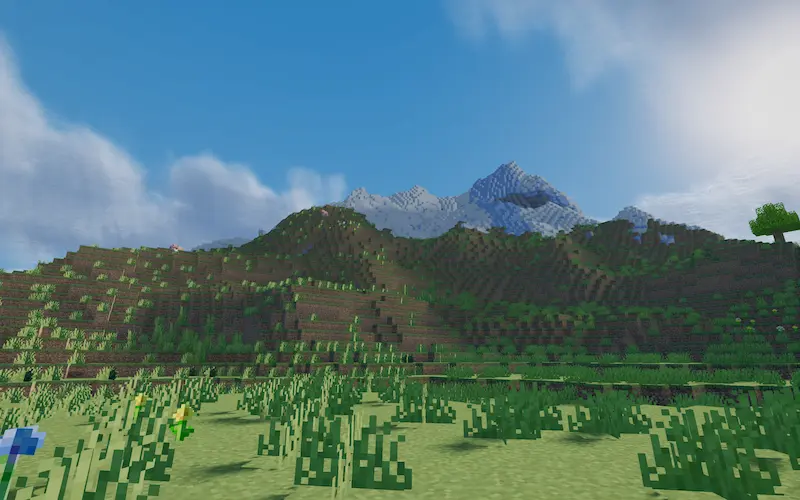 Crystalism is a cinematic Minecraft shader pack designed to enhance Minecraft’s visuals while maintaining smooth, practical performance.
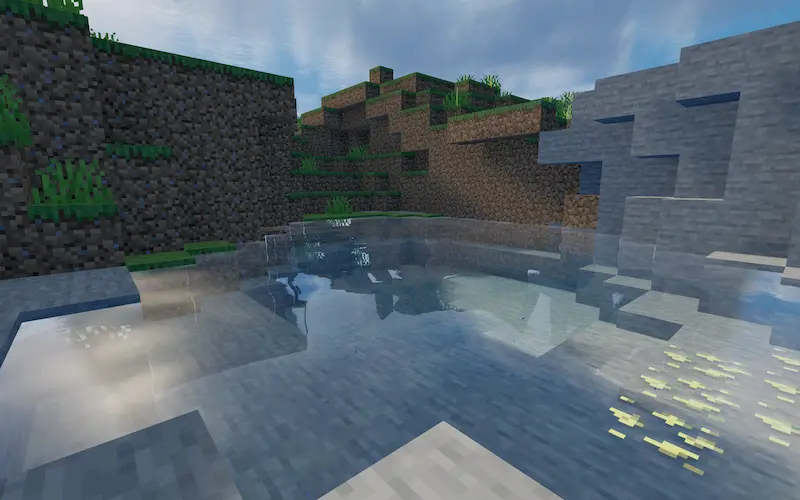 It focuses on atmospheric lighting, realistic water, dramatic skies, reflections, soft shadows, cinematic color grading, and a more immersive appearance while preserving the recognizable style of Minecraft.
It may have some issues, but it is still improving.
Features Cinematic lighting and atmosphere
Enhanced sunrises and sunsets
Improved sky and fog
Soft, natural-looking shadows
Reflective and detailed water
Water Fresnel reflections and sun highlights
Improved clouds
Enhanced vegetation lighting
Atmospheric Nether and End visuals
Underwater visual effects
Cinematic color grading
Bloom and light effects
Designed with performance in mind
Optimized primarily for Iris Shaders
Crystalism is designed for players who want Minecraft screenshots, exploration, and normal gameplay to look substantially more cinematic without requiring an excessively heavy shader.
Installation Install Iris Shaders.
Download Crystalism.
Place the shader .zip file in your Minecraft shaderpacks folder.
Open Minecraft.
Go to Video Settings → Shader Packs.
Select Crystalism.
Do not extract the shader ZIP unless specifically required by your launcher.
Compatibility Crystalism is primarily developed and tested for Minecraft with Iris Shaders.
Compatibility with other shader loaders is not guaranteed.
Performance will vary depending on Minecraft version, resolution, render distance, GPU, shader settings, mods, and resource packs.
Screenshots & Videos You are welcome to use Crystalism in:
Minecraft screenshots
YouTube videos
Twitch streams
Social-media posts
Personal Minecraft worlds
Credit to Crystalism is appreciated when practical.
Modpacks Do not redistribute the Crystalism shader files inside a modpack or other downloadable package without permission.
You may link users to the official Crystalism download page instead.
Redistribution Please do not:
Reupload Crystalism to another website
Redistribute modified versions
Claim Crystalism or portions of it as your own
Sell the shader or include it in paid downloads
Bundle the shader files with another project without permission
Publish unofficial mirrors of Crystalism
Please use the official Crystalism project pages for downloads.
Modifications You may modify Crystalism for personal use.
Modified versions may not be publicly redistributed without explicit permission from the copyright holder.
- Edition: Minecraft Java
- File type: .zip (resource pack)
- Minecraft versions listed: 1.21, 1.21.1, 1.21.2
- How to install: Download the .zip resource pack — do not unzip it. → Put it in .minecraft/resourcepacks. → Enable it in Options → Resource Packs.
- Where to get it: Opens on Modrinth — not every file is mirrored on our own servers.
Install steps are the general flow for this file type — see the MC Java Mods guides for the full walkthrough.
- Downloads as Crystalism_Shaders_1.0.zip
- Download size: 422 KB
- Download link checked 9 Oct 2026 — working
These come from our own check of the pack file, not from the source page.