
QOLity of life
Java data pack listed for Minecraft 1.21–26.x. Downloads from the MC Java Mods app on Android.
This project adds 30 new quality of life features to make your time playing the game much easier, all these features are very vanilla
⬇ Download on Modrinth
Thanks for downloading QOLity of life, heres what the features are! Please Favorite this project.
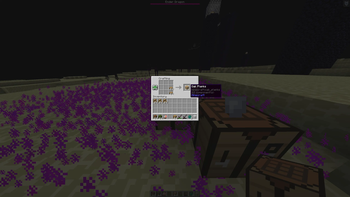
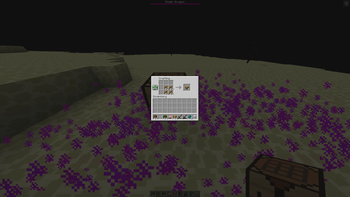
Fast Concrete Drop any color of concrete powder into water and the entire dropped stack converts into concrete. Low Durability Warning Warns you when the tool or item you are using is getting close to breaking. Wood Stonecutting Lets you use the stonecutter for common wood building pieces. Makes stairs and slabs easier to craft without constantly changing recipes. Uncraft Slabs Lets you convert slabs back into their original full blocks. Helps get materials back from accidentally overcrafting slabs. Uncraft Stairs Lets you convert stairs back into their original blocks. Helps prevent wasting building materials. Glass Re-Dyeing Lets you change stained glass from one color to another. You don't have to make completely new stained glass. Terracotta Re-Dyeing Lets you recolor existing colored terracotta. Bed Re-Dyeing Lets you recolor an already crafted bed. Candle Re-Dyeing Lets you change the color of existing candles. Concrete Re-Dyeing Lets you recolor existing concrete instead of making another batch. Compass Coordinates Holding a compass can display your current coordinates. Gives you an easier alternative to constantly opening F3. Cardinal Direction HUD Compass information includes the direction you are facing. Shows directions such as North, South, East, and West. Coordinate Waypoints Lets you save useful locations using the datapack's waypoint trigger. Designed for remembering locations without writing coordinates somewhere else. Waypoint Information Lets you view information about your saved waypoint. Nether Coordinate Converter Converts your coordinates between the Nether and Overworld coordinate systems. Useful when building linked Nether portals. Sleep Counter Keeps track of sleeping players for multiplayer sleep functionality. Sleep Vote Allows multiplayer nights to be skipped without requiring every player to sleep. Uses a configurable sleep percentage. Coordinate Sharing Lets you quickly send your current coordinates into chat using a trigger. Item Sharing Lets you show information about the item you are currently holding in chat. XP Progress Gives you a more precise display of your current experience progress. Useful when you want to know how close you are to the next level. Totem Counter Lets you quickly see how many Totems of Undying you currently have. Arrow Counter Lets you check how many arrows you currently have. Ender Pearl Counter Lets you check how many ender pearls you currently have. Rocket Counter Lets you see how many fireworks you have remaining. Especially useful while using an Elytra. Elytra Altitude Displays useful altitude information while flying with an Elytra. Elytra Flight Information Provides lightweight flight related HUD information while Elytra flying. Valuable Item Glow Important dropped items are made easier to notice. Helps prevent diamonds and other valuable items from disappearing visually among other drops. Valuable Item Despawn Warning Valuable dropped items receive a warning effect when they are getting close to despawning. Gives you a better chance of noticing and recovering them. Void Item Rescue Important items that fall into the End void can be rescued instead of simply being deleted. Intended as protection against accidentally losing valuable items. Lava Item Warning Gives you feedback when important vulnerable dropped items are around lava. Helps you notice an item before it gets destroyed. Safe Trash Adds a deliberate trash system using a trigger. Gives you a safer way to intentionally get rid of unwanted items instead of throwing them into lava. QoL Help /trigger q_help Displays the datapack's available player commands and basic usage information.
- Edition: Minecraft Java
- File type: .jar
- Minecraft versions listed: 1.21.6, 1.21.7, 1.21.8
- How to install: Install the matching mod loader (Forge, Fabric or NeoForge) for your Minecraft version. → Download the .jar. → Put it in the .minecraft/mods folder and launch that loader profile.
- Where to get it: Opens on Modrinth — not every file is mirrored on our own servers.
Install steps are the general flow for this file type — see the MC Java Mods guides for the full walkthrough.
- Downloads as QoL_Basics_1.21.11.zip
- Download size: 66 KB
- Download link checked 9 Oct 2026 — working
These come from our own check of the pack file, not from the source page.