ModsJava
Seamless Flux Link Mod (26.2, 26.1.2) – Download Mods and Shaders Without
Minecraft Java mod. Downloads from the MC Java Mods app on Android.
⬇ Download
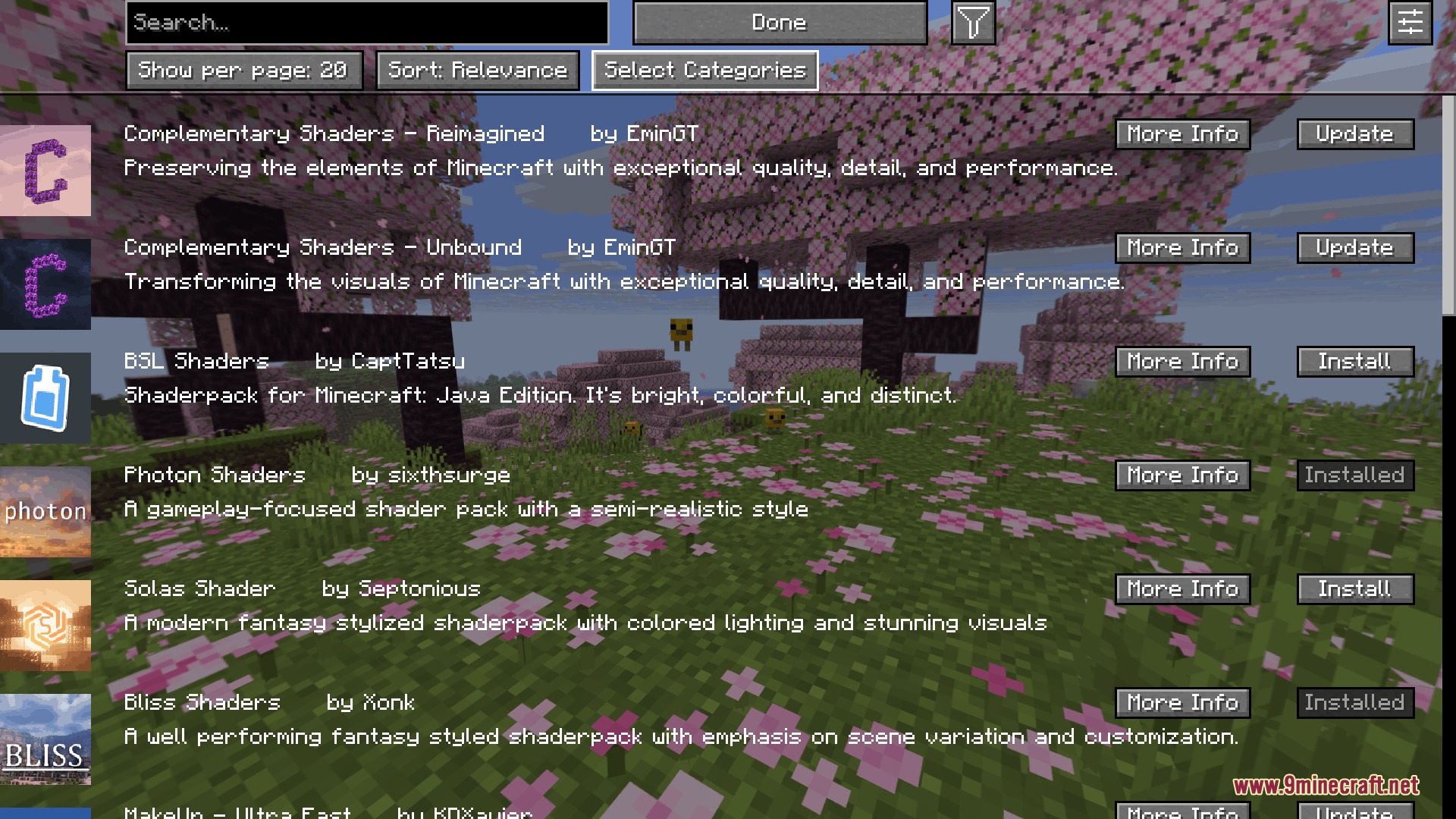
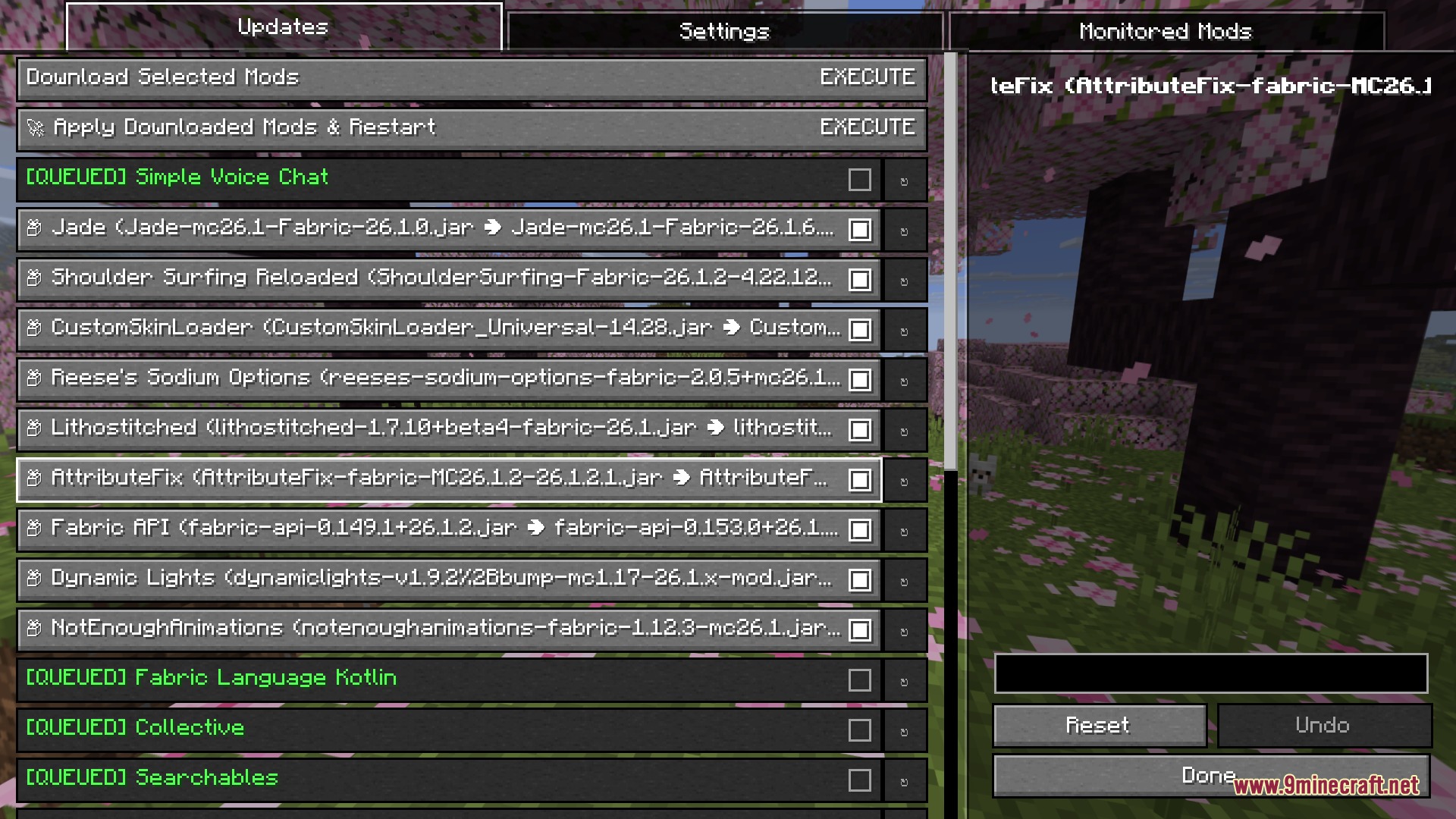
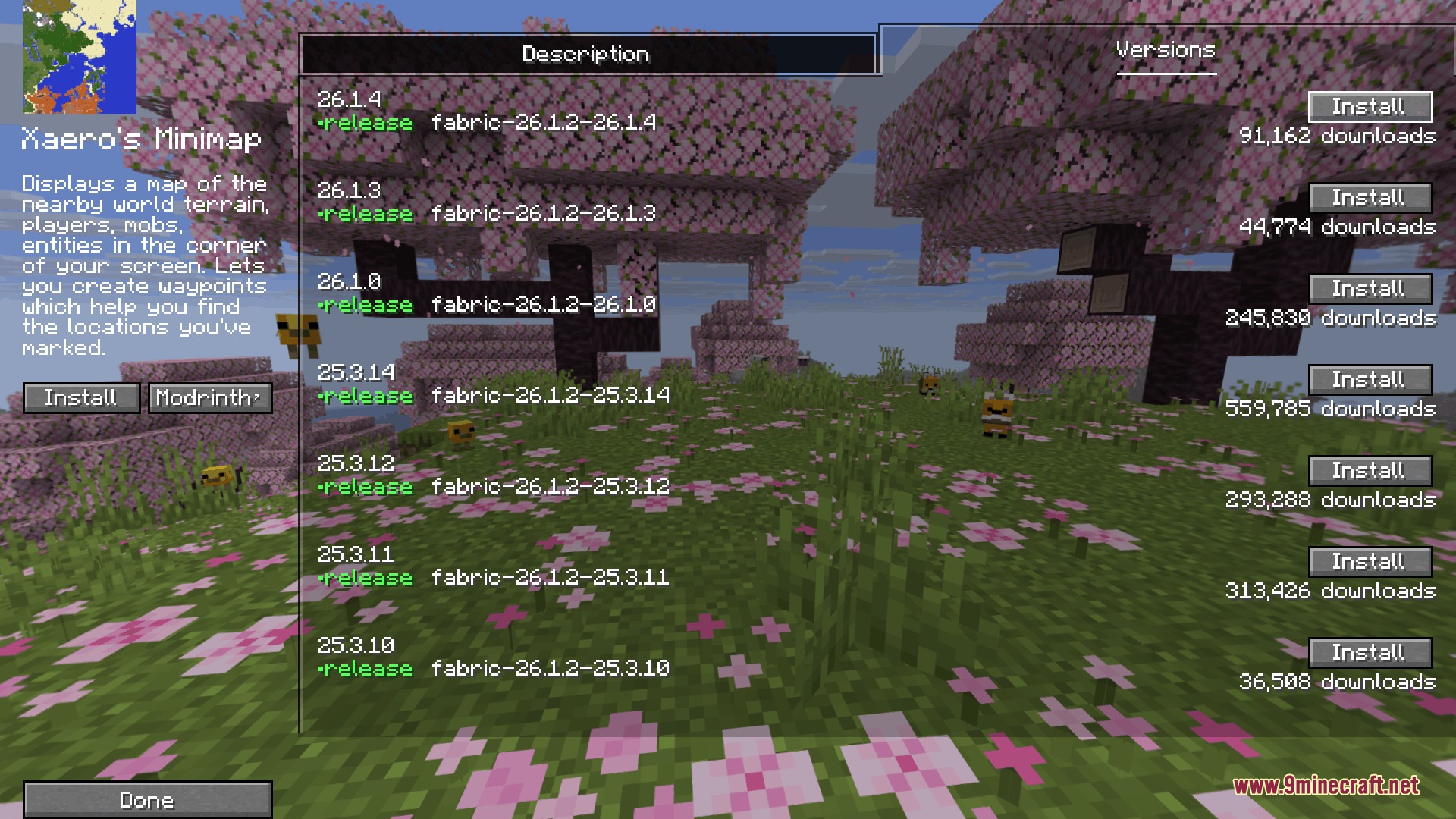
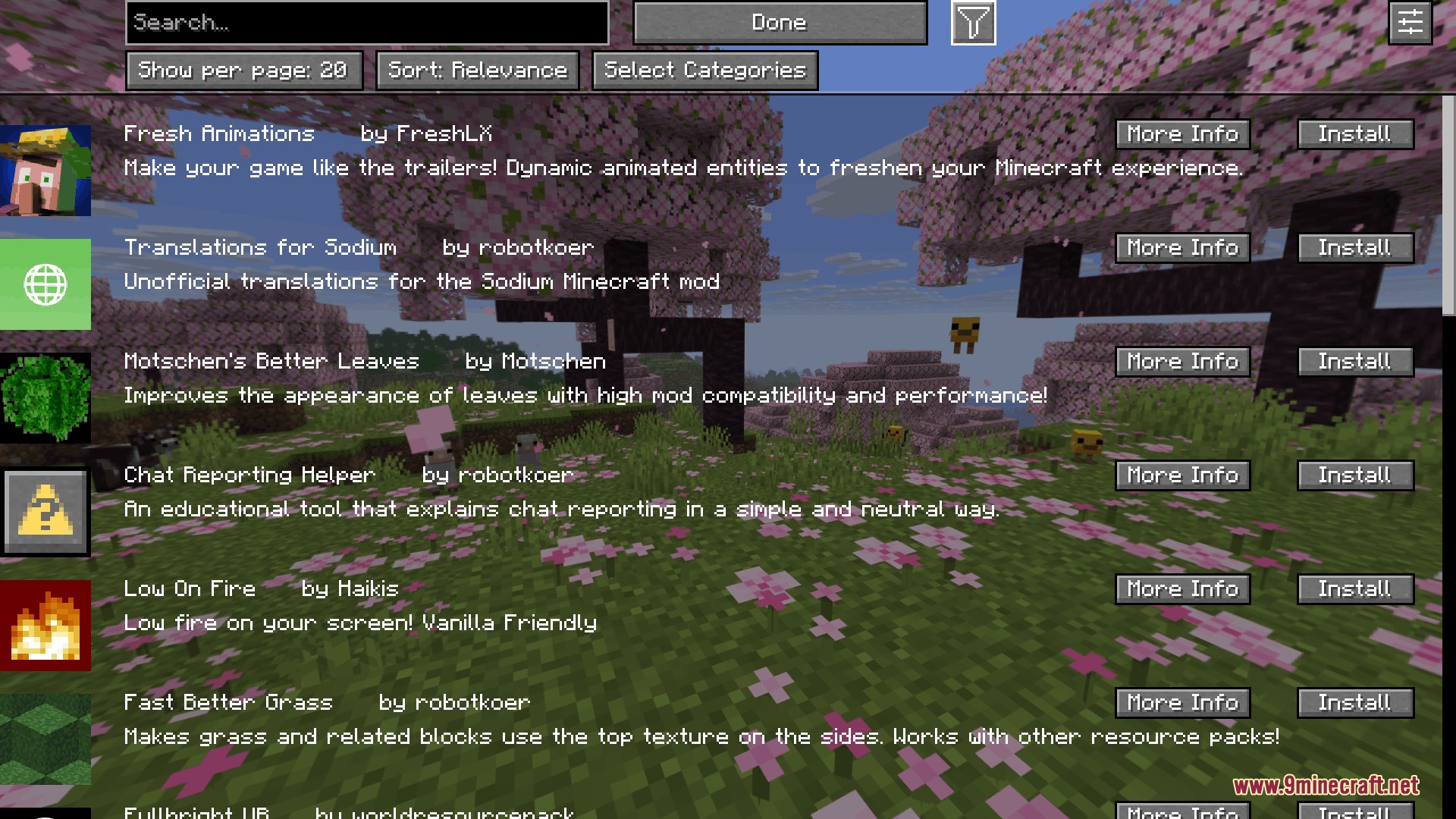
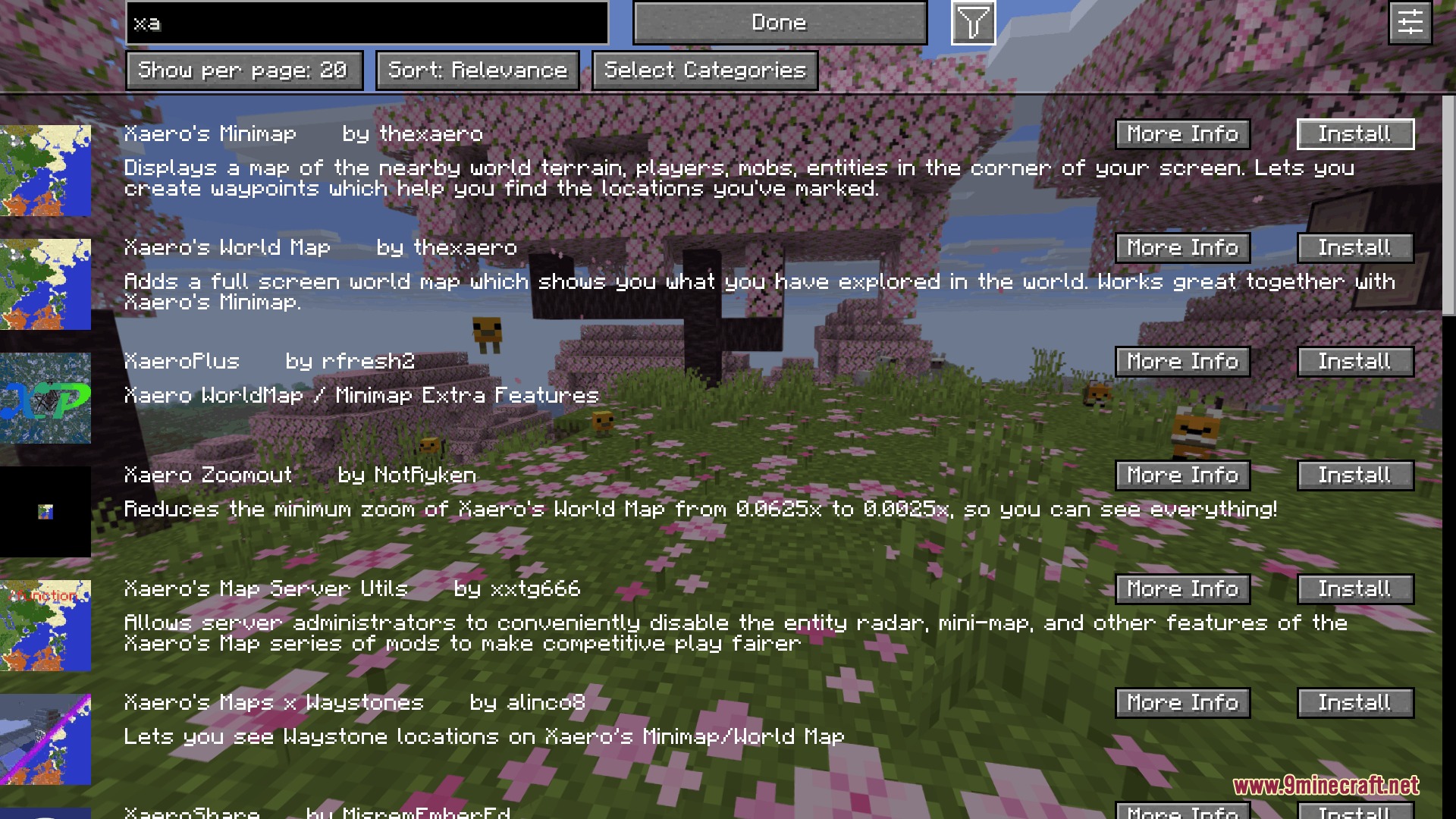
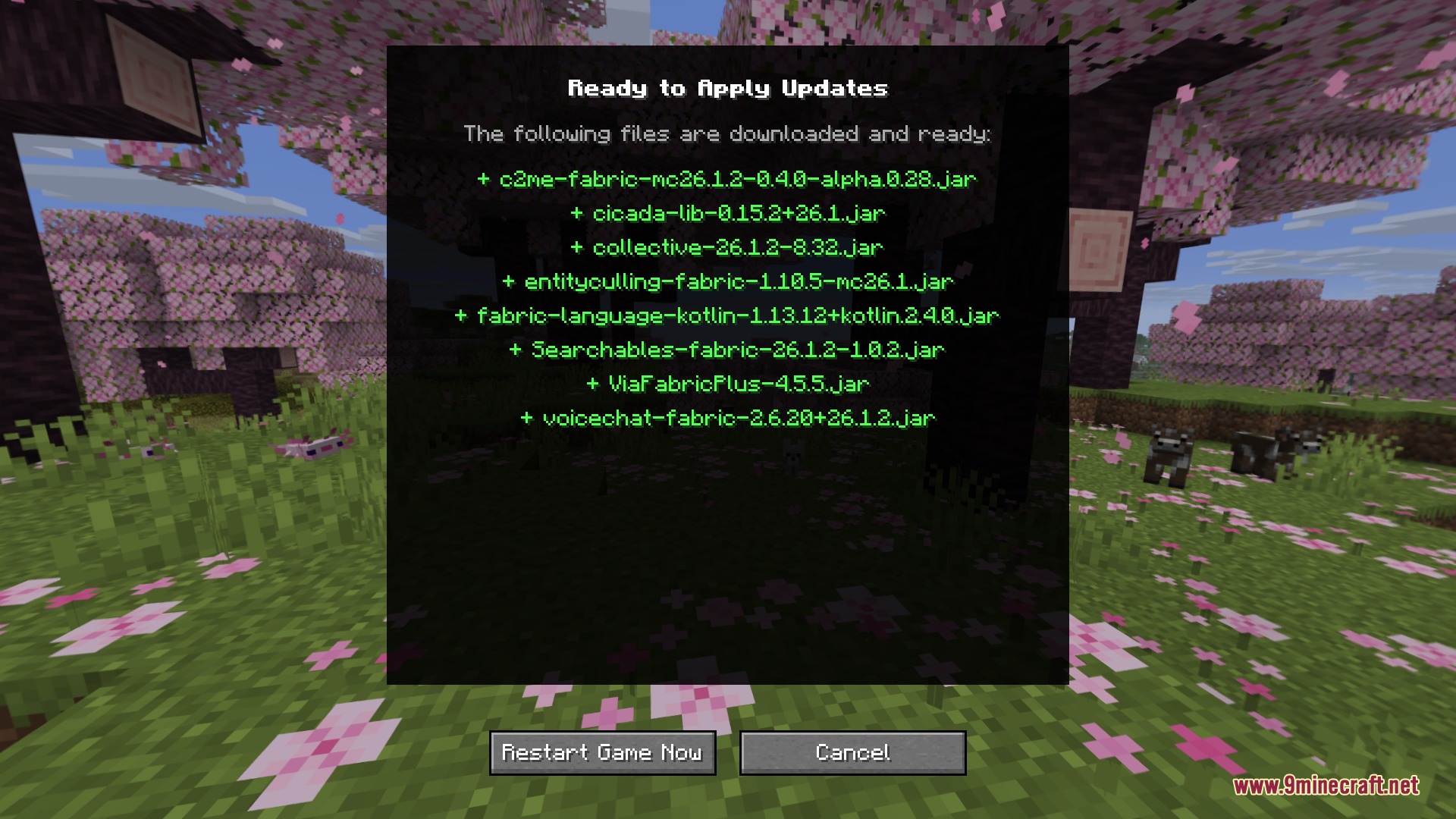
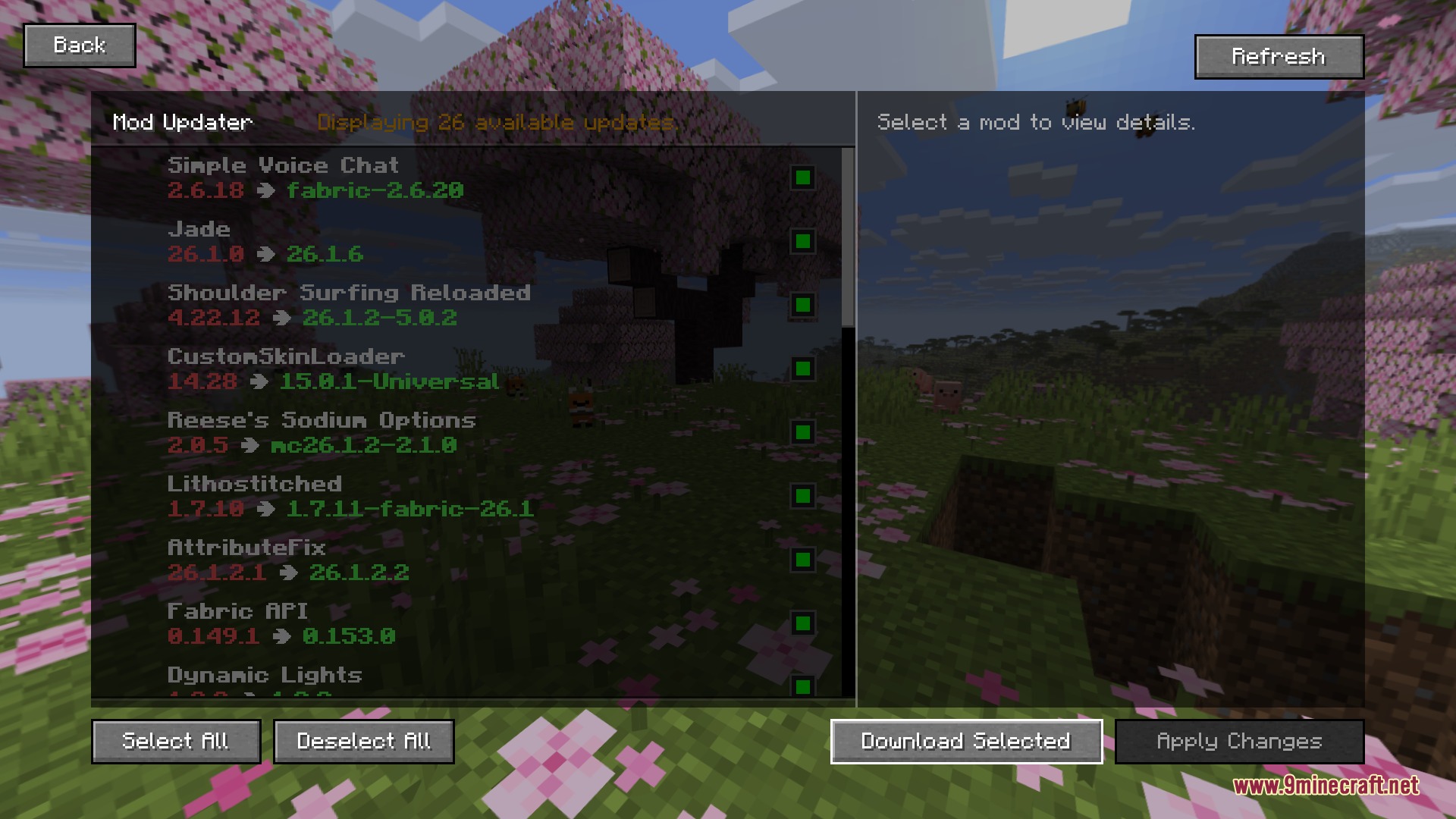
Seamless Flux Link Mod lets you download mods, shaders, and resource packs directly inside Minecraft without opening a web browser. It scans your installed files, checks for new releases in seconds, and downloads them in the background while you play. You can review all incoming files on a confirmation screen and apply new updates with a single click.
Features:
- Scans your entire mod folder in seconds to look for newer releases.
- Downloads shaders, resource packs, and new mod files directly inside the game menu.
- Runs multiple file downloads at the same time with clear progress bars.
- Matches exact game versions so you never download incompatible files.
- Lets you pick between a modern interface or a classic Minecraft look.
- Shows a clean confirmation screen so you can verify changes before applying them.
- Applies downloaded files with a single press of a button.
- Works directly inside your pause and mod menus using custom keybinds.
How to Use:
- Press your configured menu key to open the in-game update interface.
- Browse available mod updates, shaders, or resource pack listings.
- Select the items you want to download and click to start the download.
- Review the pending files on the confirmation screen and click apply.
Screenshots:
Seamless Flux Link Mod Download Links
Quick facts
- Edition: Minecraft Java
- File type: .jar
- How to install: Install the matching mod loader (Forge, Fabric or NeoForge) for your Minecraft version. → Download the .jar. → Put it in the .minecraft/mods folder and launch that loader profile.
- Where to get it: In MC Java Mods, or directly above on this page.
Install steps are the general flow for this file type — How to install Minecraft Java mods & modpacks walks through it step by step.
File checked by MCModsHub
- Downloads as 501510.mcaddon
- Download size: 5.2 MB
- Download link checked 25 Sept 2026 — working
- Mirrored on our own servers — the download does not depend on the original host
These come from our own check of the pack file, not from the source page.