
PillarPlan: Even Spacing Guide
Java mod listed for Minecraft 1.21. Downloads from the MC Java Mods app on Android.
⬇ Download on Modrinth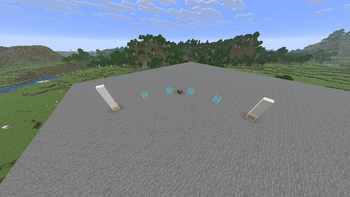
PillarPlan
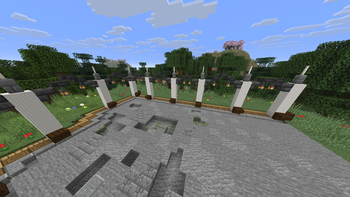
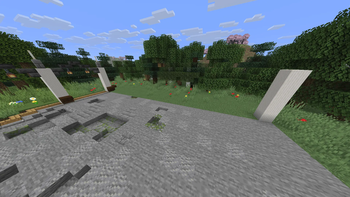
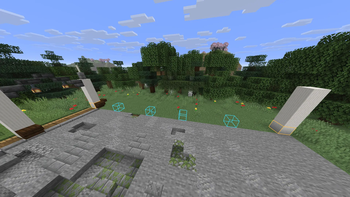
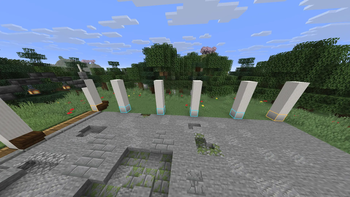
PillarPlan is a client-side building tool for planning evenly spaced pillars along connected paths.
Choose a start block with P, then add straight path points along the X or Z axis. PillarPlan shows the calculated pillar positions as outlines without placing or changing any blocks.
Change the target spacing with G and K. All completed sections update automatically when the spacing changes.
Straight paths
For straight sections, PillarPlan uses two types of spacing:
- Exact spacing: Every gap has the same width
- Balanced spacing: Neighboring gaps differ by at most one block
This makes it possible to distribute pillars across sections where perfectly equal spacing is not possible.
Curved paths
Curved sections are also supported.
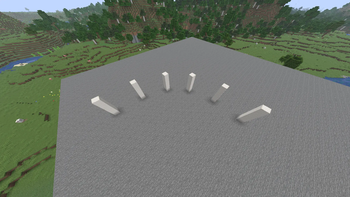
Press C, select a guide block with P, then select the endpoint. The start point, guide point and endpoint are used to define a circular arc.
Pillar positions along curves are rounded to the Minecraft block grid and shown as approximate positions.
Controls
P- Select the start or add another path pointG- Increase the target gapK- Decrease the target gapC- Start or cancel a curved sectionU- Undo the latest actionO- Clear the complete plan
All keybinds can be changed in Minecraft's Controls menu.
Client-side only
PillarPlan runs entirely on the client and does not need to be installed on the server.
It does not:
- Place or modify blocks
- Consume items
- Modify the world
- Send custom network packets
It only displays the planned pillar positions to the player using the mod.
Requirements
- Minecraft Java Edition 1.21.11
- Fabric Loader
- Fabric API
- Java 21
Current limitations
- Horizontal paths only
- Straight sections must follow the X or Z axis
- Curves use circular block-grid approximations
- One-block-wide pillars
- Maximum of 256 blocks per section
- Plans are not saved after leaving the world
- Edition: Minecraft Java
- File type: .jar
- Minecraft version listed: 1.21.11
- How to install: Install the matching mod loader (Forge, Fabric or NeoForge) for your Minecraft version. → Download the .jar. → Put it in the .minecraft/mods folder and launch that loader profile.
- Where to get it: Opens on Modrinth — not every file is mirrored on our own servers.
Install steps are the general flow for this file type — How to install Minecraft Java mods & modpacks walks through it step by step.
- Ships as pillarplan-0.2.1.jar — drop this file into the mods folder
- Download size: 25 KB
- Download link checked 10 Oct 2026 — working
These come from our own check of the pack file, not from the source page.