
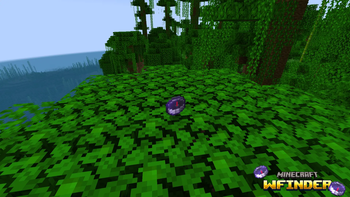

WFinder is a handy Minecraft mod that adds a custom directional compass to help you locate hidden ores effortlessly! 💎⛏️
✨ Key Features
- ⛏️ Deepslate Supported: Detects both standard blocks and deepslate variants (Diamond, Gold, Iron, and Ancient Debris).
- 📡 40-Block Detection Radius: Quickly scans nearby blocks up to a 40-block radius.
- ⌨️ Easy Selection Menu: Hold the compass in your hand and press
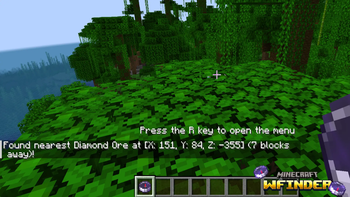
Rto choose your target ore. - 📍 Exact Coordinates: Displays exact coordinates and distance directly in your action bar/chat.
🎮 How to Use
- Hold the WFinder Compass in your main hand.
- Press
Rto open the Ore Selection Screen. - Choose the ore you want to find.
- Follow the coordinates to find your ore! 🚀
📥 Installation Guide
🟢 For Fabric:
- Download and install Fabric Loader.
- ⚠️ REQUIRED: Download Fabric API and put the
.jarfile into your.minecraft/modsfolder! - Download WFinder (Fabric version) and place it into your
.minecraft/modsfolder.
🟠 For Forge:
- Download and install Minecraft Forge.
- Download WFinder (Forge version) and place it into your
.minecraft/modsfolder.
Quick facts
- Edition: Minecraft Java
- File type: .jar
- Minecraft version listed: 1.20.1
- How to install: Install the matching mod loader (Forge, Fabric or NeoForge) for your Minecraft version. → Download the .jar. → Put it in the .minecraft/mods folder and launch that loader profile.
- Where to get it: Opens on Modrinth — not every file is mirrored on our own servers.
Install steps are the general flow for this file type — How to install Minecraft Java mods & modpacks walks through it step by step.
Verified by MCModsHub
- Ships as WFinder_Forge_1.20.1-1.0.0.jar — drop this file into the mods folder
- Download size: 889 KB
- Download link checked 30 Aug 2026 — working
These come from our own check of the pack file, not from the source page.