
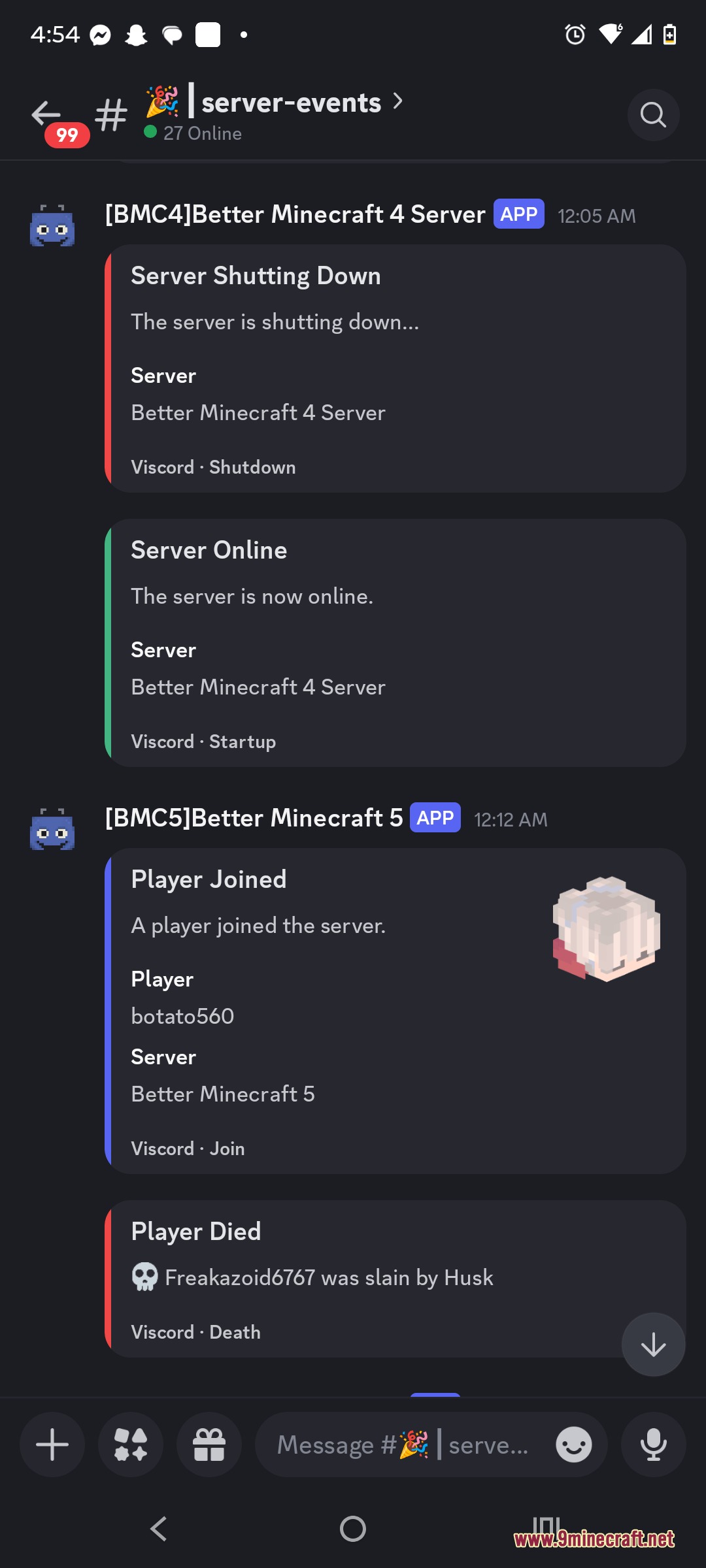
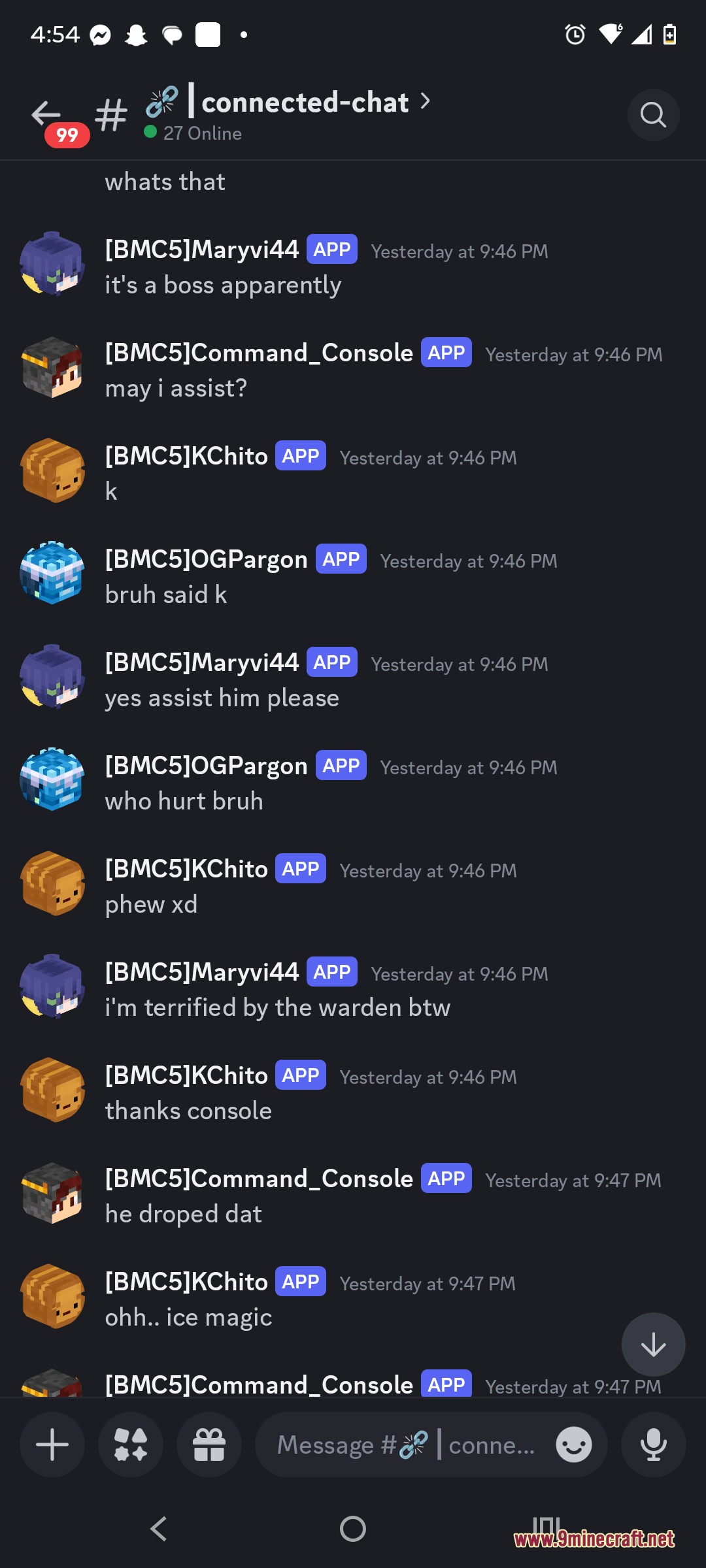
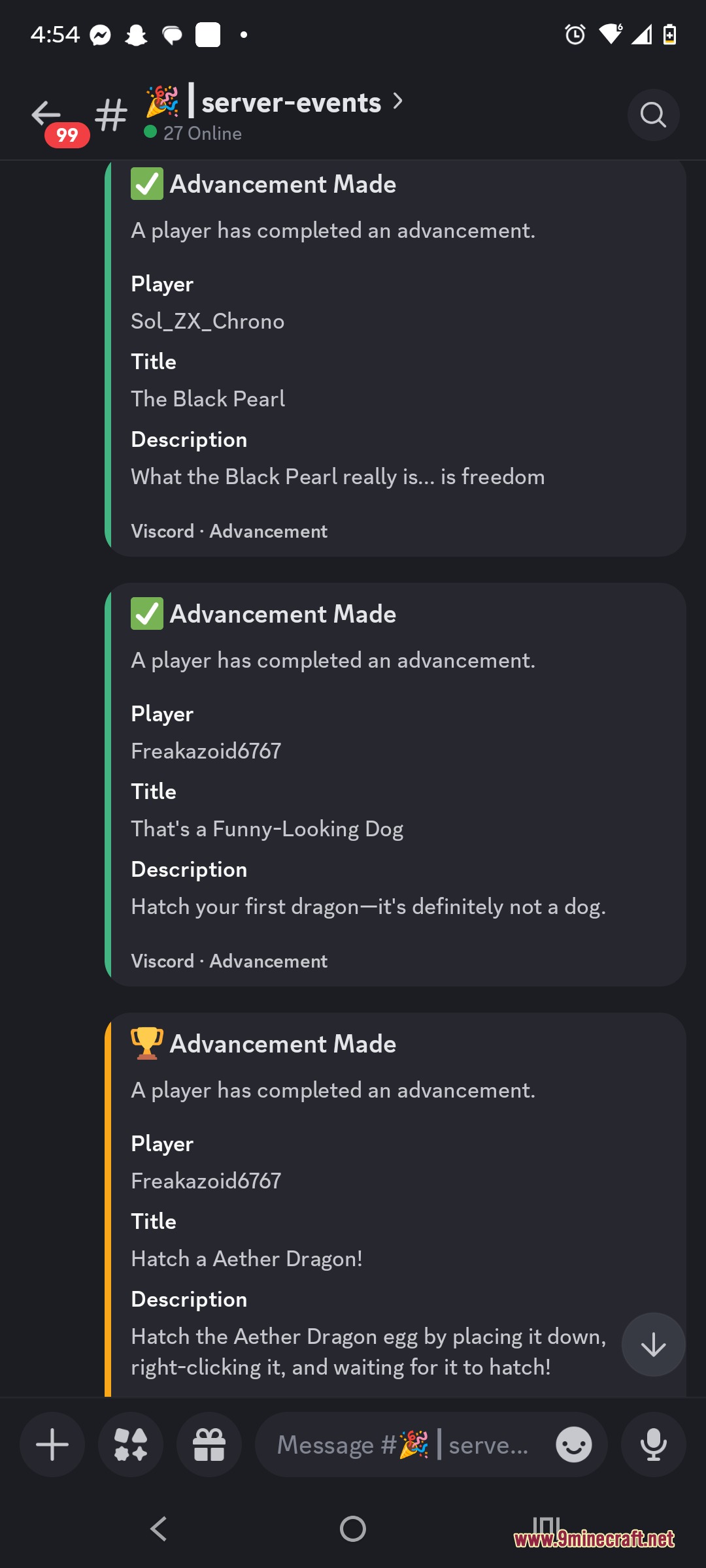
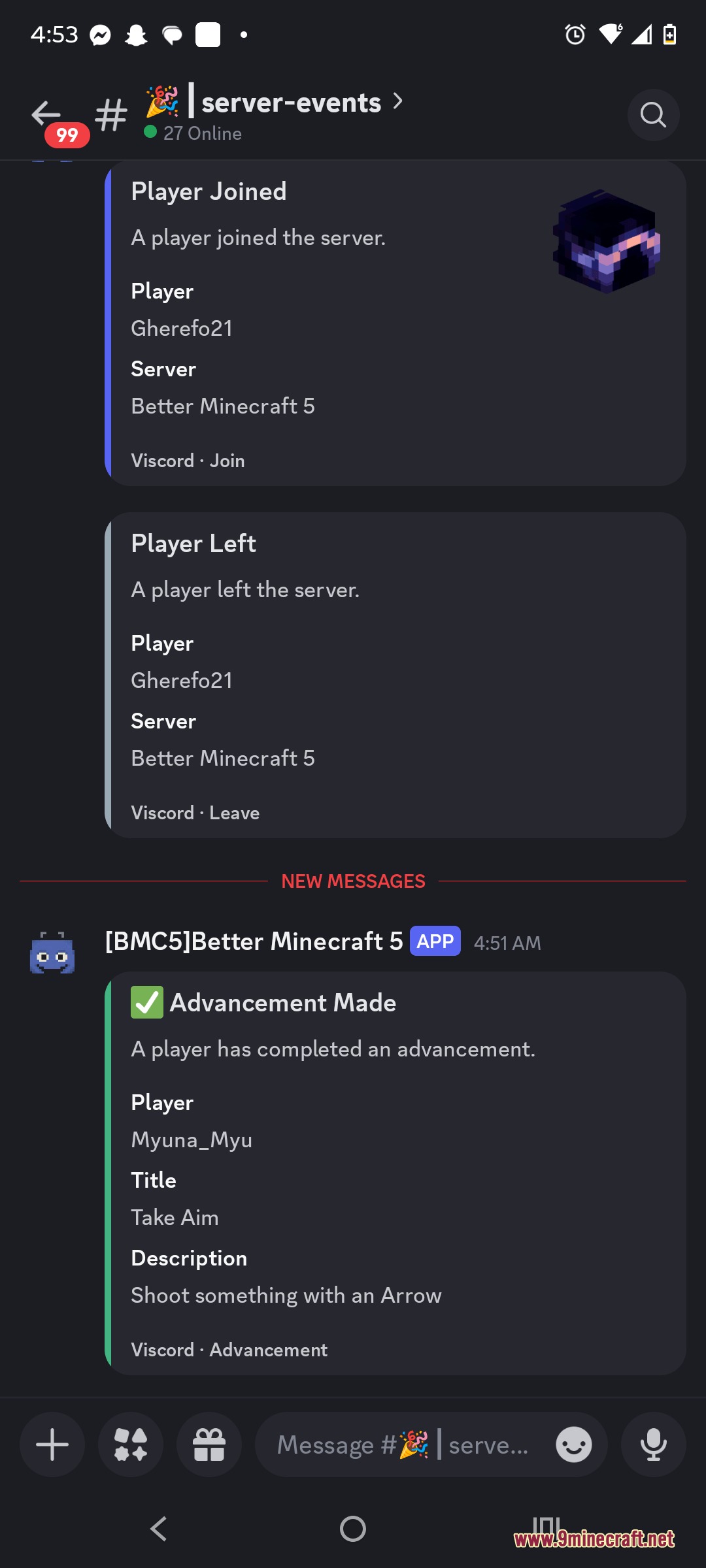
Linkstream Hub Mod connects your Minecraft server chat with external platforms like Discord and Fluxer. It sends in-game messages, player deaths, join announcements, and achievements straight to your community channels. Messages from those platforms also appear back in the game world so everyone stays in touch. The mod runs entirely on the server side, which means players can join normally without installing anything extra.
Features:
- Links Minecraft chat directly to Discord and Fluxer channels so players and community members talk across platforms.
- Sends alerts for server startups, shutdowns, player joins, leaves, deaths, and advancements.
- Works entirely on the server side, letting vanilla players join without extra downloads.
- Lets players link their in-game accounts to Discord profiles using temporary security codes.
- Includes settings for players to turn chat bridging and event alerts on or off individually.
- Relays messages between multiple servers by setting up unique server tags and trusted webhooks.
- Runs network tasks off the main tick thread to keep gameplay smooth without lag.
- Stops duplicate messages and echo loops between chat channels automatically.
- Applies custom text colors and chat templates to match your server style.
Commands:
/viscord reload: reloads server settings without restarting./viscord status: checks the current connection state of the bridge./viscord discord link: starts the account linking process./viscord discord unlink: removes a linked Discord account./viscord discord messages: toggles relayed chat messages for your account./viscord discord events: toggles server event alerts for your account.
How to Use:
- Place the mod file inside your server’s mods folder and start the server.
- Open the generated config file to add your bot tokens, webhook links, and channel IDs.
- Use
/viscord reloadin the console or in-game to apply your settings without restarting. - Run
/viscord discord linkto connect your personal Discord profile to your player account.
Screenshots:
Linkstream Hub Mod Download Links
Quick facts
- Edition: Minecraft Java
- File type: .jar
- Minecraft version listed: 1.20.1
- How to install: Install the matching mod loader (Forge, Fabric or NeoForge) for your Minecraft version. → Download the .jar. → Put it in the .minecraft/mods folder and launch that loader profile.
- Where to get it: In MC Java Mods, or directly above on this page.
Install steps are the general flow for this file type — How to install Minecraft Java mods & modpacks walks through it step by step.
Verified by MCModsHub
- Downloads as 502036.mcaddon
- Download size: 12.8 MB
- Download link checked 25 Sept 2026 — working
- Mirrored on our own servers — the download does not depend on the original host
These come from our own check of the pack file, not from the source page.