
Piston Scanner
Java mod listed for Minecraft 1.21. Downloads from the MC Java Mods app on Android.
A client-side utility mod that quickly scans and loads all pistons within a chunk, supports pinyin-based search, and categorizes them by status, with…
⬇ Download on Modrinth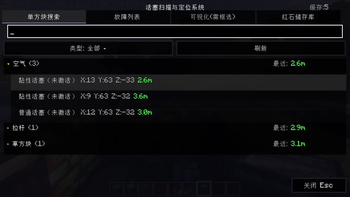
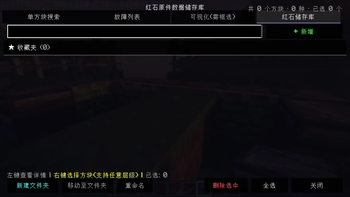
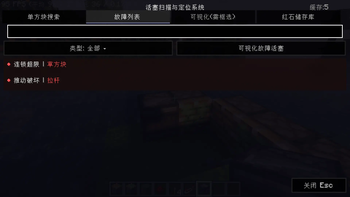
Piston Scanner / 活塞扫描器
A lightweight client-side mod for redstone engineers. Press a key to instantly scan all pistons in loaded chunks, browse them by type, search with pinyin support, and click to highlight any piston through walls.
轻量级客户端模组,一键扫描加载区块内所有活塞,支持拼音搜索、分类筛选,点击即可透视高亮定位目标活塞。
Features / 功能
One-Key Scan / 一键扫描 Instantly scans all pistons (normal & sticky) in loaded chunks with optimized performance.
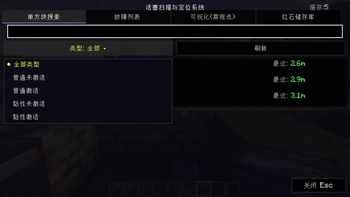
Smart Categories / 智能分类 Results grouped into 4 types: inactive/active × normal/sticky, with live count statistics.
Pinyin Search / 拼音搜索 Search by Chinese characters, full pinyin ("shitou"), initials ("st"), or English registry names — no input method switching needed.
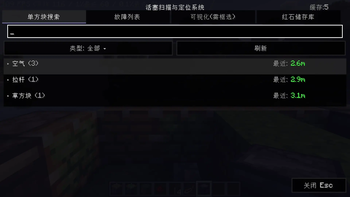
Grouped Results / 分组浏览 Pistons are grouped by the block in front of them. Click to expand/collapse each group.
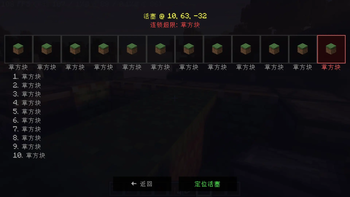
Click-to-Locate / 点击定位 Click any result to highlight the piston with a gold wireframe that glows through walls, with on-screen coordinates.
Smart Guidance / 智能引导 Highlight auto-clears when you approach within 3 blocks, or if the piston is destroyed/chunk unloads.
Area Selection / 区域选择 Press Z twice to define a cubic region; subsequent scans only search within that area. Green wireframe shows the selected region.
Usage / 使用方式
| Key / 按键 | Action / 功能 |
|---|---|
| X | Open scanner & scan / 打开扫描界面 |
| Z | Select block corners for area / 选取区域顶点 |
| C | Clear selected area / 清除选择区域 |
| Esc | Close GUI / 关闭界面 |
⚠️ X key conflicts with vanilla "Swap Items"! Please rebind in Controls → Key Binds. ⚠️ X键与原版"交换物品"冲突!请前往 设置→按键绑定 自行调整。
Install / 安装
- Install Fabric Loader 0.14.21+
- Install Fabric API
- Drop this mod's jar into
modsfolder - Launch and press X (or your custom keybind)
Compatible with Minecraft 1.19.2 / 1.19.4 | Client-side only | Bilingual (ZH/EN)
- Edition: Minecraft Java
- File type: .jar
- Minecraft version listed: 1.21.1
- How to install: Install the matching mod loader (Forge, Fabric or NeoForge) for your Minecraft version. → Download the .jar. → Put it in the .minecraft/mods folder and launch that loader profile.
- Where to get it: Opens on Modrinth — not every file is mirrored on our own servers.
Install steps are the general flow for this file type — How to install Minecraft Java mods & modpacks walks through it step by step.
- Ships as piston-scanner-4.1.0_1.21.1.jar — drop this file into the mods folder
- Download size: 145 KB
- Download link checked 10 Oct 2026 — working
These come from our own check of the pack file, not from the source page.