
LitematList Mod
Allows players to view a list of materials for multiple litematic files simultaneously within a single window.
⬇ Download on Modrinth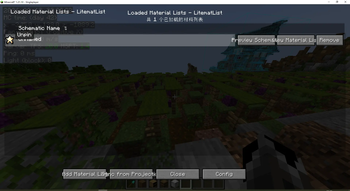
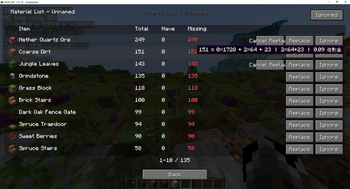
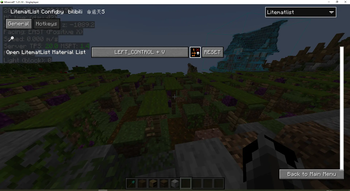
In the original Litematica mod, Litematic files outside the loaded render range cannot be written into the material list. Additionally, only one material list can be viewed at a time, and editing or saving changes is not supported. After installing this mod, it can synchronize Litematic files from Litematica, allowing users to view the material lists of multiple Litematic files simultaneously. It also supports saving any replaced materials for future reference. Moreover, you can pin the selected material list to the top for quick access at any time. This greatly resolves many practical issues in large-scale building projects that require extensive material management. The mod is registered with the malilib list, enabling quick switching between it and other masa mods. It pairs exceptionally well with SchematicPreview.
- Edition: Minecraft Java
- File type: .jar
- Minecraft version listed: 26.2
- How to install: Install the matching mod loader (Forge, Fabric or NeoForge) for your Minecraft version. → Download the .jar. → Put it in the .minecraft/mods folder and launch that loader profile.
- Where to get it: Opens on Modrinth — not every file is mirrored on our own servers.
Install steps are the general flow for this file type — How to install Minecraft Java mods & modpacks walks through it step by step.
- Ships as schematicpreview-0.0.36+26.2.jar — drop this file into the mods folder
- Download size: 107 KB
- Download link checked 30 Aug 2026 — working
These come from our own check of the pack file, not from the source page.