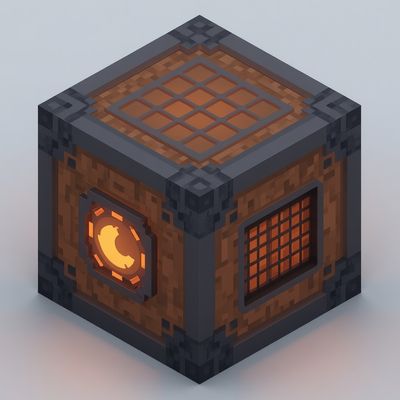
Super Crafter
Bedrock add-on listed for Minecraft 1.21–26.x. File opened and checked on 30 Aug 2026; installs from the MC Bedrock Mods app on Android.
Craft 285+ vanilla recipes instantly from your own inventory — no more tedious grid arranging. Super Crafter brings Java-style one-click crafting to…
⬇ Download on CurseForgeSuper Crafter solves Bedrock's slowest annoyance: manual grid crafting.
Place the Super Crafter block, right-click it, and a category-organized menu opens — pick your item, choose a quantity (x1 / x8 / x64 / Max), and it's instantly crafted straight from your own inventory. No chest storage, no dragging items into a 3x3 grid.
Features:
285+ vanilla crafting recipes, verified against official Mojang data
Organized into 10 categories (Wood, Tools, Redstone, Armor, Food, and more)
Craftable count shown per recipe so you know what you can make right now
Built-in inventory sort button
Craft directly from your inventory — nothing needs to be deposited first
How to craft it: 4 Crafting Tables arranged 2x2, just like a regular Crafting Table recipe.
Uses stable Bedrock Script API — no experimental toggles needed, works on any world.
- Edition: Minecraft Bedrock
- File type: .mcpack or .mcaddon
- Minecraft versions listed: 1.21.93, 1.21.90, 1.21.101
- How to install: Download the .mcpack or .mcaddon file. → Open it — Minecraft imports it. → In your world: Behavior Packs → Available → Activate, then the same under Resource Packs.
- Where to get it: Opens on CurseForge — not every file is mirrored on our own servers.
Install steps are the general flow for this file type — How to install Minecraft Bedrock addons & mods walks through it step by step.
- Pack type: .mcaddon — behaviour and resource pack in one file
- Download size: 12 KB
- Download link checked 10 Oct 2026 — working
These come from our own check of the pack file, not from the source page.