
CobbleGlow
Java mod listed for Minecraft 1.21. Downloads from the MC Java Mods app on Android.
Elevates your hunting experience by automatically detecting, pinpointing, and highlighting ultra-rare Pokémon (Legendary, Shiny, Paradox...) the exact…
⬇ Download on Modrinth
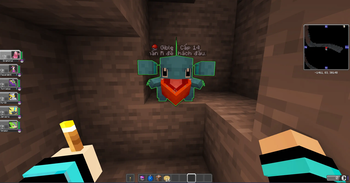
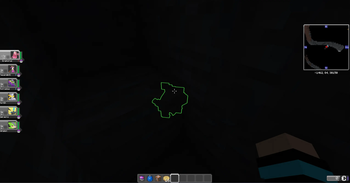
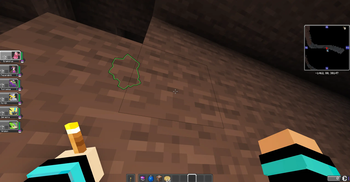
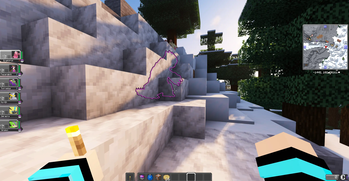

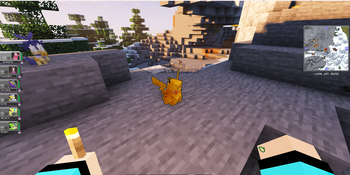
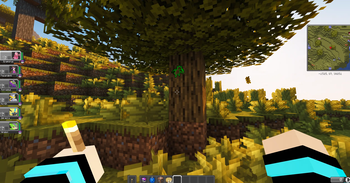
Auto-Glow & Rarity Color-Coding: Automatically detects and applies a permanent "Glow" effect to special Pokémon the moment they spawn in the world. The mod dynamically assigns specific glow colors based on the Pokémon's rarity tier.
In-Game Settings (Client GUI): Integrates a built-in configuration screen directly within the game. Players can quickly access this customization menu by pressing the Right Alt key.
- Edition: Minecraft Java
- File type: .jar
- Minecraft version listed: 1.21.1
- How to install: Install the matching mod loader (Forge, Fabric or NeoForge) for your Minecraft version. → Download the .jar. → Put it in the .minecraft/mods folder and launch that loader profile.
- Where to get it: Opens on Modrinth — not every file is mirrored on our own servers.
Install steps are the general flow for this file type — How to install Minecraft Java mods & modpacks walks through it step by step.
- Ships as CobbleGlow1.0.0.jar — drop this file into the mods folder
- Download size: 47 KB
- Download link checked 11 Oct 2026 — working
These come from our own check of the pack file, not from the source page.